
Campus connect was developed over a period of 10 days for the Future Business Leaders Of America (FBLA) mobile application development competition.
The app was created using the .net Maui framework in C# and used UraniumUI UI toolkit for handling some of the ui elements that .net Maui did not provide out the box as a newer framework. In Addition to UraniumUI it also used icons from Material Design Icons
--- I used github for source control and managing the codebase for CampusConnect it also allowed me to look at previous versions of the project if any bugs occured. I used microsoft visual studio as a code editor for the project. Visual studio also allowed me to run a emulator straight from my ide and supported hot reloading for my mobile app. This is why I chose it over a ligher weight visual studio code. For the designing of the ui I just drew it out in a notebook. To run the app you will need- Microsoft Visual Studio
- An Android Emulator - (Can be installed through visual studio)
-
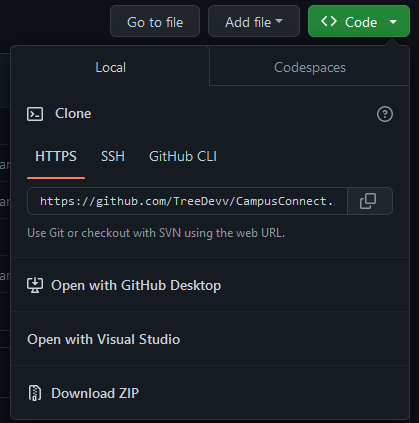
Extract the compressed folder to any directory you want just make sure you know where it is
-
Before you open the sln file you need to go into the Visual Studio Installer and click Modify from there click the .net multi platform ui app development kit and install it
-
Now if you have visual studio installed you should be able to go into the extracted folder and you will see a file named CampusConnect.sln open that up with visual studio and you should come up to the solution view.
-
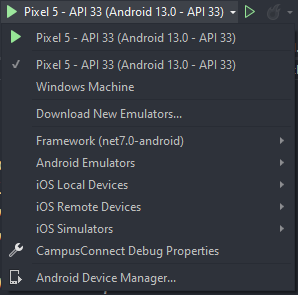
When the solution view is open click the drop down arrow next to the debug button. You will see a list of options click on Android emulators and download a android emulator
-
Once downloaded select the android emulator as the debug option and run the project!
-
Note the only school code currently is 123456