Folder Permissions
After Windows XP, Microsoft started tightening security on application folder. To work around this you might need to give "Users" full rights to you TWX Proxy folder.
Locate the folder on your hard drive and right click on it, then select Properties.
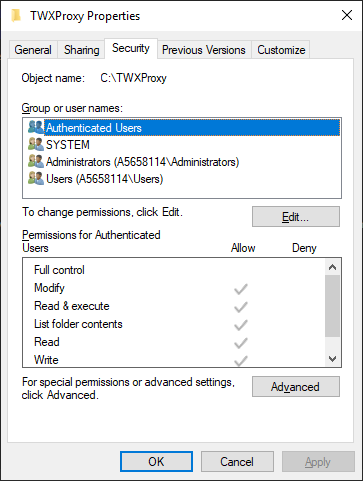
Select the Security tab, and click the Edit button.
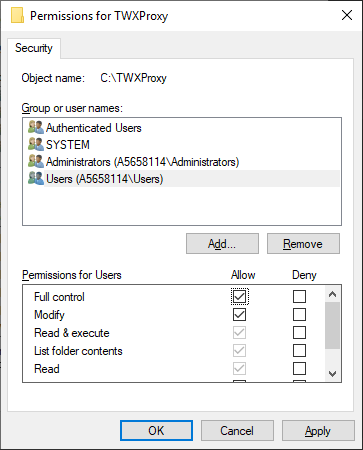
Select Users and then click the checkbox to allow Full Control permissions.
Click OK
Click OK
This will ensure TWX Proxy will be able to create and modify files under its folder.