

siglyph is a Scala 3 terminal UI library inspired by pi-tui. It provides dependency-light components, typed terminal input, Unicode-aware text editing, differential rendering, overlays, and JVM/Scala Native terminal backends.
The public Scala package namespace is scalatui.
We use OpenAI GPT-5.6 to assist with development, testing, and code review.
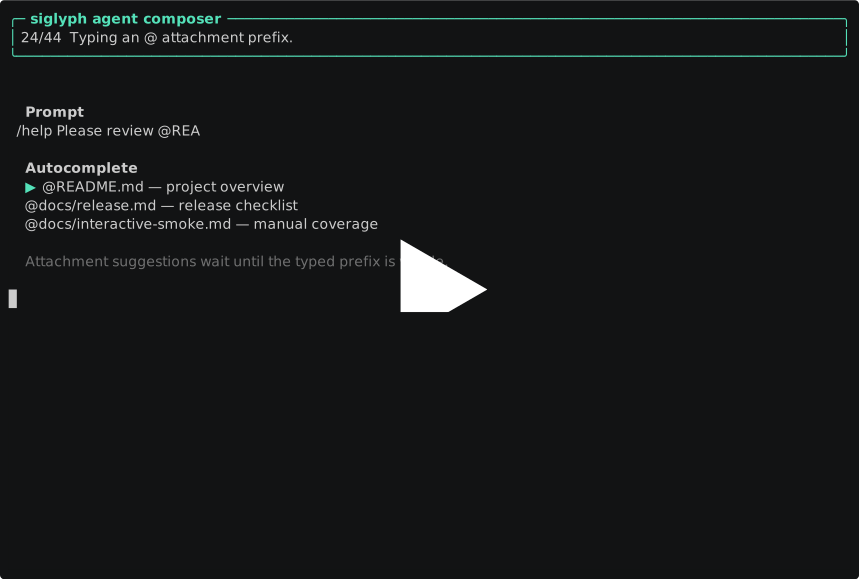
This clip shows a prompt composer built with siglyph components: typed input, slash completion, file attachment completion, and tag completion. More recordings are listed in docs/asciinema-demos.md.
siglyph is pre-1.0. The current focus is a small, testable TUI core with pi-tui-style editing and input behavior. macOS and Linux are the target platforms; Windows and Scala.js/browser support are out of scope for now.
The version-pinned feature and behavior comparison is maintained in
docs/pi-tui-compatibility.md. All upstream component categories
have Siglyph counterparts, while Markdown, image processing, terminal-specific key encodings, and
Node-owned scheduling intentionally remain partial or different as recorded there.
Published artifacts are available on Maven Central. GitHub Packages and GitHub Release jars are also published for releases; details live in docs/publishing.md.
libraryDependencies ++= Seq(
  "io.github.zikolach" %% "siglyph-core" % "0.7.1",
  "io.github.zikolach" %% "siglyph-terminal-jvm" % "0.7.1",
  "io.github.zikolach" %% "siglyph-markdown" % "0.7.1",
  "io.github.zikolach" %% "siglyph-image" % "0.7.1"
)object app extends ScalaModule {
def scalaVersion = "3.7.4"
def mvnDeps = Seq(
mvn"io.github.zikolach::siglyph-core::0.7.1",
mvn"io.github.zikolach::siglyph-terminal-jvm::0.7.1",
mvn"io.github.zikolach::siglyph-markdown::0.7.1",
mvn"io.github.zikolach::siglyph-image::0.7.1"
)
}To include optional siglyph-extras, add it to your dependency list:
- SBT:
"io.github.zikolach" %% "siglyph-extras" % "0.7.1" - Mill:
mvn"io.github.zikolach::siglyph-extras::0.7.1"
For Scala Native versions that include optional Native artifacts, add these platform-aware Mill coordinates from a ScalaNativeModule in addition to siglyph-core and siglyph-terminal-native:
mvn"io.github.zikolach::siglyph-markdown::VERSION"
mvn"io.github.zikolach::siglyph-image::VERSION"
mvn"io.github.zikolach::siglyph-extras::VERSION"Replace VERSION with a published release that includes the JVM interop facade.
<dependencies>
  <dependency>
    <groupId>io.github.zikolach</groupId>
    <artifactId>siglyph-core_3</artifactId>
    <version>VERSION</version>
  </dependency>
  <dependency>
    <groupId>io.github.zikolach</groupId>
    <artifactId>siglyph-terminal-jvm_3</artifactId>
    <version>VERSION</version>
  </dependency>
</dependencies>Replace VERSION with a published release that includes the JVM interop facade.
implementation("io.github.zikolach:siglyph-core_3:VERSION")
implementation("io.github.zikolach:siglyph-terminal-jvm_3:VERSION")
Scala JVM applications usually start with siglyph-core and siglyph-terminal-jvm through Scala build-tool syntax such as %% or Mill ::. Java and Kotlin JVM applications use the concrete JVM artifact IDs siglyph-core_3 and siglyph-terminal-jvm_3, and can use scalatui.terminal.jvm.interop.SiglyphJvm for a narrow Java-friendly facade. Scala Native applications use platform-aware coordinates such as siglyph-core, siglyph-terminal-native, siglyph-markdown, siglyph-image, and siglyph-extras; Mill resolves those to _native0.5_3 artifacts from ScalaNativeModule projects when the release includes those Native variants. The Java/Kotlin facade and keyTester are JVM-only; Scala Native artifacts remain Scala-focused.
Single-file demos live in examples/scala-cli/ and are intended for local Scala CLI runs. For example:
./examples/scala-cli/markdown.scala
./examples/scala-cli/image.scala /path/to/image.png
./examples/scala-cli/alternate-screen-maven.scala
./examples/scala-cli/mouse.scala
The released examples reference Maven Central dependencies, so they can run without cloning,
publishing local snapshots, or using GitHub Packages credentials. The alternate-screen Sonatype
Central explorer uses the full alternate-screen height, shows built-in loader states and published
dates, and copies selected build snippets through terminal clipboard escape sequences with an
inline Copied! badge.
A small JVM app with text, input, focus, and terminal lifecycle:
import scalatui.components.*
import scalatui.core.TUI
import scalatui.terminal.jvm.SttyTerminal

@main def helloTui(): Unit =
  val tui = TUI(SttyTerminal())
  val input = Input()
  input.onSubmit = value =>
    input.setValue("")
    tui.addChild(Text(s"You typed: $value"))

  tui.addChild(Text("siglyph demo — type and press Enter"))
  tui.addChild(input)
  tui.setFocus(input)
  tui.run()
By default, TUI runs in normal-screen mode. Frames are written to the normal terminal screen, and existing applications can keep constructing TUI(SttyTerminal()) without entering alternate screen. Resize redraws in normal-screen mode clear the viewport, home the cursor, and clear scrollback to avoid stale frame cells.
TUIOptions(normalResizeClearPolicy = NormalResizeClearPolicy.PreserveScrollback) is an opt-in
alternative that clears only the viewport on normal-screen resize. It may leave emulator-specific
stale rows, so full clearing remains the default. Instance-scoped, redacted lifecycle/write/resize
diagnostics are also opt-in; see docs/runtime-diagnostics.md.
Applications that need a full-screen terminal experience can opt into alternate-screen mode:
import scalatui.core.{TUI, TUIOptions, TUIScreenMode}
import scalatui.terminal.jvm.SttyTerminal

val tui = TUI(SttyTerminal(), TUIOptions(screenMode = TUIScreenMode.Alternate))
Alternate-screen mode enters the terminal alternate screen when the TUI starts and exits it during cleanup. It prevents TUI frames from being appended to normal shell scrollback while the TUI is running. It keeps the width-only Component.render(width): ComponentRender contract. Alternate-screen mode does not provide temporary modal sessions, a full-screen editor, or height-aware component rendering.
Component.render(width) now returns ComponentRender on JVM and Scala Native. This is a direct
source break. Text-only components return ComponentRender.text; there is no line-vector overload,
implicit conversion, adapter, or deprecation path:
import scalatui.ansi.Ansi
import scalatui.core.{Component, ComponentRender}

final class Greeting extends Component:
  override def render(width: Int): ComponentRender =
    ComponentRender.text(Vector("Hello", "world").map(line =>
      Ansi.truncateToWidth(line, math.max(0, width), "")
    ))
ComponentRender.lines contains ordinary text. ComponentRender.controls contains
TerminalControlPlacement values. ComponentRender.cursorPlacements contains CursorPlacement
candidates. Both metadata channels use zero-based, frame-relative row and display-cell columns.
Direct ComponentRender construction requires all three fields explicitly. This cursor migration is
a direct source break with no overload, default field, adapter, conversion, or deprecation path.
Text-only factories construct explicit empty metadata.
The public CursorMarker object, including its Sequence, Position, ScanResult, and
stripAndLocate APIs, was removed. Migrate directly to CursorPlacement values in
ComponentRender.cursorPlacements. No compatibility API exists.
Every cursor candidate must identify an existing frame row and use a column below the non-negative requested width. Each control footprint must fit within the returned rows and requested width. Invalid surviving geometry fails before synchronized terminal output with bounded diagnostics that retain no application text. Frame builders and boxes translate cursor candidates with content geometry. Higher opaque overlay rectangles remove covered lower candidates. The TUI selects the first surviving row-major candidate and preserves vector order for equal coordinates. Hardware cursor positioning remains optional. Cursor-only changes move the hardware cursor without repainting unchanged lines or typed controls.
Validation errors retain only bounded control kind, optional image ID, coordinates, footprint, and
frame dimensions. Their default strings and thrown exception messages never retain image payloads,
filenames, controls, or application text. TerminalRenderControl.toString is also redacted to
bounded kind, geometry, and positive Kitty ID where applicable.
TerminalRenderControl is closed and read-only. Applications obtain supported image controls only
through typed TerminalImageProtocol helpers. The TUI preserves those controls through composition
and differential rendering, then encodes them only while assembling the final synchronized output.
There is no arbitrary trusted-string API. Ordinary text that contains Kitty or iTerm2-looking bytes
gains no semantic control authority and receives no image-specific rendering behavior. Before the
TUI retransmits a Kitty a=T control whose positive ID existed in the previous prepared frame, it
emits exactly one a=d,d=I,i=<id> cleanup before all replacement transmissions. Removed old IDs are
also cleaned. New IDs and unchanged IDs outside a partial redraw range are not cleaned. Delete-all
cleanup remains a=d,d=A.
This differs intentionally from pi-tui, which detects image output from string prefixes. siglyph
does not infer authority from prefixes because application text can reproduce them. Direct terminal
backend writes remain explicit application authority and are outside the component-output trust
boundary.
The JVM interop facade gives Java and Kotlin call sites the same basic path without Scala default-argument methods or Scala function types. Scala, Java, and Kotlin versions of the basic example are in docs/jvm-language-examples.md.
Mouse input is disabled by default because terminal mouse reporting can capture normal text selection and wheel scrollback. Enable it with TUIOptions(mouseInput = true) when an application wants coordinate-aware mouse events.
Supported reports are xterm SGR mouse press, release, and wheel events. Parsed TerminalInput.Mouse events use zero-based terminal cell row and col coordinates. Components receive routed mouse events only when they implement the mouse handling contract; global input listeners still see typed mouse input before component routing.
Interactive JVM and Native backends enable normal mouse tracking (CSI ? 1000 h) and SGR coordinates (CSI ? 1006 h) only while mouse input is enabled, and disable both modes on stop. While those terminal modes are active, wheel events are delivered to the application rather than normal terminal scrollback; unhandled wheel events cannot be passed back to the terminal reliably.
A multiline editor with slash, filesystem, attachment, fuzzy, and # trigger autocomplete:
import java.io.File
import scalatui.autocomplete.*
import scalatui.components.*
import scalatui.core.TUI
import scalatui.terminal.jvm.SttyTerminal

@main def editorTui(): Unit =
  val tags = Vector("#bug", "#docs", "#demo")
  TriggerCompletionSource.fromPrefix(
    "#",
    query => Some(tags.filter(_.drop(1).startsWith(query)).map(tag =>
      AutocompleteItem(tag.drop(1), tag, Some("application-owned tag"))
    ))
  ) match
    case Left(error) =>
      System.err.println(s"Invalid autocomplete trigger: ${error.message}")
    case Right(tagSource) =>
      val tui = TUI(SttyTerminal())
      val provider = CombinedAutocompleteProvider(
        commands = Vector(SlashCommand("help"), SlashCommand("quit")),
        pathProvider = Some(FileSystemPathCompletionProvider(FileSystemPathCompletionOptions(
          // Legacy mode: this directory is both the current directory and containment root;
          // parent, home, and absolute syntax remain disabled unless explicitly enabled.
          baseDirectory = File("."),
          maxResults = 20
        ))),
        triggerSources = Vector(tagSource),
        fuzzyRanking = AutocompleteFuzzyRanking.Enabled
      )
      val editor = Editor(options = EditorOptions(
        autocompleteProvider = Some(provider),
        // Debounce is explicit/injectable; pending requests are cancelled and late results ignored.
        autocompleteDebouncer = EditorAutocompleteDebouncer.Immediate,
        onSubmit = text => println(s"Submitted: $text")
      ))

      tui.addChild(Text("Try /he, ./, @\"README, or #do then Tab"))
      tui.addChild(editor)
      tui.setFocus(editor)
tui.run()Markdown rendering stays in siglyph-markdown. The baseline renderer is dependency-free, is available for JVM and Scala Native releases that include the Native artifact, and supports theme hooks, readable link fallback, OSC 8 links when TerminalCapabilities.hyperlinks is true, parser adapters, optional fenced-code highlighter hooks, normalized list markers by default, and opt-in source list marker preservation with MarkdownRenderOptions(preserveSourceListMarkers = true). Task-list markers render as visible text; they are not interactive checkboxes. A Markdown component retains at most one successful render keyed by its text, geometry, renderer identity, and MarkdownRenderer.cacheGeneration; mutable custom renderers must advance that generation or call invalidate().
Image rendering stays in siglyph-image. JVM and Scala Native releases that include the Native artifact expose the same baseline public API. ImageSource.fromFile(path) loads supported PNG, JPEG, GIF, and WebP files into a validated payload, MIME type, and dimensions. Unsupported terminals render readable fallback text. The Image component uses runtime cell-size replies by default; pass ImageRenderOptions(cellDimensionsSource = ImageCellDimensionsSource.Fixed, cellDimensions = ...) for deterministic fixed sizing. examples/scala-cli/image.scala is the quickest visual smoke test for protocol rendering, fallback behavior, runtime cell-size sizing in supported versions, and row reservation (see examples/scala-cli/README.md for running it against local sources from this checkout).
Raw terminal image data must cross the shared-core scalatui.terminal.Base64ImagePayload boundary before protocol or component output. Use Base64ImagePayload.from(raw) for Either[scalatui.terminal.Base64ImagePayloadError, Base64ImagePayload], Base64ImagePayload.encode(bytes) for standard padded base64, or scalatui.image.Image.fromBase64 to validate and construct an image in one typed step. Validation accepts empty input, padded standard base64, and decoder-valid unpadded lengths whose remainder modulo four is zero, two, or three. Remainder one and non-standard syntax are rejected. Accepted spelling is preserved exactly on JVM and Scala Native. Decoder validation transiently allocates and discards decoded bytes; image format, dimensions, chunking, and size limits are not validated.
This is a source-breaking API: protocol helpers and Image require Base64ImagePayload, and ImageSource.payload replaces the raw base64Data field. Callers must migrate directly; no compatibility or deprecation path exists. iTerm2 output encodes present filenames as standard base64 over UTF-8 and omits name= when absent. Unsupported-terminal fallback output renders C0, DEL, and C1 metadata controls as visible \\uXXXX text before ANSI-aware width truncation. Invalid raw payloads create no Image and produce no fallback or protocol output.
Expandable helpers stay in siglyph-extras. The module depends only on siglyph-core and provides reusable compact/detail widgets without terminal backend, Markdown, image, demo, agent-session, LLM message, tool execution, extension runtime, model-selection, or message-history APIs.
import scalatui.extras.*

val details = ExpandableText(
  collapsedText = "Build finished",
  expandedText = "Build finished with 14 tests and no failures",
  paddingX = 1
)

val section = ExpandableSection(
  title = "Output",
  collapsedBody = "2 lines hidden",
  expandedBody = "line 1\nline 2",
  hintText = Some("Ctrl+O toggles details")
)

val controller = ExpansionController()
controller.register(details)
controller.register(section)
controller.setExpanded(true)TUI exposes optional terminal integration helpers for supported interactive backends:
import scalatui.core.{InputResult, TUI, TerminalQueryResult}
import scalatui.terminal.{TerminalInput, TerminalKey}
import scalatui.terminal.jvm.SttyTerminal

val tui = TUI(SttyTerminal())
tui.handlesControlC = false
tui.exitsOnEscape = false

val unsubscribe = tui.onTerminalColorSchemeChange { scheme =>
  println(s"terminal scheme changed to ${scheme.value}")
}

var cancelBackground = () => ()
var cancelScheme = () => ()
var removeExitListener = () => ()
def cancelQueries(): Unit =
  cancelBackground()
  cancelScheme()

try
  tui.start()
  val titleApplied = tui.setTerminalTitle("siglyph")
  val progressApplied = tui.setTerminalProgress(active = true)
  cancelBackground = tui.queryTerminalBackgroundColor {
    case TerminalQueryResult.Success(color) => println(s"background: $color")
    case TerminalQueryResult.InvalidResponse => println("invalid background response")
    case TerminalQueryResult.Stopped => println("background query stopped")
    case TerminalQueryResult.Failed(cause) => cause.printStackTrace()
  }
  cancelScheme = tui.queryTerminalColorScheme {
    case TerminalQueryResult.Success(scheme) => println(s"scheme: ${scheme.value}")
    case TerminalQueryResult.InvalidResponse => println("invalid scheme response")
    case TerminalQueryResult.Stopped => println("scheme query stopped")
    case TerminalQueryResult.Failed(cause) => cause.printStackTrace()
  }
  tui.setTerminalColorSchemeNotifications(enabled = true)
  removeExitListener = tui.addInputListener {
    case TerminalInput.Key(TerminalKey.Escape, _) =>
      cancelQueries()
      InputResult.Exit
    case TerminalInput.Key(TerminalKey.Character("c"), modifiers) if modifiers.ctrl =>
      cancelQueries()
      InputResult.Exit
    case _ => InputResult.Ignored
  }
  tui.run()
finally
  cancelQueries()
  removeExitListener()
  unsubscribe()
  tui.stop()
Title and progress helpers return false when the backend does not support the protocol. Color queries and notifications require a running TUI so the backend can read and deliver terminal replies. Keep the runtime alive, as tui.run() does above, until replies arrive or the application exits. Before startup, the example disables built-in Ctrl+C and Escape exits so input cannot stop the runtime while query cancellation is being established. After both cancellation functions are installed, its global listener cancels the subscriptions before returning InputResult.Exit for normal runtime shutdown. Applications must route every exit path through cancellation-aware shutdown when active subscriptions are no longer needed.
Each query protocol uses one wire request shared by subscribers; the runtime retains that wire flight until a reply, stop, or failure. Each subscriber retains and owns its idempotent cancellation function and invokes it when the result is no longer wanted. Cancellation invokes no callback and does not remove the runtime-owned wire flight. Callbacks run in subscription and ingress order on the TUI drain and never concurrently with another application callback. Completion may occur before the query method returns. Applications also own timeout scheduling and call cancellation when their deadline expires; core has no timer, executor, Future, or effect dependency.
Terminal input and protocol reply batches share a lossless FIFO bounded at 4096 events. Correlation-only raw fragments consume no slot, a recognized protocol completion or notification consumes one slot regardless of subscriber count, and reconstructed ordinary raw events consume one slot each. A backend publisher waits when required capacity is full and wakes when the drain frees capacity or lifecycle stop rejects further input. Resize remains coalesced outside this capacity. Custom Terminal implementations must return from start without invoking either registered callback on the start call stack; callbacks may begin independently on another thread before start returns. Output-side methods follow the same callback-separation rule.
Applications can register typed global input listeners with tui.addInputListener. The listener receives TerminalInput before focused component routing. Return InputResult.Ignored to let normal routing continue, InputResult.Handled(...) to consume the input, or InputResult.Exit to stop through the normal terminal restoration path. The returned function removes the listener.
Paste and untyped terminal input use bounded byte streams. Paste arrives as PasteStart, zero or more PasteChunk(TerminalInputChunk(...)) events, and PasteEnd. An empty bracketed paste is represented by PasteStart followed immediately by PasteEnd, with zero PasteChunk events. Untyped sequences use RawStart, RawChunk, and RawEnd. Each chunk contains 1 through 4096 copied bytes. Text consumers can use TerminalUtf8Decoder to decode chunk boundaries incrementally. Editor treats the full paste stream as one edit: newline normalization and marker thresholds span all chunks, and completion creates one undo entry, change callback, autocomplete refresh, and render.
The 4096-byte chunk, parser, and ingress limits bound only transport and runtime transit state. Input and other application-owned component values have no core content-size limit. Applications that need content limits must validate or reject content before retaining it. Core does not truncate or drop application-owned content, add a fixed content limit, add limit configuration, or add an overflow callback.
The editor exposes insertAtCursor(text) for application-owned insertion such as selected file paths or templates. It uses the same buffer mutation path as editor input: newline normalization, large-paste markers, undo, change callbacks, active autocomplete refresh, and render requests when attached to a TUI.
Forced autocomplete can opt into pi-tui-style single-result application with EditorOptions(autoApplySingleForcedCompletion = true). The default remains explicit selection. Empty results, multiple results, and stale results keep the existing safe behavior.
The demos are the best starting point for real usage:
| Command | Source | What it shows |
|---|---|---|
mill demo.run |
demo/src/scalatui/demo/MvpDemo.scala |
non-interactive rendering through StreamTerminal |
mill asciinemaDemo.run agent-prompt |
asciinemaDemo/src/scalatui/demo/AsciinemaDemo.scala |
deterministic recording scenario for the agent prompt composer |
mill asciinemaDemo.run command-palette |
asciinemaDemo/src/scalatui/demo/AsciinemaDemo.scala |
deterministic recording scenario for command palette, loader, and settings behavior |
mill asciinemaDemo.run unicode-input |
asciinemaDemo/src/scalatui/demo/AsciinemaDemo.scala |
deterministic recording scenario for Unicode-safe editing and typed terminal input |
mill interactiveJvmDemo.run |
interactiveJvmDemo/src/scalatui/demo/InteractiveJvmDemo.scala + interactiveDemo/src/scalatui/demo/InteractiveDemo.scala |
interactive JVM app, editor, autocomplete, rich SelectList/SettingsList behavior, file-manager mode, loaders, terminal integration helpers, resize-safe rendering |
mill interactiveNativeDemo.nativeLink && ./out/interactiveNativeDemo/nativeLink.dest/out |
interactiveNativeDemo/src/scalatui/demo/InteractiveNativeDemo.scala |
Scala Native launcher for the shared interactive demo |
mill keyTester.run |
keyTester/src/scalatui/demo/KeyTester.scala |
typed terminal key/input inspection |
For the Scala Native interactive demo, nativeLink builds the executable and the linked binary starts the app. Run both from an interactive terminal with mill interactiveNativeDemo.nativeLink && ./out/interactiveNativeDemo/nativeLink.dest/out. Optional flags go after the binary path, for example mill interactiveNativeDemo.nativeLink && ./out/interactiveNativeDemo/nativeLink.dest/out --hardware-cursor.
Asciinema recording scenarios are documented in docs/asciinema-demos.md. Recording writes optional .cast publishing artifacts under artifacts/asciinema; normal build, test, formatting, lint, and OpenSpec validation commands do not require asciinema.
Interactive demo controls are also summarized in docs/interactive-smoke.md. Default keybindings are listed in docs/keybinding-defaults.md.
- Rendering core:
Component,Focusable,Container, differential terminal output, overlays, virtual terminal tests. - Components:
Text,Box,Spacer,Input,Editor,SelectList,SettingsList,Loader,CancellableLoader.SelectListandSettingsListsupport theme hooks, filtering, optional fuzzy ranking, and settings submenus through existing overlay contracts. - Editing: Unicode/grapheme-aware movement and deletion, large-paste compaction, prompt history, undo, kill-ring, yank/yank-pop, page movement, jump-to-character.
- Keybindings: shared
KeybindingManagerwith configurable editor/input/select command bindings. Typed key events can distinguish press, repeat, release, and the Insert key when terminals report that metadata. - Autocomplete: slash commands, dependency-free filesystem path and
@attachment completions, application-owned natural triggers such as#, optional fuzzy ranking, cancellable async providers, injectable debounce scheduling, and opt-in forced single-result auto-apply. - Terminals: JVM
sttybackend, Scala Native POSIX backend, stream and virtual test backends, optional title/progress helpers, optional input drain support, runtime-owned background color and color-scheme queries, conservative Kitty keyboard protocol hooks, and readable fallback behavior when advanced metadata is unavailable. - Optional modules: dependency-free Markdown rendering with theme/link/highlighter/parser hooks, terminal image protocol helpers with file loading and cell-size bounding helpers, and reusable extras widgets for expandable text, sections, and shared expansion state.
Shared JVM and Scala Native text editing and ANSI geometry use Unicode 17.0.0 UAX #29 default extended grapheme clusters. The generated tables use immutable sources under https://www.unicode.org/Public/17.0.0/ucd/, including auxiliary/GraphemeBreakProperty.txt, emoji/emoji-data.txt, DerivedCoreProperties.txt, and auxiliary/GraphemeBreakTest.txt. Exact URLs are recorded in the generated files.
Regenerate core/src/scalatui/unicode/UnicodeTables.scala and
core/test/src/scalatui/unicode/UnicodeGraphemeBreakFixtures.scala with:
scala-cli run scripts/GenerateUnicodeTables.scalaThe shared conformance suite executes all 766 official Unicode 17.0.0 GraphemeBreakTest cases on JVM and Scala Native, including incremental and fragmented UTF-8 inputs. This conformance claim applies to UAX #29 segmentation only. Terminal width remains a separate project-specific policy and is unchanged for normal widths.
The one dependency-free segmenter keeps bounded rule state without retaining processed text. Input and EditorBuffer retain exact, unlimited source text and Unicode 17.0.0 source-grapheme cursor positions. Editor scans each complete logical line once with the existing forward ANSI scanner, then wraps sanitized final printable graphemes. Rejected controls can expand to several display units or rows; every unit retains the original half-open source-grapheme owner range and appears exactly once in order. Supported bounded SGR and OSC 8 remain executable atomic metadata. Cursor boundaries inside them map to a safe display boundary, and focused inverse-video styling never divides the sequence.
If a complete final display grapheme is wider than an otherwise empty positive-width editor row, rendering omits the whole unit visually. The row keeps logical ownership and maps its logical cursor to column zero. Rendering emits CursorPlacement(row, 0) only when Editor is focused, autocomplete does not own input, and the cursor owns that row. Rendering emits no replacement, partial cluster, or fallback glyph and does not mutate application content. At width zero or below, Editor emits no printable output or cursor placement; translated padded Box frames remain valid.
The implementation does not use ICU, JDK BreakIterator, runtime fallback, compatibility paths, or an alternate segmentation engine. Regeneration replaces committed generated output directly; it does not select data at runtime.
ANSI geometry and ordinary ComponentRender.lines allow only fully validated atomic SGR and OSC 8 open/close metadata to remain executable. The complete sequence, including introducer and terminator, must be at most Ansi.MaxRecognizedMetadataBytes (4096) UTF-8 bytes. Every other CSI, OSC, APC, DCS, ESC form, C0, DEL, and C1 value in ordinary strings renders as visible inert text; controls use uppercase \uXXXX and every other code point remains exact. Former cursor APC bytes are ordinary inert text and cannot create or select cursor metadata. Typed TerminalRenderControl and CursorPlacement values remain separate from ordinary strings. Terminal controls are encoded only through the trusted semantic channel at the final TUI output boundary; cursor placements encode no protocol bytes. Effective SGR state uses fixed modeled fields, and hyperlink state retains at most one bounded OSC 8 opener. This executable-metadata bound is separate from application content: text beyond 4096 bytes remains unlimited and uses the same shared grapheme segmenter. Grapheme segmentation and terminal display width remain separate policies on JVM and Scala Native.
core/                    shared core APIs, components, editing, terminal abstractions, tests
terminalJvm/             JVM Unix/stty backend
terminalNative/          Scala Native POSIX backend
markdown/                Markdown parser/renderer module
image/                   Image component module
extras/                  Optional reusable helper widgets
demo/                    non-interactive stream-render demo
asciinemaDemo/           deterministic asciinema recording scenarios
interactiveDemo/         shared interactive demo UI/logic
interactiveJvmDemo/      JVM interactive demo launcher
interactiveNativeDemo/   Native interactive demo launcher
keyTester/               JVM terminal key tester
docs/                    usage notes, porting notes, smoke-test notes
scripts/                 generation and local recording scripts
openspec/                active and promoted OpenSpec change/spec artifacts
mill --bsp-installmill mill.idea/mill __.compile
mill __.test
mill scalafmtCheck
mill scalafixCheck
openspec validate --all --strictUseful focused commands:
mill core.test
mill core.test.testOnly scalatui.components.EditorSuite
mill interactiveDemo.test
See CONTRIBUTING.md for contribution workflow and style notes.
siglyph is inspired by and partially ported from pi-tui, part of the MIT-licensed pi project. See NOTICE for upstream attribution.
siglyph is licensed under the MIT License.