
MobileMouse lets you use your smartphone as a wireless mouse for your computer. Control your desktop's cursor with simple touch gestures from your mobile device.
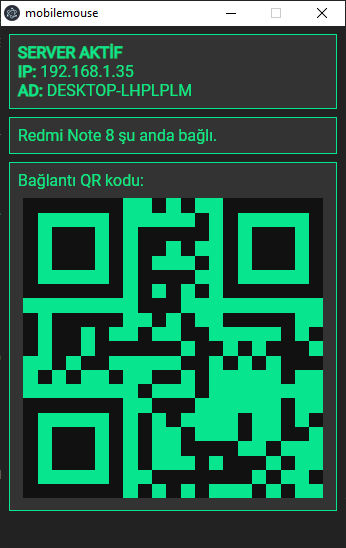
- Control your computer's mouse wirelessly using your phone
- Auto-discovery of available desktop clients on the same network
- Low-latency UDP & TCP connections for smooth control
- Mouse movement with touch gestures
- Mouse click functionality
An Electron-based application that:
- Broadcasts its presence on the local network
- Establishes connections with mobile clients
- Interprets touch input as mouse movements and clicks
- Uses robotjs to control the system cursor
A React Native application that:
- Automatically discovers available desktop clients
- Connects to the selected desktop
- Sends touch input to control the desktop mouse
- Keeps the screen awake during usage
cd desktop
yarn install
yarn start    # Run the development version
yarn build # Build the production versioncd mobilemouse
yarn install
yarn android # Run on Android device/emulator
yarn ios # Run on iOS device/simulator- Start the desktop application on your computer
- Launch the mobile app on your smartphone
- Connect to your computer from the list of available devices
- Use touch gestures to control your computer's mouse:
- Drag to move the cursor
- Tap to click
- Desktop app built with Electron, TypeScript, and robotjs
- Mobile app built with React Native and TypeScript
- Communication via UDP for mouse movement and TCP for connection management
See the LICENSE file for details.