This repo houses a fork of niri, a scrollable tiling Wayland compositor. I mostly created it for my personal use, to bring few changes that are not yet upstream. This readme outlines the differences between this fork and upstream niri. For more info on upstream's version, check out
the original repository: https://github.com/YaLTeR/niri.
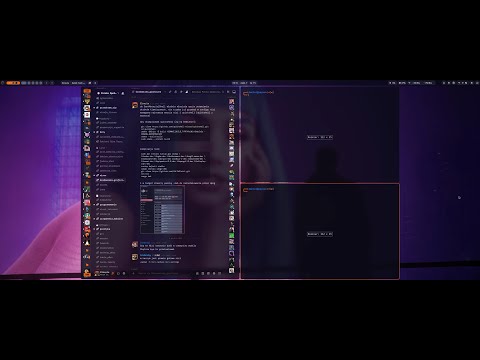
Improves always-center-single-column option to center any number of columns as long as they take less than a full screen width. Especially useful on ultrawide screens.
Video preview:
Adds tabbed window groups, with actions to toggle a group and move windows into or out of a group. Implementation by Naxdy: https://github.com/Naxdy/niri

Merges a working implementation of release keybinds (niri-wm/niri#2456), so you can run app launcher by only pressing Super key. Allows muting microphone in push-to-talk like way, and many more.
Example:
Mod release=true { spawn "dms" "ipc" "spotlight" "toggle"; }
KP_Insert { spawn-sh "wpctl set-mute @DEFAULT_AUDIO_SOURCE@ 0"; }
KP_Insert release=true allow-invalidation=false  { spawn-sh "wpctl set-mute @DEFAULT_AUDIO_SOURCE@ 1"; }
This fork works with standard niri config out of the box. You can also create separate config file that features only changes available in this fork and include it in config.kdl, so any time you decide to return to upstream niri, just comment out the include.
For the maximum feature set, create a config file: .config/niri/unofficial.kdl and include it in your config.kdl:
layout {
  always-center-single-column
}

binds {
  Mod release=true { spawn "dms" "ipc" "spotlight" "toggle"; }
  Alt+G {
    toggle-group
  }
  Alt+Shift_L release=true {
    focus-next-window;
  }
//  Alt+Shift+Left {
//    move-window-into-or-out-of-group "left"
//  }
//  Alt+Shift+Right {
//    move-window-into-or-out-of-group "right"
//  }
  Alt+Shift+Up {
    move-window-into-or-out-of-group "up"
  }
  Alt+Shift+Down {
    move-window-into-or-out-of-group "down"
  }
}
These changes are not well tested, they work on my PC. They might break with different monitor layouts / scaling. I am not a rust programmer, so if it doesn't work for you then don't use it or fix it yourself. Most of the changes made here are other people's work that I just pulled together. I am not responsible for any damage caused by this fork, so use at your own risk.
Install dependencies:
sudo apt install rustup gcc clang \
libudev-dev libgbm-dev libxkbcommon-dev libegl1-mesa-dev \
libwayland-dev libinput-dev libdbus-1-dev libsystemd-dev \
libseat-dev libpipewire-0.3-dev libpango1.0-dev libdisplay-info-dev
rustup default stable
cargo install cargo-deb
Build debian package:
git clone https://github.com/yayuuu/niri.git
cd niri
cargo deb
Install:
cd target/debian
sudo dpkg -i niri_25.11.0-1_amd64.deb
Install dependencies:
sudo dnf install cargo gcc libudev-devel libgbm-devel \
libxkbcommon-devel wayland-devel libinput-devel dbus-devel \
systemd-devel libseat-devel pipewire-devel pango-devel \
cairo-gobject-devel clang libdisplay-info-devel
curl --proto '=https' --tlsv1.2 -sSf https://sh.rustup.rs | sh
rustup default stable
cargo install cargo-generate-rpm
Build fedora package:
git clone https://github.com/yayuuu/niri.git
cd niri
cargo generate-rpm
Install:
cd target/generate-rpm
sudo rpm -i niri-25.11-1.x86_64.rpm
Unfortunately I don't use other distros, so I don't know for sure how to install it. If you know, you can make a pull request to this repo and I'll blindly accept it. You should basically follow the same steps as you did to install the original niri, just change the repo URL to mine.