Smile (Simple Modularity Is Lowkey Elegant) is an open-source, dependency-free C library, containing modules and tools
that reduce boilerplate for common 2D game-development tasks such as managing scenes, simulating particles, and
saving/loading.
Currently supported on Mac and Windows (Linux untested but POSIX-compliant),
Smile is built for people who value development speed without sacrificing
control. Its modules follow a consistent lifecycle pattern — either
Start → Use → Stop for global-state modules, or Create → Use → Destroy
for per-instance ones — and encapsulate memory management, making it ideal
for game jams and quick prototyping.
You can also mix and match only the modules you need (for example, using SceneManager without ParticleSystem) to keep your project lightweight and focused. And while Smile doesn't handle rendering, input, or audio directly, it integrates seamlessly with libraries like raylib.




Before building Smile, make sure you have the following installed:
CMake3.30 or higher- A build tool such as
MakeorNinja - A C compiler with C23 support such as
ClangorGCC
⚠️ This walkthrough expects you to have a CMakeLists.txt. If you don't have one, start with the template below:
cmake_minimum_required(VERSION 3.30)
project(my_game C)

set(CMAKE_C_STANDARD 23)
set(CMAKE_EXPORT_COMPILE_COMMANDS ON)

add_executable(my_game
        # Add your sources here
        src/main.c
)
Your root should look similar to this:
/my_game/
├── CMakeLists.txt        # Your game's CMake file
├── main.c                # Your game's entry point
└── ...                   # Other files/directories
To your CMakeLists.txt file, add:
# Add Smile as a subdirectory
add_subdirectory(smile)

# Include Smile headers
target_include_directories(my_game PRIVATE
        ${CMAKE_CURRENT_SOURCE_DIR}/smile/include
        # Add other directories for you headers here too
)

# Link against the Smile static library
target_link_libraries(my_game PRIVATE smile)From your project's root, run:
git clone https://github.com/vitorbetmann/smile.git

cmake -S . -B build
cmake --build build
Optional: install Smile tools so they're accessible from anywhere.
# Mac/Linux:
sudo cmake --install build
# Windows (run from an admin terminal):
cmake --install build
Smile builds as a static library (libsmile.a on Mac/Linux, smile.lib on Windows) containing all Smile modules that you can link directly into your game.
Your root should now look similar to this:
/my_game/
├── build/                # Your game's executable will be here
├── smile/                # Cloned Smile library
├── main.c
├── CMakeLists.txt
└── ...                   # Other files/directories
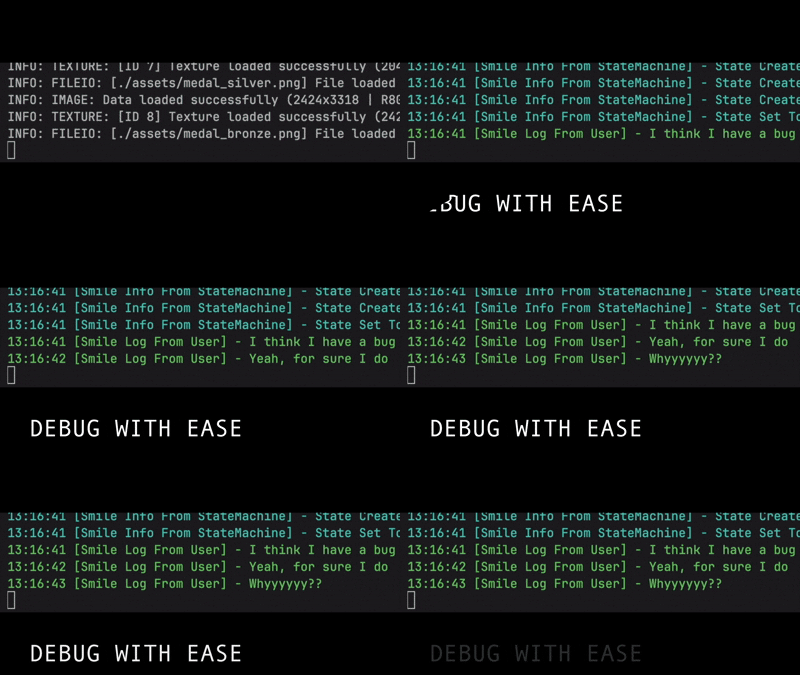
By default, Smile compiles with runtime Warning and Info logs enabled.
Below is an example of how they would appear in your terminal:

If you want to disable them, delete the build directory (if you have one) and pass the following flags when configuring your build with CMake:
cmake -S . -B smile -DSMILE_WARN=OFF -DSMILE_INFO=OFFThis will disable all Smile Warning and Info logging output. Error and Fatal logs cannot be disabled.
Okay, now that you have cloned and built Smile, what next?
Below is an example of how to use the SceneManager module. It follows a set of conventions shared across modules, making it easy to learn new ones:
#include <SceneManager.h>
#include "Menu.h"            // Define your scenes in other files.
#include "LevelOne.h"

int main(void)
{
     /* Most modules have a Start function. The first 2 letter preceding 'Start'
      * serve to identify from which module that function belongs (sm for
      * SceneManager, sl for SaveLoad, lg for Log...)
      */
    smStart();

    // Pass in the scenes' functions into smAddScene.
    smAddScene("menu", menuEnter, menuUpdate, menuDraw, menuExit);
    smAddScene("level 1", levelOneEnter, levelOneUpdate, levelOneDraw, levelOneExit);

    smSetScene("menu", nullptr); // Choose where you want to start

    while (smIsRunning())      // Run your game until you Stop SceneManager
    {
        float dt = smGetDt();    // Calculate the delta time since the last frame
        smUpdate(dt);            // Update game logic
        smDraw();                // Render to the screen
    }
}
Without all the comments, this is how short your main.c file can be:
#include <SceneManager.h>

#include "menu.h"
#include "levelOne.h"

int main(void)
{
    smStart();

    smAddScene("menu", menuEnter, menuUpdate, menuDraw, menuExit);
    smAddScene("level 1", levelOneEnter, levelOneUpdate, levelOneDraw, levelOneExit);

    smSetScene("menu", nullptr);

    while (smIsRunning())
    {
        smUpdate(smGetDt());
        smDraw();
    }
}
You can then use Smile's GenScene tool to instantly
create template source and header files which will be put in src/ and
include/ directories.
Using this tool is as easy as:
GenScene menu
# Or "smile/build/GenScene menu" if you didn't run "cmake --install"
Your header file should look something like:
#ifndef MENU_H
#define MENU_H


void menuEnter(void *args);

void menuUpdate(float dt);

void menuDraw(void);

void menuExit(void);


#endif
And the source file:
#include <SceneManager.h>

#include "menu.h"

void menuEnter(void *args)
{
    // TODO
}

void menuUpdate(float dt)
{
    // TODO
}

void menuDraw(void)
{
    // TODO
}

void menuExit(void)
{
    // TODO
}
From there, fill in your logic. Here's an example of what a menu scene might look like:
#include <SceneManager.h>

#include "menu.h"

void menuEnter(void *args)
{
    // Custom init
}

void menuUpdate(float dt)
{
    // Handle inputs and updates

    // Changing scenes is easy:
    if (PlayButtonPressed())
    {
        smSetScene("level 1", nullptr);
    }

    // So is quitting the game:
    else if (QuitButtonPressed())
    {
        smStop(); //This breaks the main game loop, safely exiting the game
    }
}

void menuDraw(void)
{
    // Custom rendering
}

void menuExit(void)
{
    // Custom cleanup
}
It's as simple as that! All the rest is handled by SceneManager.
And this is the overall philosophy of Smile. It handles the boilerplate in the background so you can focus on letting your creativity out!
If you're interested, feel free to explore the modules and tools for detailed guides and examples:
| Module | Description |
|---|---|
| Log | Debug code and handle fatal errors easily |
| ParticleSystem (🚧 Under Development) | Simulate smoke, dust, fire, and more |
| SaveLoad (🚧 Under Development) | Quickly save and load your game |
| SceneManager | Manage scenes and transitions cleanly |
| Tool | Description |
|---|---|
| GenScene | Generates boilerplate scene source and header files for use with SceneManager. |
"I built Smile to be the open source project I wish I had in my early programming days.
1. Low barrier of entry
2. Well documented
3. Learning-focused"— Vitor Betmann, creator of Smile
Smile is an open learning project. Everyone is welcome to use Smile to learn, suggest improvements, and help it evolve.
That said, Smile is also a personal sandbox project I’m building to understand how game frameworks work from the ground up. I reserve some systems to design and architect myself first as part of that learning journey and once those foundations are ready, contributions that improve, expand, or refine them are always welcome.
If that got you excited, there are many ways to contribute (plus, you'll get full credit in the code and Git history!):
- Suggesting improvements/optimizations
- Adding features
- Writing/editing documentation
- Making games and reporting bugs
To learn more, check out the Contributing Guide.
Smile is released under the MIT License. See the LICENSE file for details.