,---.    ,---.   ____     __ .-------.     .-''-. ,---------.         .--.      .--.    ,-----.    .-------.      .---.      ______
|    \  /    |   \   \   /  /\  _(`)_ \  .'_ _   \\          \        |  |_     |  |  .'  .-,  '.  |  _ _   \     | ,_|     |    _ `''.
|  ,  \/  ,  |    \  _. /  ' | (_ o._)| / ( ` )   '`--.  ,---'        | _( )_   |  | / ,-.|  \ _ \ | ( ' )  |   ,-./  )     | _ | ) _  \
|  |\_   /|  |     _( )_ .'  |  (_,_) /. (_ o _)  |   |   \           |(_ o _)  |  |;  \  '_ /  | :|(_ o _) /   \  '_ '`)   |( ''_'  ) |
|  _( )_/ |  | ___(_ o _)'   |   '-.-' |  (_,_)___|   :_ _:           | (_,_) \ |  ||  _`,/ \ _/  || (_,_).' __  > (_)  )   | . (_) `. |
| (_ o _) |  ||   |(_,_)'    |   |     '  \   .---.   (_I_)           |  |/    \|  |: (  '\_/ \   ;|  |\ \  |  |(  .  .-'   |(_    ._) '
|  (_,_)  |  ||   `-'  /     |   |      \  `-'    /  (_(=)_)          |  '  /\  `  | \ `"/  \  ) / |  | \ `'   / `-'`-'|___ |  (_.\.' /
|  |      |  | \      /      /   )       \       /    (_I_)           |    /  \    |  '. \_/``".'  |  |  \    /   |        \|       .'
'--'      '--'  `-..-'       `---'        `'-..-'     '---'           `---'    `---`    '-----'    ''-'   `'-'    `--------`'-----'`
Terminal-based virtual pet with minigames, shop, inventory, and coin-based victory. Built with ncurses.
This project received a perfect score in the Programming Technologies course at the University of Hong Kong.
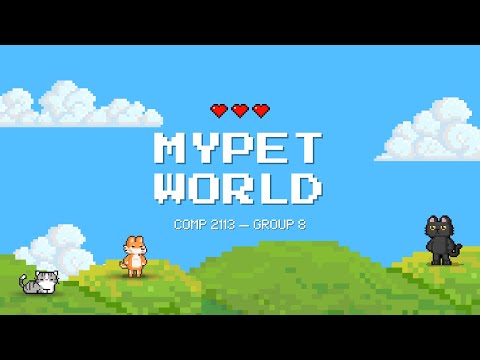
Click the thumbnail below to watch the gameplay demo video on YouTube!
- Team
- Overview & Goal
- How to Play (step-by-step)
- Quick Start
- In-game Controls
- Minigames
- Shop & Inventory
- Saving & Files
- Coding Requirements Mapping
- Troubleshooting
- NG, Po Chun
- YANG, Wonjun
- REGANIT, Julianna Martina Mercado
- KIM, Yekaterina
- Win the game by earning the targeted coins through playing with your pet in MyPet world!
- Pet start with maximum status (Health, Energy, Hunger) but decay over time (including offline). If Health drops below 0, you lose the game.
- Earn coins through in-game minigames.
- Maintain the pet status while earning them coins.
- Difficulty affects status decay speed, rewards, sleep energy, and the coin goal. The HUD shows both current coins and the goal.
- Launch the game and pick New Game.
- Read the on-screen instructions, choose your difficulty (Dog or Cat).
- Name your pet.
- Use number keys to navigate between actions and minigames.
- Earned coins can be used to buy items from in-game store to boost pet status.
- Player comes with inventory to store foods, toys, and medicine bought from in-game store.
- Reach the coin goal in different modes (Dog: 100 coins | Cat: 150 coins) to win.
to start the game:
make
./myPet- Requires
ncurses. No extra installs needed in HKU server.
- Actions:
1Feed,2Shower,3Cuddle,4Sleep - Minigames:
5Number Guess,6Trick Training,7Rock-Paper-Scissors - Shop/Inventory:
8Shop,9Inventory to view items - Quit:
q(from game screen) returns to main menu;qinside minigames exits that minigame.
Energy Cost: -20 Energy per minigame
Difficulty-Based Rewards:
- Dog (Easy): +20 happiness, +50 coins per win
- Cat (Hard): +10 happiness, +30 coins per win
Mini Game 1: Number Guess (Press 5)
- Guess a number between 1-100 in up to 7 tries
- Type your guess and press ENTER after each attempt
- Win rewards: Full pet bonus (coins + happiness)
- Loss rewards: Half of pet bonus
- Quit anytime with
q + ENTER
Mini Game 2: Trick Training (Press 6)
- Watch and memorize a growing sequence of tricks
- Input trick numbers (1-5) in correct order
- Coin rewards: +5 per correct sequence, plus half pet bonus if streak > 0
- Happiness rewards: Full bonus if any streak, otherwise half (minimum +5)
- Quit anytime with
q + ENTER
Mini Game 3: Rock-Paper-Scissors (Press 7)
- Press 1 (Rock), 2 (Paper), or 3 (Scissors) to choose your move
- Your pet randomly chooses its move
- Win rewards: Full pet bonus (coins + happiness), Energy -20
- Tie/Loss rewards: Reduced rewards, Energy -10
- Quit anytime with
q
Shop (Press 8)
- Purchase items using coins earned from minigames
- Items include food, toys, and medicine with various stat bonuses
- Each item has a price and provides bonuses to Health, Hunger, Happiness, and/or Energy
- Shop catalog is loaded from
shop_items.txt(editable) - Purchases are automatically saved to your inventory
Inventory (Press 9)
- View all items you've purchased from the shop
- Shows item names and quantities
- Use Feed action (Press 1) to consume items and apply their stat bonuses
- Stats are capped at maximum values (100/100)
- Consumed items are removed from inventory when quantity reaches 0
- Inventory persists across game sessions via
inventory.txt
- Autosave after actions/minigames and when random coin events trigger.
- Offline decay applied on load based on last save time (capped so old saves still load safely).
- To reset progress, delete
data.txtandinventory.txt(defaults come fromdata_default.txt). - Files:
data.txt— stats, coins, cooldowns, last save, pet type, pet name.inventory.txt— item names and quantities.shop_items.txt— shop catalog (editable).
- Location:
game.cpp-randomPetEvent()function - Random event system with 0.5% chance (1 in 200) per game loop cycle
- Messages include flavor text and special coin events (+5 coins)
- Random selection of death/victory messages using
rand() - Example: "Your pet found a shiny coin! (+5 coins)"
- Location:
game_screen.h - Structs used:
PetStatus- stores health, hunger, happiness, energy, max values, timestampsPlayerMoney- stores coin countShopItem- stores item name, price, stat bonusesInventoryItem- stores item name and quantityGameData- aggregates all game state data
- Vectors used:
std::vector<ShopItem>for shop catalogstd::vector<InventoryItem>for player inventorystd::vector<std::string>for pet ASCII art and menu items
- Location:
minigame1/minigame1.cpp - Dynamically allocates integer array for guess history tracking
- Code snippet:
int *guess_history = new int[MAX_ATTEMPTS];
// ... game logic ...
delete[] guess_history;  // Proper cleanup
- Demonstrates proper allocation with
new[]and deallocation withdelete[]
- Location:
file_io.cpp - Save functions:
saveGameData()- writes todata.txtsaveInventory()- writes toinventory.txt
- Load functions:
loadGameData()- reads fromdata.txtloadInventory()- reads frominventory.txtloadShopItems()- reads fromshop_items.txt
- Files managed:
data.txt- game save (stats, coins, cooldowns, pet type, pet name)data_default.txt- default templateinventory.txt- player inventoryshop_items.txt- shop configuration
- Header files (.h):
config.h,display.h,file_io.h,format.h,game_screen.h,instructions.h,mode.h,minigame1.h,minigame2.h,minigame3.h - Implementation files (.cpp):
game.cpp(main),display.cpp,file_io.cpp,format.cpp,instructions.cpp,mode.cpp,minigame1/minigame1.cpp,minigame2/minigame2.cpp,minigame3/minigame3.cpp - Total: 10+ header files, 10+ source files with clear separation of concerns
- Location:
mode.cppandconfig.h - Two difficulty levels:
- DOG (Easy):
- Hunger decay: -5 every 45 seconds
- Health decay: -10 every 60 seconds
- Minigame coin reward: 50
- Minigame happiness bonus: 20
- Coin goal to win: 100
- CAT (Hard):
- Hunger decay: -10 every 45 seconds (2x faster)
- Health decay: -20 every 60 seconds (2x faster)
- Minigame coin reward: 30
- Minigame happiness bonus: 10
- Coin goal to win: 150
- DOG (Easy):
- Player selects difficulty when starting a new game via
mode()function - Difficulty affects decay rates, rewards, and victory conditions throughout gameplay
- If UI appears garbled, ensure your terminal supports ncurses and is large enough (~80x24+).
- If loads feel off, remove
data.txtandinventory.txtto start fresh with defaults.