Build Dirac Live target curves from research-grounded recipes.
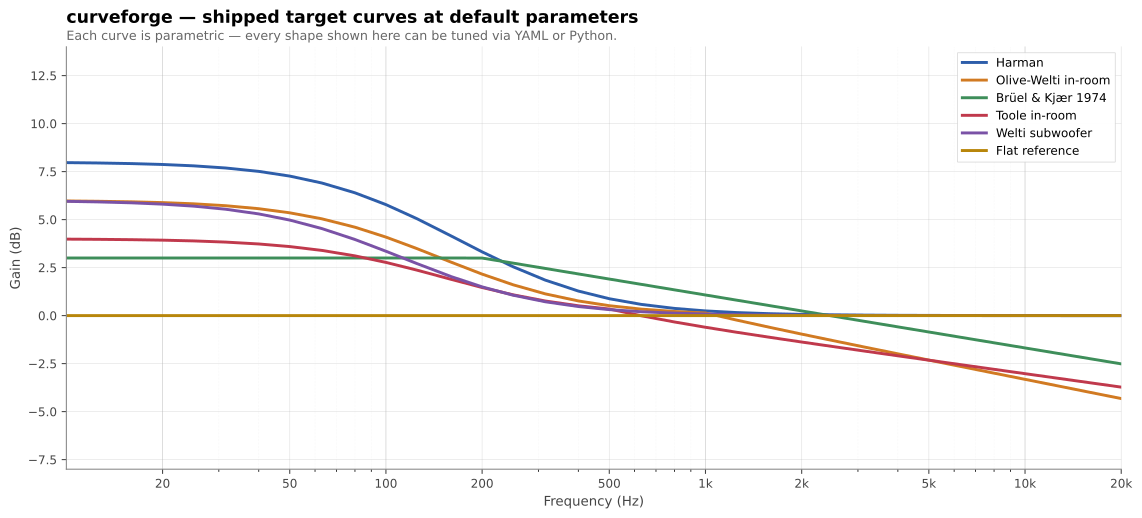
curveforge is a small CLI that turns a YAML recipe into a .targetcurve
file ready to load into Dirac Live 2/3. It ships with a curated library of
in-room target curves (Harman, Olive-Welti, B&K, Toole, Welti-sub, flat) —
each parameterised so you can sweep, compare, and tune them rather than
being stuck with whatever shelf level a preset shipped with.
pip install curveforge            # or: uvx curveforge
pip install 'curveforge[plot]'    # adds matplotlib for the `plot` command
Requires Python ≥ 3.11.
A recipe is a YAML file describing a base curve, an ordered list of transforms, and where to write the result.
# my-living-room.yml
output:
  path: living-room.targetcurve
  device_name: Living Room
  low_limit_hz: 10
  high_limit_hz: 24000

base:
  type: harman
  params:
    shelf_level: 8

transforms:
  - peq: { freq: 22, gain_db: 4, q: 1.5 }
  - rolloff: { freq: 15, order: 2 }
curveforge build my-living-room.yml
# wrote living-room.targetcurveDrop the file into Dirac Live → Custom Target Curve → load.
Worked recipes for common situations. Each one builds cleanly with
curveforge build <yaml>; the full versions live in
gallery/.
A lean, balanced Harman shelf for accurate mixing-style playback. Light bass weight — the right baseline if you want clarity over physical impact.
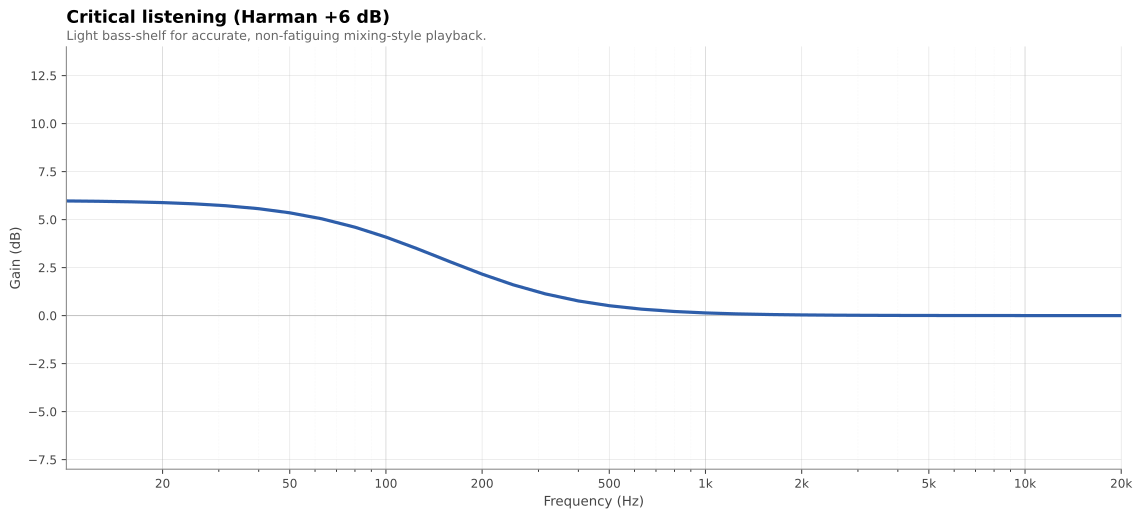
base:
  type: harman
params: { shelf_level: 6 }Harman +10 with the shelf extended into mid-bass (shelf_corner: 150),
plus a +4 dB peak at 25 Hz for visceral sub impact. Compensates for the
steepening equal-loudness contours at low listening levels.
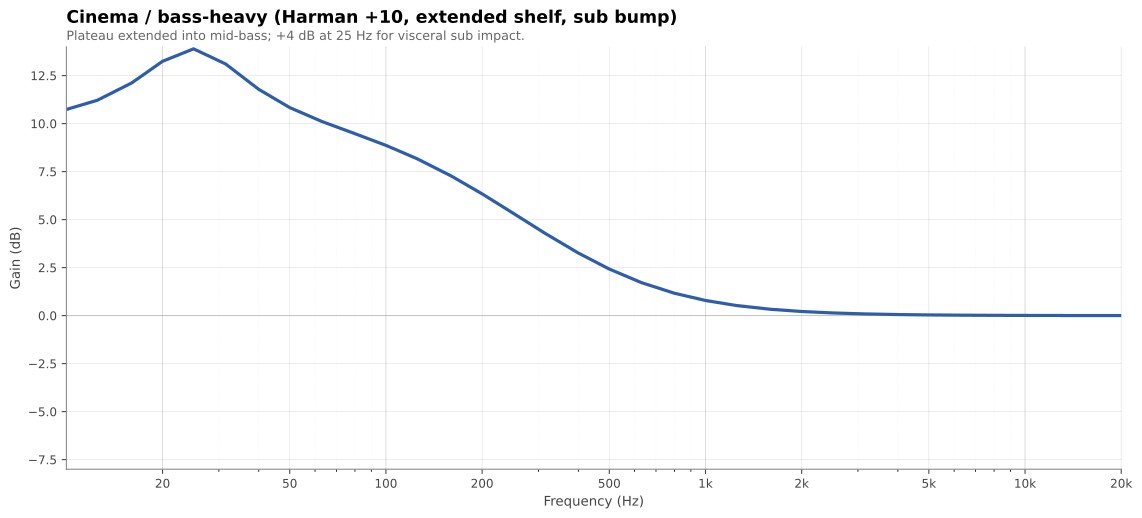
base:
  type: harman
  params: { shelf_level: 10, shelf_corner: 150 }
transforms:
- peq: { freq: 25, gain_db: 4, q: 1.0 }Modest bass plateau, smooth 0.83 dB/oct treble taper. Anchored without being bloated; smooth without being dark. The closest thing to a "natural room" target.
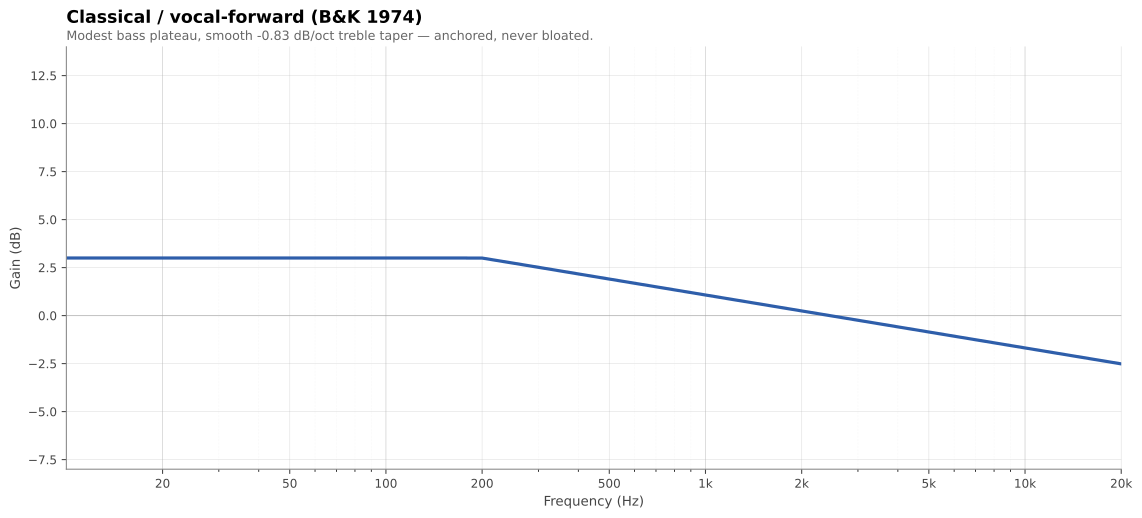
base:
  type: b_and_k
params: { bass_level: 3, bass_corner: 200, treble_slope: -0.83 }Low-shelf with corner at the sub-to-mains crossover. Use this for
independent sub-channel correction in Dirac; set Dirac's HIGHLIMITHZ to
match the crossover_hz value.
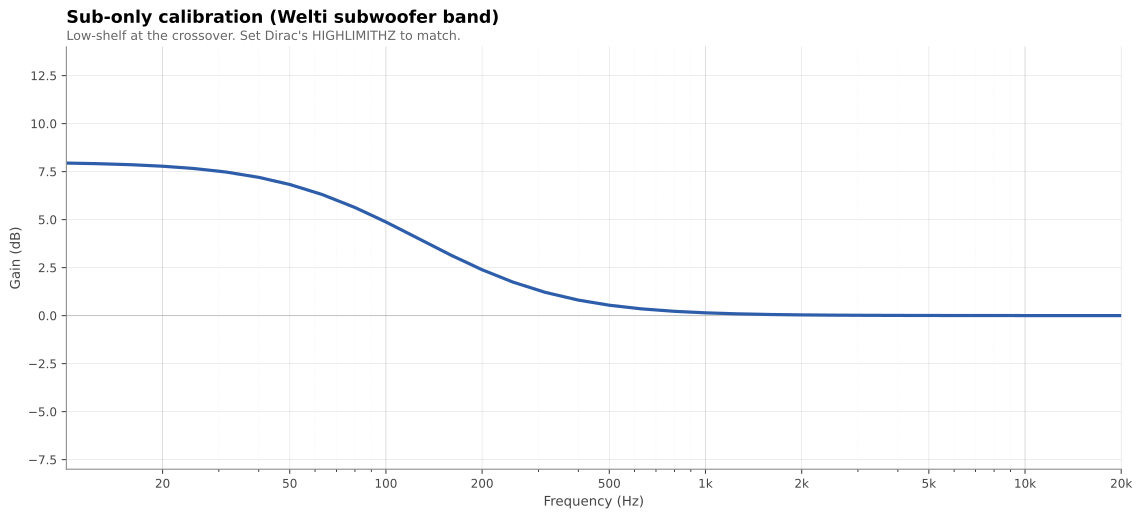
base:
  type: welti_sub
params: { shelf_level: 8, crossover_hz: 80 }One YAML knob sweeps Harman from lean to cinema — curveforge plot
overlays several recipes side-by-side so you can see exactly what each
parameter does.
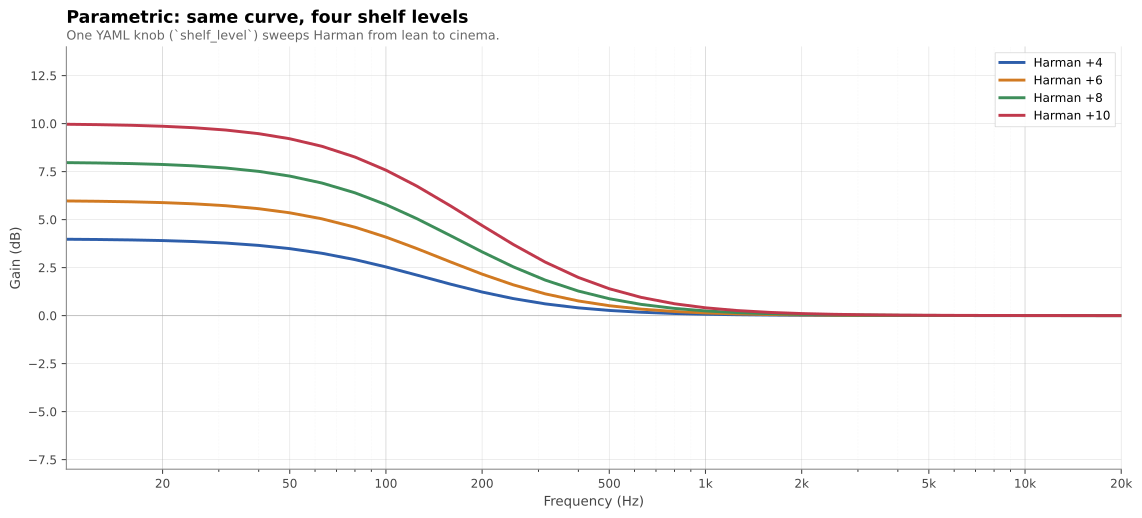
curveforge plot harman-4.yml harman-6.yml harman-8.yml harman-10.yml \
-o comparison.svgWant to see how to use these tools to actually voice a system? The Triangle BR09 + SVS SB-2000 case study walks through ~10 listening iterations: each one frames a complaint as a frequency band, diagnoses speaker-voicing-vs-room with the Dirac L+R overlay, applies a targeted recipe change, and reflects on what worked. The point isn't to copy the curve — it's to copy the process.
| Name | Shape | Best for |
|---|---|---|
harman |
First-order bass shelf, flat treble | Music; the community default. shelf_level 4–14 sweeps from lean to cinema. |
olive_welti_inroom |
Bass shelf + downward treble tilt | Bright rooms, near-field, or "finished mix" sound. |
b_and_k |
Modest bass plateau + linear treble taper | Classical, jazz, vocals. Smooth, natural-room character. |
toole_inroom |
Flat below 500 Hz + gentle tilt above | Directionally well-behaved speakers in treated rooms. The "preserve what good speakers do" target. |
welti_sub |
Sub-band low-shelf at the crossover | Sub-only calibration runs (mains corrected separately). |
flat |
0 dB everywhere | Baseline before transforms; measurement reference. |
breakpoints |
User-supplied (Hz, dB) pairs | Hand-drawn curves; imports from other tools. |
curveforge list curves and curveforge info <name> print parameters and
citations from the CLI. Detailed background on each curve is in the
References section at the bottom.
| Name | What it does |
|---|---|
gain |
Boost or cut a frequency band by a fixed dB, with cosine-tapered edges |
peq |
Parametric peaking EQ (RBJ analog biquad — freq + gain + Q) |
shelf |
First-order low- or high-shelf added on top of the current curve |
rolloff |
Butterworth high-pass attenuation (Nth-order) for sub protection |
tilt |
Linear dB/octave slope across the spectrum, anchored to a chosen Hz |
Transforms apply in the order they appear in the recipe.
from curveforge import build_curve, write_targetcurve

curve = build_curve(
    base="harman",
    base_params={"shelf_level": 8, "shelf_corner": 105},
    transforms=[
        ("peq", {"freq": 25, "gain_db": 4, "q": 1.0}),
        ("rolloff", {"freq": 15, "order": 2}),
    ],
)

write_targetcurve(
    path="living-room.targetcurve",
    curve=curve,
    name="My target",
    device_name="Living Room",
    low_limit_hz=10,
    high_limit_hz=24000,
)
Useful for batch jobs, notebooks, or wrapping curveforge in your own tools.
curveforge list curves|transforms|all
curveforge info <curve_or_transform_name>
curveforge validate path/to/file.targetcurve
curveforge diff a.targetcurve b.targetcurve
curveforge render recipe.yml --stdout --format csv
curveforge plot recipe.yml [-o curve.svg]      # needs [plot] extra; format inferred from extension
curveforge plot a.yml b.yml -o overlay.svg     # overlay multiple recipes
curveforge tweak input.targetcurve tweak.yml # apply transforms to an existing curveExisting Dirac target-curve resources (the GUI editor, hand-curated target-curve files shared on audio forums) force you to choose between a small set of fixed shapes or hand-edit breakpoints. curveforge gives you the parametric model behind each research target, so you can:
- Sweep a Harman shelf from +4 to +14 dB by changing one number
- Layer a sub-bass peak or a protective rolloff on top of any base curve
- Compare scientific targets at equivalent settings (e.g. Harman vs B&K vs Toole at +6 dB bass)
- Treat target curves as code: version-controlled, diffable, reproducible
Each curve module ships with full citations accessible via
curveforge info <name>. The condensed sources:
harman— Olive, S. E. & Welti, T. — multiple AES papers on listener preference for in-room loudspeaker response (Harman International). See also Toole, F. E., Sound Reproduction (3rd ed., 2017), Routledge / AES Presents.olive_welti_inroom— Olive, S. E., Welti, T., & McMullin, E. (2013). "Listener Preferences for In-Room Loudspeaker and Headphone Target Responses." AES 135th Convention, paper 8994. (See also paper 8867 at the 134th Convention, which introduces the RR1_G reference curve.)b_and_k— Brüel & Kjær Application Note 17-197 (1974), "Relevant loudspeaker tests in studios, in Hi-Fi dealers' demo rooms, in the home, etc., using 1/3 octave, pink-weighted, random noise."toole_inroom— Toole, F. E. (2017). Sound Reproduction: The Acoustics and Psychoacoustics of Loudspeakers and Rooms (3rd ed.). Routledge / AES Presents.welti_sub— Welti, T. & Devantier, A. (2006). "Low-Frequency Optimization Using Multiple Subwoofers." J. AES 54(5), pp. 347–364. See also Welti, Subwoofers: Optimum Number and Locations (Harman).
MIT