Give your AI assistant a deep understanding of your COBOL/JCL/CICS codebase.
Mainframe Architect MCP is a Model Context Protocol server that connects Claude (or any MCP-compatible AI) directly to your mainframe source files. Point it at a folder of .cbl, .cpy, .jcl, and .csd files — it indexes everything at startup and answers questions about your codebase in seconds.
No live mainframe connection. No IBM license. No cloud upload. Your code stays on your machine.
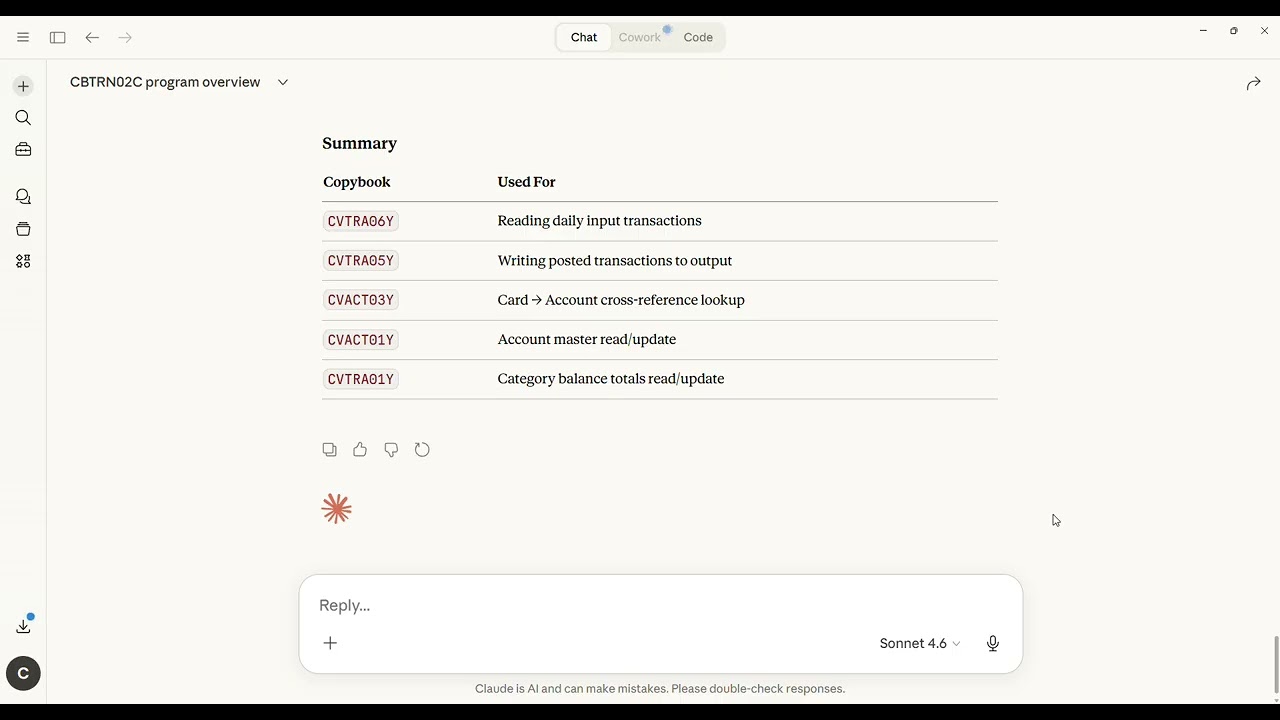
Analyzed codebase: AWS CardDemo — an open-source enterprise COBOL/CICS/JCL credit card management application (31 programs, 30 copybooks, 38 JCL jobs, 25 CICS transactions).
Ask Claude questions like:
- "Which programs will break if I extend CUSTOMER-BALANCE from PIC S9(13)V99 to S9(15)V99?"
- "Show me everything the NIGHTLY job touches — programs, datasets, conditions."
- "Which COBOL programs are never called by anything? Dead code candidates?"
- "Map all CICS transactions and the programs behind them."
- "Trace where CUSTOMER-ID flows across the entire repository."
And get structured, accurate answers — backed by static analysis of your actual source files.
| Tool | What it does |
|---|---|
analyze_cobol_program |
Full program structure: paragraphs, CALL chain, copybooks, WS fields, lines of code |
identify_copybooks |
All copybooks a program uses, with field-level detail (level, name, PIC type) |
trace_job_flow |
Every step in a JCL job: program, input/output datasets, COND parameters |
get_data_lineage |
Where a field or copybook is defined, which programs use it, which jobs touch it |
find_dead_code |
Programs never called by other programs, JCL jobs, or CICS transactions |
map_cics_transactions |
All CICS transactions with their backing programs |
Enterprise Edition adds change impact simulation, modernization roadmap generation, compliance checking, and more. See below.
- Claude Desktop (or any MCP-compatible client)
- Your COBOL source files in a local directory (
.cbl/.cob,.cpy,.jcl,.csd/.rdo) - No Java installation needed — native installers include a bundled Java 21 runtime
Only needed if running the JAR directly (Option B): Java 21 or later
Prefer to build from source? See docs/build-from-source.md — requires only Docker (Linux) or JDK 21 + Maven (Windows).
Windows:
- Download
MainframeArchitectMCP-1.0.0.exefrom Releases - Run the installer — installs to
C:\Program Files\MainframeArchitectMCP\(bundled Java 21, no separate install needed) - Add to Claude Desktop config (see Claude Desktop Setup below)
Linux:
- Debian/Ubuntu:
sudo dpkg -i mainframe-architect-mcp_1.0.0_amd64.deb - RHEL/Fedora:
sudo rpm -i mainframe-architect-mcp-1.0.0-1.x86_64.rpm
Installs to /opt/mainframe-architect-mcp/ — launcher at /opt/mainframe-architect-mcp/bin/mainframe-architect-mcp.
If you already have Java 21:
java -jar mainframe-architect-mcp.jar --source-root /path/to/your/cobol/repoThat's it. The server indexes your repository on startup and waits for connections.
Open your Claude Desktop config file:
- Windows:
%APPDATA%\Claude\claude_desktop_config.json - macOS:
~/Library/Application Support/Claude/claude_desktop_config.json
Add the following entry inside "mcpServers":
Windows (native installer):
{
  "mcpServers": {
    "mainframe-architect": {
      "command": "C:\\Program Files\\MainframeArchitectMCP\\MainframeArchitectMCP.exe",
      "args": ["--source-root", "C:\\repos\\your-cobol-project"]
    }
  }
}
Windows (JAR):
{
  "mcpServers": {
    "mainframe-architect": {
      "command": "java",
      "args": ["-jar", "C:\\tools\\mainframe-architect-mcp.jar",
               "--source-root", "C:\\repos\\your-cobol-project"]
    }
  }
}
Linux (native installer):
{
  "mcpServers": {
    "mainframe-architect": {
      "command": "/opt/mainframe-architect-mcp/bin/mainframe-architect-mcp",
      "args": ["--source-root", "/repos/your-cobol-project"]
    }
  }
}
Linux / macOS (JAR):
{
  "mcpServers": {
    "mainframe-architect": {
      "command": "java",
      "args": ["-jar", "/opt/mainframe-architect-mcp.jar",
               "--source-root", "/repos/your-cobol-project"]
    }
  }
}
Restart Claude Desktop. You should see a 🔌 icon confirming the MCP server is connected.
The server scans your directory recursively and picks up files by extension:
| Extension | What it parses |
|---|---|
.cbl, .cob, .cobol |
COBOL programs |
.cpy |
Copybooks |
.jcl |
JCL jobs |
.csd, .rdo |
CICS resource definitions |
Subdirectory structure doesn't matter — mix everything in one folder or organize into cobol/, copy/, jcl/, cics/ subdirectories, either works.
A sample COBOL banking repository is included:
java -jar mainframe-architect-mcp.jar \
     --source-root /path/to/mainframe-architect-mcp/sample-cobol-repo
It contains 14 COBOL programs, 6 copybooks, 4 JCL jobs, and 6 CICS transactions — enough to exercise all 6 community tools meaningfully.
Suggested first questions to ask Claude:
Analyze the ACCTBAL program for me.

Which programs use the CUSTMAST copybook?

What happens in the NIGHTLY job — walk me through every step.

Are there any dead code candidates in this repository?

If I change CUSTMAST, what is the full impact?
On startup, the server walks your source directory and builds an in-memory dependency graph:
COBOL programs  ──→  paragraphs, CALL statements, COPY statements
Copybooks       ──→  field definitions (level, name, PIC type)
JCL jobs        ──→  steps, program names, input/output datasets
CICS resources  ──→  transaction IDs → program mappings
All cross-references are resolved: the server knows which programs use which copybooks, which jobs call which programs, which CICS transactions back which programs. When you ask Claude a question, it calls the appropriate tool against this graph and returns structured JSON that Claude uses to formulate its answer.
The parser is regex-based and handles standard IBM fixed-format COBOL (columns 1–72). It does not require compilation or a COBOL runtime.
Logs are written to:
- Console (stderr): startup messages and errors — visible in Claude Desktop logs
- File:
logs/mainframe-architect-mcp.lognext to the executable, rolling daily, 7 days retention
The Enterprise Edition adds five additional tools for risk management and modernization:
| Tool | What it does |
|---|---|
simulate_change_impact |
Full impact graph for any planned change to a copybook, program, or field |
generate_modern_api_suggestion |
REST API design derived from a COBOL program's structure |
batch_analyze_repository |
Repository-wide complexity, coupling, health score, and recommendations |
check_compliance_rules |
Naming, structure, security, audit, and JCL compliance checks |
generate_migration_roadmap |
Phased modernization plan using topological sort of the dependency graph |
Enterprise Edition is activated by providing a license key and enterprise JAR at startup:
java -jar mainframe-architect-mcp.jar \
     --source-root /path/to/cobol/repo \
     --enterprise-jar /opt/mainframe-architect-enterprise.jar \
     --license-key MAMP-ENT-XXXXX-XXXXX
Contact tabforge.ai for licensing information.
- Parser is structural, not semantic. It extracts program structure, dependencies, and data definitions from source text. It does not execute COBOL logic or evaluate runtime behavior.
- Fixed-format COBOL only. Standard IBM z/OS fixed format (columns 1–72). Free-format COBOL is not yet supported.
- No DB2 / MQ / IMS support yet. Inline SQL, MQ calls, and IMS DL/I calls are not parsed in this version.
- COBOL dialect. Tested with IBM Enterprise COBOL conventions. Micro Focus / GnuCOBOL dialects may parse with minor gaps.
Community Edition source code is available under the Business Source License 1.1. Bug reports and pull requests are welcome.
Community Edition: Business Source License 1.1 — free for non-commercial and internal use. Enterprise Edition: Commercial license. Contact tabforge.ai.