
Note
Sakurator is not publicly available, but it can be self-hosted
To host Sakurator, you need Docker. To install Docker, consult the official documentation.
To get started, first, clone the repository.
git clone https://github.com/sakurator/websiteThen, create an .env file in the root folder.
Copy the contents of .env.example file there:
MYSQL_HOSTNAME=mysql
MYSQL_USERNAME=sakurator
MYSQL_PASSWORD=
MYSQL_DATABASE=sakurator
Come up with a strong password for the database, and enter it intoo MYSQL_PASSWORD env variable.
To run the Sakurator website, launch its Docker containers. To do that, use the following command:
docker compose up --buildNow Sakurator is accessible on http://localhost:3000/
Tip
Your browser may automatically switch to https, on which Sakurator is not accessible.
Make sure to remove that s from https.
To shut down, use the opposite command:
docker compose downTip
Completely new to Japanese, and have no clue what hiragana and katakana are? There's a nice explanation, click here!
Sakurator includes BOTH hiragana and katakana. And, you can learn both of them here! Each alphabet is split by 9 sets to learn gradually!
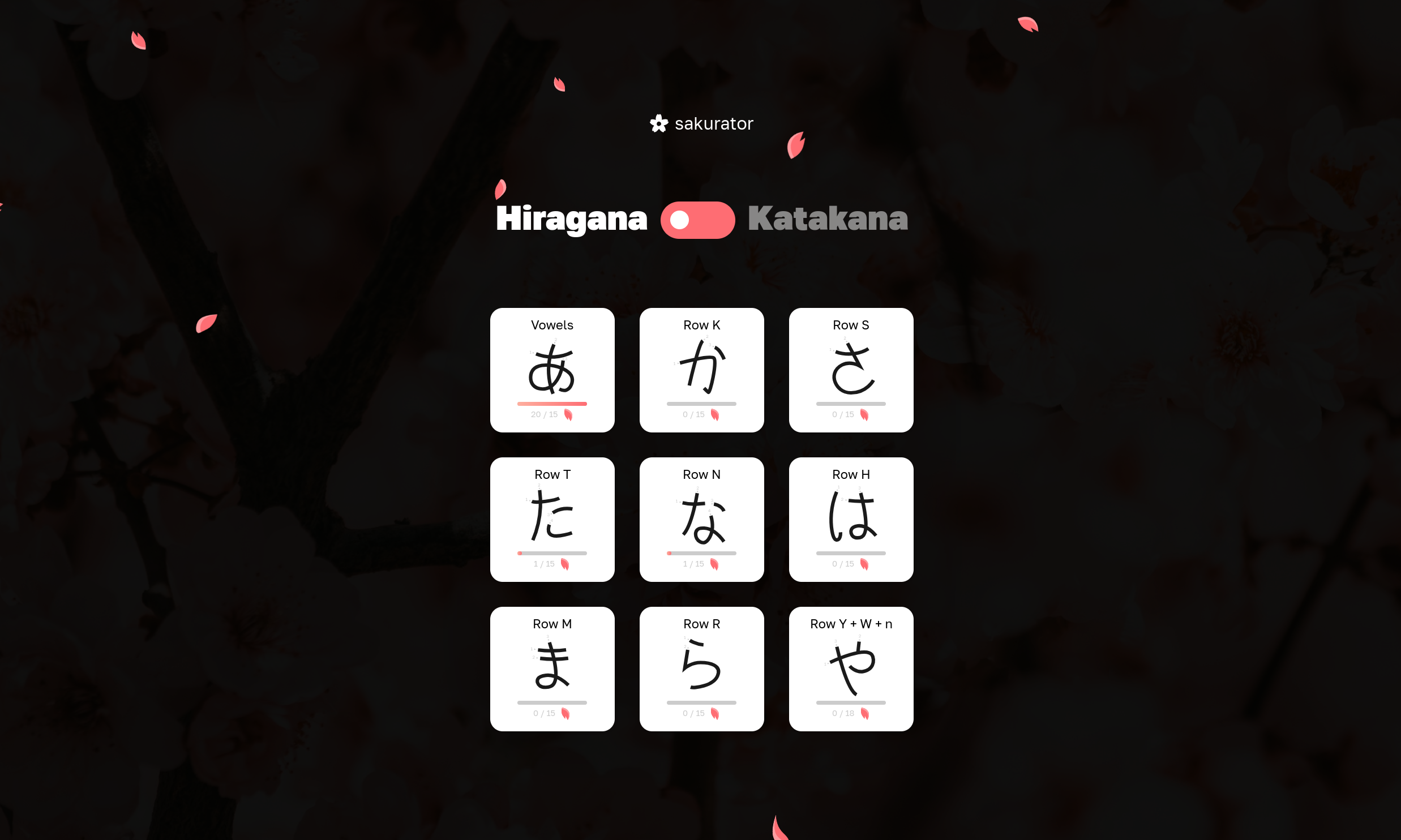
See the switch above? You can switch alphabets with that! Click on any, and have fun learning! When you start learning a set for the first time, Sakurator will introduce you letters by pronouncing them one-by-one.
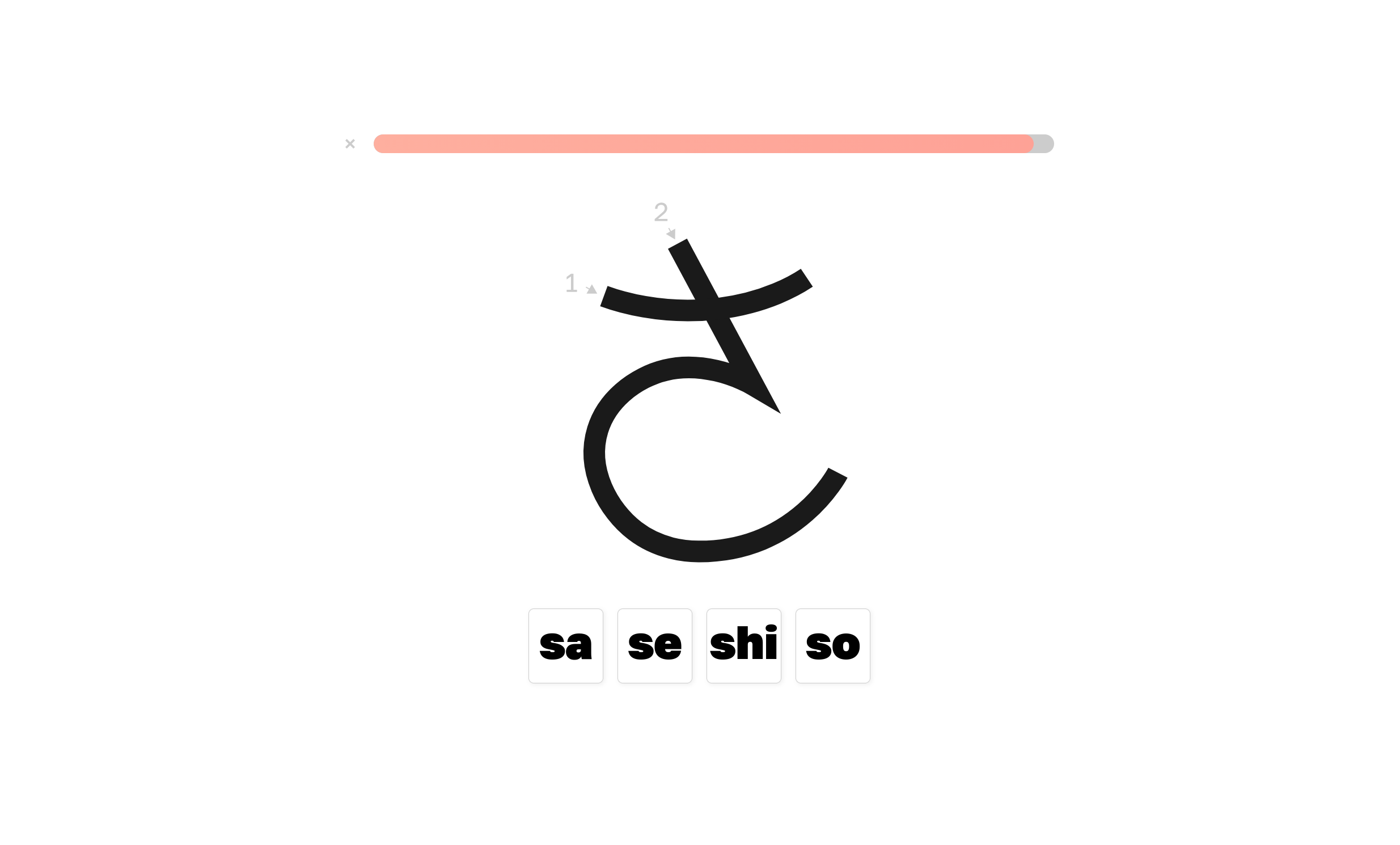
You will be given letters. Select the right pronunciation for them! Yea, at the beginning it's pretty hard to remember, but in a very short time, it literally becomes automagical! Keep selecting sounds until the bar ontop is fully filled.
After finishing a lesson, you get progress points - for hiragana these are pink sakura petals, and for katakana these are green cherry leaves. You can see the goal of points for each set in the main menu.
- If you complete the lesson, you'll get 1 petal/leaf;
- If you complete it without making any mistakes, you earn 2 petals/leaves!
Feeling brave? Have an idea? Saw a bug? You can help! If you know React or Express.js, welcome to contributors! Clone the repo, implement, and pull request!
Note
Please, follow the commit message, and coding styles! Thank you so much!
I never used React in my projects, yet I give it a try! I refactored the whole code to it, and it was a pretty nice framework actually, especially its Context API feels so good, I wish Vue had something similar, I actually came up with a similar ideas, but using Pinia. So, thank you dear React contributors and creators for a such cool framework! Zustand, Jotai, sorry, not today guys, it seems like Context API is pretty much enough for Sakurator for now, maybe in the future Sakurator outgrow it! However, you guys made a great job! Having experience in Pinia, it feels so home to read your code! Also, I appreciate the work of Prisma ORM guys, after 4 years you made some changes, but I am glad my schema file didn't break much :D Love your simple ORM API, it feels so smooth! <3
MIT
Copyright (c) 2022 Anatoly Frolov (anafro). All Rights Reserved.
contact@anafro.ru