






A modern, web-based Redis GUI explorer built with Next.js 15 and React 19. This tool provides a comprehensive interface for managing Redis databases, similar to RedisInsight but with a focus on performance and user experience.
🎉 Now Open Source! We're excited to share Redis Explorer with the community. Contributions are welcome!
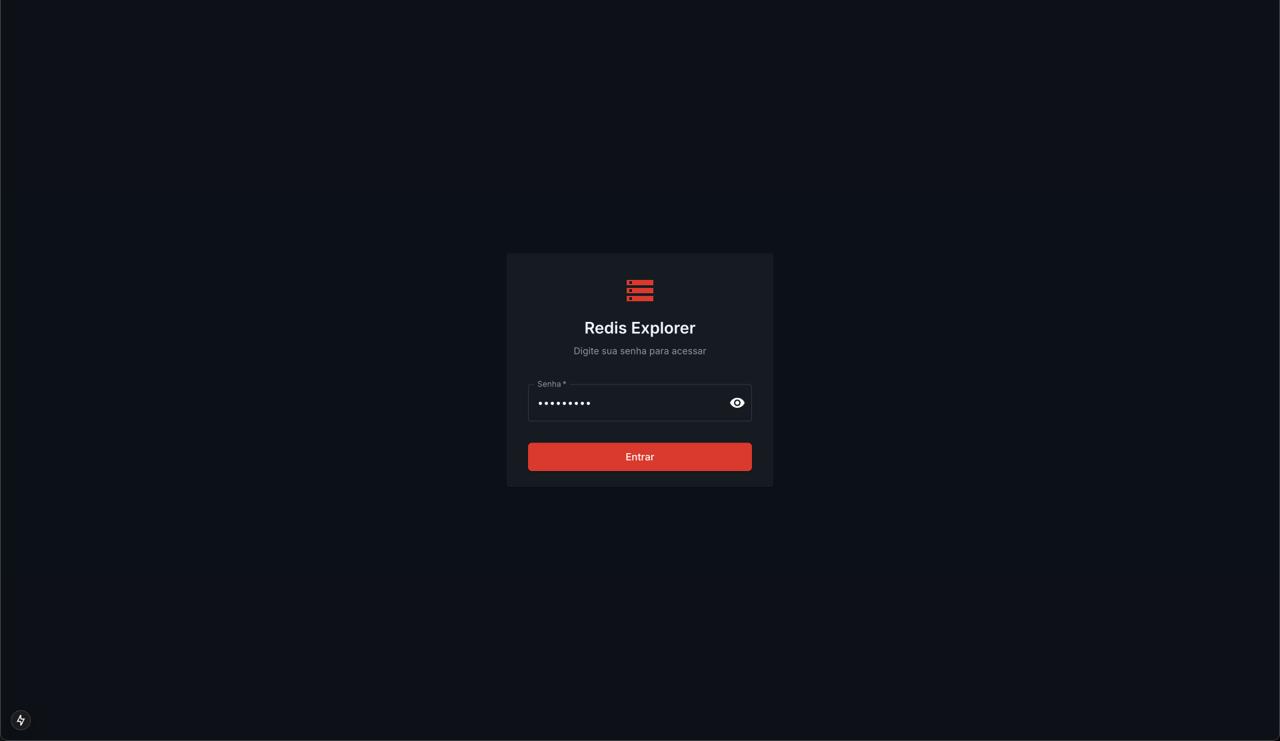 Secure authentication with password protection
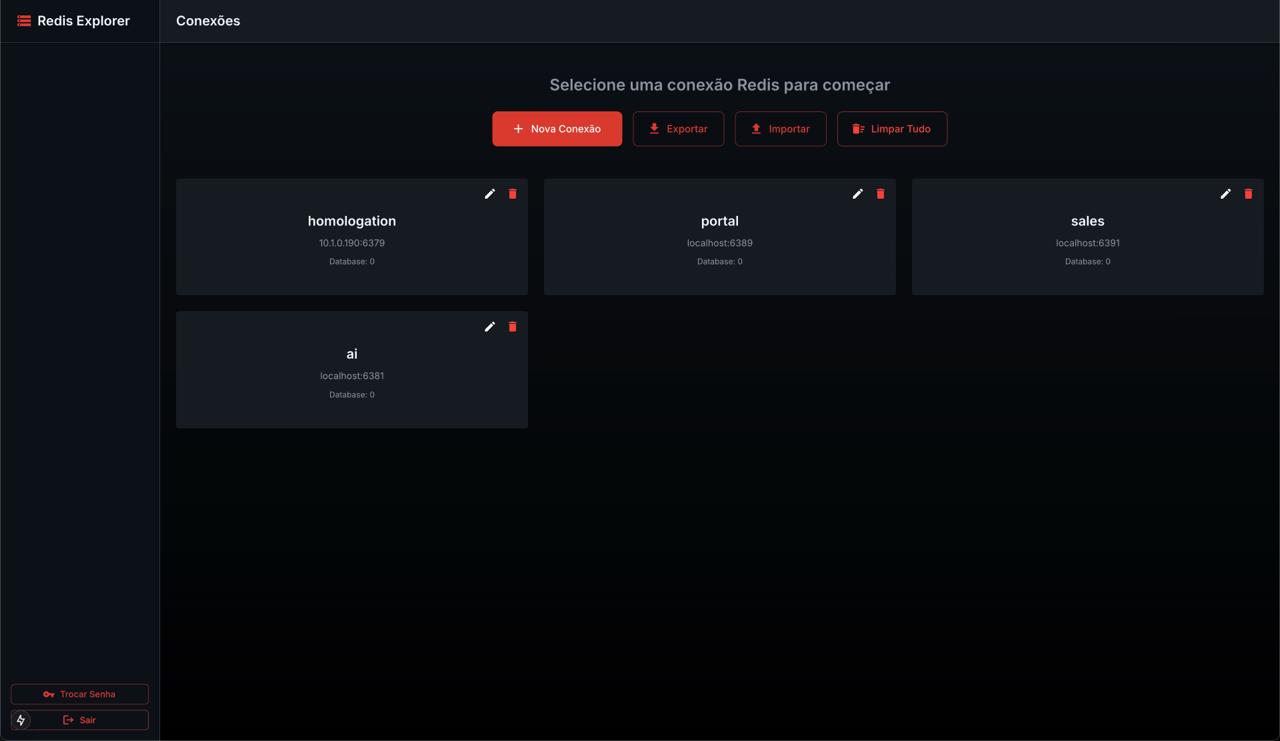 Manage multiple Redis connections with import/export functionality
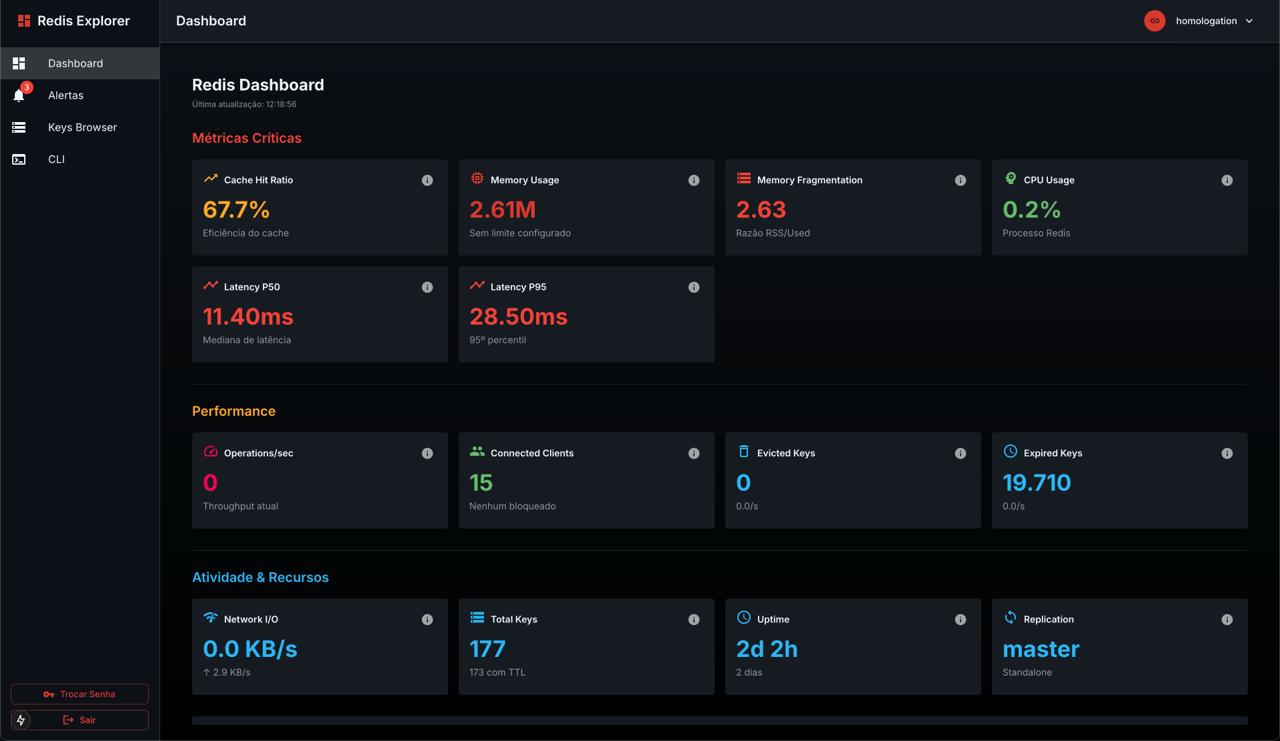 Real-time Redis monitoring with critical metrics and performance indicators
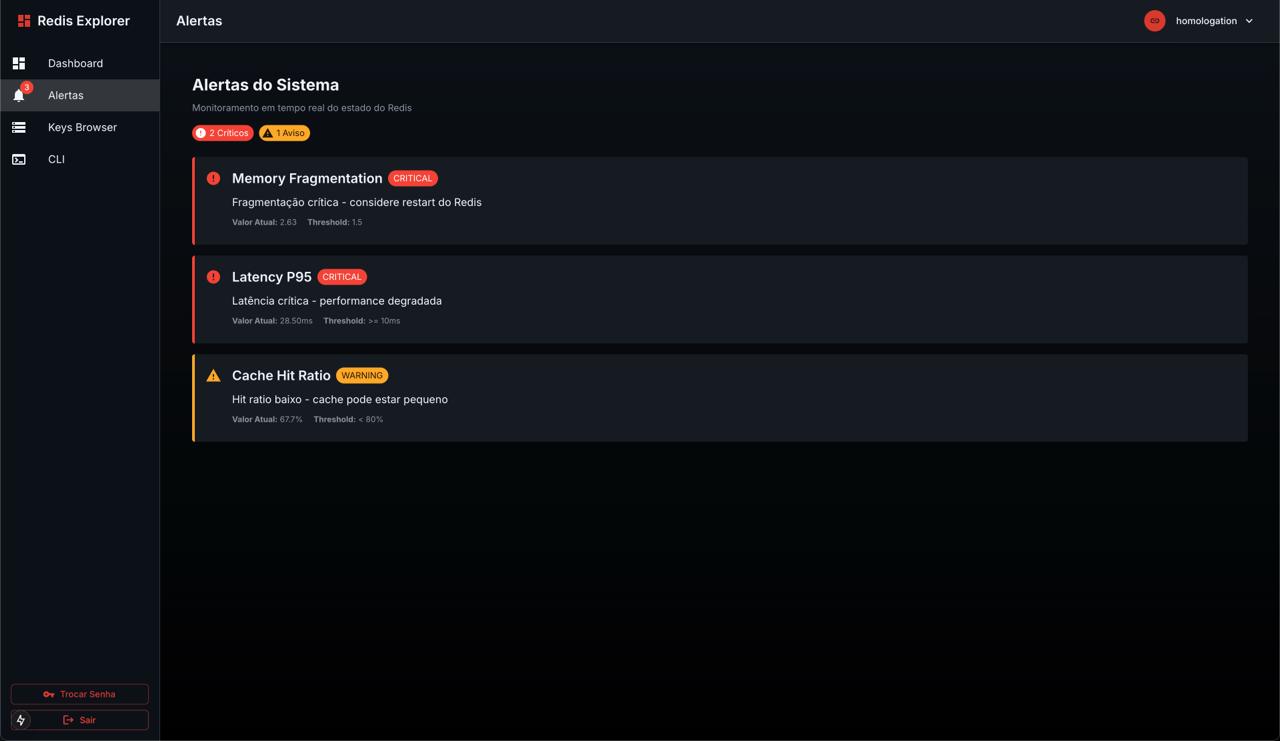 Intelligent alerts for memory fragmentation, latency, and cache performance
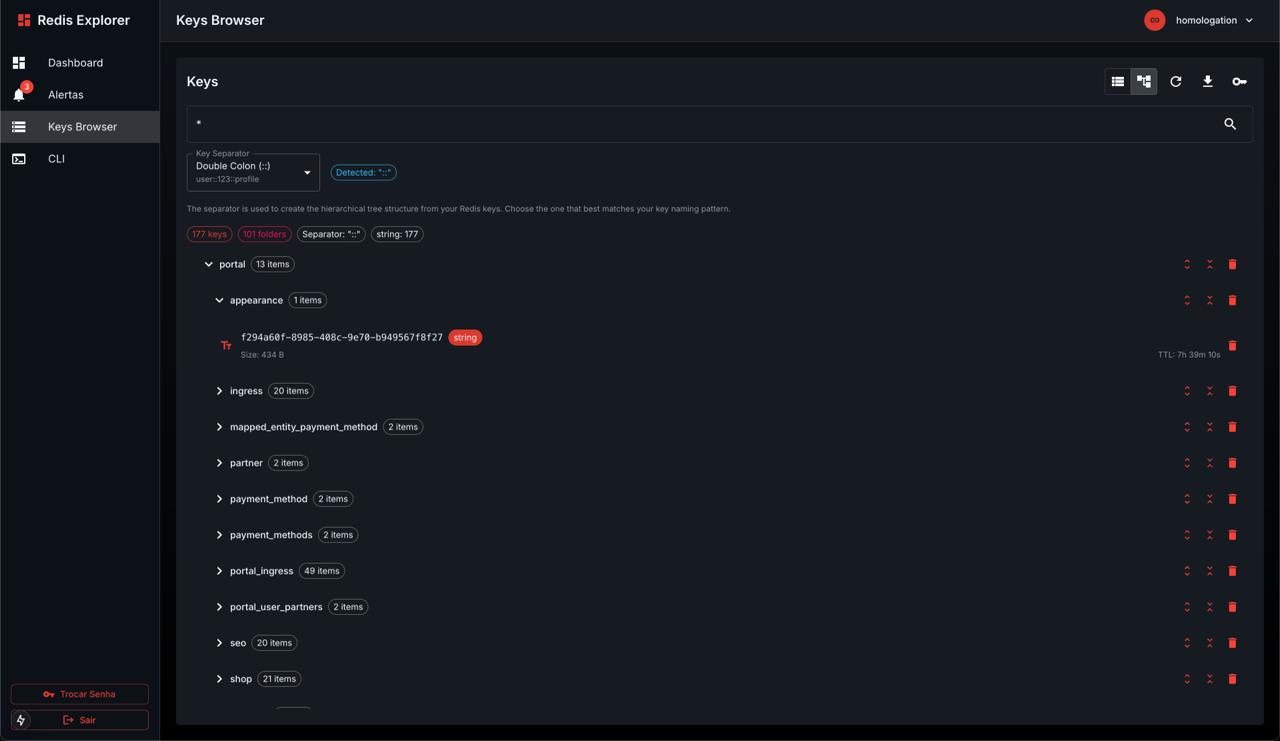 Smart tree view with automatic separator detection and hierarchical navigation
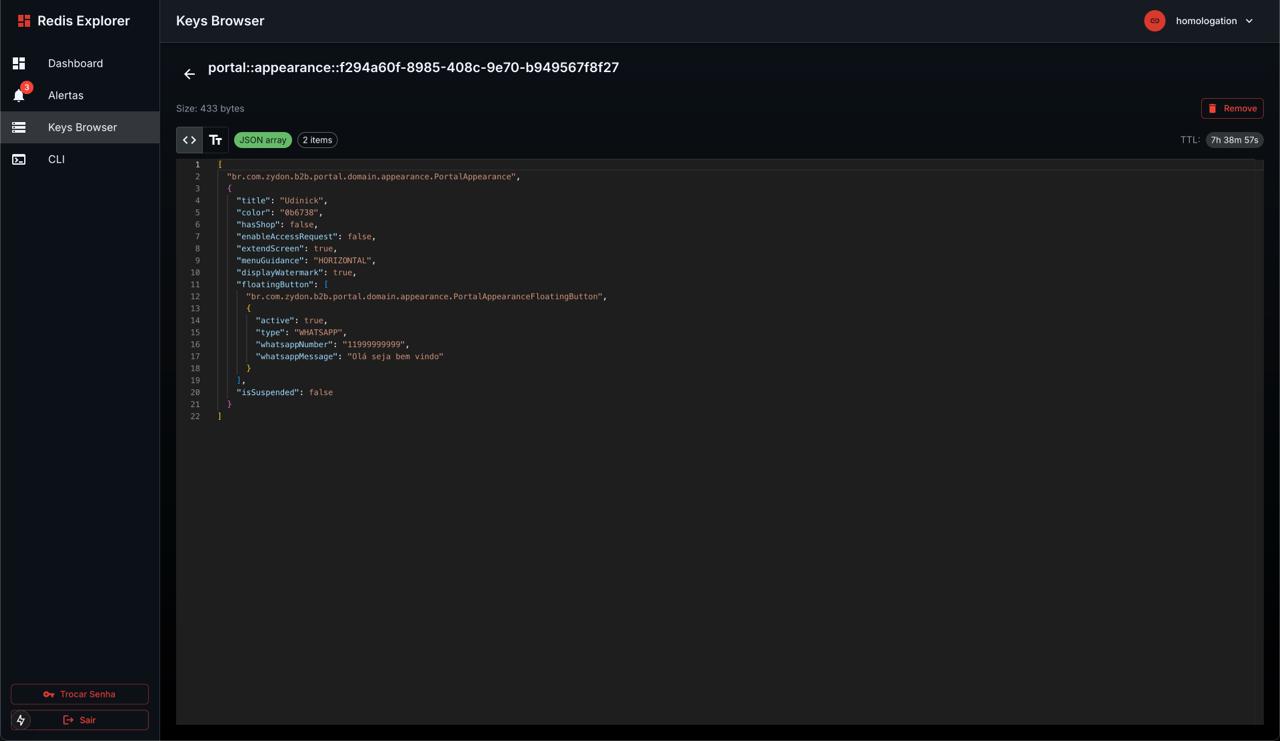 Monaco editor with JSON syntax highlighting and TTL countdown
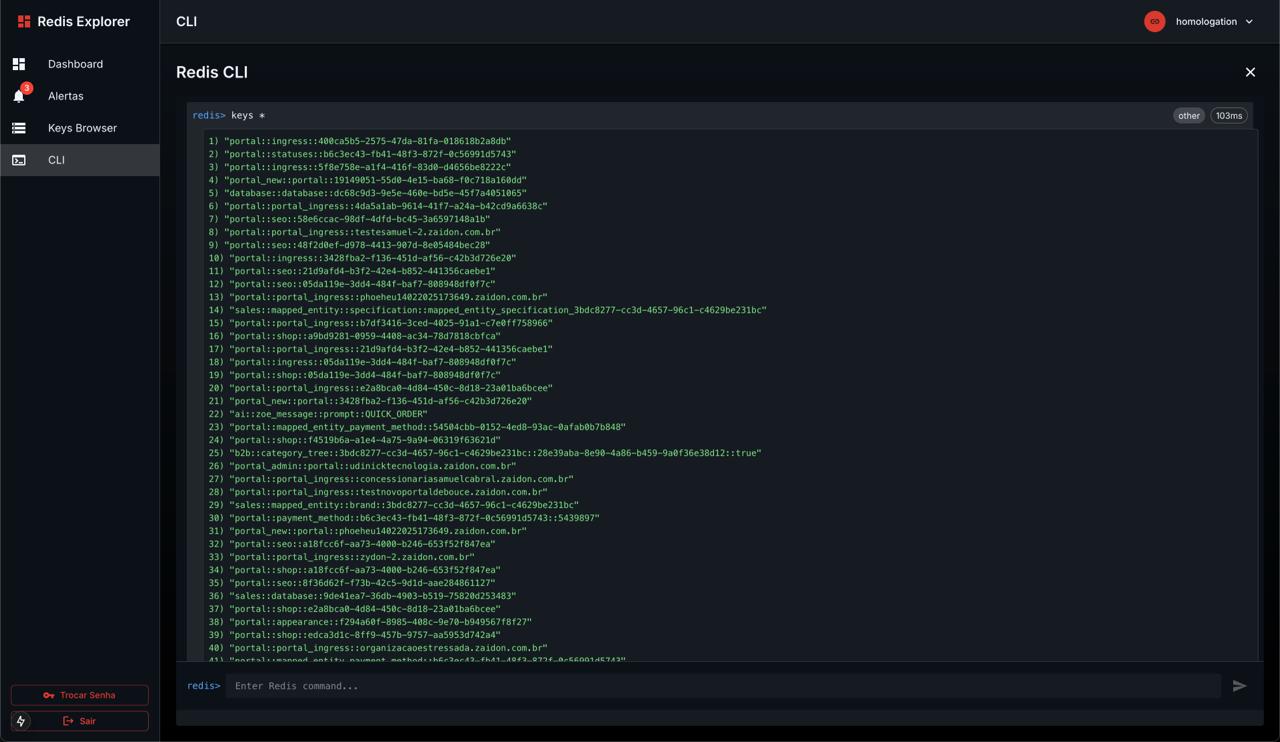 Integrated Redis CLI with command history and syntax highlighting
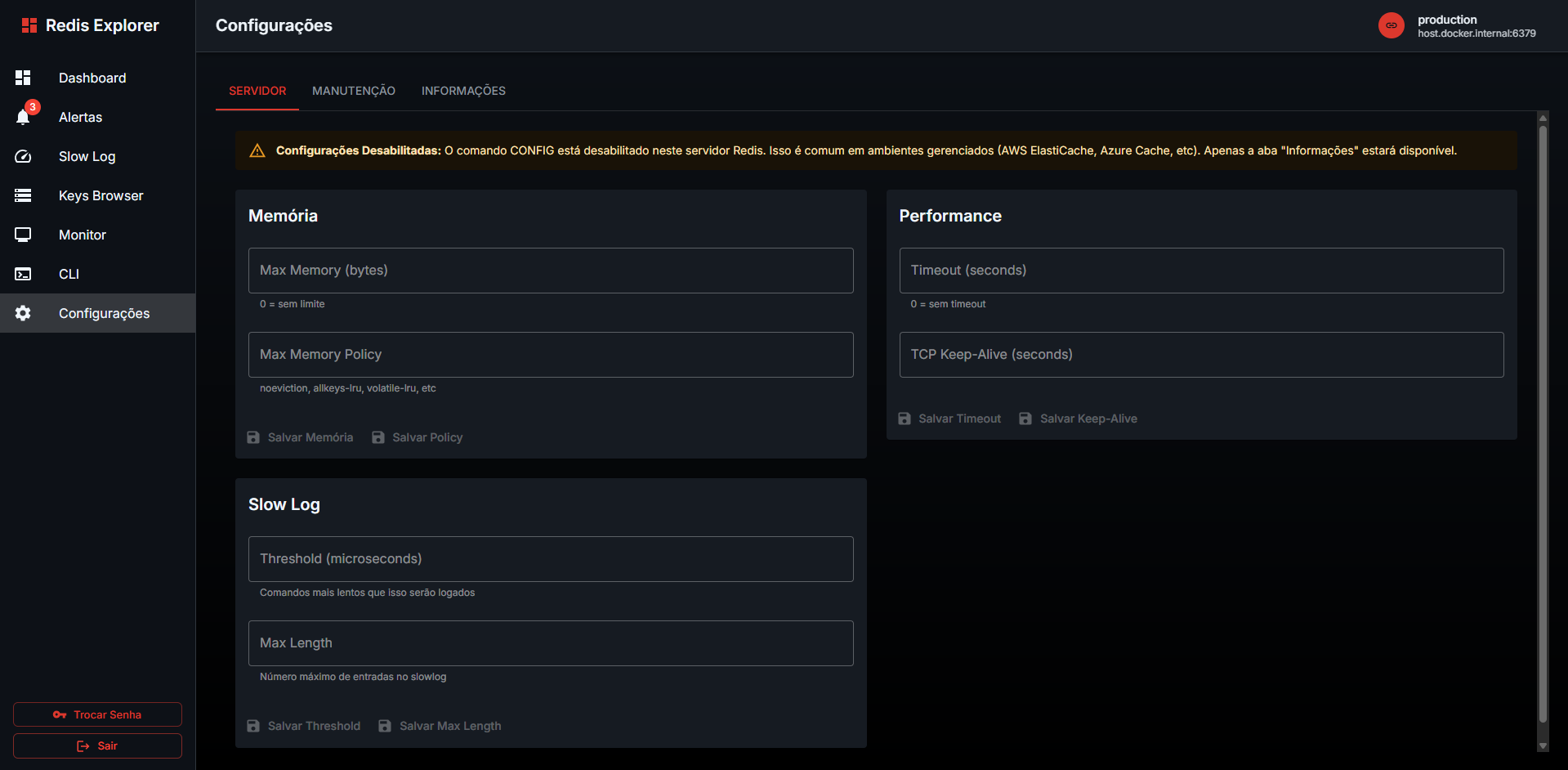 General configuration settings and preferences
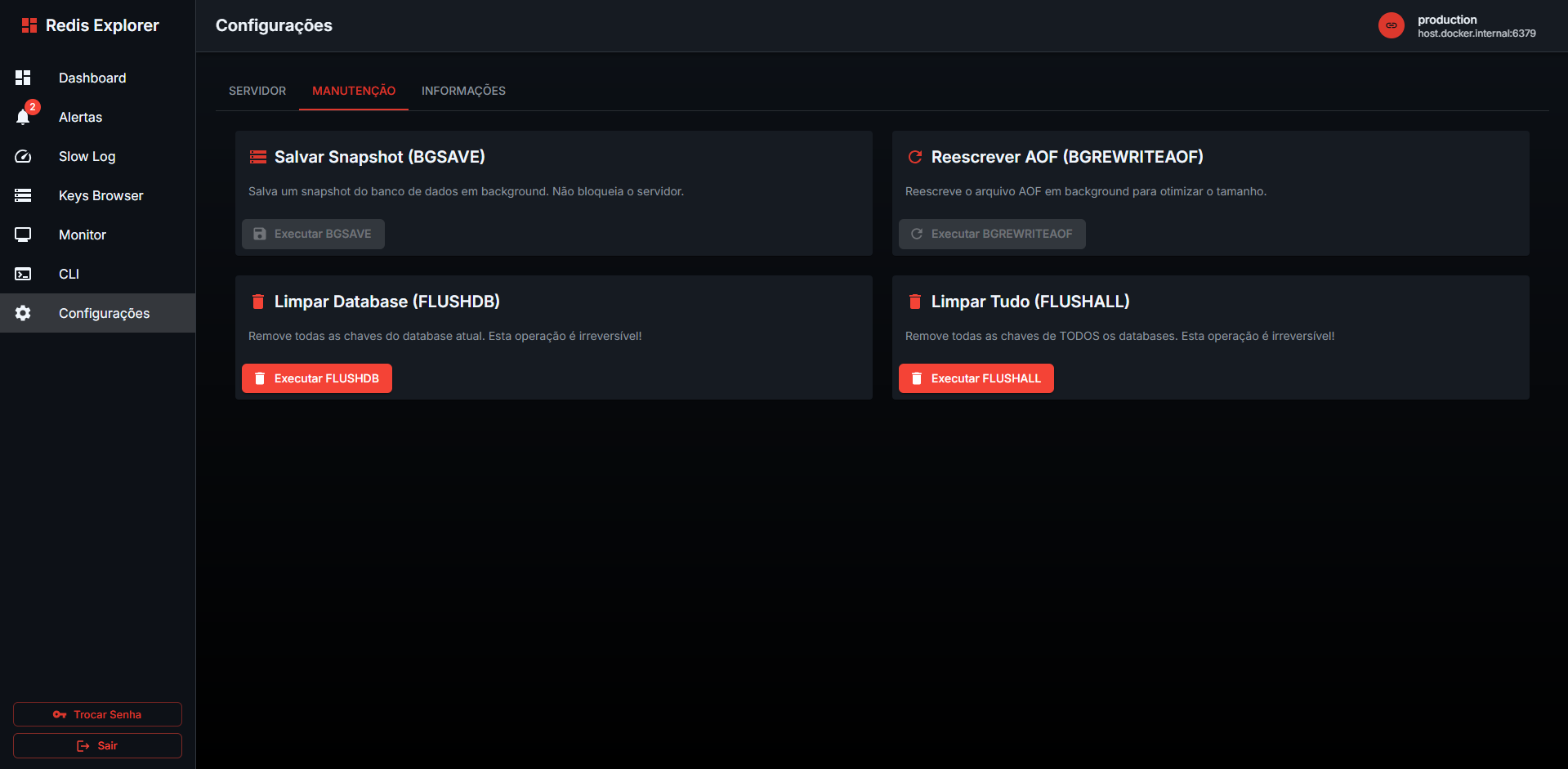 Advanced configuration options and customization
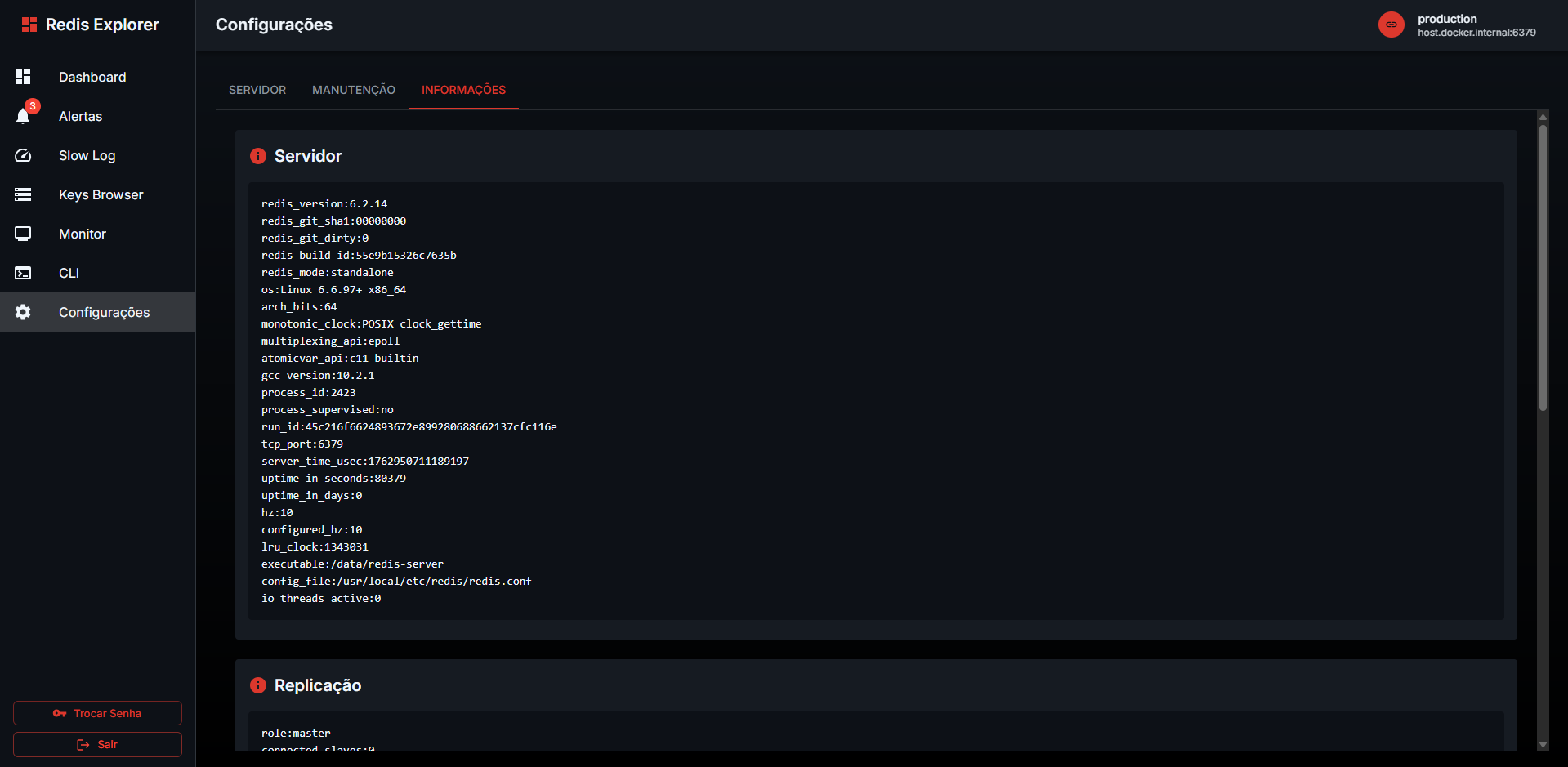 Security settings and authentication management
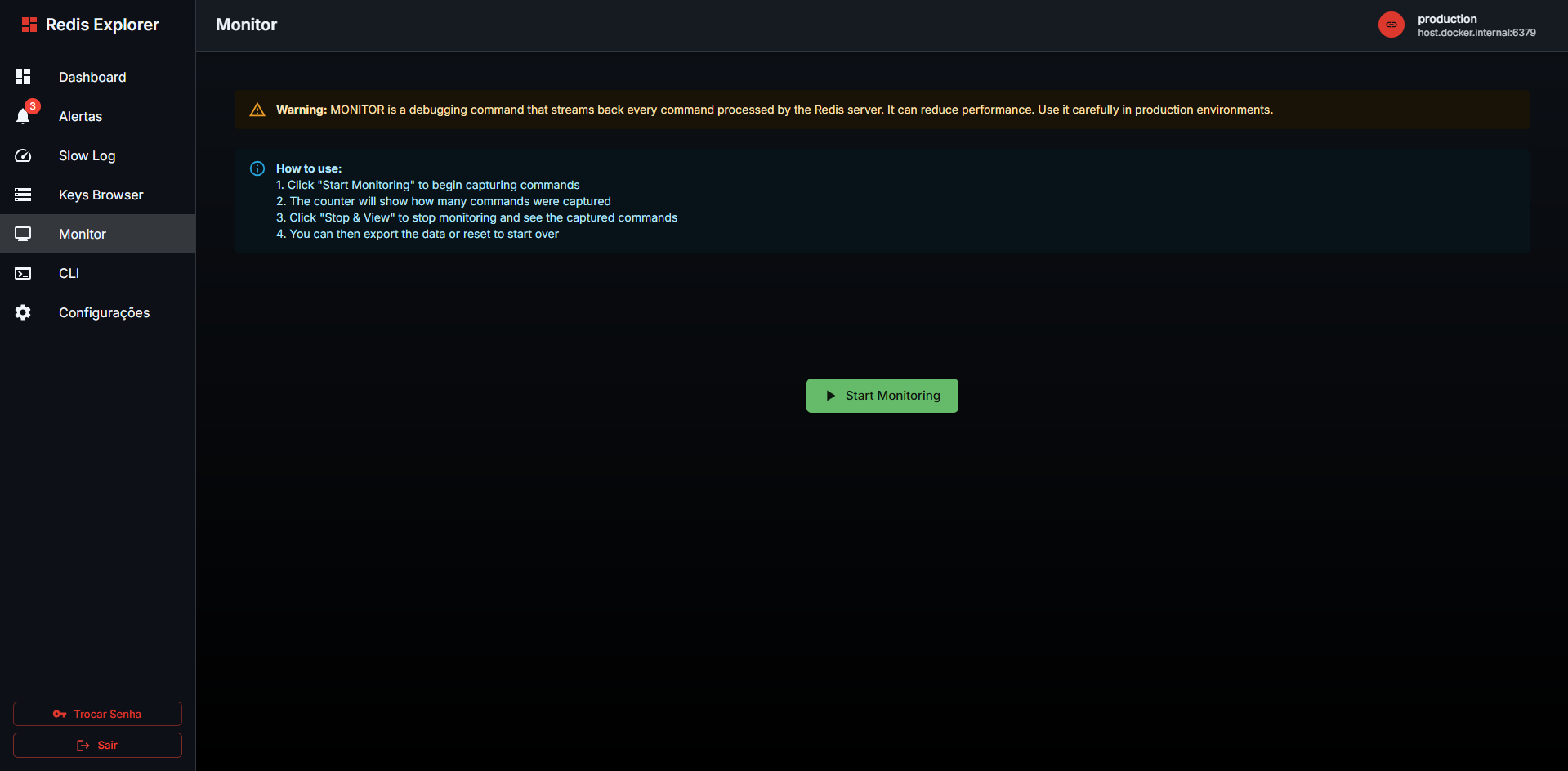 Real-time performance monitoring with detailed metrics
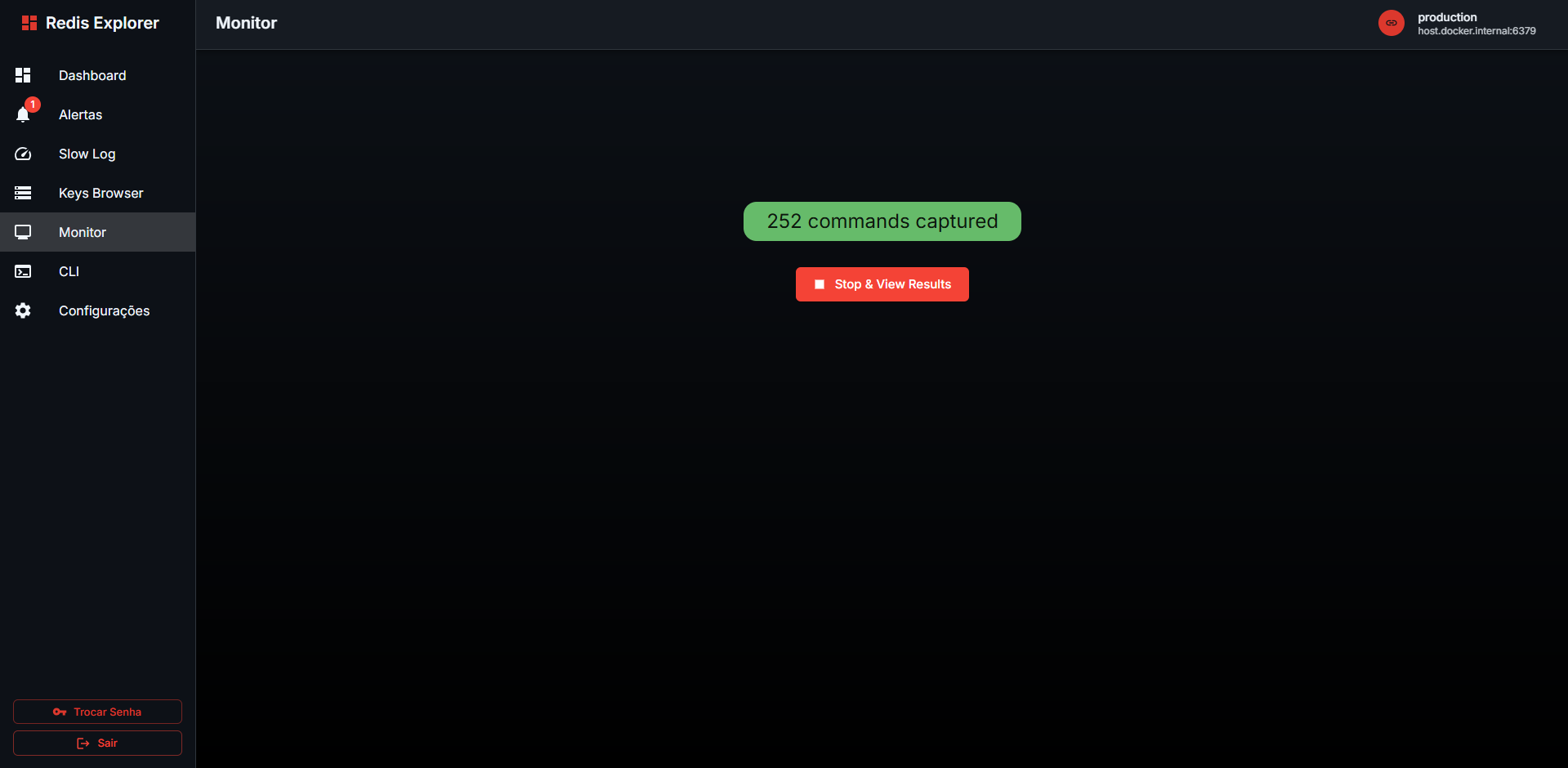 Memory usage analysis and fragmentation tracking
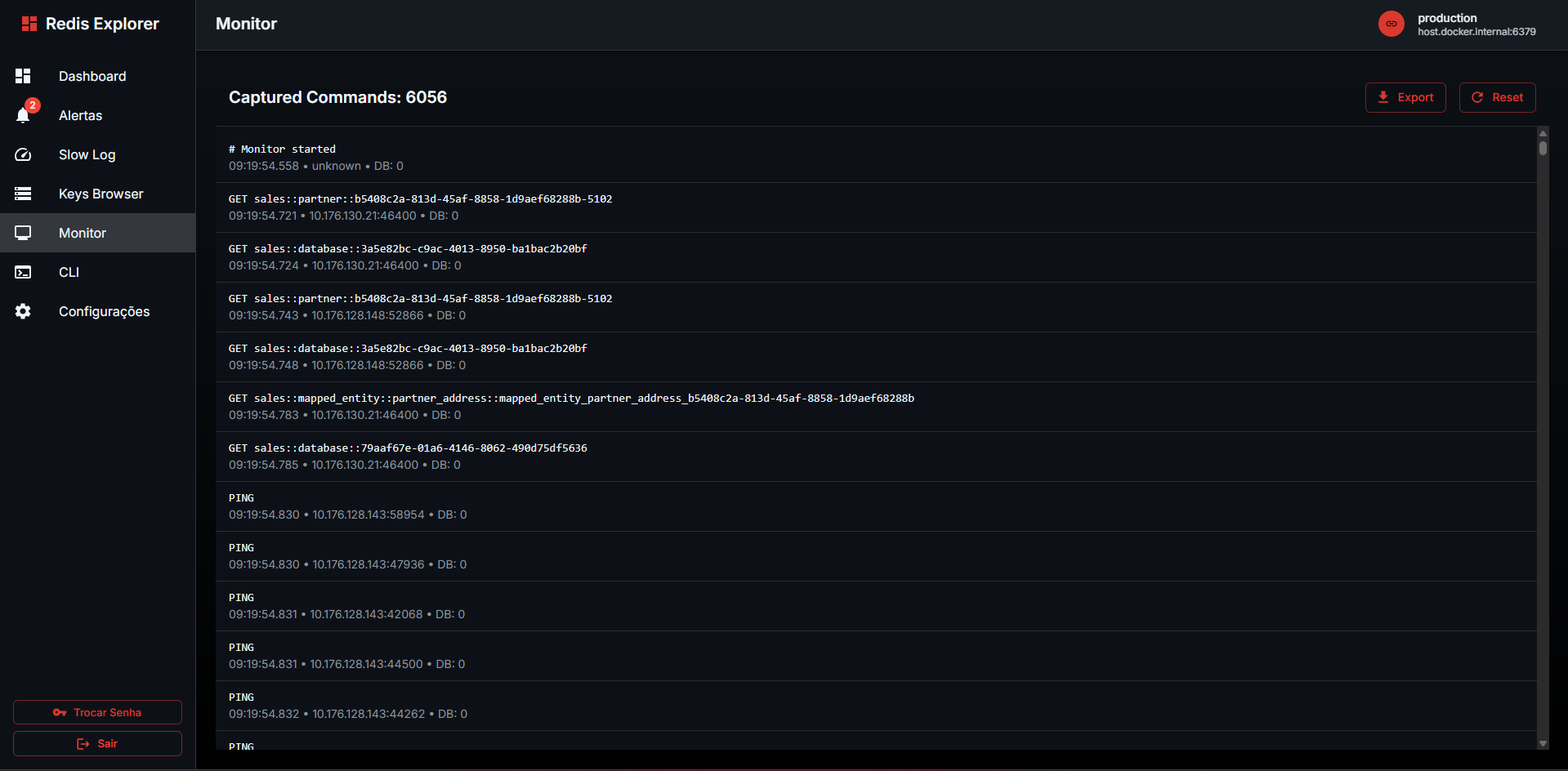 Operations monitoring with command statistics
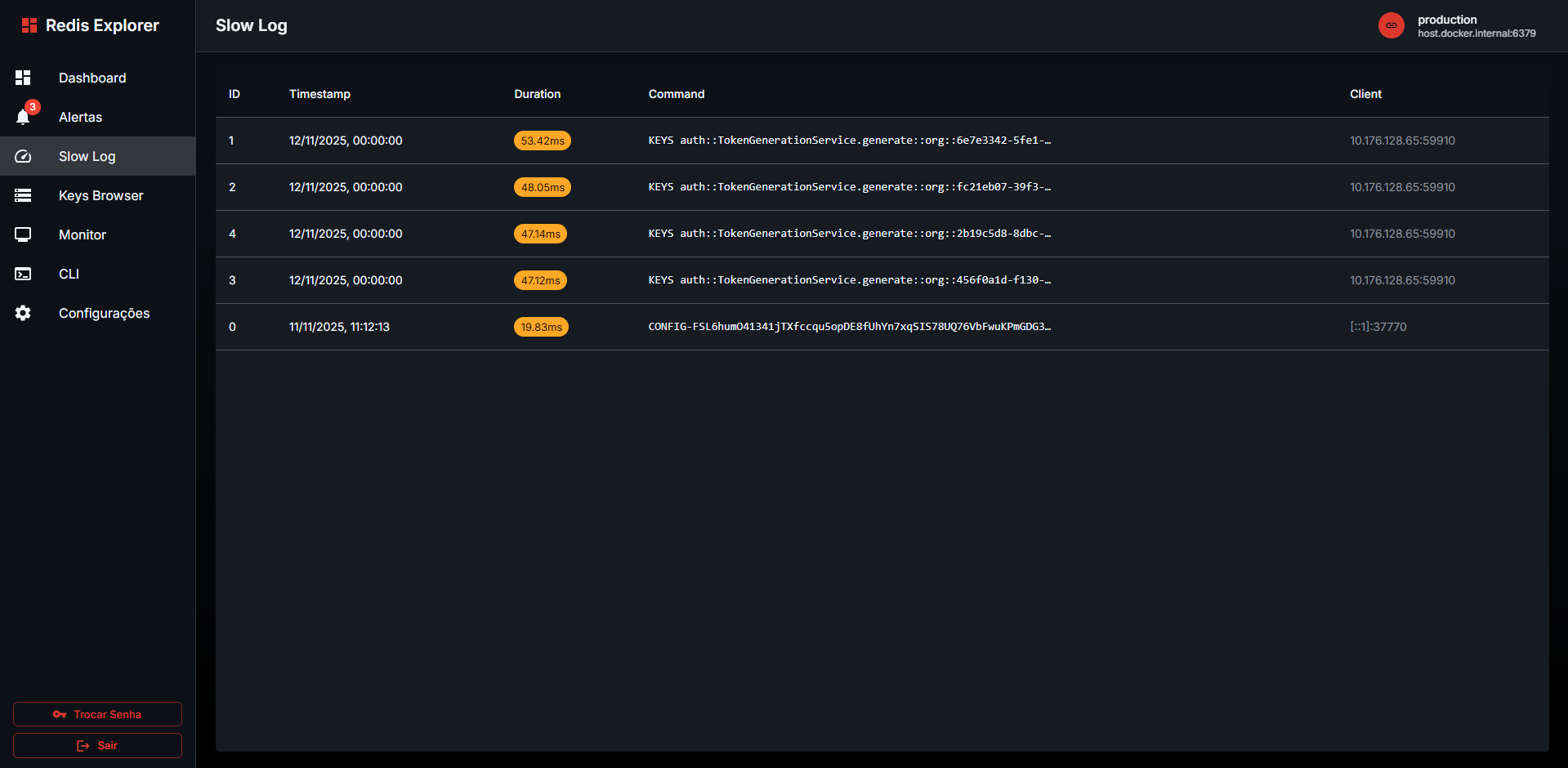 Detailed slow query log with execution time analysis
Try it now with Docker:
docker run -d -p 3000:3000 -v redis-explorer-data:/app/data ruanbarroso/redis-explorer:latestThen open http://localhost:3000 in your browser!
🔒 First Access: Create your admin password on first login 💾 Persistent Data: Use
-v redis-explorer-data:/app/datato keep your connections after restarts
| Feature | Redis Explorer | RedisInsight | redis-cli |
|---|---|---|---|
| Web Interface | ✅ Modern React UI | ✅ Desktop App | ❌ CLI Only |
| Real-time Monitoring | ✅ Live Dashboard | ✅ Basic | ❌ Manual |
| Docker Ready | ✅ Single Command | ✅ Available | |
| Open Source | ✅ MIT License | ✅ SSPL | ✅ BSD |
| Performance | ✅ Optimized | ✅ Fast | |
| Multi-Connection | ✅ Unlimited | ✅ Limited | ❌ One at time |
| Tree View | ✅ Smart Hierarchy | ✅ Basic | ❌ No |
| Value Editing | ✅ Syntax Highlight | ✅ Basic |
- Multiple Redis connection support with unlimited connections
- SSL/TLS secure connections
- Connection testing and validation before saving
- Persistent connection storage (server-side)
- Import/Export connections (JSON format)
- Auto-disconnect for inactive connections
- Connection health monitoring
- Smart tree view with automatic separator detection (
:,::,/,-,_) - Advanced key search with pattern matching (Redis SCAN)
- Real-time key filtering and navigation
- Key type identification with color coding
- TTL countdown with live updates
- Bulk delete operations with folder support
- Streaming key loading for large datasets
- Custom separator configuration
- Support for all Redis data types:
- Strings: Monaco editor with JSON syntax highlighting
- Hashes: Table view with inline editing and field management
- Lists: Indexed table view with add/remove operations
- Sets: Member management with add/remove
- Sorted Sets: Score-based ordering with inline editing
- Advanced TTL management:
- Live countdown display
- Human-readable format (days, hours, minutes)
- Edit TTL inline with validation
- Persist key (remove TTL)
- Real-time value updates
- JSON formatting and validation
- Copy to clipboard functionality
- Critical Metrics (with intelligent alerts):
- Cache Hit Ratio with trend analysis
- Memory Usage and Fragmentation
- Latency P50 and P95 percentiles
- CPU Usage monitoring
- Performance Indicators:
- Operations per second (real-time)
- Connected clients tracking
- Evicted/Expired keys statistics
- Activity & Resources:
- Network I/O monitoring
- Total keys count with TTL info
- Server uptime
- Replication status
- Auto-refresh with configurable intervals
- Color-coded alerts (Critical, Warning)
- Last update timestamp
- Full Redis CLI integration with all commands
- Command history with arrow key navigation (↑/↓)
- Syntax highlighting for commands and responses
- Auto-complete suggestions
- Execution time tracking
- Error handling with detailed messages
- Clear output functionality
- Support for multi-line commands
- Memory Fragmentation: Critical alerts when > 1.5 ratio
- Latency Monitoring: P95 latency warnings
- Cache Performance: Low hit ratio detection
- Real-time threshold monitoring
- Color-coded severity levels
- Actionable recommendations
- Framework: Next.js 15.1.0 with App Router and Turbopack
- UI Library: React 19.0.0 with React DOM 19.0.0
- Language: TypeScript 5.6
- UI Components: Material-UI (MUI) v6 with Data Grid Premium
- State Management: Redux Toolkit 2.3
- Redis Client: ioredis 5.4 (Node.js) + redis 4.7 (compatibility)
- Code Editor: Monaco Editor 0.52 with JSON syntax highlighting
- Charts: Recharts 2.13 for performance visualization
- Styling: Emotion 11 (CSS-in-JS)
- Authentication: JWT with bcryptjs
- Real-time: Socket.io 4.8 for live updates
- Testing: Jest 29 with React Testing Library
- CI/CD: GitHub Actions with Semantic Release
- Container: Docker with multi-stage builds
-
Clone the repository
git clone <repository-url>
cd redis-explorer
-
Install dependencies
yarn install
-
Set up environment variables
cp .env.example .env.local
Configure your default Redis connection:
REDIS_URL=redis://localhost:6379
-
Start the development server
yarn dev
-
Open your browser Navigate to http://localhost:3000
Quick Start with Persistent Storage:
# Run Redis Explorer with persistent data
docker run -d \
  --name redis-explorer \
  -p 3000:3000 \
  -v redis-explorer-data:/app/data \
  ruanbarroso/redis-explorer:latest

# Or with specific version
docker run -d \
  --name redis-explorer \
  -p 3000:3000 \
  -v redis-explorer-data:/app/data \
  ruanbarroso/redis-explorer:1.16.1
Platform Support:
- ✅ linux/amd64
⚠️ linux/arm64 (coming soon)
With Redis server:
# Start Redis server
docker run -d --name redis -p 6379:6379 redis:7-alpine

# Start Redis Explorer (linked to Redis) with persistent storage
docker run -d \
  --name redis-explorer \
  -p 3000:3000 \
  -v redis-explorer-data:/app/data \
  --link redis:redis \
  ruanbarroso/redis-explorer:latest
With custom encryption key (recommended for production):
docker run -d \
  --name redis-explorer \
  -p 3000:3000 \
  -v redis-explorer-data:/app/data \
  -e REDIS_EXPLORER_KEY=your-secret-key-here \
  ruanbarroso/redis-explorer:latest
💾 Important: Always use a volume (
-v) to persist your connections across container restarts! 🔐 Security: Set a customREDIS_EXPLORER_KEYto encrypt stored passwords
-
Clone the repository
git clone https://github.com/ruanbarroso/redis-explorer.git cd redis-explorer -
Start with Docker Compose
docker-compose up -d
This will start:
- Redis Explorer on http://localhost:3000
- Redis server on port 6379
- Redis with auth on port 6380 (password:
mypassword)
- Clone and build
git clone https://github.com/ruanbarroso/redis-explorer.git
cd redis-explorer
docker build -t redis-explorer .
docker run -d --name redis-explorer -p 3000:3000 redis-explorer
- Click on "Connections" in the sidebar
- Click "Add Connection"
- Fill in your Redis connection details:
- Name: A friendly name for your connection
- Host: Redis server hostname (default: localhost)
- Port: Redis server port (default: 6379)
- Password: Redis password (if required)
- Database: Database number (default: 0)
- SSL: Enable for secure connections
- Test the connection before saving
- Click "Add" to save the connection
- Select "Keys Browser" from the sidebar
- Use the search box to filter keys with patterns:
*- All keysuser:*- Keys starting with "user:"*session*- Keys containing "session"
- Click on any key to view its value
- Use the editor to modify values
- Go to "Dashboard" in the sidebar
- View real-time metrics including:
- Memory usage
- Operations per second
- Connected clients
- Cache hit rate
- Monitor slow queries in the slow log table
- Toggle auto-refresh for real-time updates
- Select "CLI" from the sidebar
- Enter Redis commands in the terminal
- Use arrow keys (↑/↓) to navigate command history
- View command execution times and results
src/
├── app/                 # Next.js App Router
│   ├── api/            # API routes
│   ├── globals.css     # Global styles
│   ├── layout.tsx      # Root layout
│   └── page.tsx        # Main page
├── components/         # React components
│   ├── ConnectionManager.tsx
│   ├── KeysBrowser.tsx
│   ├── ValueEditor.tsx
│   ├── Dashboard.tsx
│   └── Terminal.tsx
├── services/           # Business logic
│   └── redis.ts        # Redis service
├── store/              # Redux store
│   ├── index.ts
│   └── slices/
├── types/              # TypeScript types
│   └── redis.ts
└── theme/              # MUI theme
    └── index.ts
yarn dev- Start development server with Turbopackyarn build- Build for productionyarn start- Start production serveryarn lint- Run ESLintyarn lint:fix- Fix ESLint issuesyarn format- Format code with Prettieryarn test- Run testsyarn type-check- Run TypeScript type checking
- Fork the repository
- Create a feature branch
- Make your changes
- Add tests if applicable
- Run linting and type checking
- Submit a pull request
- Never store Redis passwords in plain text
- Use environment variables for sensitive configuration
- Enable SSL/TLS for production connections
- Implement proper authentication and authorization
- Regularly update dependencies
- Use connection pooling for high-traffic scenarios
- Implement key pagination for large datasets
- Use Redis pipelining for bulk operations
- Monitor memory usage and set appropriate limits
- Use appropriate data structures for your use case
- Verify Redis server is running
- Check firewall settings
- Ensure correct host/port configuration
- Validate authentication credentials
- Monitor Redis memory usage
- Check for slow queries
- Optimize key patterns
- Consider Redis clustering for scale
- Clear browser cache
- Check browser console for errors
- Ensure JavaScript is enabled
- Try a different browser
- Multi-connection management with import/export
- Real-time dashboard with intelligent alerts
- Key browser with smart tree view
- Value editor with Monaco and TTL countdown
- CLI terminal integration
- Docker containerization with automated builds
- CI/CD pipeline with Semantic Release
- Auto-disconnect for inactive connections
- Bulk delete operations
- Automatic separator detection
- System alerts and monitoring
- Authentication and security
- Redis Cluster support
- Advanced search filters with regex
- Performance profiling and optimization
- Multi-platform Docker builds (ARM64)
- Redis Streams visualization
- Pub/Sub message monitoring
- Multi-language support (i18n)
- Plugin system
- Mobile responsive design
- Dark/Light theme toggle
- Development Status: ✅ Active Development
- Stability: 🟢 Stable (Production Ready)
- Current Version: v1.16.1
- Last Updated: October 25, 2025
- Maintainers: 1 active maintainer
- Contributors: Open for contributions!
- Docker Pulls: Available on Docker Hub
- CI/CD: Automated releases with semantic versioning
This project is licensed under the MIT License - see the LICENSE file for details.
- Built with Next.js and React
- UI components from Material-UI
- Redis client powered by ioredis
- 💾 Persistent Data Storage - Docker & Kubernetes volume configuration
- 🐳 Docker Guide - Detailed Docker deployment instructions
- 🔐 Security - Security best practices and guidelines
- 🏗️ Server Storage Architecture - Technical architecture details
- 🐛 Issues: GitHub Issues
- 💬 Discussions: GitHub Discussions
- 📖 Documentation: Wiki
- 🐳 Docker: Docker Hub