Spritemate is a new sprite editor for the Commodore 64. It works with most modern browsers on Windows, Mac and Linux and is pure JavaScript and HTML - no plugins. All data is processed on client side only. Spritemate supports importing and exporting of the most common file formats for the Commodore 64 (e.g. SpritePad) and can be used as viewer and editor on almost any device with a browser.
Spritemate is still in development. If you like it, let me know ;) Feel free to submit pull requests or submit ideas, bugs, requests in the issues section. Cheers!
Latest stable version: http://spritemate.com/
Beta version: http://beta.spritemate.com/
Video of an earlier version: https://www.youtube.com/watch?v=n59axaEQDWE
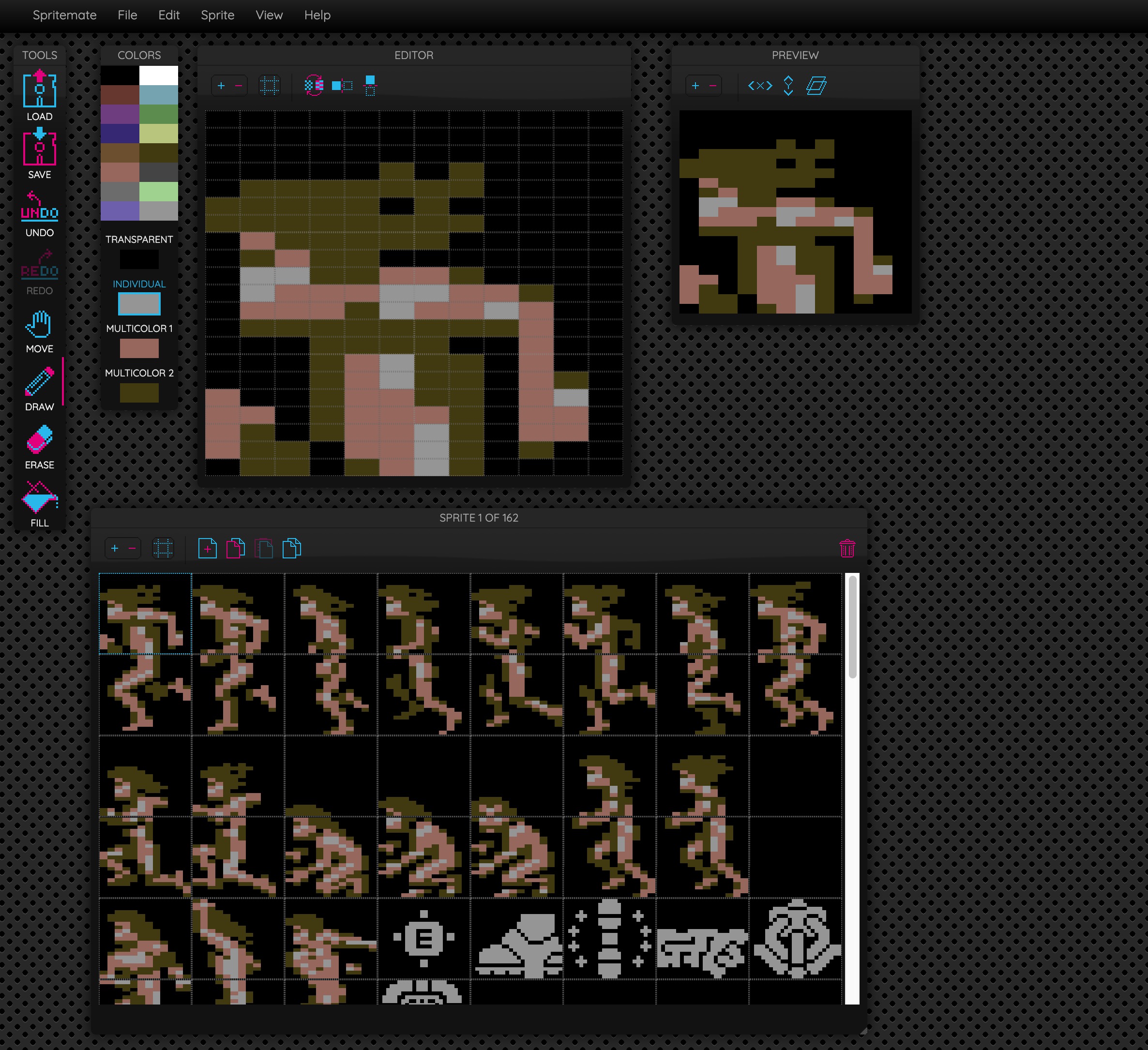
- choose from the 16 colors of the C64 palette
- draw pixels on a 24x21 pixel (singlecolor) or 12x21 pixel (multicolor) canvas
- C64 mode restrictions (number of colors per sprite, global sprite colors)
- delete, fill, shift left, right, up, down, flip horizontal & vertical, move, erase
- check your sprite in the preview window
- display grid in editor
- multiple sprites
- double width & height sprites
- stacked sprite layers (sprite overlays)
- sprite sorting
- undo & redo
- copy, paste, duplicate
- window based GUI
- save window layout
- import & export Spritemate format
- import & export SpritePad 2.0 format
- import & export SpritePad 1.8.1 format
- export as ASM source (KICK and ACME)
- export as hex or binary notation source
- keyboard shortcuts
- animation
- export animation as GIF
- import & export PNG images
- select and move pixels
- touch controls and tablet optimization
- and tons of other stuff
| Symbol | Shortcut | Function |
|---|---|---|
 |
- | Loads a file. Supported formats: Spritemate (SPM), SpritePad (SPD, SPR) |
 |
- | Saves a file. Supported formats: Spritemate (SPM), SpritePad 2.0 & 1.8.1 (SPD), ASM source (TXT) |
 |
z | Undo. For when you screwed up. |
 |
shift + z | Redo. For when you realized it wasn't that bad |
 |
d | Draw pixels |
 |
f | Flood fill |
 |
e | eraser |
 |
m | move |
| Symbol | Shortcut | Function |
|---|---|---|
 |
m | Toggle between singlecolor and multicolor mode |
 |
- | Shift sprite left |
 |
- | Shift sprite right |
 |
- | Shift sprite up |
 |
- | Shift sprite down |
 |
- | Flip sprite horizontal |
 |
- | Flip sprite vertical |
 |
- | Toggles grid display on/off |
  |
- | Zooms window in/out |
| 1,2,3,4 | Select individual color, transparent, multicolor 1 or multicolor 2 | |
| shift + mouse | delete pixel |
| Symbol | Shortcut | Function |
|---|---|---|
 |
- | Stretches sprite horizontally |
 |
- | Stretches sprite vertically |
 |
- | Overlay next sprite |
|
- | Zooms window in/out |
| Symbol | Shortcut | Function |
|---|---|---|
 |
- | Create new sprite |
 |
- | Delete selected sprite |
 |
- | Copy sprite |
 |
- | Paste sprite |
|
- | Toggles grid display on/off |
|
- | Zooms window in/out |
| cursor left & right | cycle through sprite list |
- Rearrange sprites by dragging them to the desired position
- Save a sprite as PNG by right clicking on the Preview window image
You can use yarn to run this project locally
$ cd spritemate
$ yarn
$ yarn run dev
Or use npm
$ cd spritemate
$ npm install
$ npm run dev
Check out the "about" menu option in Spritemate to get a release changelog.