A toolbox for Foveal Avascular Zone (FAZ) Segmentation
Type "FAZSEG" on the command window
>> FAZSEG
A window will appear allowing user to start using the tool's functionalities.
-
Single image segmentation
Segmentation -> Single Image
Output:
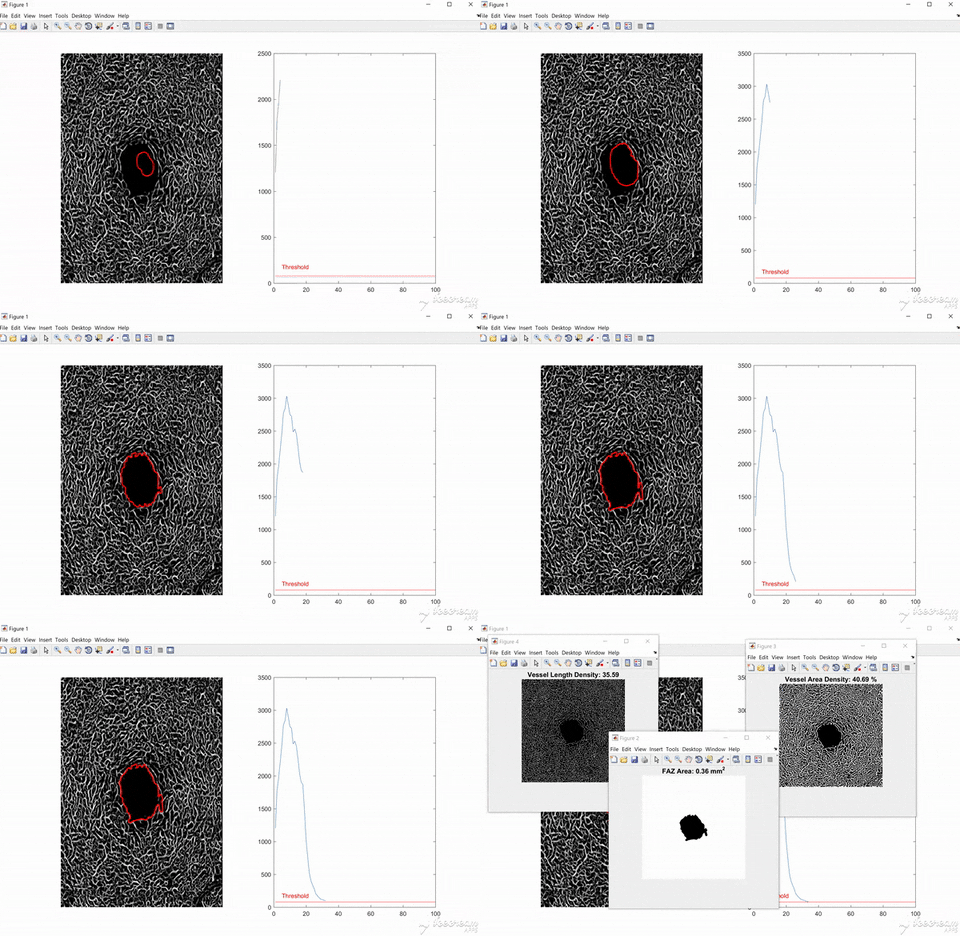
The UI is only meant for visualization. You can turn it off in the setting. Output includes segmented mask with computed FAZ size, vessel length desity and vessel area density.
-
Multiple-image segmentation
Segmentation -> Set of images
-
Compare similarity between mannual segmentation and automated segmentation.
Evaluation -> Compare similarity
Note: the input must be in the form of mask image.
-
Compute FAZ size given conversion factor:
Compute -> FAZ -> Area