% ssscoring(3) Version 3.1.0 | Speed Skydiving Scoring API documentation
SSScoring - Speed Skydiving Scoring high level library in Python
pip install -U ssscoringHave one or more FlySight speed run track files available (can be v1 or v2), set the source directory to the data lake containing them.
# synopsys.py
from ssscoring.calc import aggregateResults
from ssscoring.calc import processAllJumpFiles
from ssscoring.calc import roundedAggregateResults
from ssscoring.flysight import getAllSpeedJumpFilesFrom

DATA_LAKE = './resources' # can be anywhere
jumpResults = processAllJumpFiles(getAllSpeedJumpFilesFrom(DATA_LAKE))
print(roundedAggregateResults(aggregateResults(jumpResults)))
Output:
python synopsys.py
score 5.0 10.0 15.0 20.0 25.0 finalTime maxSpeed
01-00-00:v2 472 181 329 420 472 451 24.7 475
resources test-data-00:v1 443 175 299 374 427 449 25.0 449
resources test-data-01:v1 441 176 305 388 432 442 25.0 442
resources test-data-02:v1 451 164 295 387 441 452 25.0 453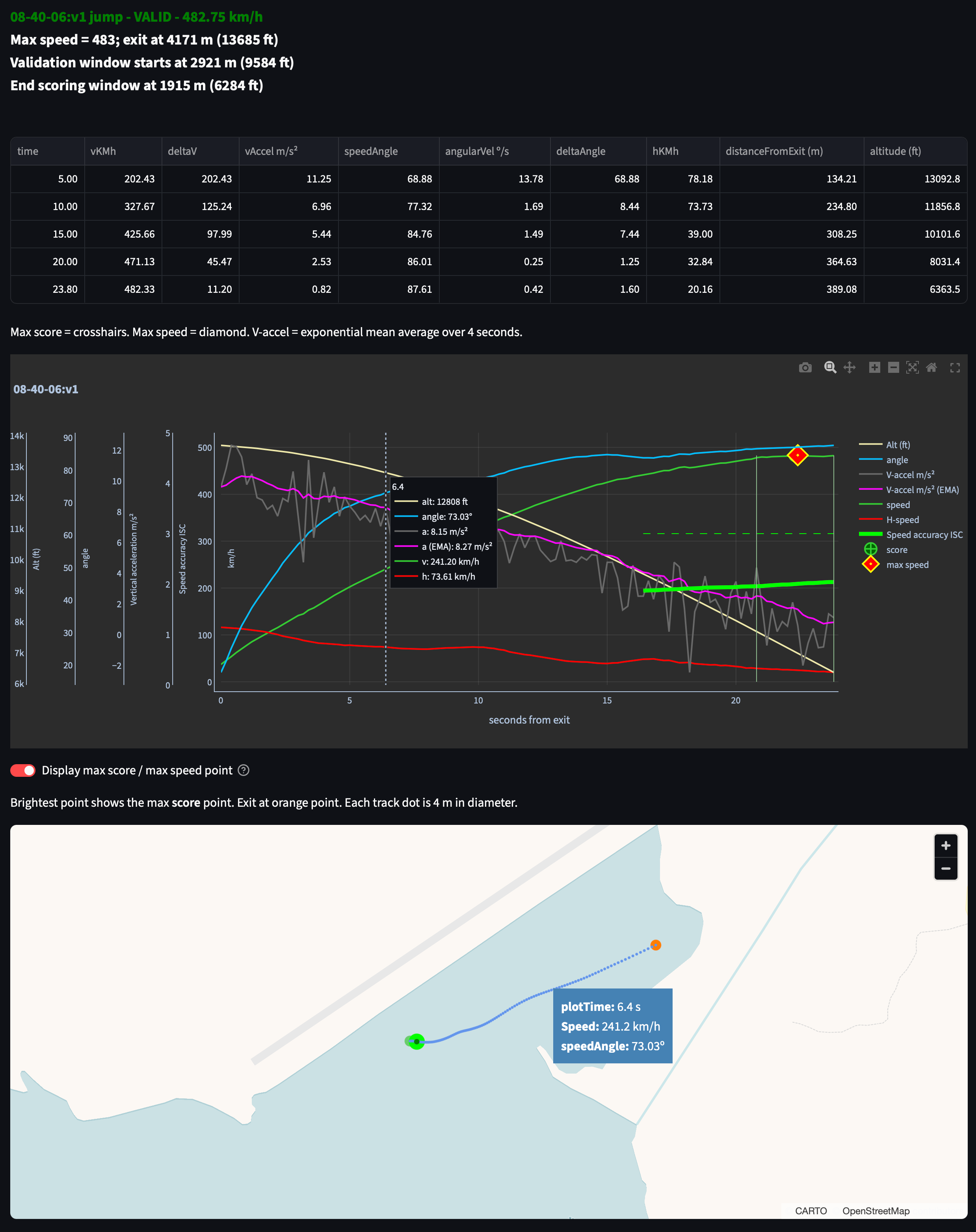 Speed run summary example:
https://raw.githubusercontent.com/pr3d4t0r/SSScoring/refs/heads/master/resources/SSScoring-speed-run-summary.png
Speed run summary example:
https://raw.githubusercontent.com/pr3d4t0r/SSScoring/refs/heads/master/resources/SSScoring-speed-run-summary.png
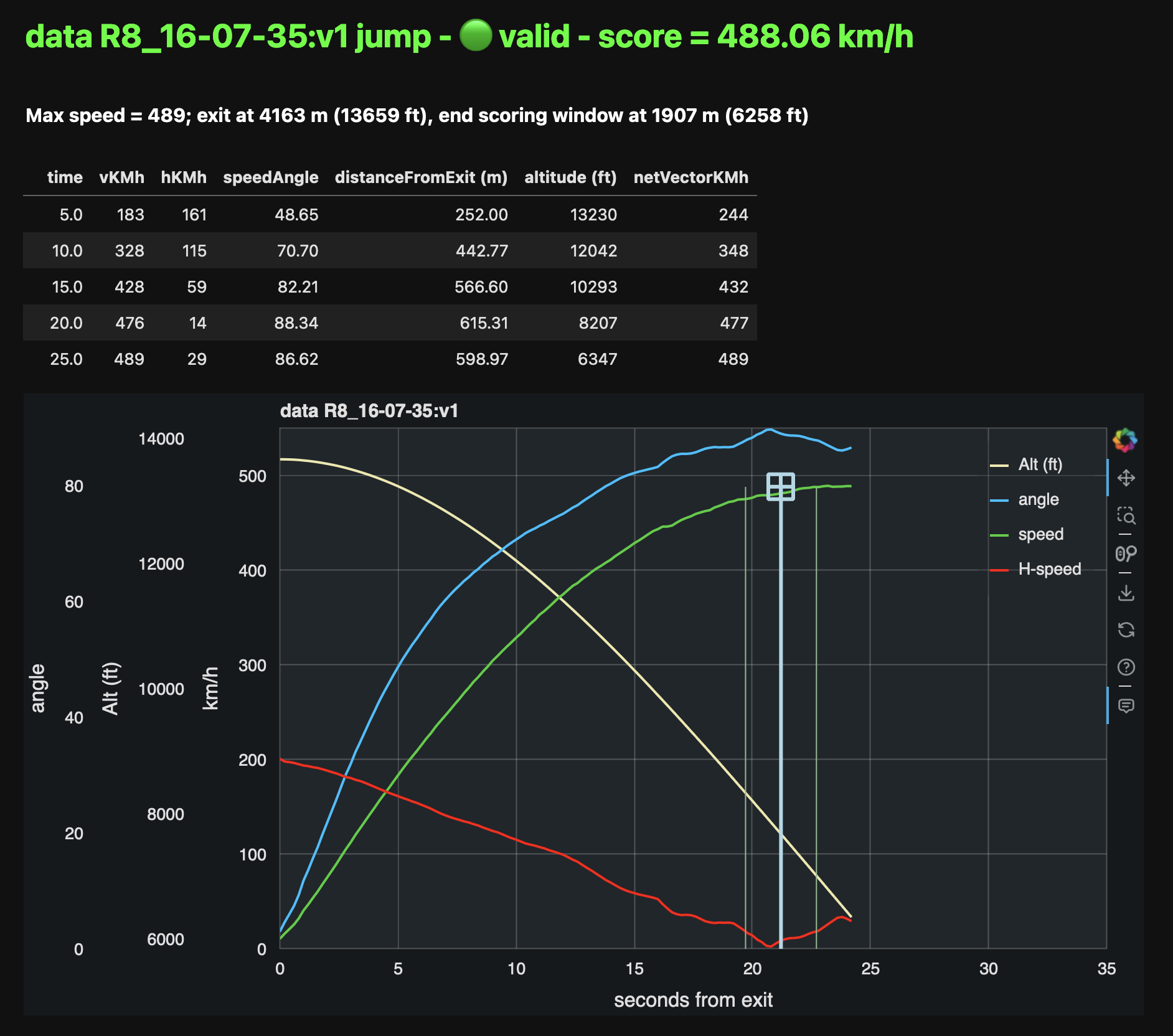
SSScoring processes all FlySight files (tagged as v1 or v2, depending on the device) and SkyTrax files. It aggregates and summarizes the results. Full API documentation is available at:
https://pr3d4t0r.github.io/SSScoring/ssscoring.html
The SSScore apps are available from:
- web app: https://ssscore.streamlit.app
- SSScore for Mac (universal .dmg)
- SSScore for Windows (installer)
- Python 3.12 or later
- pandas and NumPy
- The requirements.txt file lists all the packages required for running SSScoring or using the API
- The devrequirements.txt file lists all the pacckages required at build time
- The SSScoring interactive quickstart notebook for Jupyter/Lucyfer is the fastest way to learn how to use the library
- The
ssscorecommand line tool implements the same functionality as the interactive quickstart, can be used for scoring speed skydives from the command line with minimum installation - Read the SSScoring API documentation
Analyze single tracks or a group of tracks using the SSScoring API in a full-featured web application.
- Mac: download link coming soon
- SSScore web app - requires Internet connectivity
- Windows: download link coming soon
ssscore is a comnand line tool that scores one or more speed skydiving files
with as little user participation as possible. It supports options for
specifying the DZ altitude MSL in feet and for "simple training output" that
shows rounded speed values, useful for physical log book updates.
ssscore -e 616 -t ./TRACKSProduces this outout:
elevation = 187.76 m (616.00')
Processing speed tracks in quickstart-example/...

                                   score  5.0  10.0  ...  25.0  finalTime  maxSpeed
R3_13-32-20:v2                       490  187   333  ...   490       24.2       493
quickstart-example R1_09-20-26:v1    325  135   211  ...   319       25.0       328
quickstart-example R2_11-00-34:v1    476  185   333  ...   315       24.9       481

[3 rows x 8 columns]

Total score = 1291.00, mean speed = 430.33
See the ssscore man page
for details on this quickstart tool.
While the web-based app shows the single and multiple jumps scoring functions as part of a single app, they are two distinct executables. During development and for local execution, it's easier to run them from the command line.
These commands assume that the code is installed in a Python virtual environment
and that the streamlit package is installed.
Prepare the local run-time environment
Installs all the required packages via pip -e . in the local target, and
it only needs to run once per session, and only after make test or make clean.
make localScoring a multiple jumps set
# installs all the required packages via pip -e .
# it only needs to run once per session, and only after make test or make clean
make local
streamlit run ssscoring/ssscoremultiple.py
These commands will start a new SSScore instance, current branch version, in the system's default web browser.
The docker-compose.yaml files included in the master SSScoring repository are ready to run on any Docker-enabled system with access to Docker Hub. They'll pull the latest SSScore web app image from the cloud for local use. Users don't need to build their own images in order to use this feature.
-
Intel:
docker compose -f dockerize/docker-compose.yaml up
-
ARM:
docker compose -f dockerize/ARM/docker-compose.yaml up
Once it's running click on SSScore web app link to score your jumps or go to http://localhost:8501 in your favorite web browser.
SSScoring provides analsysis tools for individual or bulk processing of FlySight GPS competition data gathered during speed skydiving training and competition. Scoring methodology adheres to International Skydiving Commission (ISC), International Speed Skydiving Association (ISSA), and United States Parachute Association (USPA) published competition and scoring rules. Though FlySight is the only Speed Measuring Device (SMD) accepted by all these organizations, SSScoring libraries and tools also operate with track data files produced by these devices:
- FlySight 1
- FlySight 2
- SkyTrax GPS and barometric device
SSScoring leverages data manipulation tools in the pandas and NumPy data analysis libraries. All the SSScoring code is written in pure Python, but the implementation leverages libraries that may require native code for GPU and AI chipset support like Nvidia and M-chipsets.
- Pure Python
- Supports output from FlySight versions v1 and v2, and SkyTrax devices
- Automatic file version detection
- Bulk file processing via data lake scanning
- Automatic selection of FlySight-like files mixed among files of multiple types and from different applications and operating systems
- Individual file processing
- Automatic jump file validation according to competition rules
- Automatic skydiver exit detection
- Automatic jump scoring with robust error detection based on exit altitude, break off altitude, scoring window, and validation window
- Produces time series dataframes for the speed run, summary data in 5-second intervals, scoring window, speed skydiver track angle with respect to the ground, horizontal distance from exit, etc.
- Reports max speed, exit altitude, scoring window end, distance traveled from exit, and other data relevant to competitors during training
- Internal data representation includes SI and Imperial units; implementers may choose either one when working with the API
The latest SSScoring API is available on GitHub: https://pr3d4t0r.github.io/SSScoring/ssscoring.html
The SSScoring package can be installed into any Python environment version 3.9 or later. https://pypi.org/project/ssscoring
SSScoring also includes Lucyfer/Jupyter notebooks for dataset exploratory analysis and for code troubleshooting. Unit test coverage is greater than 92%, limited only by Jupyter-specific components that can't be tested in a standalone environment.
A data lake is a files repository that stores data in its raw, unprocessed form. A speed skydiving data lake often has one or more of these types of files:
- FlySight versions 1 or 2 files
- SkyTrax files
- Video files (MP4 or MOV of whatever)
- PDFs of meet bulletins and related event information
- Miscellaneous other junk
SSScoring identifies FlySight and SkyTrax files regardless of what other file types are available in the data lake. SSScoring also identifies speed files from other types of tracks (e.g. wingsuit) based on the performance profile and scoring windows. Tell the SSScoring tools where to get all the track files, even if they are several levels deep in the directory structure, and SSScoring will find, validate, and score only the speed skydiving files regardless of what else is available in the data lake. The only limitation is available memory. SSScoring has been tested with as many as 467 speed files during a single run, representing all the training files for a competitive skydiver over 10 months.
nospotshell script for disabling Spotlight scanning of FlySight file systemsumountFlySightMac app and shell script for safe unmounting of a FlySight device from a Macintosh computerDumbDriverMac app to disable the SMART SSD / SSHD / HDD kernel driver, used when the FlySight 2 isn't detected in Mac systems that have SMART drivers installed.
- Procure a Python 3.12.0 or later virtual environment for building (
venvorpyenv)- Install both Apple Silicon and Intel Python run-times if you plan to make universal binaries
- Ensure that
makeis available - All shell commands retain backward compatibility with bash except for those specific to macOS
- All artifacts are generated to
./distmake cleanwipes the whole directory out
- Versioning: Release version follow standard conventions. Beta and test releases use .99.99 and decrement with every release. Artifact versions in the 99-80 range are considered "throw away development code."
make clean && make allGenerates all the Python weel, images, and documentation artifacts.
-rw-r--r-- 1 ciurana staff 55699 May 23 08:46 ssscoring-2.98.97-py3-none-any.whl
- The builds are biased to Apple Silicon-first
- Ensure that Xcode command line tools are installed:
xcode-select --install
make clean && make all && make appdrwxr-xr-x 3 ciurana staff 96 May 23 08:51 SSScore.app
-rw-r--r-- 1 ciurana staff 55699 May 23 08:46 ssscoring-2.98.97-py3-none-any.whl
Requires an Intel-only, x86_64 Python virtual environment configured somewhere reachable in the file system. The user specifies this venv's path to the activate script in .env. Example:
PYTHON_INTEL_VENV="~/Python-3_14_4-x86_64/bin/activate"The build command:
make clean && make all && make app-inteldrwxr-xr-x 3 ciurana staff 96 May 23 08:56 SSScore-Intel.app
drwxr-xr-x  3 ciurana  staff     96 May 23 08:51 SSScore.app
-rw-r--r--  1 ciurana  staff  55699 May 23 08:46 ssscoring-2.98.97-py3-none-any.whl
The universal binary build requires an Apple Developer Connection account and a signing certificate. See the Apple documentation for details. Building a universal binary isn't necessary for everyday, personal use. The build process is biased toward universal binaries for third-party distribution.
make clean && make all && make app && make app-intel && make universaldrwxr-xr-x 3 ciurana staff 96 May 23 08:51 SSScore.app
-rw-r--r-- 1 ciurana staff 55699 May 23 08:46 ssscoring-2.98.97-py3-none-any.whl
./dist/SSScore.app: satisfies its Designated Requirement
✓ signed: ./dist/SSScore.app
Architectures in the fat file: ./dist/SSScore.app/Contents/MacOS/SSScore are: x86_64 arm64
Generates a disk image with universal binaries of all the SSScoring tools, signed, notarized, and ready for distribution:
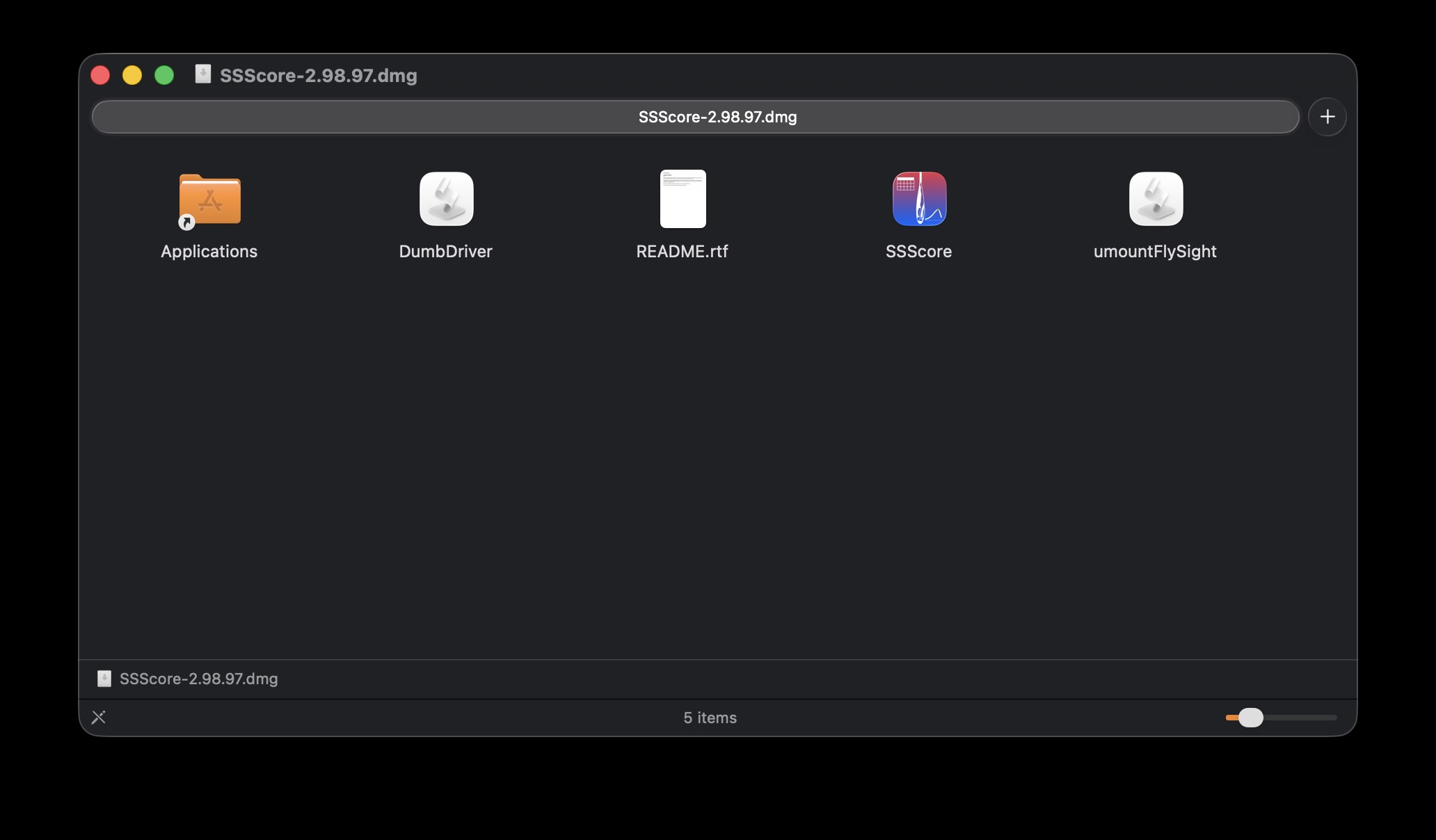
make clean && make all && make macThe disk image is generated to ./dist as SSScoring-3.0.0.dmg, alongside the Python wheel and all other project artifacts. The full product build takes between 3 and 30 minutes to complete because it relies on compulsory Apple services for artifact notarization.
drwxr-xr-x  3 ciurana  staff         96 May 23 09:01 DumbDriver.app
-rw-r--r--@ 1 ciurana  staff  190369691 May 23 09:06 SSScore-3.1.0.dmg
drwxr-xr-x  3 ciurana  staff         96 May 23 08:51 SSScore.app
-rw-r--r--  1 ciurana  staff      55699 May 23 08:46 ssscoring-2.98.97-py3-none-any.whl
drwxr-xr-x  3 ciurana  staff         96 May 23 09:01 umountFlySight.app
Requirements:
- A GitHub account with 2FA and your keys already define
- The
ghpackage (installed from Homebrew or pacman, as applicable)
Sequence:
-
On the macOS building machine, after successful notarized .dmg creation:
make release
-
On the Windows building machine, after succcessful installer creation:
make release
The artifacts are listed, along with the current build version, in the SSScore releases page.
- The builds are based on the latest versions of Windows 10, but Windows 11 works best
- Only Windows Intel is supported.
- Ensure that MSYS 2 is installed.
There is a concerted, ground up, no-compromises, no bullshit directive tokeep this codebase free of Windows tooling unless there is no alternative. That's non-negotiable project and repository policy.
At the time of writing, the optimal MSYS2 session is UCRT64.
Requires an Intel-only Python virtual environment configured somewhere in the MSYS + user file system (something like C:/msys/home/joeuser/Python-3_13_3-x86_64). Whenever possible, avoid /c/whatever paths and keep everything in Unix-land.
Important: PyInstaller support for Windows lags about a minor release version vs the macOS and Linux versions.
The build command, in the virtual environment:
alias winmake='make -f Makefile.win'
winmake clean && winmake all
-rw-r--r-- 1 crystal None 56233 May 23 12:36 ssscoring-2.98.97-py3-none-any.whl
drwxr-xr-x 1 crystal None 0 May 23 12:37 SSScore
SSScore is packaged as a Windows onedir application. Ensure to deploy all the contents of ./dist/SSScore together, or the application won't start. The SSScoring API, Python and data science components are all in the SSScore/_internal sugdirectory.
Windows builds aren't signed or notarized, but they do come with a productized installer. Contributors to the project are welcome to help notarize the SSScore installer for Windows. As far as building a distributable version, it's super easy, barely an inconvenience:
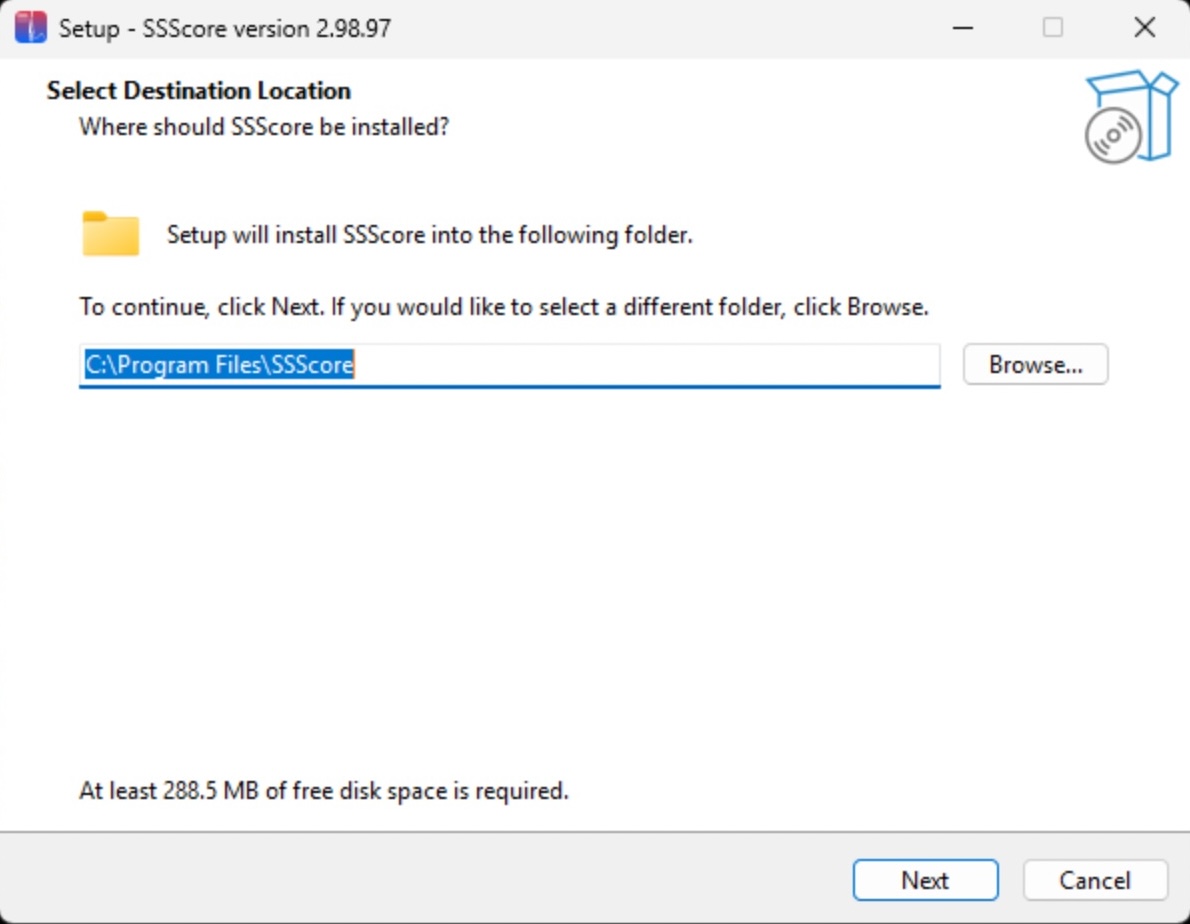
winmake clean && winmake all && winmake installerThis produces a standar Windows installer wizard. SSScore is installed as a first class citizen in C:/Program Files like any other software with all the expected Windows app behavior.
drwxr-xr-x 1 crystal None        0 May 23 12:43 SSScore
-rwxr-xr-x 1 crystal None 79116394 May 23 12:44 SSScore-3.1.0-Setup.exe
-rw-r--r-- 1 crystal None    56233 May 23 12:42 ssscoring-2.98.97-py3-none-any.whl
./dist ends up with three distributable packages, ready to go:
SSScore-onedirexecutableSSScore-3.1.0-Setup.exestandard installer- Python wheel with the latest code (the same one you'll find in PyPI)
Dockerized SSScore is a good alternative to the native installations for users who prefer to work in a web browser environment.
These instructions are system-agnostic, as long as a somewhat recent version of Docker is available in the local system.
You may want to modify these two files to match your Docker environment and your Docker Hub account:
dockerimagename.txtdockerimageversion.txt- The build process automagically updates the version number during the build, to make it consistent with the current branch. That's the reason why Docker images for human consumption are always built from the
masterbranch. This version number is consistent acrossmaster, PyPI, and Docker Hub.
- The build process automagically updates the version number during the build, to make it consistent with the current branch. That's the reason why Docker images for human consumption are always built from the
git fetch && git pull && git checkout master

make clean && make dockerize- Gets the latest stable version
- The
Dockerfilewill pull the same wheel from PyPI - The Intel Docker image is ready for deployment
git fetch && git pull && git checkout master

make clean && make dockerize.arm64- Guaranteed to work on Apple Silicon and RasPi 5
- Uses the latest stable version from PyPI
IMAGE                                        ID             DISK USAGE   CONTENT SIZE   EXTRA
pr3d4t0r/ssscore-p:2.10.13                   1216fd1debf0       2.25GB             0B
pr3d4t0r/ssscore-p:latest                    1216fd1debf0       2.25GB             0B
pr3d4t0r/ssscore:2.10.13                     c9771dea3985       1.91GB             0B
pr3d4t0r/ssscore:latest                      c9771dea3985       1.91GB             0B
Yes, the images are big. Apache dependencies in pandas are the reason. A lot of surgery, love, and care went into slimming down the macOS and Windows standalone executables.
| Name | GitHub |
|---|---|
| Jochen Althoff | @Quadriga14193 |
| Eugene Ciurana | @pr3d4t0r |
| Michael Cooper | @FlySight |
| Nik Daniel | n/a |
| Alexey Galda | @alexgalda |
| Marco Hepp | n/a |
| Stepan Sgibnev | @kotek14 |
SSScoring API documentation - github.io SSScore app on-line - Streamlit Cloud ssscore(1) https://github.com/pr3d4t0r/SSScoring/blob/master/ssscore.md
The SSScoring package, documentation and examples are licensed under the BSD-3 open source license.