For Stencyl 3.4 and above
Stencyl extension for "Webview" on iOS and Android. This extension allows you to easily integrate Webview (in-ap browser) on your Stencyl game / application. (http://www.stencyl.com)
Because of App Transport Security (ATS) in IOS9, HTTP will not loads in IOS9.
- Full-screen and Popup mode.
- Popup mode has a close button on the top-left corner
- Whitelist validation (the webview will close if the user goes to a non-whitelisted URL).
- Blacklist validation (the webview will close if the user goes to a blacklisted URL).
- 64-bit support to iOS
- Tested with iPhone 5 IOS 9, Ipad IOS 9 and Samgsung Note 3 5
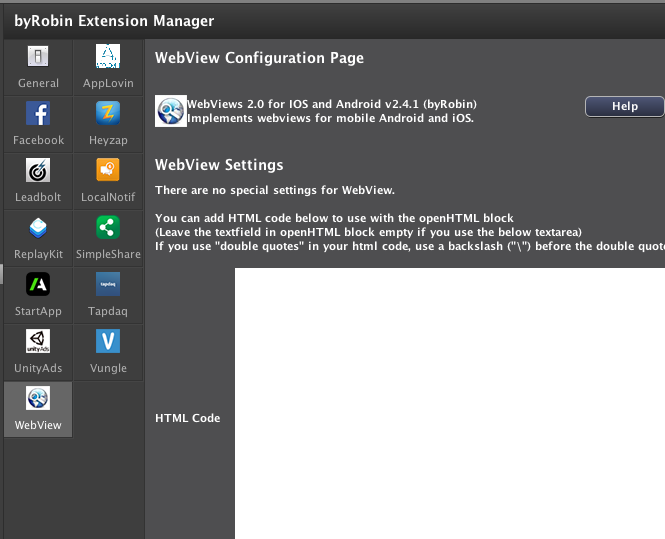
To install this Engine Extension, go to the toolset (byRobin Extension Mananger) in the Extension menu of your game inside Stencyl.
Select the Extension from the menu and click on "Download"
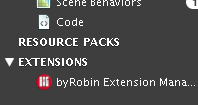
If you not have byRobin Extension Mananger installed, install this first.
Go to: https://byrobingames.github.io
Just put the block under a button, fill in the block and the webview will open.
You can write your own local html code in this block. Leave the textfield empty if you are ussing the textfield from the toolset manager.

Inputs
- in the "with html" textfied you can write html code, leave empty when ussing the textfield from the toolset manager
- popup or fullscreen(as choise) (no close with fullscreen)
Open webview in a popup or in fullscreen.

Inputs
- website url(as Text) start with http://
- popup or fullscreen(as choise) (no close with fullscreen)
- Whitelist (as Code(array))
- Blacklist (as Code(array))
Example 1: Without whitelist and blacklist

-url = http://www.google.com
-popup
-whitelist= null
-blacklist= null
Example 2: With whitelist

-url = https://github.com
-popup
-whitelist = [“(http|https)://(.*)github.com(.*)”]
-blacklist = null
This means that the user can browse only on github.com, if they enter another url, the webview will close.
Example 3: With blacklist


-url = http://www.google.com
-popup
-whitelist = null
-blacklist = [“(http|https)://(.*)github.com(.*)”]
This means the user can browse on every website, exept on github.com, if the user browse to github.com, the webview will close.
How to add more website toe whitelist and blacklist.
Because the whitelist and blacklist is a array, you can add more website to these lists.
Just before the close Bracket “]”, you putt ,”http://website.com” (comma-Quotation mark-url-Quotation mark)
Like this: [“(http|https)://(.*)github.com(.*)”,”http://website.com”]
Legend for whitelist and blacklist
[ ] = between open close brackets, you put code.
" " = between the 2 Quotation mark you put the website you wanna add to the list.
, = between more websites you enter a comma.
(http|https) = looks if the website is http or https
(.*) = can be everything, if the website have submaps.
- (2.0) new release
- (2.1) Enabled Javascript for Android (IOS enabled by default)
- (2.2) Update info.txt file.
- (2.3) Add icon on block
- 2017-03-21(2.4) Added Android Gradle Support for openfl4 and added open webview with HTML Code block
- 2017-05-16(2.4.1) Tested for Stencyl 3.5, Required byRobin Toolset Extension Manager
- 2017-05-18(2.4.2) FIX: Single/Double quotes not accepted
- 2019-01-01(2.4.3) FIX: Android JNI import.
- 2019-01-04(2.4.4) SETENV to set NSAllowsArbitraryLoads in iOS template in byRobinextensionmanager 0.2.0>
build For OpenFl.
The MIT License (MIT)
Copyright © 2013 SempaiGames (http://www.sempaigames.com)
Author: Federico Bricker
Make it work for Stencyl Game Engine:
Copyright © 2014 byRobinGames (http://www.byrobingames.com)
Author: Robin Schaafsma
Permission is hereby granted, free of charge, to any person obtaining a copy of this software and associated documentation files (the "Software"), to deal in the Software without restriction, including without limitation the rights to use, copy, modify, merge, publish, distribute, sublicense, and/or sell copies of the Software, and to permit persons to whom the Software is furnished to do so, subject to the following conditions:
The above copyright notice and this permission notice shall be included in all copies or substantial portions of the Software.
THE SOFTWARE IS PROVIDED "AS IS", WITHOUT WARRANTY OF ANY KIND, EXPRESS OR IMPLIED, INCLUDING BUT NOT LIMITED TO THE WARRANTIES OF MERCHANTABILITY, FITNESS FOR A PARTICULAR PURPOSE AND NONINFRINGEMENT. IN NO EVENT SHALL THE AUTHORS OR COPYRIGHT HOLDERS BE LIABLE FOR ANY CLAIM, DAMAGES OR OTHER LIABILITY, WHETHER IN AN ACTION OF CONTRACT, TORT OR OTHERWISE, ARISING FROM, OUT OF OR IN CONNECTION WITH THE SOFTWARE OR THE USE OR OTHER DEALINGS IN THE SOFTWARE.