by Planet Telex
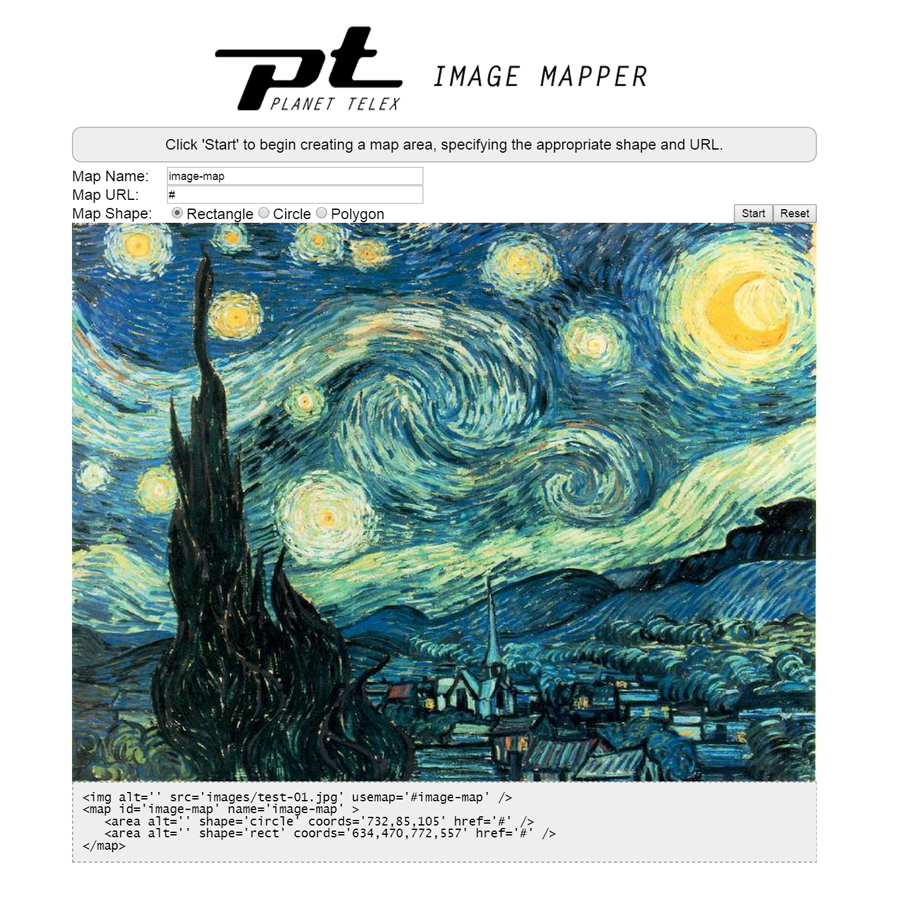
- jQuery 1.6+
- jQueryUI 1.9+ (Core, Widget)
- Creates image map markup, including the name and href.
- Draws a rectangular area.
- Draws a circular area.
- Draws a polygon area.
Include jQuery and jQuery UI in your HTML:
<script type="text/javascript" src="js/jquery-1.11.2.min.js"></script>
<script type="text/javascript" src="js/jquery-ui-1.11.3.min.js"></script>
Include jQuery Image Mapper and its CSS:
<script type="text/javascript" src="js/jquery-ui-imagemapper.min.js"></script>
<link type="text/css" href="css/jquery-ui-imagemapper.css" rel="stylesheet">
Have an image in your HTML:
<span>
	<img id="imageToMap" alt="Image to Map" src="images/test-01.jpg" />
</span>
Add the JavaScript make that image an image mapper:
<script type="text/javascript">
    $(function () {
        $("#imageToMap").imagemapper();
    });
</script>
See the demo in action for a complete example.
- jQuery, jQueryUI: MIT/GPL license
Copyright 2015 Planet Telex, Inc.

Licensed under the Apache License, Version 2.0 (the "License");
you may not use this file except in compliance with the License.
You may obtain a copy of the License at

   http://www.apache.org/licenses/LICENSE-2.0

Unless required by applicable law or agreed to in writing, software
distributed under the License is distributed on an "AS IS" BASIS,
WITHOUT WARRANTIES OR CONDITIONS OF ANY KIND, either express or implied.
See the License for the specific language governing permissions and
limitations under the License.