Wrist-worn gestural volume controller. Surface EMG on the forearm acts as a clutch, the dial only responds to wrist rotation while the muscle is intentionally contracted. A potentiometer sets the activation threshold.
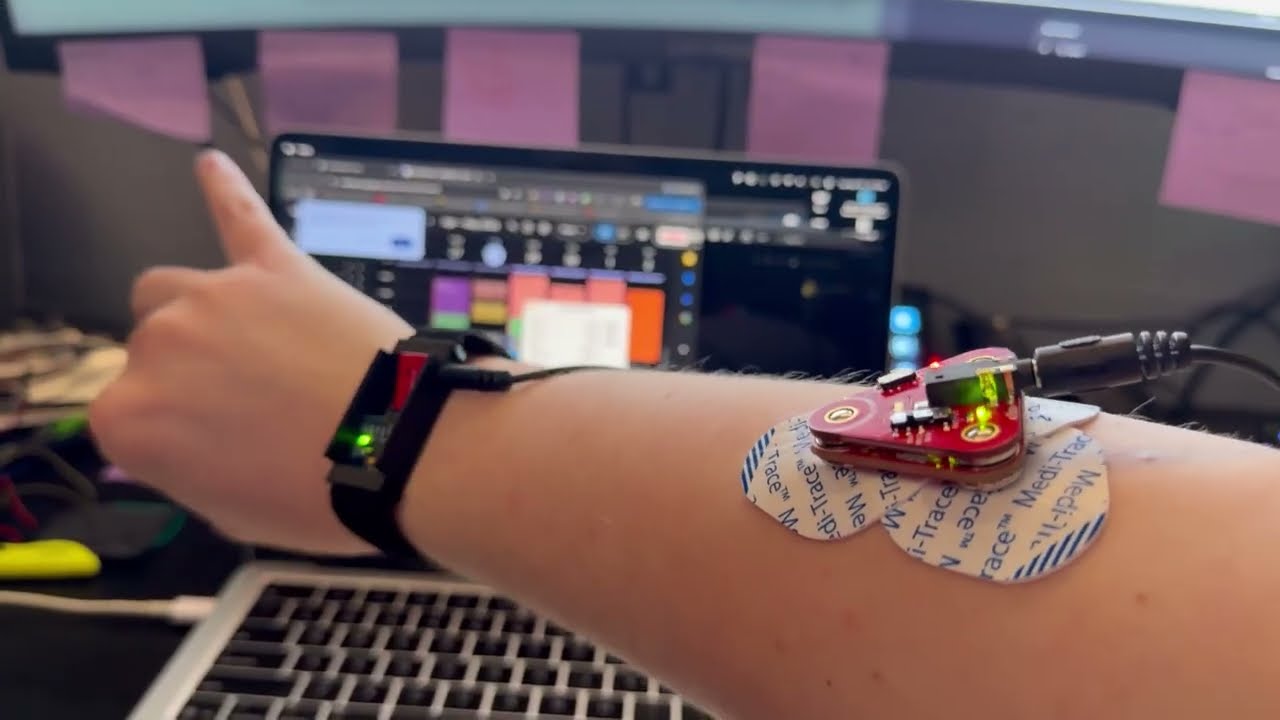
- Attach gel pads to the EMG sensor electrodes. Gel lowers skin-electrode impedance and reduces signal noise.
- Wipe down the belly of the flexor carpi ulnaris (pinky-side forearm, near the elbow) with an alcohol swab and let it dry.
- Apply the EMG sensor to that site.
- Connect the EMG sensor to the breadboard via 3.5mm TRS cable. Output feeds ADC channel 0 (GP40), 0–3.3V.
- Equip the wrist IMU band. Ensure a snug fit to minimize mechanical noise.
- Connect the IMU band to the breadboard via TRRS cable (I2C: SDA → GP4, SCL → GP5, 400 kHz).
- Power the board with a 5V 2A brick. Avoids ADC noise from USB bus power fluctuations.
- Plug the SWD debugger into the MacBook for flashing and serial output.
- Flash firmware via PlatformIO.
- Run
Main.java. The GUI connects automatically over USB serial at 115200 baud. - Hold the calibration button (GP21) to run gyroscope bias calibration — 500 samples, ~1 second, sensor must be still.
- With forearm relaxed, note the resting EMG voltage in the GUI.
- Adjust the threshold potentiometer to ~0.5V above that resting value.
- To operate: form a pinch (index + middle finger) or firm grip to engage the clutch, then rotate the wrist. 360° of rotation covers the full 0-100 dial range. Releasing the gesture disengages the clutch and freezes the dial.