Commands
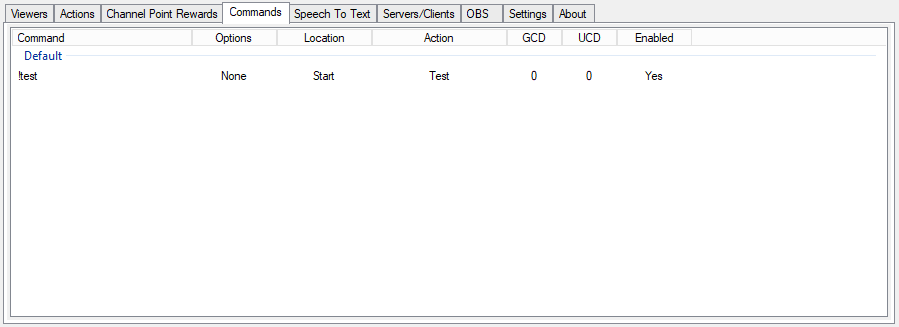
This page is to view and define chat commands you want CPH to watch for and the actions each should perform.
Existing commands can be edited by double-clicking on the command
To add a new command, right-click in the empty space and choose Add
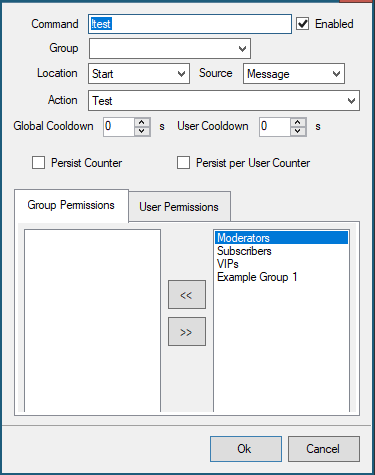
Command
This is the exact string that CPH is monitoring chat for. Clearing the Enabled checkmark will pause monitoring for that particular command without removing it completely
Group
For housekeeping, you can define a group name to keep similar commands together on the list
Location
Start The command must be typed as the first character in a line of chat or it will be ignored
Exact The command typed in chat must match the string defined in the command exactly
Anywhere Command will trigger if the string is entered anywhere in a line of chat, regardless of what comes before or after
Source
Message CPH will only monitor the main chat for this command
Whisper CPH will only monitor direct whispers to the Broadcaster account for this command
Both CPH will monitor main chat and whispers for this command
Action
The name of the defined action to execute
Global Cooldown
Minimum time in seconds before the command can be used again by anyone
User Cooldown
Minimum time in seconds before the command can be used again by that specific chat user
Actions in CPH have per-session and per-command variables %counter% %userCounter% that records how many times that command has been used.
By default this clears when the application is closed but the following options will save the counts to a file so they will persist between sessions
Persist Counter Will save the total number of executions for this command
Persist per User Counter Will save details of how often each user has executed this command
By default, commands can be executed by anyone in chat but you may wish to restrict specific commands to certain groups or even specific users
Groups with permission to execute the command appear on the left.
If the box is blank all users have permission.
Available groups appear on the right.
NOTE If you define multiple groups as permission to execute, users must be members of both groups.
If there is a command you want to enable for example Moderators and VIPS but you do not want VIPs to have all Moderator permissions, create a special group that contains only the people you want to have that command and assign only that group in the permissions tab, or simply assign users directly