

-
Install Python.
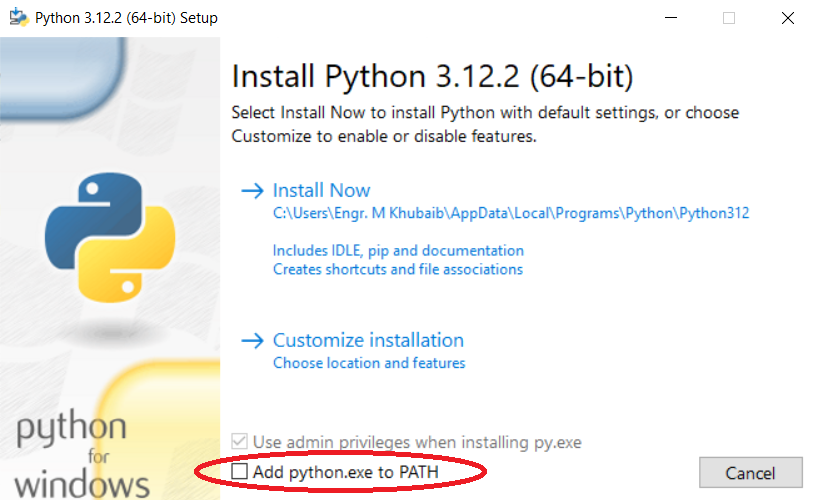
On the first screen, make sure you select
Add Python.exe to Path
-
Install PIPX
py -m pip install --user pipx -
It is possible (and even most likely) that the above finishes with a WARNING looking similar to this:

-
Select the path as circled in the image and copy it.
-
Type
cdand paste the path, then press enter. -
Now enter the following command to ensure the path:
.\pipx.exe ensurepath -
Reload the Command Prompt or Terminal.
-
To install Poetry, run:
pipx install poetry
Try running these commands to ensure the packages and scripts are installed correctly:
python --version
pipx --version
poetry --version