Architecture consulting for multi-agent systems, grounded in the textbook.
Iconsult is an MCP server that reviews your multi-agent architecture against a knowledge graph of 141 concepts and 462 relationships extracted from Agentic Architectural Patterns for Building Multi-Agent Systems (Arsanjani & Bustos, Packt 2026). Every recommendation comes with chapter numbers, page references, and concrete code-level changes — not abstract advice.
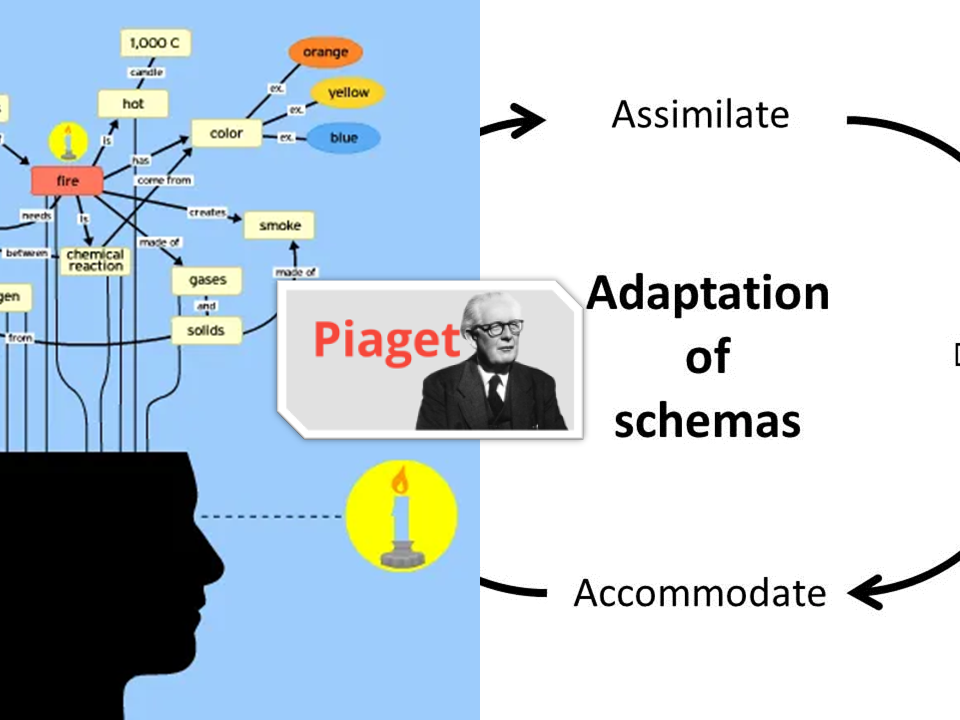
This project was influenced by Piaget's theories of cognitive development in which learning occurs through the adaptation of schemas.
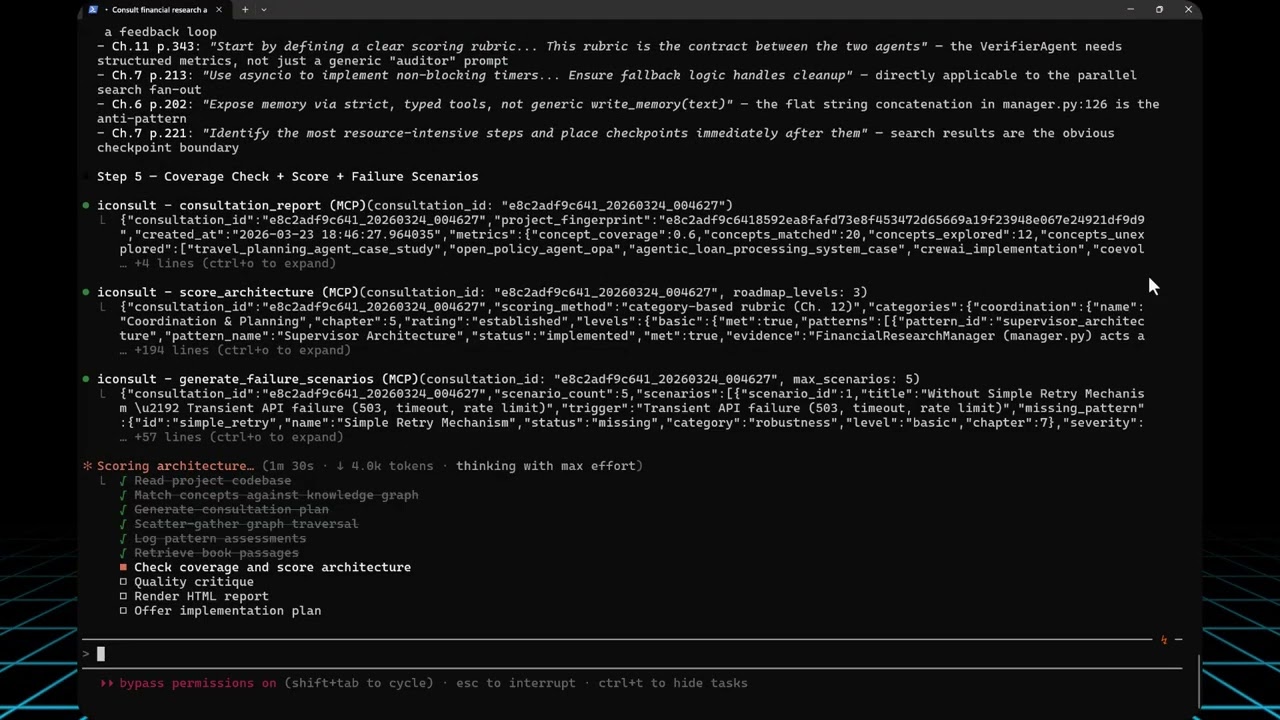
We pointed Iconsult at OpenAI's Financial Research Agent — a 5-stage multi-agent pipeline from their Agents SDK — and asked it to assess architectural maturity.
View the full interactive architecture review →
The Financial Research Agent uses a 5-stage sequential pipeline orchestrated by FinancialResearchManager. Search is the only concurrent stage — everything else runs in sequence, and the verifier is a terminal dead end:
flowchart TD
    User(["User Query"]) --> Manager["FinancialResearchManager"]
    Manager --> Planner["PlannerAgent\no3-mini"]
    Planner -->|"FinancialSearchPlan"| FanOut{"Parallel Fan-Out"}
    FanOut --> S1["SearchAgent 1"]
    FanOut --> S2["SearchAgent 2"]
    FanOut --> SN["SearchAgent N"]
    S1 --> Collect["Collect Results"]
    S2 --> Collect
    SN --> Collect
    Collect --> Writer["WriterAgent\ngpt-5.4"]
    Writer -.->|"as_tool"| Fundamentals["FundamentalsAnalystAgent"]
    Writer -.->|"as_tool"| Risk["RiskAnalystAgent"]
    Fundamentals -.-> Writer
    Risk -.-> Writer
    Writer -->|"FinancialReportData"| Verifier["VerifierAgent\ngpt-5.4"]
    Verifier --> Output(["Print Report"])
Solid foundation — and Iconsult's knowledge graph traversal identified key opportunities across 7 categories:
| Category | Rating | Key Finding |
|---|---|---|
| Coordination & Planning | Established | Solid supervisor + agent-as-tool delegation |
| Human-Agent Interaction | Emerging | Agent delegation works; no HITL checkpoints |
| Agent Capabilities | Emerging | WebSearchTool + structured outputs in place |
| Robustness | Not Started | 0% failure chain coverage; no retry, no timeout |
| Explainability | Not Started | No instruction anchoring or fidelity auditing |
| Infrastructure | Not Started | No event system, no auth, no registry |
| Continuous Improvement | Not Started | Verification is informational only |
The natural next evolution — adding retry logic, checkpointing, shared memory, and a verification feedback loop:
flowchart TD
    User(["User Query"]) --> Manager["FinancialResearchManager"]
    Manager --> Planner["PlannerAgent\no3-mini"]
    Planner -->|"FinancialSearchPlan"| FanOut{"Parallel Fan-Out"}
    FanOut --> S1["SearchAgent 1"]
    FanOut --> S2["SearchAgent 2"]
    FanOut --> SN["SearchAgent N"]
    S1 --> Collect["Collect Results"]
    S2 --> Collect
    SN --> Collect

    FanOut -.-> WD["Watchdog Timeout\nSupervisor"]:::opportunity
    S1 -.-> RT["Adaptive Retry\n+ Prompt Mutation"]:::opportunity
    S2 -.-> RT
    SN -.-> RT

    Collect --> CP1["Checkpoint\nSearch Results"]:::opportunity
    CP1 --> SharedMem[("Shared Epistemic\nMemory")]:::newpattern
    SharedMem --> Writer["WriterAgent\ngpt-5.4"]
    Writer -.->|"as_tool"| Fundamentals["FundamentalsAnalystAgent"]
    Writer -.->|"as_tool"| Risk["RiskAnalystAgent"]
    Fundamentals -.-> Writer
    Risk -.-> Writer

    Writer -->|"FinancialReportData"| Verifier["VerifierAgent\ngpt-5.4\n+ Scoring Rubric"]:::newpattern
    Verifier -->|"Pass"| Output(["Print Report"])
    Verifier -->|"Fail + Feedback"| Writer
    Verifier -.-> Metrics["Custom Evaluation\nMetrics"]:::opportunity

    classDef opportunity fill:none,stroke:#E74C3C,stroke-dasharray:5 5,color:#E74C3C
    classDef newpattern fill:#27AE60,stroke:#333,color:white
The consultation followed Iconsult's 7-step guided workflow — view the visual workflow →
| Step | Tool(s) | What happened |
|---|---|---|
| 1. Read codebase | — | Fetched manager.py, agents/*.py. Identified the orchestrator pattern, .as_tool() delegation, silent except Exception: return None, and terminal verifier. |
| 2. Match concepts | match_concepts |
Embedded the project description (OpenAI text-embedding-3-small) and ranked all 141 concepts by cosine similarity against their pre-computed embeddings in the knowledge graph. Same input → same embedding → same ranking — no LLM judgment. Top hits: Multi-Agent Planning, Supervisor Architecture, Agent Delegates to Agent, AgentTool, Hybrid Planner+Scorer. |
| 2b. Plan | plan_consultation |
Assessed complexity as complex (score 86/100 — 20 concepts, high relationship density). Generated 11-step adaptive plan. Complexity controls traversal depth: simple (3 concepts, 1 hop, 8 steps) → moderate (5 concepts, 2 hops, adds follow-up questions + optional critique, 10 steps) → complex (8 concepts, 2 hops, parallel subagents, second traversal round, mandatory critique, 11 steps). |
| 3. Traverse graph | get_subgraph, log_pattern_assessment, emit_event |
4 parallel subagents explored concept clusters across two traversal rounds (39 nodes, 45 edges). Logged 20 pattern assessments (7 implemented, 3 partial, 7 missing, 3 N/A). Emitted gap_found events for key opportunities. |
| 4. Retrieve passages | ask_book |
Book passages scoped to discovered concepts — returned chapter numbers, page ranges, and quotes grounding each recommendation. |
| 5. Coverage + Score + Stress test | consultation_report, score_architecture, generate_failure_scenarios |
consultation_report verifies 4 coverage dimensions from logged steps: concept coverage (matched concepts traversed or assessed / total matched), relationship type coverage (edge types seen / 10 possible), passage diversity (chapters + sections retrieved), and critical edge checks (requires/conflicts_with examined). Then score_architecture computed the 7-category maturity scorecard and generate_failure_scenarios produced 5 failure walkthroughs for missing patterns. |
| 5b. Critique | critique_consultation |
No LLM — 7 rule-based checks against fixed thresholds (workflow completeness, traversal depth >= 3, assessments >= 5, coverage >= 50%, critical edges examined, etc.). Flagged 2 issues; backfilled 6 unexplored concepts. |
| 6. Render report | render_report |
Generated the interactive HTML report server-side — scores, scenarios, and coverage pulled from DB, merged with narrative content. |
| 7. Implementation plan | generate_implementation_plan |
Offered step-by-step phased checklist (mechanical code changes vs. design decisions). |
Point it at a codebase (or describe your architecture), and it runs a structured consultation: matching concepts, traversing the knowledge graph for prerequisites and conflicts, scoring maturity against a category-based rubric (7 categories × 3 levels from Ch. 12), and generating an interactive HTML review with before/after architecture diagrams.
Consultation workflow:
| Tool | Role | What it does |
|---|---|---|
match_concepts |
Entry point | Embeds a project description → deterministic concept ranking + consultation_id for session tracking |
plan_consultation |
Planning | Assesses complexity (simple/moderate/complex) and generates an adaptive step-by-step plan |
get_subgraph |
Graph traversal | Priority-queue BFS from seed concepts — discovers alternatives, prerequisites, conflicts, complements |
log_pattern_assessment |
Assessment | Records whether each pattern is implemented, partial, missing, or not applicable |
ask_book |
Deep context | RAG search against the book — returns passages with chapter, page numbers, and full text |
consultation_report |
Coverage | Computes concept/relationship coverage, identifies opportunities, optionally diffs two sessions |
score_architecture |
Scoring | Category-based maturity scorecard (7 categories × 3 levels) from logged pattern assessments; pattern ID aliases bridge KG ↔ rubric IDs |
generate_failure_scenarios |
Resilience analysis | Resilience scenarios for each opportunity — code-grounded or book-grounded, with Ch. 7 recovery chain mapping |
critique_consultation |
Quality | Structural critique with actionable fix suggestions; multi-iteration mode (1-3 passes) with convergence detection |
render_report |
Report rendering | Server-side HTML rendering — pulls scores/scenarios/coverage from DB, merges with narrative content, writes complete HTML with CSS/JS/zoom/tooltips |
supervise_consultation |
Supervision | Tracks workflow progress across 9 phases, suggests next action with tool + params |
generate_implementation_plan |
Implementation | Phased markdown checklist from consultation results; classifies steps as mechanical or design decision |
get_implementation_plan |
Implementation | Retrieve a previously generated plan with progress summary |
update_plan_step |
Implementation | Update step status (pending/in_progress/completed/skipped); recomputes summary |
Coordination:
| Tool | What it does |
|---|---|
write_state / read_state |
Shared key-value state for subagent coordination during traversal |
assert_fact / query_facts |
Blackboard Knowledge Hub — typed, versioned facts with conflict detection, confidence scores, and TTL |
emit_event / get_events |
Event-driven reactivity — emit events like gap_found, poll with filters, get reactive suggestions |
Quality & utility:
| Tool | What it does |
|---|---|
rate_consultation |
Record user quality score (1-5) and/or feedback with metadata snapshot |
consultation_analytics |
Surface quality trends across consultations (avg rating, coverage, distribution) |
list_concepts |
Browse/filter the full 138-concept catalogue |
validate_subagent |
Schema validation for subagent responses; optional semantic validation against the knowledge graph |
health_check |
Server health + graph stats |
| Prompt | What it does |
|---|---|
consult |
Kick off a full architecture consultation — provide your project context and get the guided workflow |
141 concepts · 786 sections · 462 relationships · 1,248 concept-section mappings
Relationship types span uses, extends, alternative_to, component_of, requires, enables, complements, specializes, precedes, and conflicts_with.
The graph was extracted from the book in 4 phases using Claude and OpenAI embeddings:
| Phase | What it does | Output |
|---|---|---|
| 1a — Parse Index | Extract concept entries from the book's index (OCR-corrected) | 138 concepts with page references |
| 1b — Parse Book | Segment the book into sections by heading structure | 786 sections across 16 chapters |
| 2 — Tag Concepts | Claude maps each concept to relevant sections using index page numbers + semantic context | 1,248 concept-section mappings |
| 3a — Explicit Relationships | Claude identifies relationships between concepts within each chapter | Typed edges (uses, requires, extends, etc.) |
| 3b — Semantic Pairs | OpenAI embeddings find similar concepts across chapters; Claude validates and types the relationship | Cross-chapter semantic edges |
| 3c–3e — Cross-Chapter | Three additional passes: knowledge-based, cross-chapter semantic, and summary-based structural relationships | 462 total relationships at avg 0.695 confidence |
| 4 — Build Graph | Deduplicate edges, validate confidence thresholds, compute final embeddings from section content | Production-ready graph on MotherDuck |
See docs/development.md for pipeline commands and technical details.
Explore the interactive knowledge graph →
- Python 3.10+
- A MotherDuck account (free tier works)
- OpenAI API key (for embeddings used by
ask_book) - Claude Code (optionally with the visual-explainer skill for ad-hoc diagrams outside consultations)
The knowledge graph is hosted on MotherDuck and shared publicly. The server automatically detects whether you own the database or need to attach the public share — no extra configuration needed. Just provide your MotherDuck token and it works.
The visual-explainer skill is no longer required for consultations — render_report now handles HTML rendering server-side. However, it remains useful for ad-hoc diagrams outside consultations:
git clone https://github.com/nicobailon/visual-explainer.git ~/.claude/skills/visual-explainer
mkdir -p ~/.claude/commands
cp ~/.claude/skills/visual-explainer/prompts/*.md ~/.claude/commands/pip install git+https://github.com/marcus-waldman/Iconsult_mcp.gitFor development:
git clone https://github.com/marcus-waldman/Iconsult_mcp.git
cd Iconsult_mcp
pip install -e .export MOTHERDUCK_TOKEN="your-token" # Required — database
export OPENAI_API_KEY="sk-..." # Required — embeddings for ask_bookAdd to your Claude Desktop config (claude_desktop_config.json) or Claude Code settings:
{
  "mcpServers": {
    "iconsult": {
      "command": "iconsult-mcp",
      "env": {
        "MOTHERDUCK_TOKEN": "your-token",
        "OPENAI_API_KEY": "sk-..."
      }
    }
  }
}iconsult-mcp --checkAGPL-3.0 — see LICENSE for details.