



Build LLM and computer-vision apps on Apple's Core AI framework (macOS / iOS 27 beta) in a few lines of Swift.
Community package — not affiliated with Apple. Requires macOS 27 beta / iOS 27 beta (real device; the CoreAI framework is not in the iOS Simulator SDK).
Two layers, one package. Task ops when you want the result in one line — like a Vision framework request, the model is resolved (and cached) behind the op:
import CoreAIOps

let text  = try await CoreAI.transcribe(voiceMemoURL)   // speech → text (Whisper v3 turbo)
let tldr  = try await CoreAI.summarize(text)            // also: extract / translate / redact …
let boxes = try await CoreAI.detect(in: photo)          // [Detection] — RF-DETR, no NMS
let reply = try await CoreAI.speak(tldr)                // text → speech (PCM + sample rate)
Twenty ops, one shape — the Cookbook maps every "I want to …" to
its snippet. Adding the one CoreAIOps product is enough: it re-exports the model
layer, so the import above also covers everything below. First-use downloads are
observable process-wide (CoreAI.onDownload { … }) and prefetchable behind a loading
UI (try await CoreAI.prepare(.transcribe, .caption)).
Model-level APIs when you want control — pick the model, stream, attach tools:
import CoreAIKit

let chat = try await ChatSession(model: .qwen3_0_6B)
for try await event in chat.streamResponse(to: "Hello!") {
    if case .response(let delta) = event { print(delta, terminator: "") }
}
The two layers are the same package, so starting with an op and dropping down to
ChatSession or a FoundationModels provider later is a refactor, not a rewrite. Models
download automatically from the Hugging Face Hub on first use — no Python required.
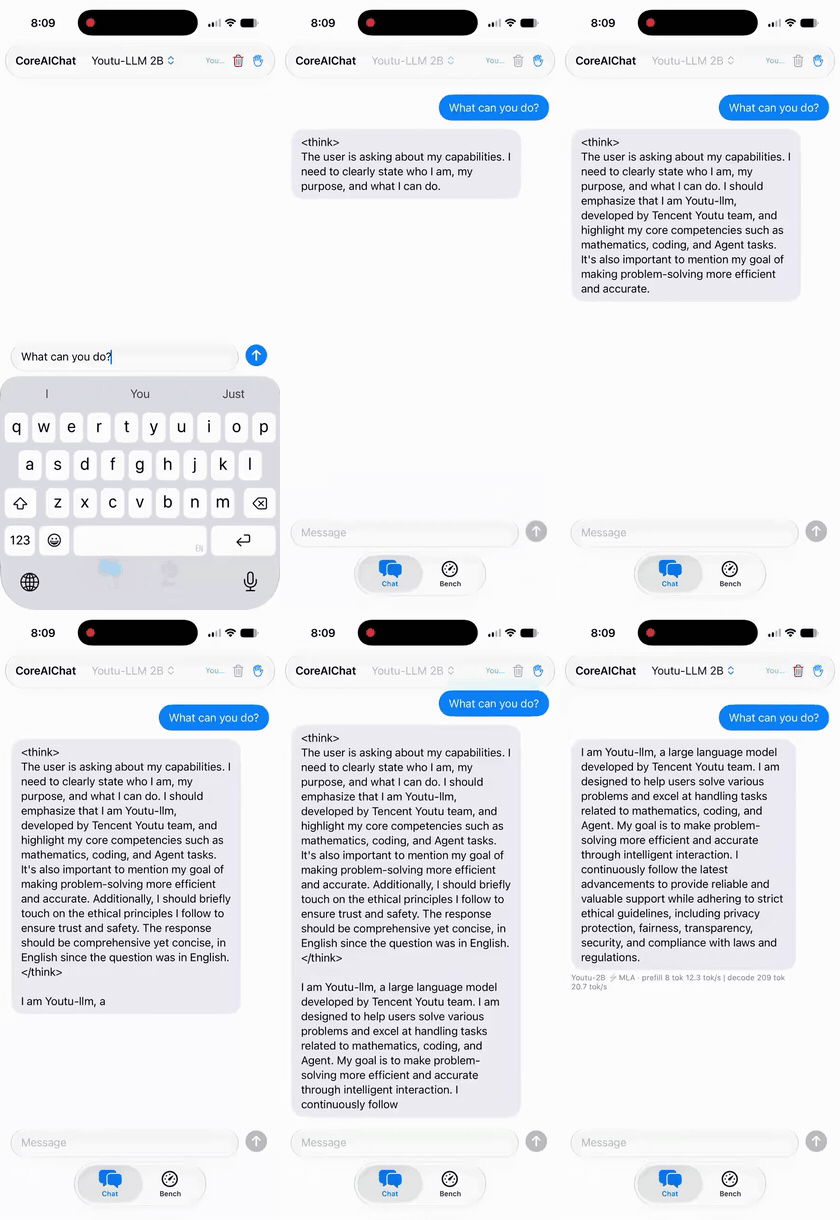
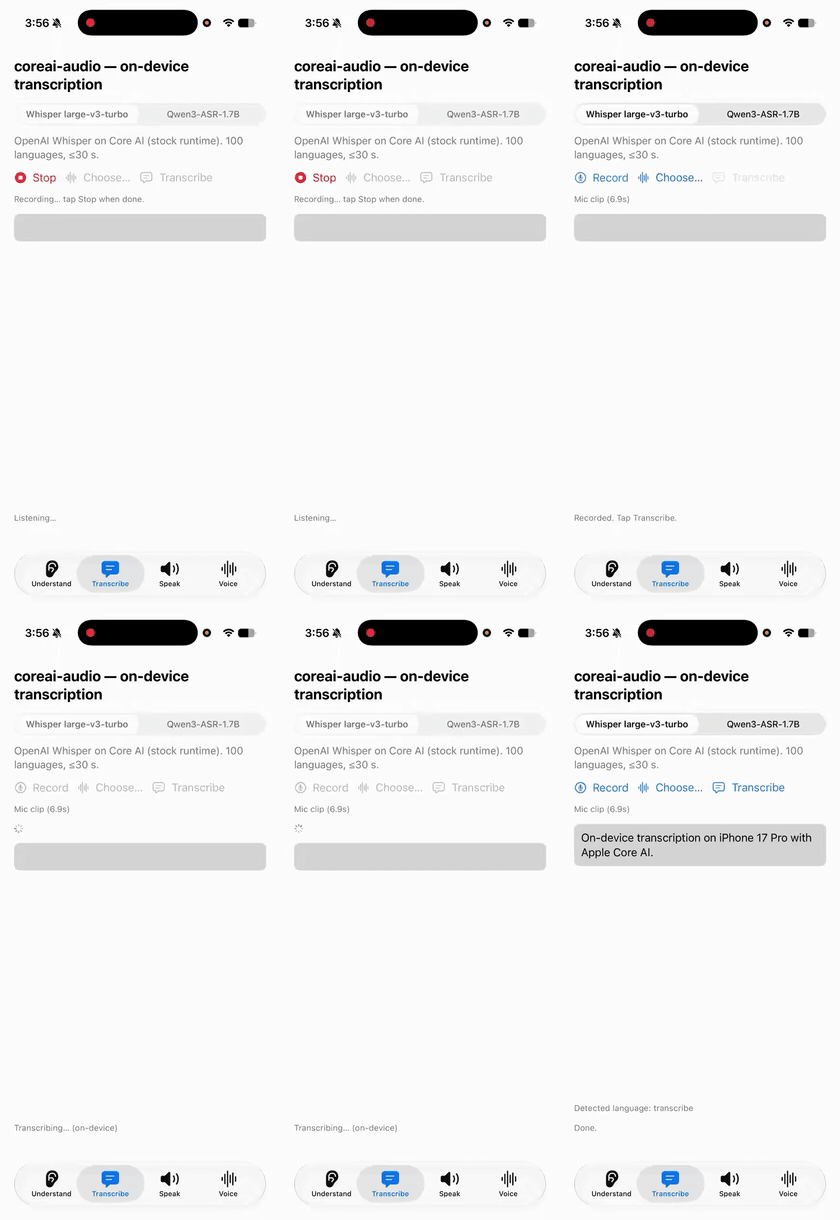
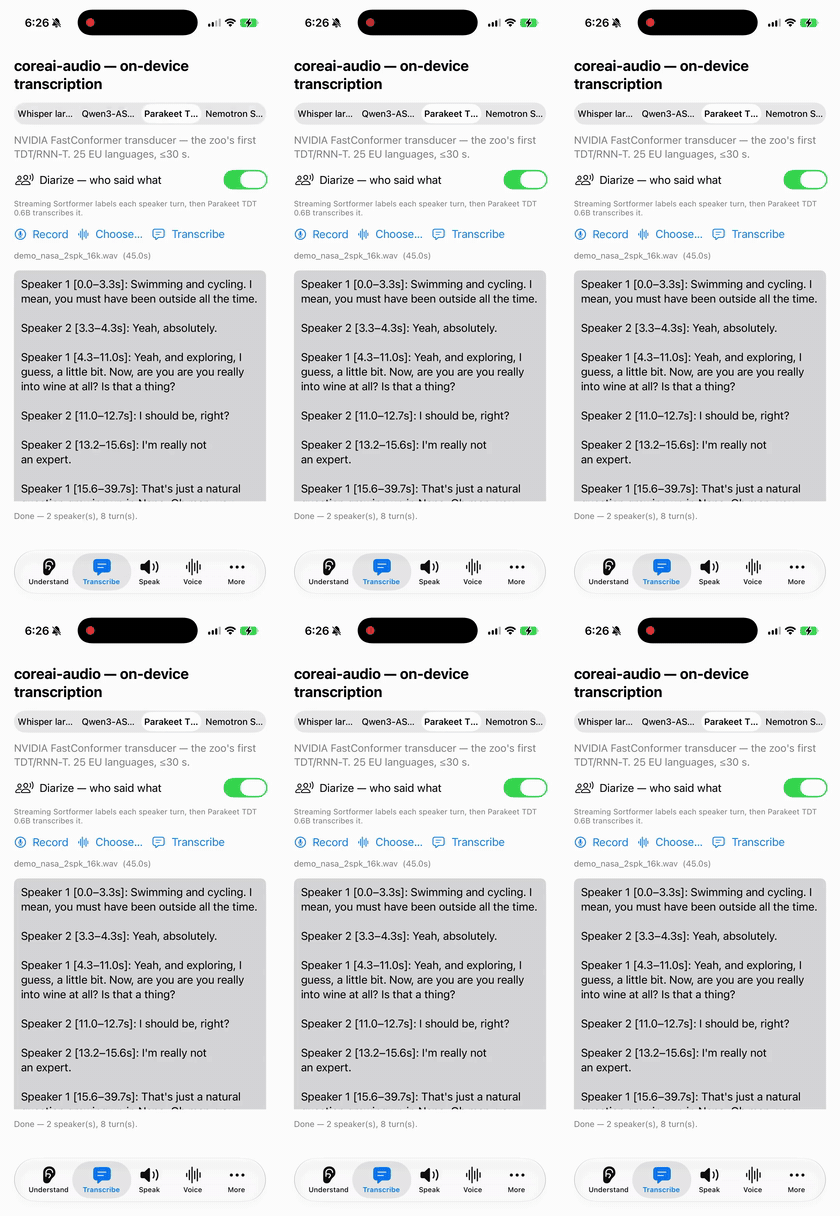
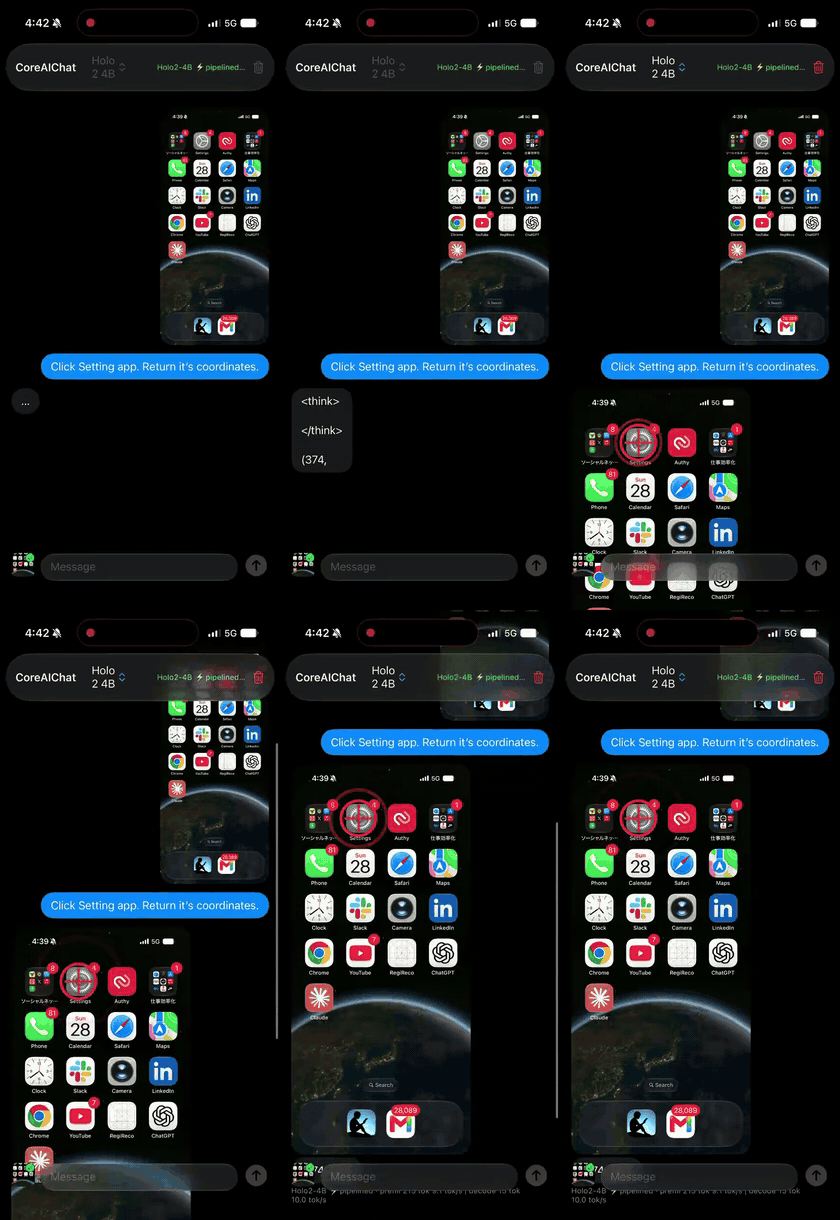
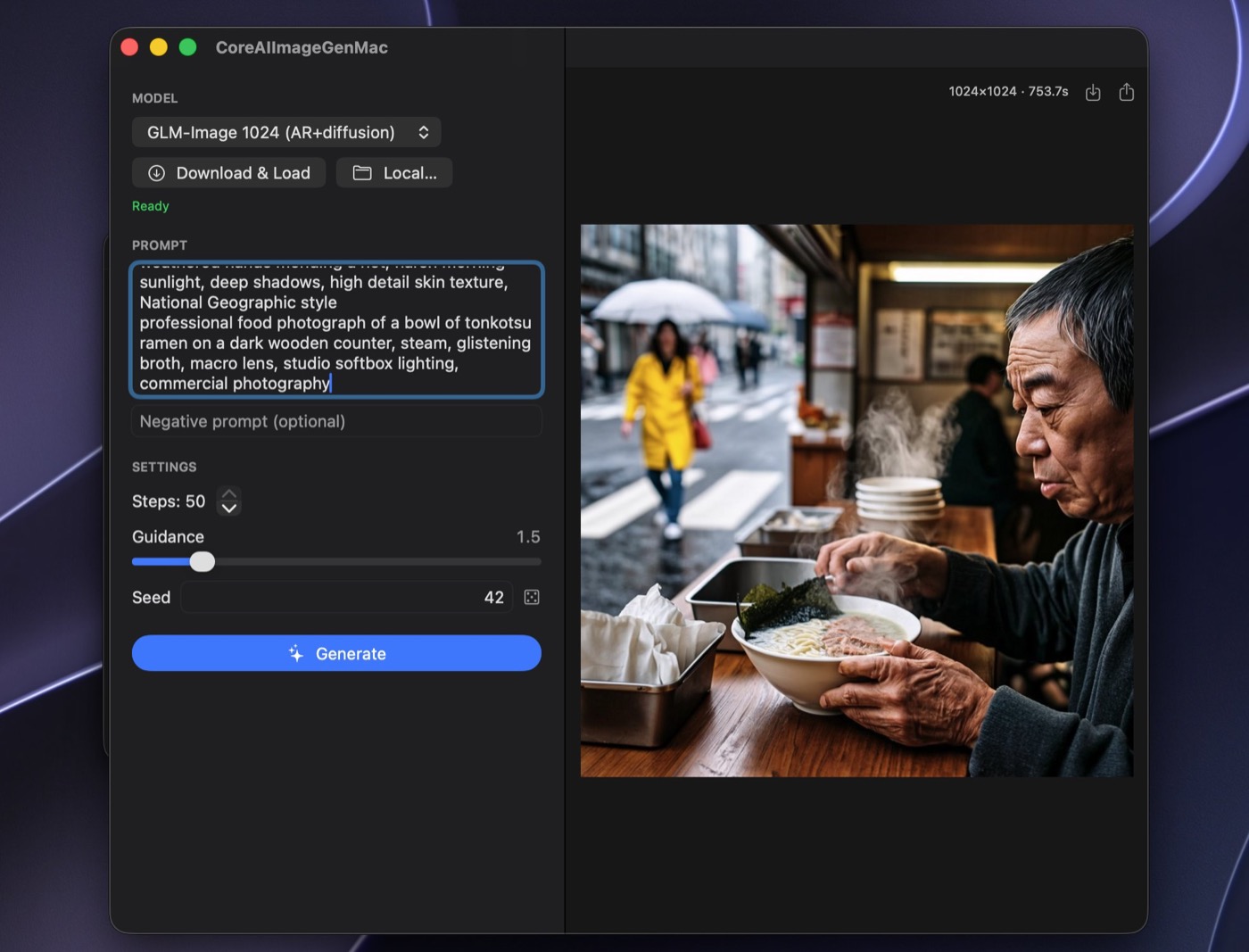
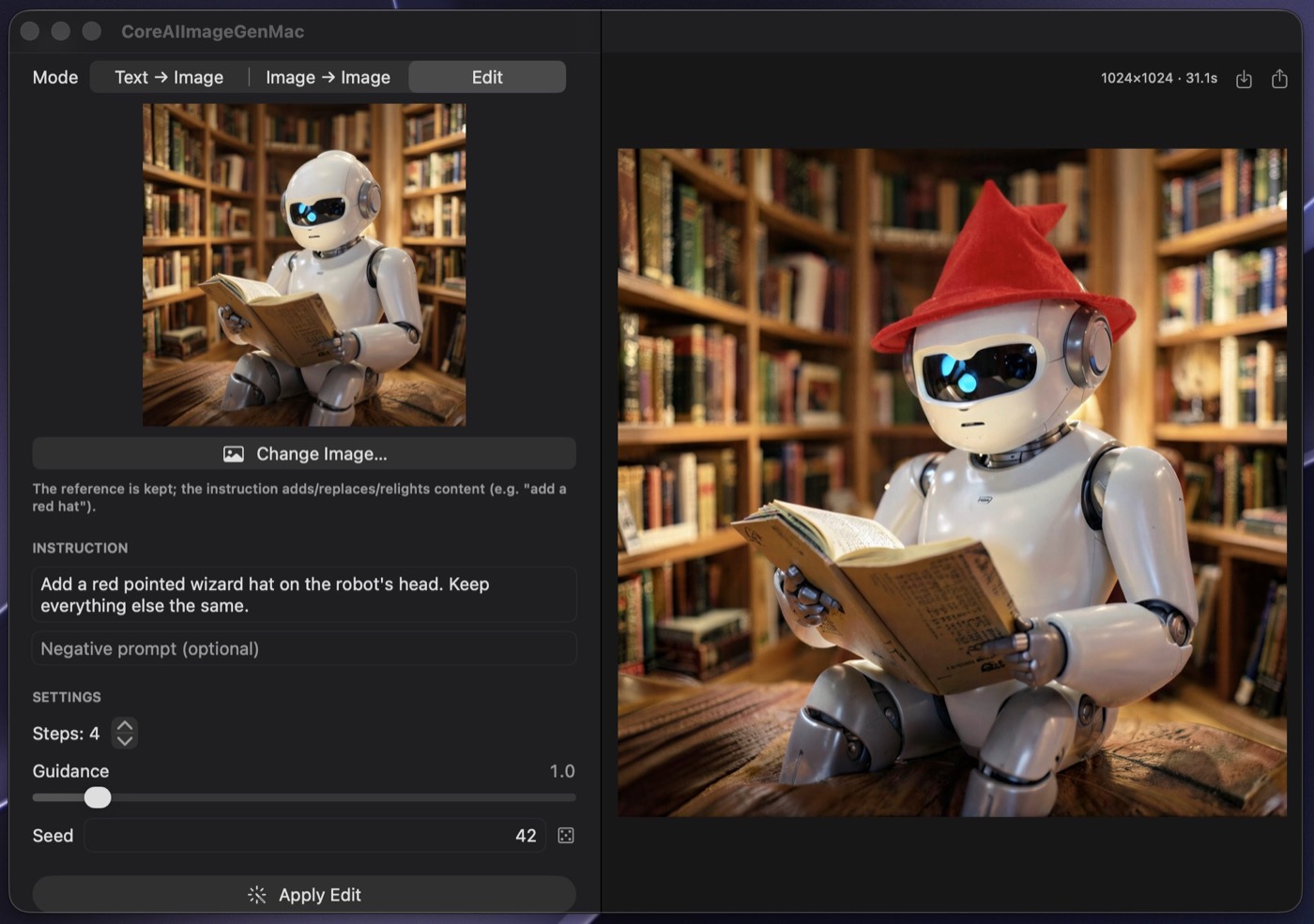
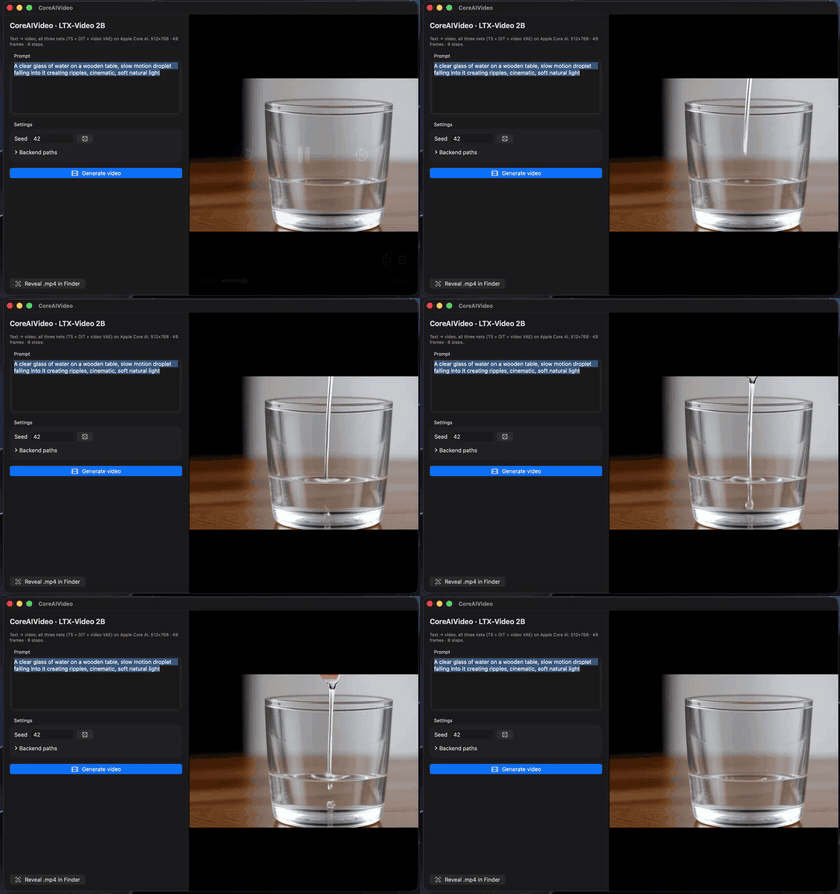
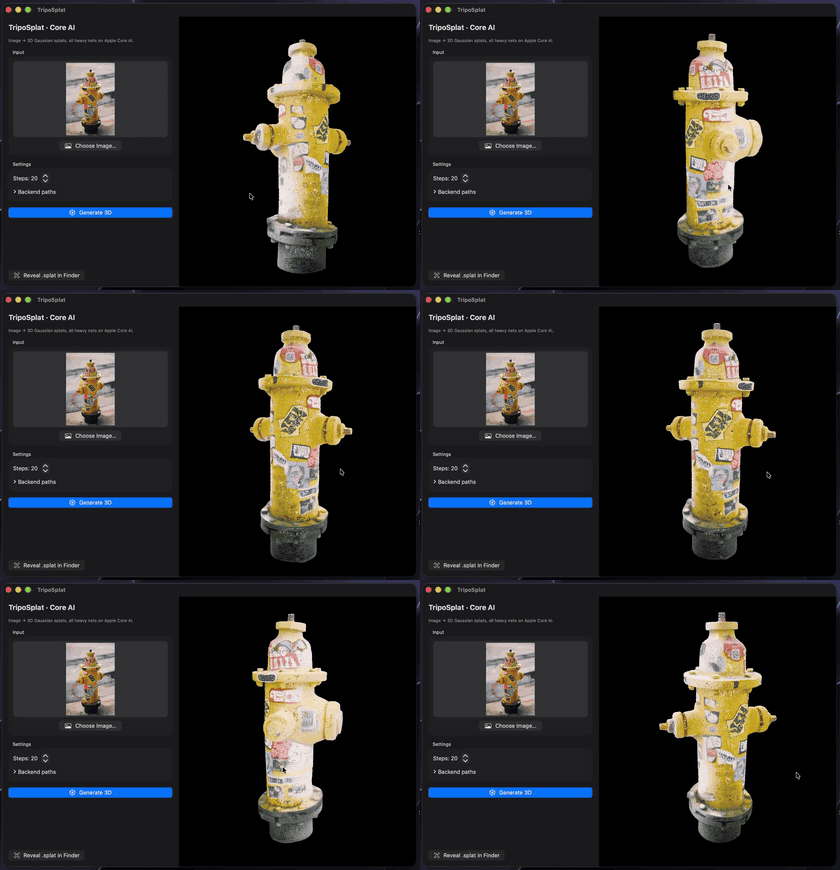
Real-device captures (iPhone 17 Pro / M4 Max), everything fully on-device. Captions lead with the one-line call where a task op covers it; each cell links to the kit example — or zoo app — that runs the same model. (Media lives in coreai-assets, so cloning this repo stays fast.)
 |
 |
 |
ChatSession — chat, Youtu-LLM-2BChatDemo |
CoreAI.transcribe — Whisper v3 turboTranscribe |
CoreAI.transcribeMeeting — Sortformer + ParakeetMeeting |
 |
 |
 |
KitVisionModel — screen VLM, Holo2-4BVLChat |
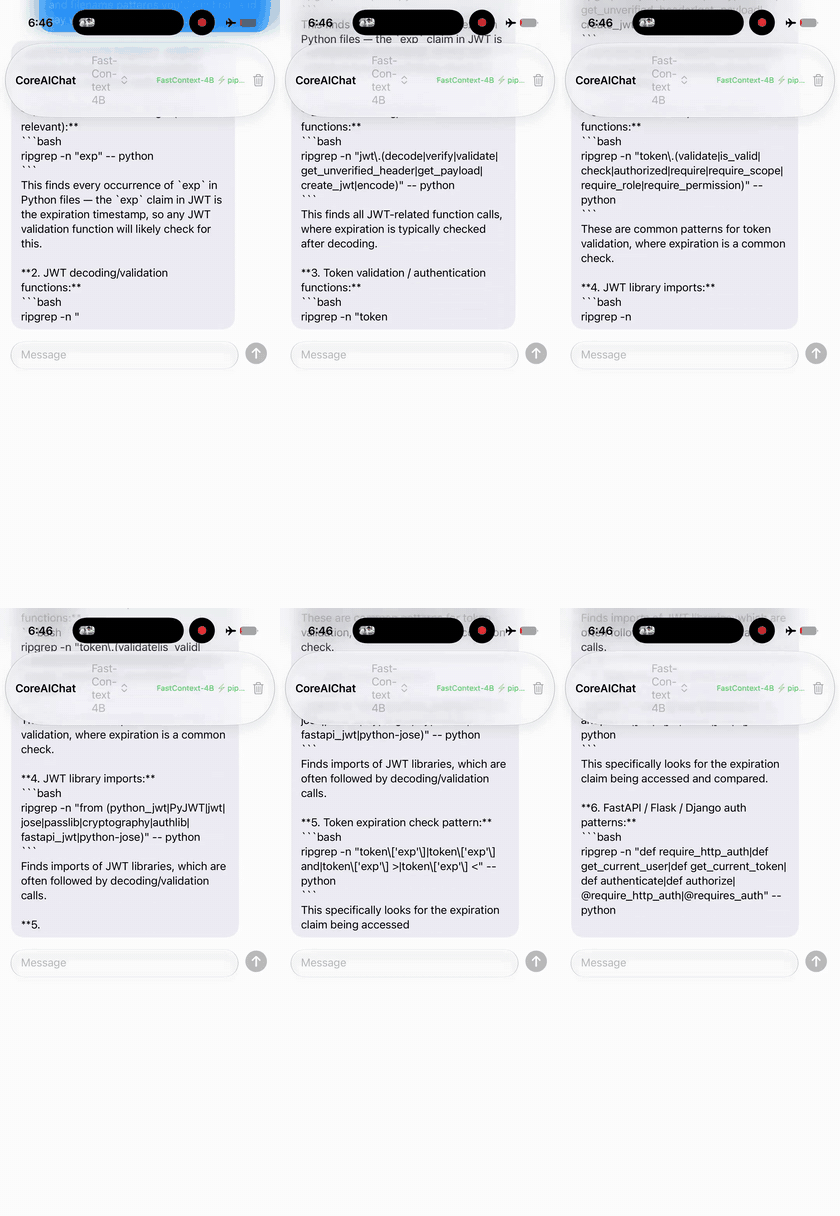
Repo agent — FastContext-4B zoo CoreAIChat |
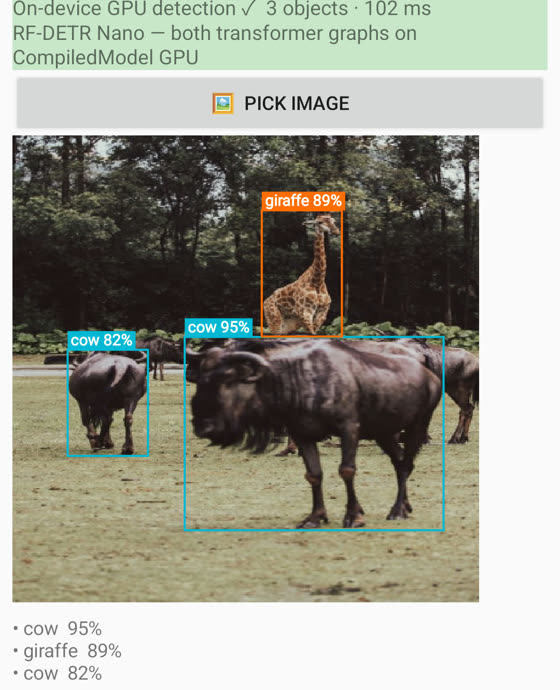
CoreAI.detect — RF-DETR nano, no NMSDetectCamera |
 |
 |
 |
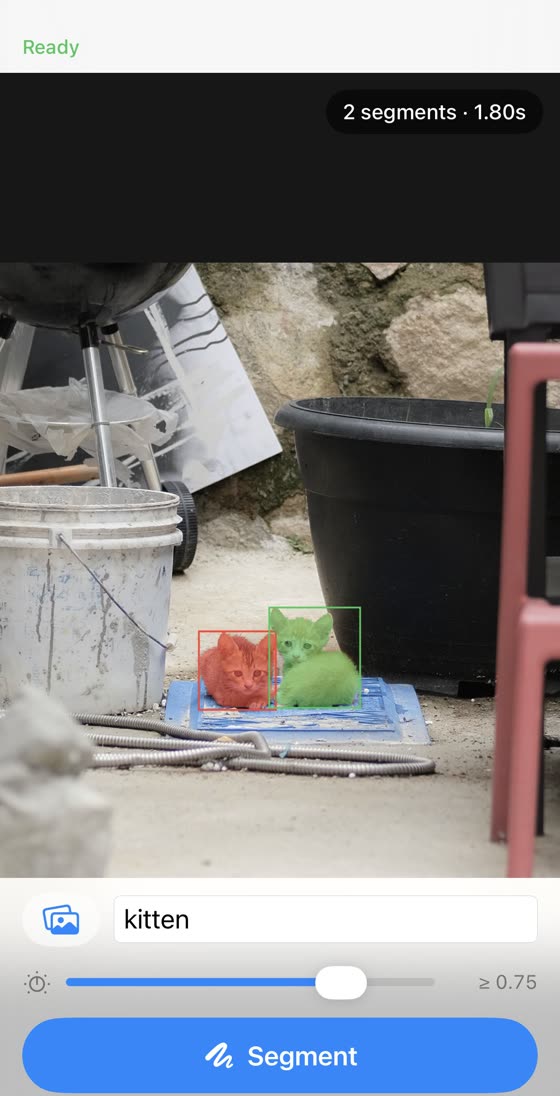
| Segmentation — SAM 3 zoo |
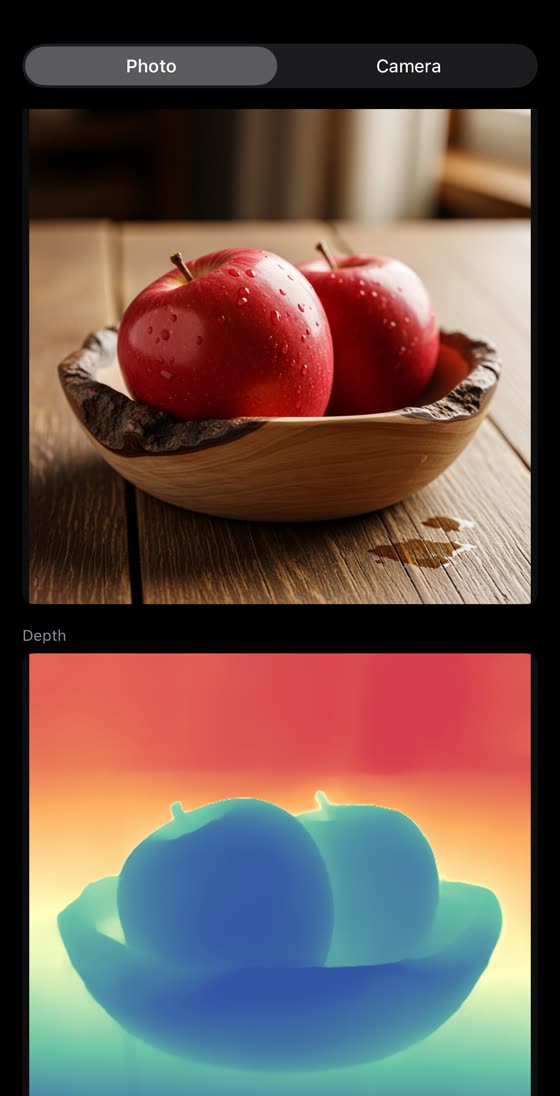
CoreAI.estimateDepth — Depth Anything 3DepthCamera |
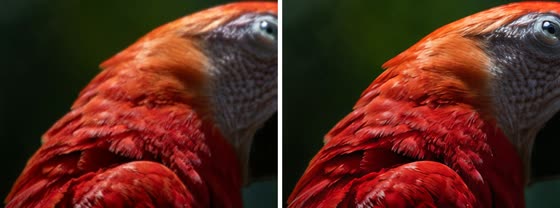
CoreAI.upscale — AdcSR ×4UpscaleDemo |
 |
 |
 |
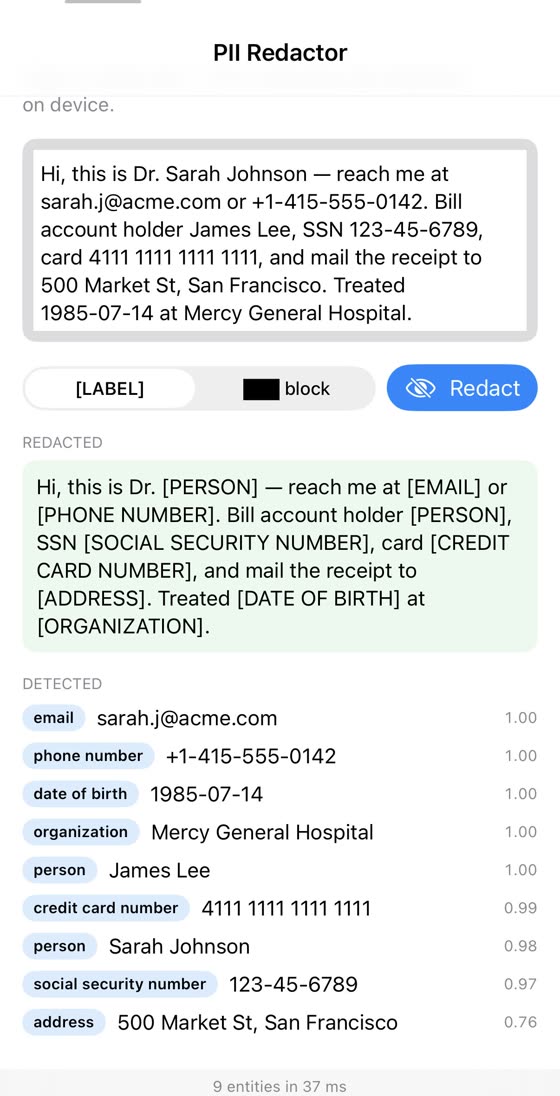
CoreAI.redact — PII, GLiNER2InfoExtract |
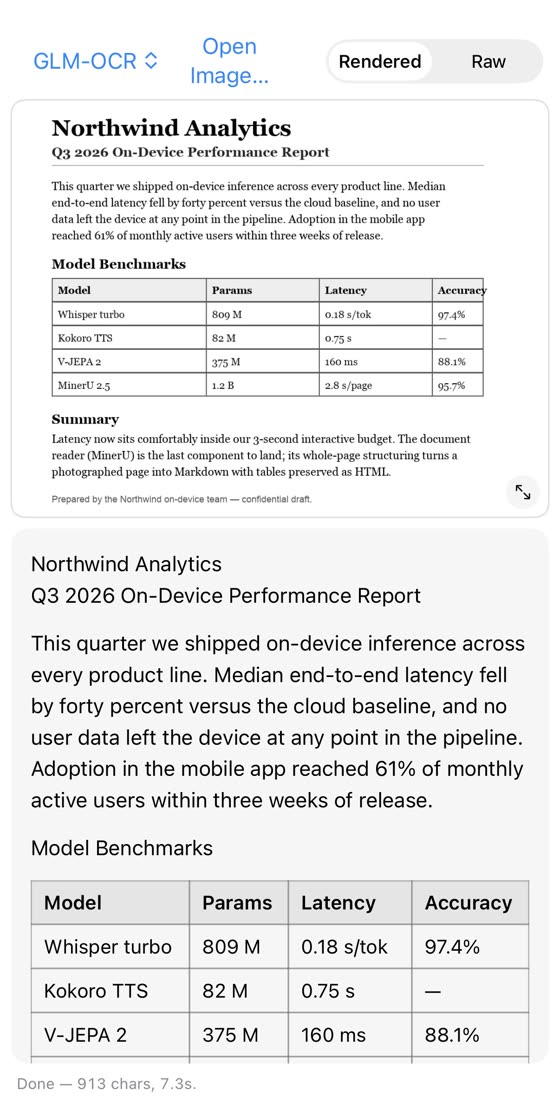
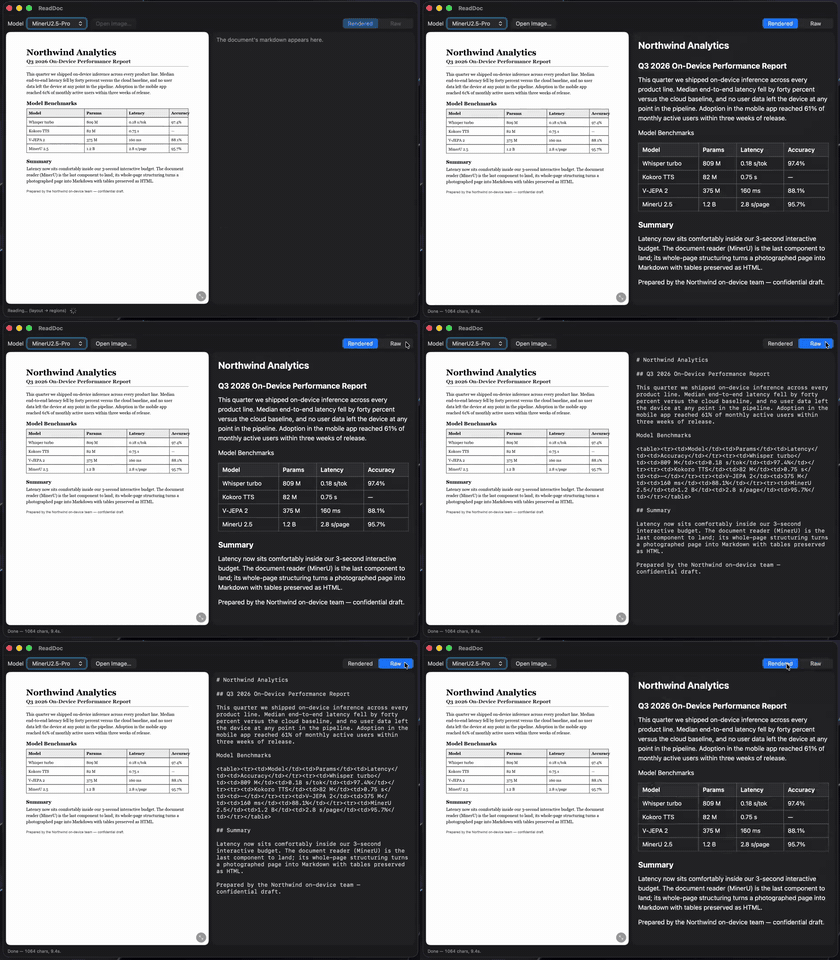
CoreAI.read — GLM-OCR 0.9B, ~4 s/pageReadDoc |
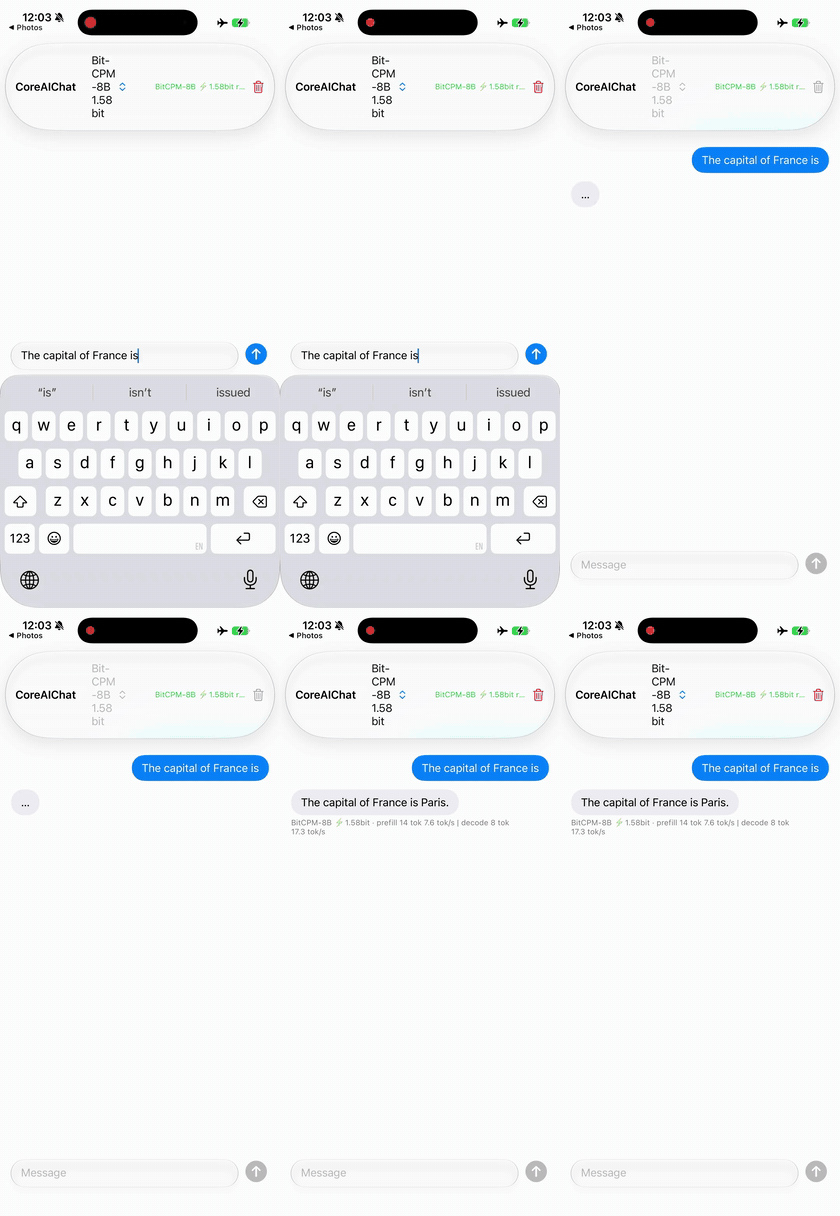
1.58-bit ternary — BitCPM-8B in ~2.1 GB zoo CoreAIChat |
 |
 |
| Text→image — GLM-Image zoo CoreAIImageGen |
In-context edit — FLUX.2 klein zoo CoreAIImageGen |
 |
 |
| Text→video — LTX-Video 2B zoo CoreAIVideo |
Photo→3D splat — TripoSplat zoo TripoSplatMac |
 |
 |
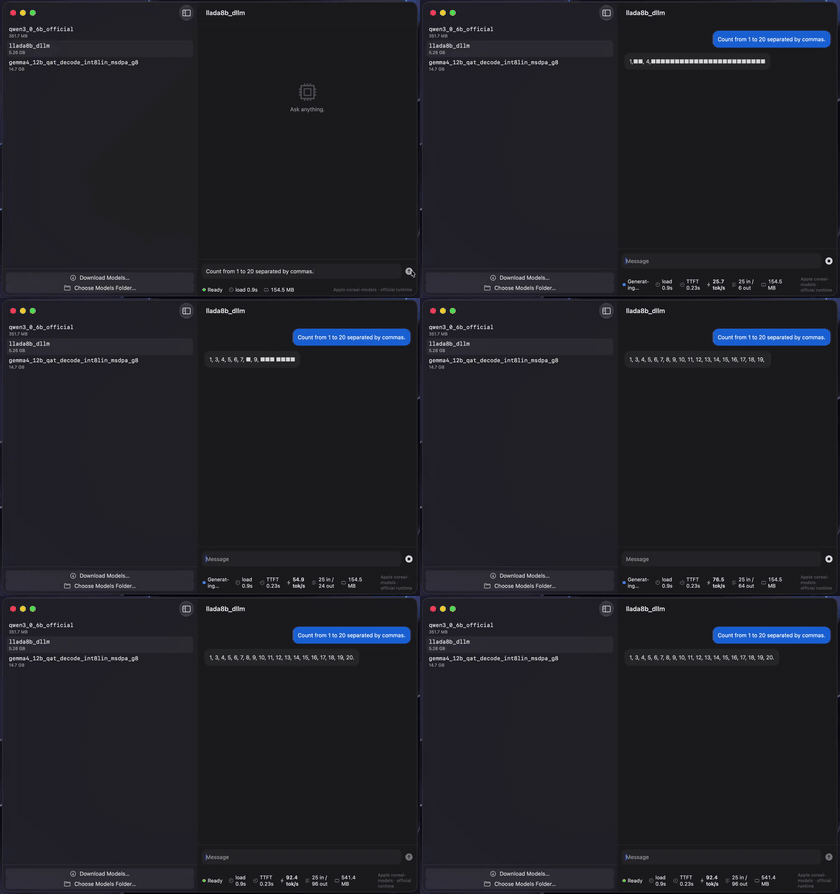
Diffusion LLM (parallel denoise) — LLaDA-8BDiffuseChat |
CoreAI.read — MinerU2.5, doc→MarkdownReadDoc |
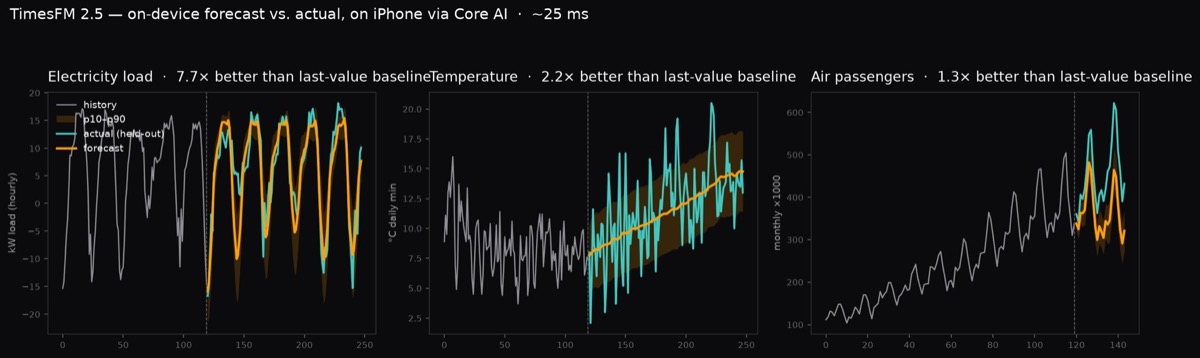
CoreAI.forecast — TimesFM 2.5, ~25 ms/forecast on iPhone · Forecast
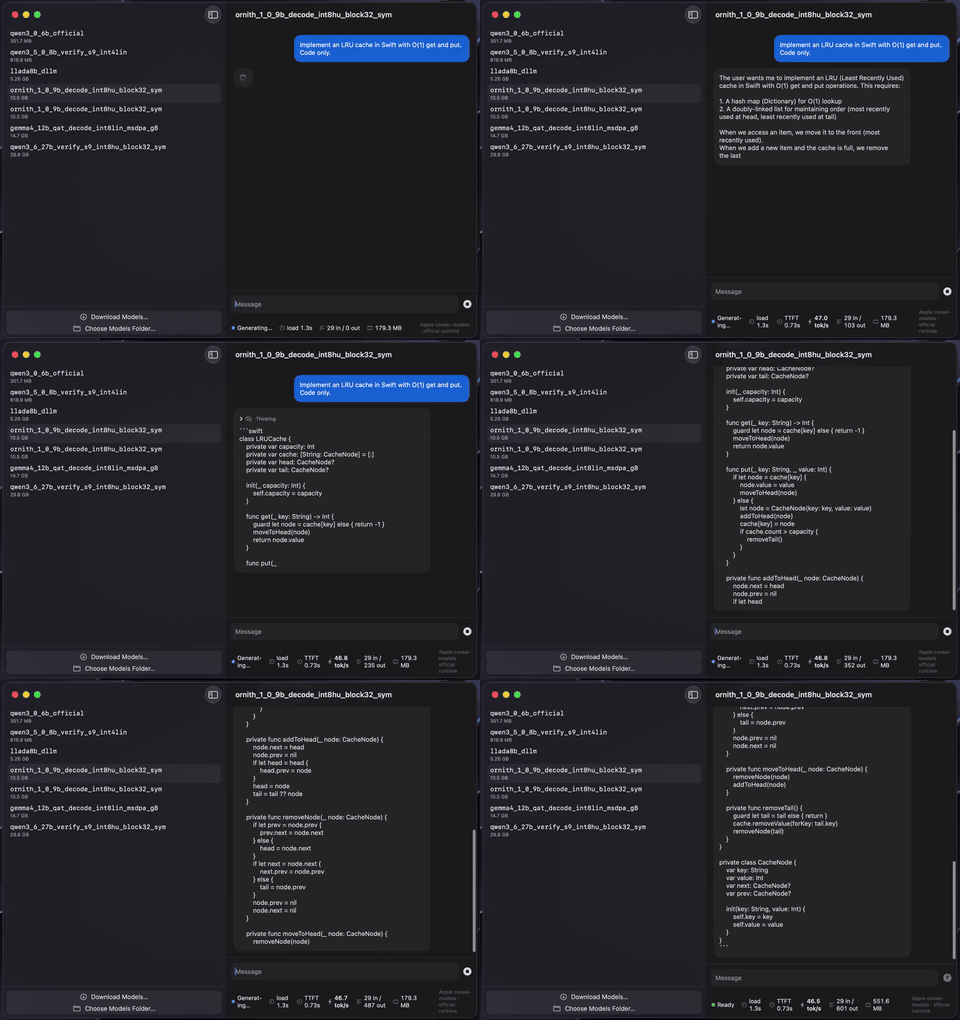
Agentic coding — Ornith-1.0-9B on M4 Max · zoo CoreAIChatMac
KitLanguageModel plugs any catalog chat model into the system LanguageModelSession —
the same FoundationModels API you use for Apple's built-in model — and adds what the stock
CoreAILanguageModel adapter lacks: tool calling (ChatML/Hermes models) and
guided generation (sequential engines).
import FoundationModels
import CoreAIKit

let model = try await KitLanguageModel(model: .qwen3_0_6B)   // downloads once, then cached
let session = LanguageModelSession(model: model, tools: [WeatherTool()])
let answer = try await session.respond(to: "What's the weather in Tokyo?")
KitVisionModel does the same for vision-language models — attach an image to the prompt:
let vlm = try await KitVisionModel(catalog: "qwen3-vl-2b")   // decoder + vision tower
let session = LanguageModelSession(model: vlm)
let answer = try await session.respond(to: Prompt {
    "What is in this photo?"
    Attachment(cgImage)
})
Your Tool implementations, @Generable types, streaming snapshots, and transcripts work
unchanged. See Examples/FMToolDemo, Examples/GuidedDemo, and Examples/VLChat.
What each provider honestly advertises:
KitLanguageModel (text) |
KitVisionModel (VL) |
|
|---|---|---|
| Tool calling | ChatML/Hermes models — the qwen3 family (LFM's pythonic dialect is not parsed) | not in v1, by design |
| Reasoning | thinking models stream .reasoning |
Qwen3-VL thinks by default |
| Guided generation | sequential engines only (engineVariant: .sequential) |
not in v1, by design |
| Vision | — | one image per session; every turn re-prefills the full prompt (the vision encode is reused while the image is unchanged) |
Compared with Apple's stock CoreAILanguageModel adapter, this provider adds tool
calling, per-turn usage events (including Usage.Input.cachedTokenCount), and a KV
fast path that rewinds to the longest shared prefix with the previous turn
(reset(to:) + the engine's implicit prefix caching) instead of re-prefilling the
whole transcript — including across a divergence, e.g. a re-rendered transcript.
| Product | What it gives you |
|---|---|
CoreAIKit |
ModelStore (download/cache), ModelCatalog (live model list), ChatSession (streaming chat + live stats + guided generation), KitLanguageModel (FoundationModels provider with tool calling + guided generation) |
CoreAIKitVision |
GraphModel (run any .aimodel), ImageTextEncoder (CLIP), DepthEstimator, CameraFeed, image preprocessing |
CoreAIKitEmbeddings |
TextEmbedder (EmbeddingGemma, 768-d normalized) for on-device search and RAG |
CoreAIKitUI |
SwiftUI components: ModelPickerBar, ChatTranscriptView, StatsBar |
CoreAIOps |
Twenty anchored task-level ops — text (CoreAI.summarize, .extract typed by @Generable, .translate, .proofread, .redact), audio (.transcribe, .transcribeMeeting, .describeAudio, .speak, .compose, .separate), image (.caption, .detect, .read, .upscale, .estimateDepth), plus .recognizeAction, .search, .forecast — each resolving a catalog model behind a stable API (Cookbook) |
Task ops
Examples/OpsGallery— all twenty ops as cards: pick an input, run the one-line call, see the result (iPhone + Mac)Examples/OpsDemo— task-level ops: one voice memo → transcript, summary, typed action items, translation, spoken reply; or one image → caption, detections, OCR (swift run)
Text & chat
Examples/ChatDemo— multiplatform chat app (~150 lines)Examples/DiffuseChat— diffusion LLM chat: watch LLaDA-8B denoise all tokens in parallel (Mac)Examples/FMToolDemo— local tool calling behindLanguageModelSession(swift run)Examples/GuidedDemo— guided generation: schema-valid JSON by construction (swift run)Examples/InfoExtract— schema-driven extraction / PII redaction with GLiNER2 (iPhone + Mac)
Vision
Examples/VLChat— local VLM image chat (Qwen3-VL) via theKitVisionModelvision executor (iPhone + Mac)Examples/AskVLM— your Qwen3-VL as its own Visual Intelligence tab (offline "ask")Examples/VisualIntel— your own CLIP / RF-DETR behind the system Visual Intelligence search (iOS camera / iPad+Mac screenshot)Examples/PhotoSearch— semantic photo search with CLIP (iOS)Examples/DetectCamera— real-time object detection with RF-DETR, no NMS (iOS; nano 33–39 FPS end-to-end on iPhone 17 Pro via the zero-copy capture pipeline)Examples/DepthCamera— live camera depth with Depth Anything 3 (iOS)Examples/UpscaleDemo— one-step diffusion super-resolution with AdcSRExamples/ActionCamera— video action recognition with V-JEPA 2 (world model)Examples/ReadDoc— whole-page document OCR → Markdown (GLM-OCR / MinerU2.5)Examples/DocSearch— visual document retrieval, no OCR (ColModernVBERT late interaction)
Audio & speech
Examples/Transcribe— speech→text (Whisper large-v3-turbo, Qwen3-ASR, Parakeet TDT)Examples/Meeting— who-said-what: Sortformer diarization + per-turn ASR in one APIExamples/Speak— text-to-speech (Kokoro, VoxCPM)Examples/Music— text→music with Stable Audio Open Small (~12× realtime on iPhone)Examples/AudioChat— audio understanding — describe sounds, not just transcripts (Qwen2.5-Omni)
Also in the audio surface, without a dedicated example yet: KitDialogue (multi-speaker /
podcast-style TTS — perform("Speaker 1: …\nSpeaker 2: …"), VibeVoice-Realtime-0.5B) and
KitSeparator (song → vocals + instrumental stems, Mel-Band RoFormer).
RAG, agents & system integration
Examples/DocChat— on-device RAG over your notes: embeddings + retrieval tool + local LLM (swift run)Examples/SpotlightChat— local RAG with Apple'sSpotlightSearchTool(WWDC26) behind your own model (swift run)Examples/SpotlightApp— the "ask your notes" RAG chat as a real SwiftUI app (iPhone + Mac), behind your own modelExamples/SiriAsk— ask your local model from Siri (App Intents + onscreen awareness + risk-based confirmation; ≥4B)
Other modalities
Examples/Forecast— time-series forecasting with TimesFM 2.5 (~25 ms/forecast on iPhone)
See docs/GETTING_STARTED.md.
- macOS 27 beta / iOS 27 beta, Xcode 27 beta
- Models run fully on device
Tagged releases, SemVer, a pinned model catalog (each entry carries the verified
Hugging Face revision), and CI + a nightly end-to-end gate on macOS 27 beta. See
docs/STABILITY.md and CHANGELOG.md.
BSD-3-Clause. See LICENSE and NOTICE.txt (portions adapted from
apple/coreai-models and
john-rocky/coreai-model-zoo).