Demo: http://jiandaoyun.github.io/Perfect-DateTimePicker/
- Simple Interaction.(交互简单)
- Concise Interface.(界面整洁)
- Bootstrap Style.(类Bootstrap风格)
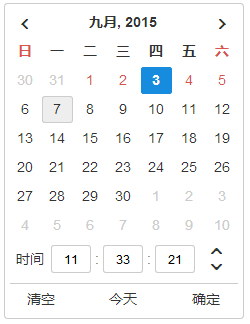
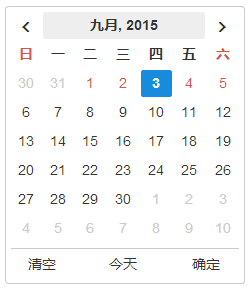
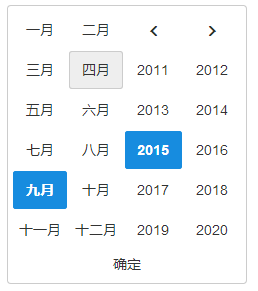
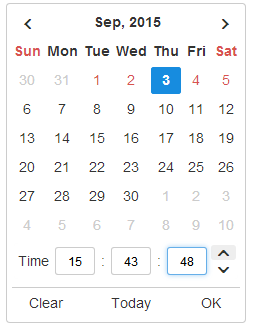
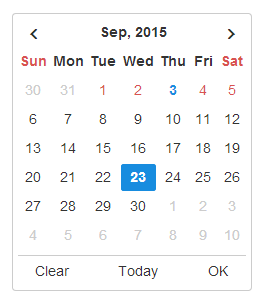
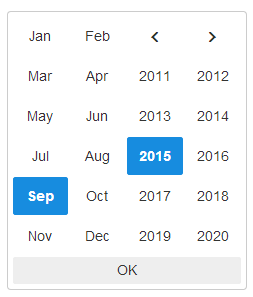
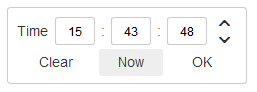
- options(属性配置)
| property(属性) | type(类型) | description(描述) |
| baseCls | String | base class(主样式) |
| language | String | 'zh'|'en' |
| viewMode | String | 'YM'|'YMD'|'YMDHMS'|'HMS' |
| startDate | Date | start date(起始日期) |
| endDate | Date | end date(结束日期) |
| date | Date | initial date(初始值) |
| firstDayOfWeek | Number | the first Day Of Week,0~6:Sunday~Saturday,default:0(指定每周的第一天,默认周日) |
| onDateChange | Function | date change event(日期修改事件) |
| onClear | Function | clear button click event(清除按钮事件) |
| onOk | Function | ok button click event(确认按钮事件) |
| onClose | Function | close button click event(关闭按钮事件) |
- APIs(调用接口)
| function(方法) | type(类型) | parameters(参数) | description(描述) |
| getValue | Function | 无 | 获取当前日期对象 |
| getText | Function | format(可选,日期格式,例如: 'YYYY-MM-DD HH:mm:ss') | 获取当前日期的文本格式 |
| destroy | Function | 无 | 销毁对象 |
| element | Object | 无 | 返回选择器的jQuery对象 |
| $datetable | Object | 无 | 返回日期选择面板的jQuery对象 |
| $monthtable | Object | 无 | 返回年月选择面板的jQuery对象 |
| $timetable | Object | 无 | 返回时间选择面板的jQuery对象 |
    var picker = $('#demo1').datetimepicker({
        date: new Date(),
        viewMode: 'YMDHMS',
        firstDayOfWeek: 0,
        onDateChange: function(){
            $('#date-text').text(this.getText());
        },
        onClose: function(){
            this.element.remove();
        }
    });
    console.log(picker.getText());
    console.log(picker.getValue());
picker.element.hide();IE8+