
一个变量名称格式化的 vsCode 扩展插件。
A variable name formats the vsCode extension plugin.
- Variable name formatting, supporting big camel case, small camel case, constants, custom character concatenation, etc.
- Support for one-click formatting of multiple selected words.
- Supports shortcut key operations.
- Right click on the file to copy the file name, support file or folder.
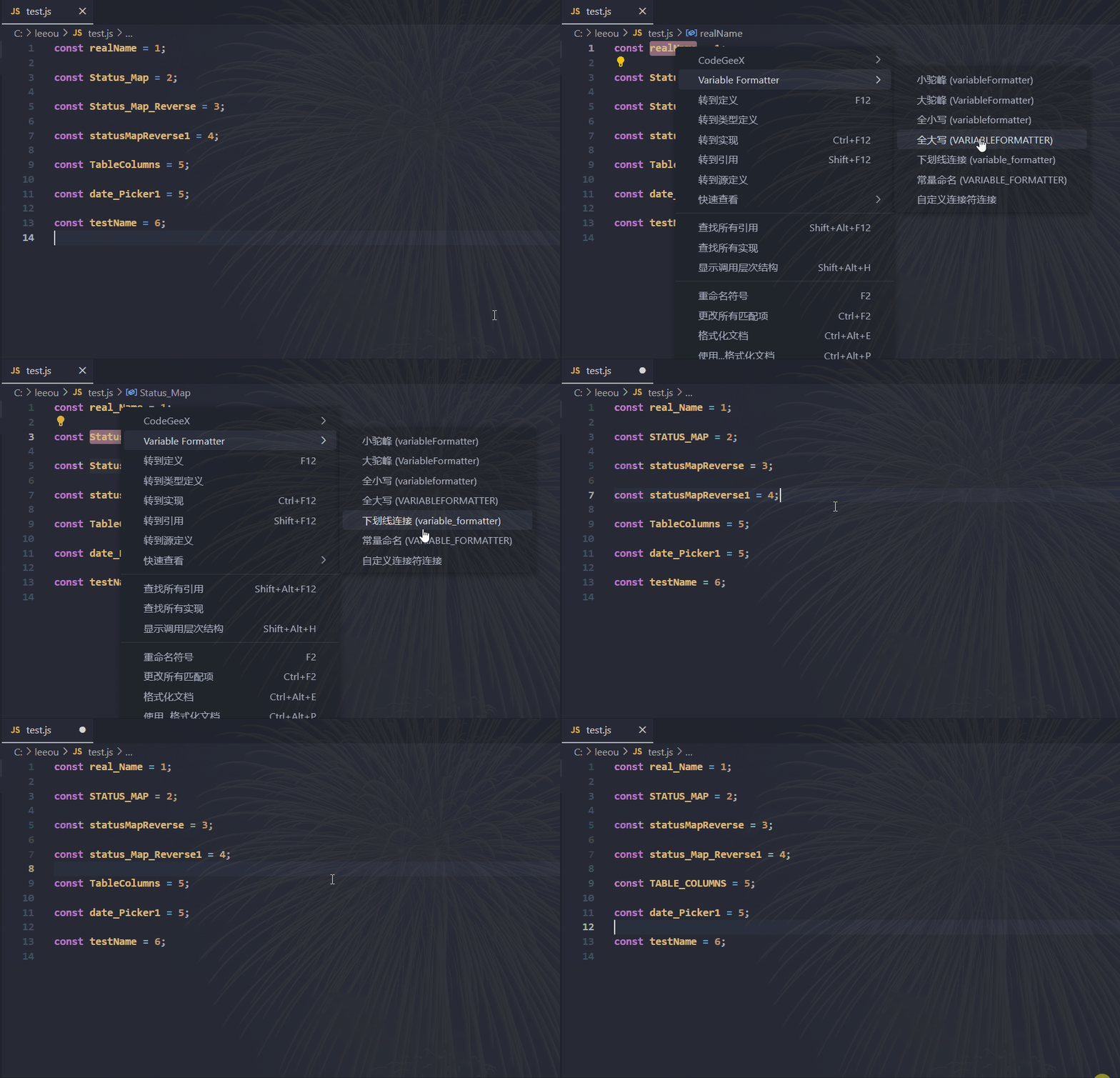
When you select a word to convert, right-click on it, hover over the VariableFormatter and select the format to convert to.
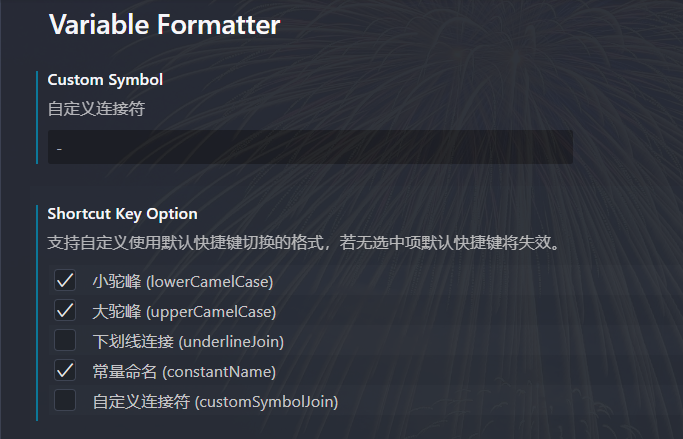
Please configure the shortcut keys according to your personal habits.
| Shortcut | Description |
|---|---|
Ctrl+Alt+F |
Default Shortcut. Support custom selection in extension settings. |

Plugin installation is performed in several stages:
- Press
F1and selectExtensions: Install Extensions. - Search and choose
Variable Formatter.
See the extension installation guide for details.
See the changelogs for each release version.
This software is released under the terms of the MIT license.