This repository contains the master.sh script, designed to simplify the execution of other scripts stored in a GitHub repository. The master.sh script automatically fetches a list of available scripts, allows you to select and run them, and handles dependencies and cleanup. This guide explains how to use the master.sh script, its key features, and how to contribute.
The goal of the repo is to make is as simple as possible to run scripts that are stored in a GitHub Repo.
** For ease of access, the link https://scripts.pitterpatter.io/master.sh can be used to get master.sh **
wget https://raw.githubusercontent.com/pitterpatter22/Script-Repo/main/master.sh -O master.sh && bash master.shOR
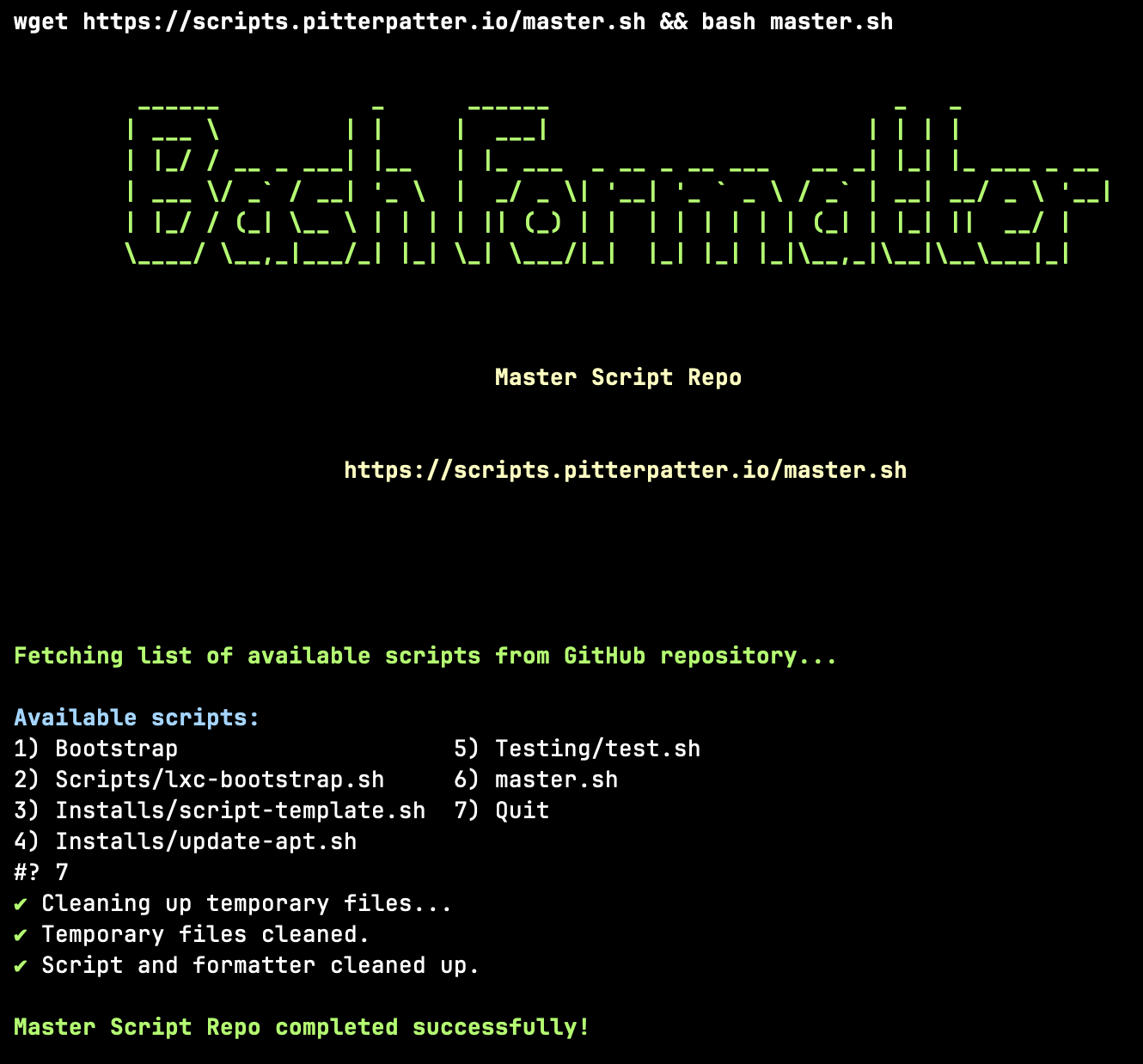
wget https://scripts.pitterpatter.io/master.sh && bash master.shSelect the script called Testing/test.sh (Shown in the pictures below)
Script Selection Picture
Script Output Picture
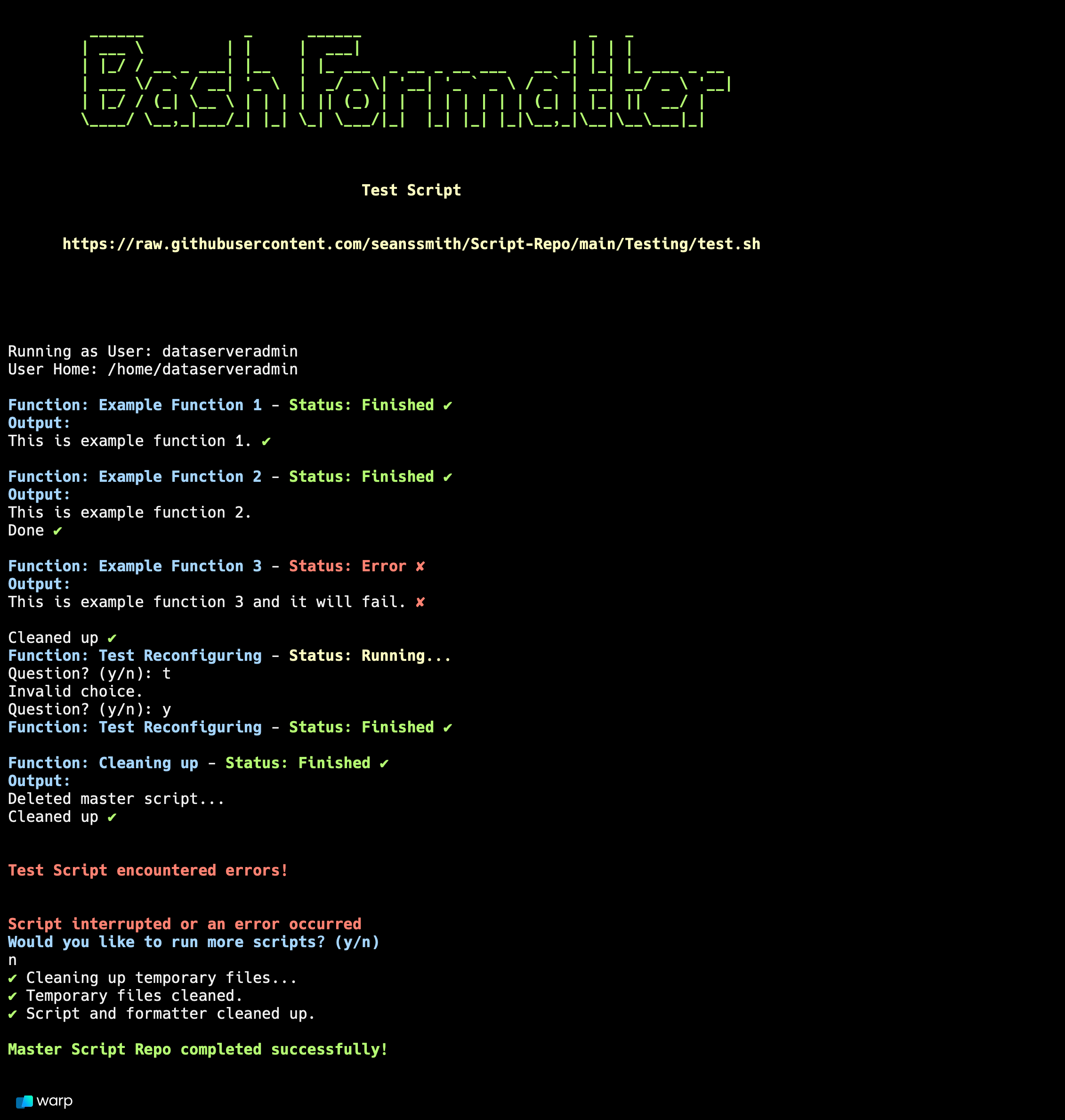
Script output Formatted
To use the master.sh script, run the following command:
wget https://raw.githubusercontent.com/pitterpatter22/Script-Repo/main/master.sh -O master.sh && bash master.shOR
wget https://scripts.pitterpatter.io/master.sh && bash master.shThere is also a master-gitlab.sh file showing a version of the script that works with a self hosted version of gitlab.
If you want to see more detailed output during execution, use the -v flag:
bash master.sh -v- Fetch List of Scripts: The script automatically fetches the list of available scripts from this repository.
- Select a Script: You will be prompted to select a script to run from the list of available scripts.
- Run the Script: The selected script is downloaded, executed, and then cleaned up after execution.
- Automatic Dependency Installation: Ensures that required tools like sudo, curl, and jq are installed before proceeding.
- Script Fetching and Execution: Automatically retrieves available scripts from the repository and allows for easy selection and execution.
- Verbose Mode: Use the
-vflag to enable detailed logging during script execution. - Error Handling: Built-in error handling ensures that the script exits gracefully and provides informative error messages.
- Cleanup: Automatically removes temporary files and the script itself after execution.
The master.sh script relies on the following tools:
sudo: Ensures elevated permissions for installing packages and running scripts.curl: Used to fetch the list of scripts and download individual scripts.jq: Parses JSON responses from GitHub API. If any of these tools are not installed, the script will attempt to install them automatically.
The script also uses task_formatter.sh, which can be found at the TaskFormatter Repo, to format the output of the master script in a better looking way.
The script includes robust error handling mechanisms:
- Command Failures: If a command fails (e.g., network issues, missing dependencies), the script will output an error message and exit.
- Invalid Script Selection: If an invalid selection is made, the script will prompt you to try again.
- HTTP Status Codes: When downloading a script, the script checks the HTTP status code and provides feedback if the download fails.
After running the selected script(s), the master.sh script performs the following cleanup actions:
- Temporary Files: Removes any temporary files created during script execution.
- Self-Removal: Deletes the
master.shscript itself and thetask_formatter.shscript used for output formatting. - These actions ensure that your system remains clean after script execution.
We welcome contributions to this repository! To contribute:
- Fork the repository.
- Create a new branch with your feature or bugfix.
- Submit a pull request for review.
To add a new script to the repository:
- Add your script to the repository, ensuring it follows the naming convention (.sh extension).
- Ensure the script is executable (
chmod +x script_name.sh). - Submit a pull request with your new script.
If you encounter any issues with the master.sh script, please open an issue in this repository, providing details about the problem and any relevant logs or error messages.
This repository is licensed under the MIT License. See the LICENSE file for more details.