Welcome to QuickDocs – your ultimate solution for streamlined personal documentation management. Built with cutting-edge technologies including React.js, Next.js, TypeScript, Next-Auth, Supabase, and TailwindCSS, QuickDocs is a versatile tool designed to enhance your personal workflow by providing a seamless platform for creating, organizing, and accessing documents with ease. Whether you're a student, freelancer, hobbyist, or simply someone who loves staying organized, QuickDocs offers a range of powerful features to simplify your personal documentation process. With intuitive interfaces and robust version control powered by Git, QuickDocs empowers individuals to efficiently manage their personal documentation projects. Say goodbye to scattered files and disjointed workflows – embrace QuickDocs and experience the convenience of organized documentation at your fingertips. Dive in today and unlock the full potential of your personal projects.
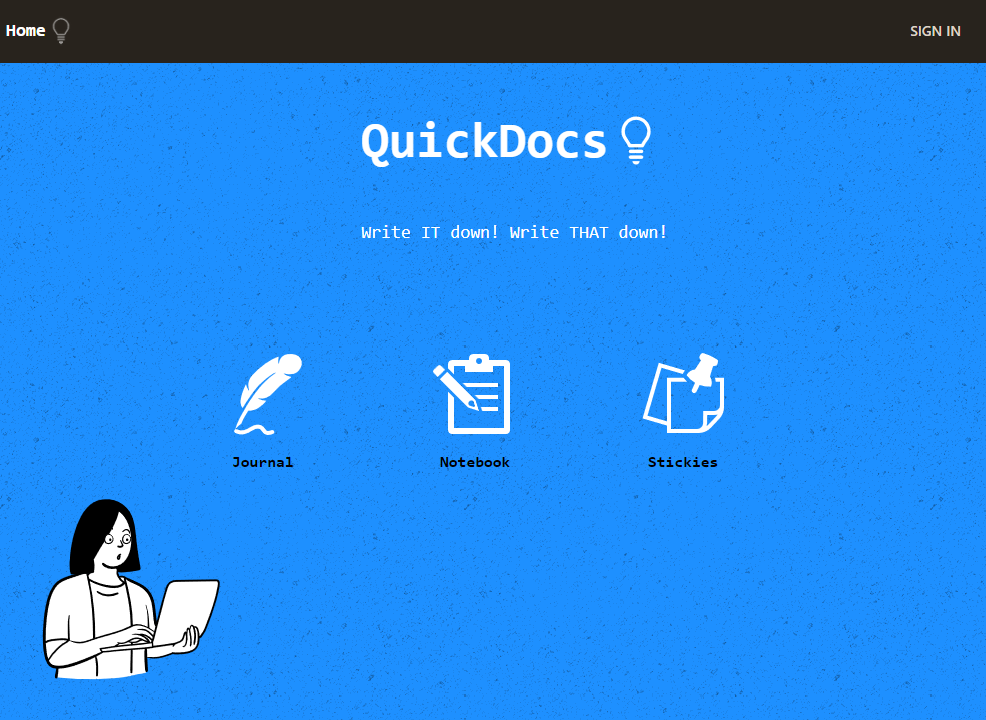
Link to project: https://quick-docs-indol.vercel.app/
Needs to sign in to save personal content.
-
Registration and Login:
- Step 1: Navigate to the QuickDocs application.
- Step 2: Click on the "Login" button to create a new account or sign in. (authentication using either google or github)
- Step 3: Fill in the required information and follow the prompts to complete the registration process.
-
Document Creation:
- Step 1: After logging in, select the type of documen you want to create, between journaling, notetaking or simply using sticky notes.
- Step 2: Enter a title for your document and input related data.
- Step 3: Use the rich text editor to compose your document content.
- Step 4: Click on the "Save" button to save your document.
This user manual provides a guide to using QuickDocs, from registration and document creation. If you have any questions or encounter any issues, feel free to seek assistance from me.
-
Download the Repository:
- Go to the QuickDocs GitHub repository.
- Click on the green "Code" button and select "Download ZIP".
- Extract the downloaded ZIP file to your desired location on your computer.
-
Install Node.js and npm:
- If you haven't already, download and install Node.js which includes npm (Node Package Manager).
-
Install Dependencies:
- Open a terminal or command prompt.
- Navigate to the extracted QuickDocs folder.
- Run the following command to install the project dependencies:
npm install
-
Configure Environment Variables:
- In the QuickDocs folder, locate the .env.example file.
- Duplicate this file and rename it to .env.
- Open the .env file and fill in the required configuration variables (e.g., database connection details).
-
Start the Application:
- In the terminal, run the following command to start the QuickDocs application:
npm run dev
- In the terminal, run the following command to start the QuickDocs application:
-
Access QuickDocs:
- Once the application has started, open your web browser.
- Navigate to http://localhost:3000 to access QuickDocs.
- You should now be able to register, log in, and start using QuickDocs to manage your personal documentation.
- Database Setup: If you're running QuickDocs locally, make sure you have a database configured (e.g., using Supabase).
- Authentication: QuickDocs uses Next-Auth for authentication. Ensure you have configured authentication providers (e.g., GitHub, Google) as per your preference.
That's it! You should now be able to install and use QuickDocs on your local machine.
If you would like to submit an improvement or found an issue within this project, please submit an issue using the issues tab. Please reference the issue you created if you would like to submit a PR with a fix!