1.Download and Install the VMware Workstation pro free trail.
2.Download the ubuntu 64 bit.
3.Configure the vm with 200gb storage and 4 gb ram preferabbly.
4.Then run the VM and install ubuntu.
5.Make sure that nested virtualisation is working by changing the processor settings.
6.Install Git sudo apt-get update sudo apt-get install git fakeroot build-essential ncurses-dev xz-utils libssl-dev bc
7.Check version of current linux kernel, use uname -a command.
8.Clone the Git repository for the latest linux kernel source code: git clone https://github.com/torvalds/linux.git
9.Shift to the cloned directory and run the follwing commands.
sudo bash apt-get install build-essential kernel-package fakeroot libncurses5-dev libssl-dev ccache bison flex libelf-dev cp /boot/config-4.15.0-112-generic ./.config
10.change to the Linux folder and configure the modules to be included/excluded: make oldconfig
11.run these commands : make && make modules && make install && make modules-install
12.Again check for the version and make sure it shows latest kernel version use uname -a.
13.To build the kernel, the following sequence of commands can be used
sudo bash apt-get install build-essential kernel-package fakeroot libncurses5-dev libssl-dev ccache bison flex libelf-dev uname -a (and note down your kernel version, for example “4.15.0-112-generic”) cp /boot/config-4.15.0-112-generic ./.config (substitute your version obtained from the previous step here though)
make oldconfig
make && make modules && make install && make modules-install (will take a long time the first time)reboot
Verify that you are using the newer kernel (5.8, etc) after reboot: uname -a
Create a new directory named “cmpe283” in cloned linux source folder
Save the files cmpe283-1.c and Makefile in cmpe283 directory.
Make the required changes in the the file cmpe283-1.c to implement the assignment functionality.
We create different functionality to query all the 5 different MSRs in the file cmpe283-1.c
All the different structures are created with description and the bit position by referring to SDM.
To detect the VMX capabilities of CPU, the function report capability() will be called with passing the appropriate parameters to print the different controls.
We need to create the makefile to compile the module. Use below command to compile the module:
cd cmpe283
make
When we insert the module in the kernel, the module_init marco will be invoked, which will in turn call the function init_module defined in code. Command: sudo insmod ./cmpe283-1.ko
Once loaded the VMX features must be logged in the kernel log and this can be checked by using the command: dmesg
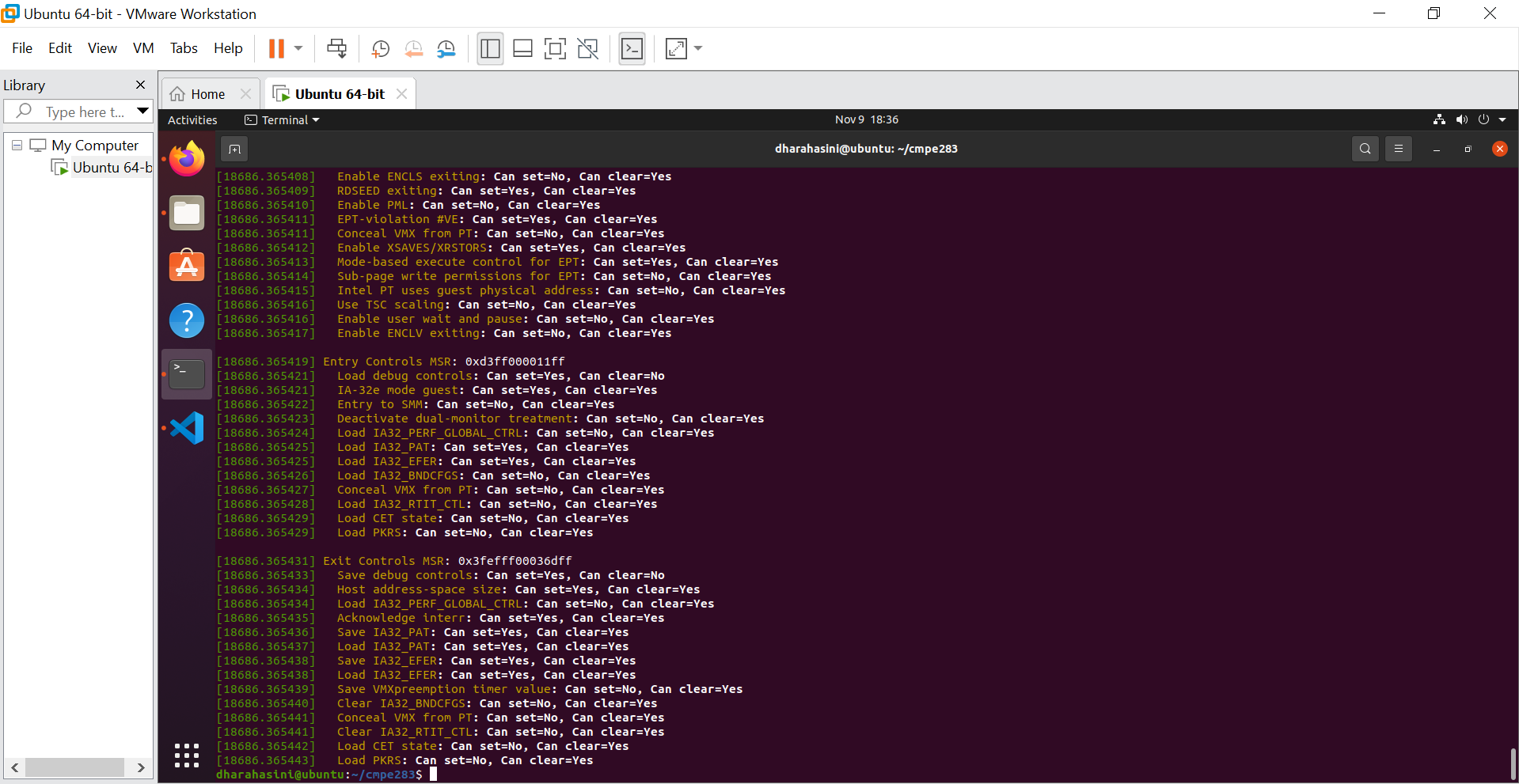
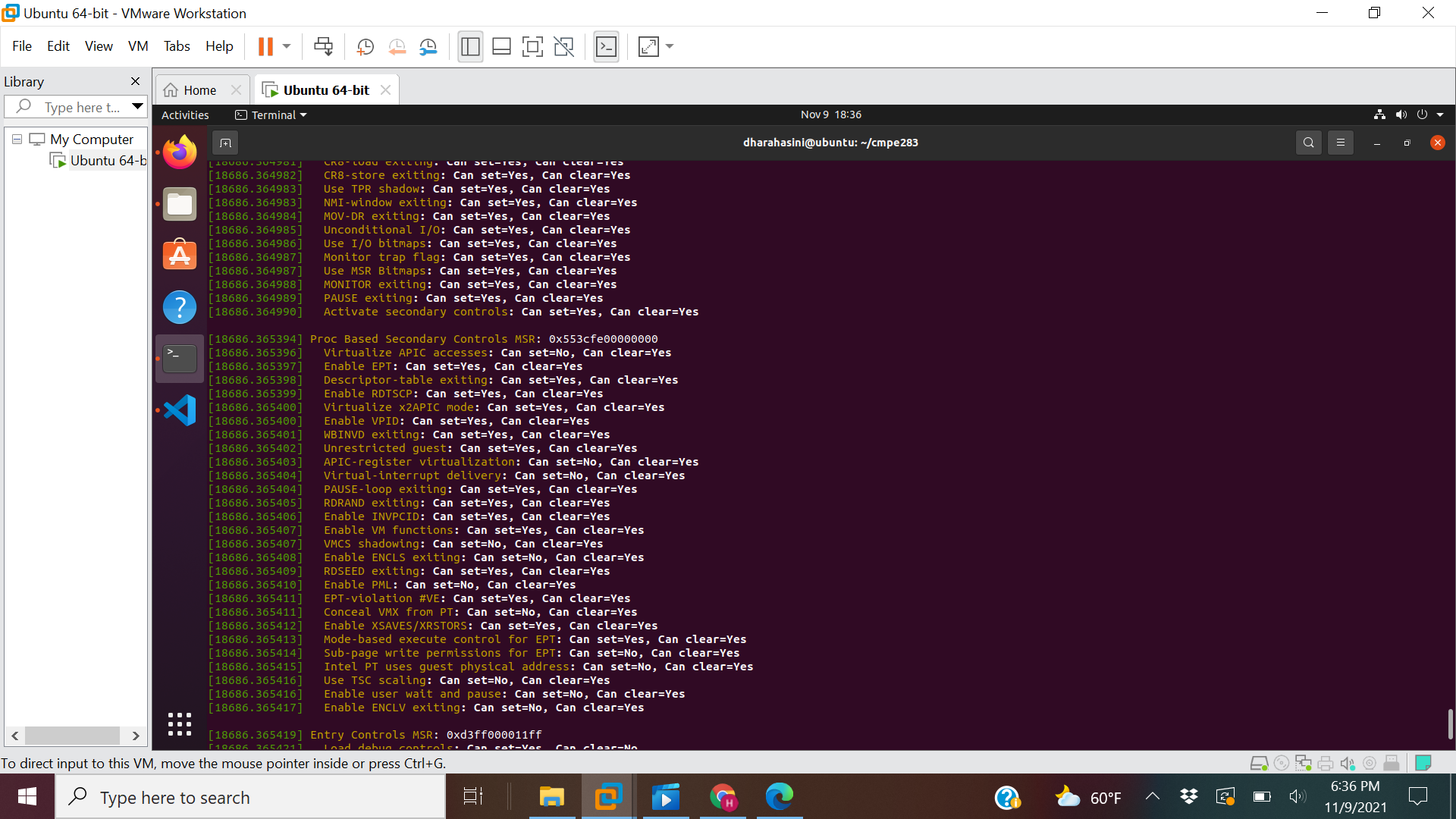
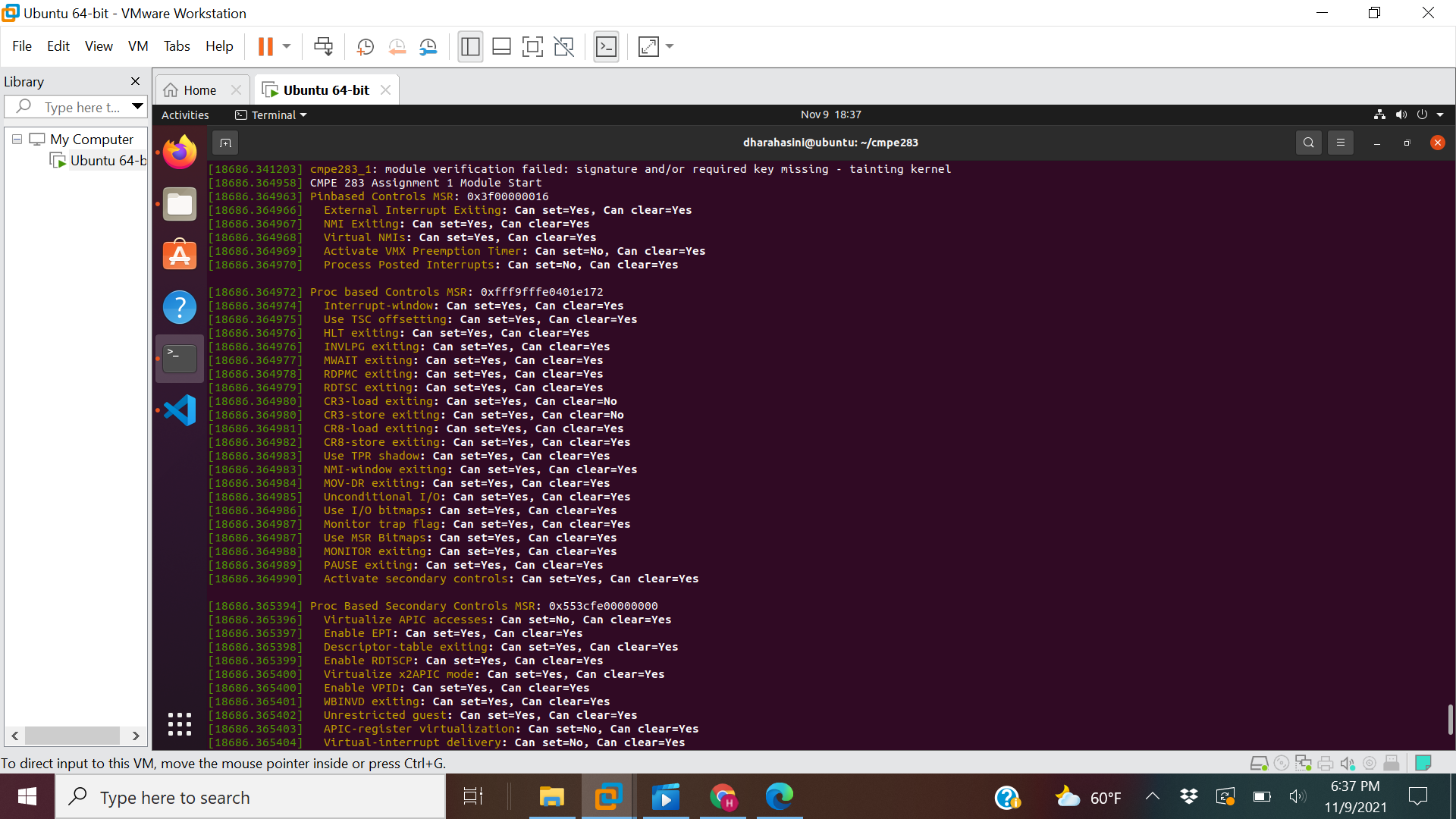
When we unload the module the rmmod, module_exit macro will be invoked, which will in turn call the cleanup_module defined in code.
Command: sudo rmmod ./cmpe283-1.ko