Limon is a multi platform 3D game engine mainly focusing on first person games. Focus of its development is ease of use and ease of study.
- Configurable node-based render pipeline editor
- Automatically scans shaders, creates nodes using reflection
- CPU side extension endpoint for stage setup/frame render/cleanup
- Tag based filtering for targeting specific stages for specific objects
- Multithreaded 4 Stage filtering including frustum and occlusion culling for the world per camera
- All rendering is done by the same system
- Shipping Rendering features
- Cascaded shadowmaps, with optional staggering
- Point shadow mapping
- SSAO (including sample Render Method for CPU side)
- Custom camera extension with both Perspective and Orthogonal projection
- Samples for object attached camera, orthogonal player camera included
- Software occlusion culling, for both Perspective and Orthogonal cameras
- Rigid body physics
- 3D spatial sound, music, and audio channels
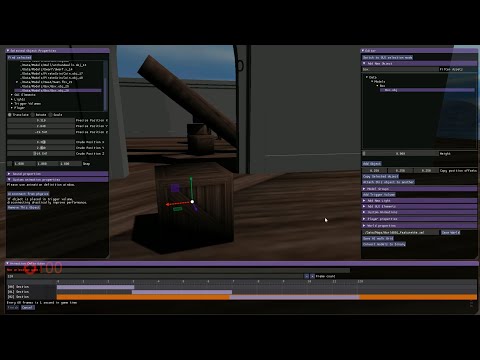
- Built-in editor with animation sequencer
- Fully customizable Input system with gamepad support
- Material editor
- Automatic Navigation grid generation and multi-threaded pathfinding
- Tracy profiler integration, including GPU stages, extensions, and an API for users
- Tracy profiler server within the Editor, for quick glance
- C++ and Python API for extensibility, and dynamic loading of extensions
For details check out the project web site
Prebuilt binaries for Windows, Linux and MacOS can be found here
Documentation is served on readthedocs
If you want to chat, we have a Discord channel
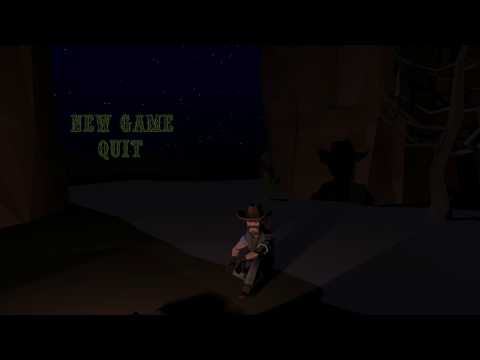
For a demonstration, check out the video :
For features, check out features video:
Step 1) Open Terminal, then copy and paste the following command
$ sudo apt install cmake git libassimp-dev libbullet-dev libsdl3-dev libsdl3-image-dev libfreetype6-dev libtinyxml2-dev libglew-dev build-essential libglm-dev
Step 2) Since GitHub is limiting LFS bandwidth, it is removed. Cloning the LimonEngine repository should also include all data needed:
$ git clone https://github.com/enginmanap/limonEngine.git && cd limonEngine && git submodule update --init
Step 3) Next, we need to navigate to the directory run cmake:
$ mkdir build && cd build && cmake ../ && cd ..
Step 4) Finally, we need to navigate to the build directory, make the source and copy the Data directory to the build directory:
$ cd build && make && cp -a ../Data .
Windows platform is compiled using MSYS2. after installing MSYS2 as any Windows application, open up the msys2-terminal, and install the dependencies:
$ pacman -S cmake mingw-w64-x86_64-make mingw-w64-x86_64-gcc mingw-w64-x86_64-gdb cmake mingw-w64-x86_64-assimp cmake mingw-w64-x86_64-bullet mingw-w64-x86_64-SDL3 mingw-w64-x86_64-SDL3_image mingw-w64-x86_64-tinyxml2 mingw-w64-x86_64-glew mingw-w64-x86_64-glm mingw-w64-x86_64-freetypeafter that, you can use step 2 - 4 of Ubuntu instructions, on the same terminal.
- Engine take a parameter as path of world to load
- If no parameter passed, falls back to
./Data/Maps/World001.xml
$ ./LimonEngine ./Data/Maps/World001.xml- Pressing
0switches to debug mode, renders physics collision meshes and disconnects player from physics (flying and passing trough objects) - Pressing
F2key switches to editor mode, which allows creating maps. - Pressing
+and-changes mouse sensitivity. wasdfor walking around and mouse for looking around as usual.
- All assets automatically scanned and listed. Can be filtered further by using filters widget
- 3D object assets provide previews using world light information
- Textures provide previews
- Mass can be changed after object creation, both in editor and at runtime through the API; the engine swaps the collision shape (full mesh/baked vs convex hull) and re-registers with physics automatically. This has no effect on animated objects, which are always kinematic.
- Inanimate objects are not allowed to have AI
- You can create animations for doors etc. in editor. For animation creation, time step is 60 for each second.
- When a new animation is created by animation editor, the object used to create the animation assumed to have this animation. You can remove by using the remove animation button.
- You can create a perspective camera, attach to an object animated using the sequencer, and activate to have cut-scene or similar camera effects
- Limon Engine has 5 types of extensions:
- Actions for triggers and buttons
- AI for actors
- Player for Input handling
- Camera Attachment for custom camera behaviour (perspective and orthographic)
- RenderMethod for custom GPU rendering primitives, wired into the render pipeline editor
- All extension types are configured through the same unified parameter contract, and are usable from either C++ or Python.
- The unified parameter automatically provides serialization, and editor interface, on top of communication with engine and other extensions
- Engine tries to load custom C++ extensions from
libcustomTriggers.dllfor Windows,libcustomTriggers.sofor GNU/Linux andlibcustomTriggers.dylibfor macOS. If you use an customisation in a map and library is missing, that customisation wont work, but rest of the map will. Python extensions are discovered from script files and require no separate library.
Details in the documentation