
Live production control for PTZ cameras and race broadcast operators.


Docs · Roadmap · Hardware notes
Panevo is a desktop control surface for livestream operators who need fast, reliable PTZ camera control during live events.
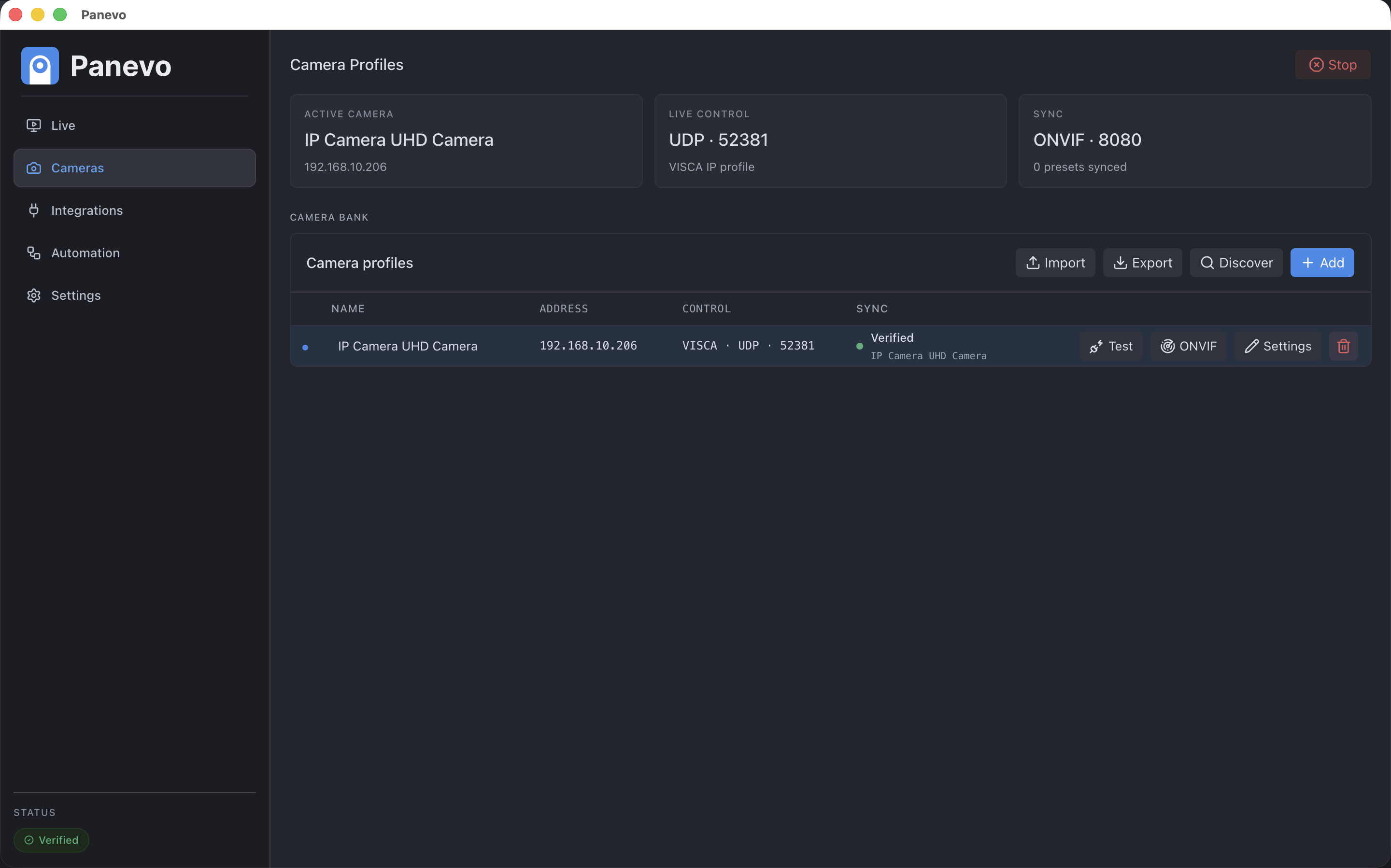
- 🎥 Control PTZ cameras live - use operator-focused controls for pan, tilt, zoom, focus, stop, and emergency stop
- 🎛️ Manage camera profiles - configure and switch between multiple cameras from one desktop app
- 📍 Recall and store presets - keep a local named preset list mapped to camera preset numbers
- 🔎 Probe cameras with ONVIF - discover camera metadata, media profiles, RTSP stream URIs, and numeric presets where supported
- ⚡ Use VISCA for responsive movement - keep VISCA as the default live control route for the tested Tenveo workflow
- 🎬 Switch OBS scenes - connect to OBS websocket, show the active scene, and switch scenes from the Control view
- 🏁 Monitor RotorHazard race state - connect to RotorHazard over Socket.IO, show active heat and race status, and keep race-aware automation paused when timing data is stale
- ⌨️ Configure operator shortcuts - use foreground PTZ/zoom shortcuts in Control and global preset shortcuts while Panevo runs in the background
- 🎮 Map control devices - select a standard gamepad/joystick-style input device, map axes and buttons, and gate live camera movement behind a deadman input
Panevo has been validated with a Tenveo PTZ camera.
- VISCA over IP using UDP
- VISCA port
52381 - ONVIF port
8080 - Pan speed range
1-24 - Tilt speed range
1-24 - Zoom speed range
1-8
Hardware validation notes live in docs/hardware/tenveo-hardware.md.
Control device support currently targets devices exposed through the standard browser Gamepad API. Radio-style controllers are treated as standard input devices first, not as hardware-specific integrations.
- Add a camera profile with the camera IP address and protocol settings.
- Probe ONVIF when available to discover metadata, stream URIs, media profiles, and numeric presets.
- Select the active camera before moving or recalling shots.
- Operate the camera live with PTZ, zoom, focus, stop, and preset controls.
- Configure integrations, shortcuts, and control devices when you want OBS scene switching, RotorHazard race-state monitoring, keyboard-based controls, or mapped gamepad/joystick-style input.
- Keep preview external through OBS, NDI Studio Monitor, camera-native tools, or another confidence monitor.
docs/product/roadmap.mddocs/product/mvp-checklist.mddocs/integrations/integrations.mddocs/integrations/integration-use-cases.md
If Panevo helps your club, event, or race-day workflow, you can help fund continued development and maintenance.
- Support the project through GitHub Sponsors
- Send a one-off contribution through Ko-fi
You are welcome to contribute to Panevo. You can find a guide on how to contribute in CONTRIBUTING.md.
Distributed under the MIT License - see LICENSE for details.
