CrowdAssist is a browser extension for Chrome and Firefox aimed at bug bounty researchers working on Bugcrowd. It adds report-writing and submission-management helpers to the pages you already use, some of them backed by an AI model.
Most of it is small stuff that removes friction: exporting a report as Markdown, keeping your session from timing out, formatting images the way triage asks for, and drafting replies to program teams.
Available globally when using Bugcrowd
- Auto-Renew Session - Automatically refreshes your Bugcrowd session every hour to prevent the 2-hour timeout, keeping you logged in during long research sessions
Available on Bugcrowd report creation pages
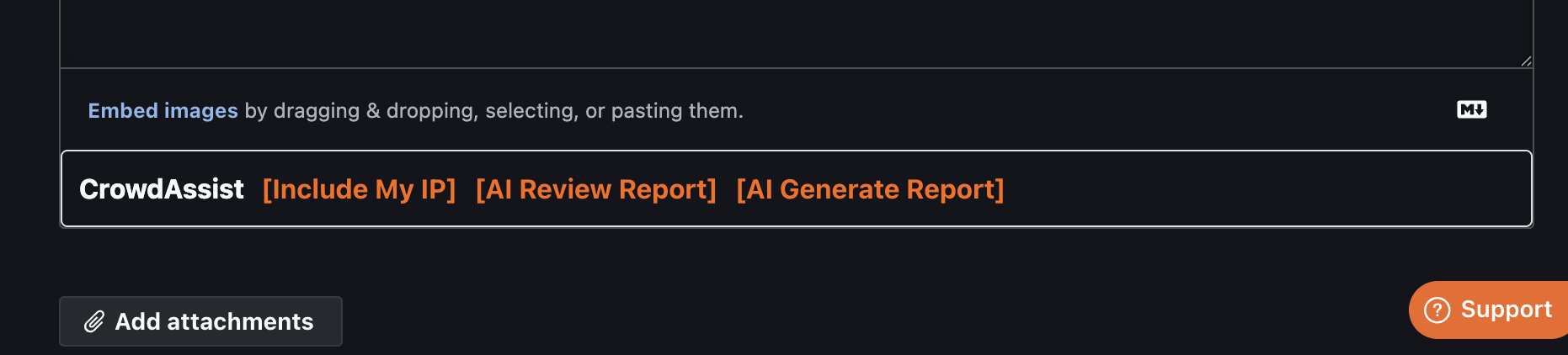
- Include Your IP - Insert your public IP address into reports with one click
- Fix Formatting - Apply the report formatting Bugcrowd asks for. Currently prefixes every image embed with
>; skips images already quoted and anything inside a fenced code block, and leaves non-image attachments alone - AI Report Review ✨ - Runs your draft through the AI model and suggests fixes to wording and structure
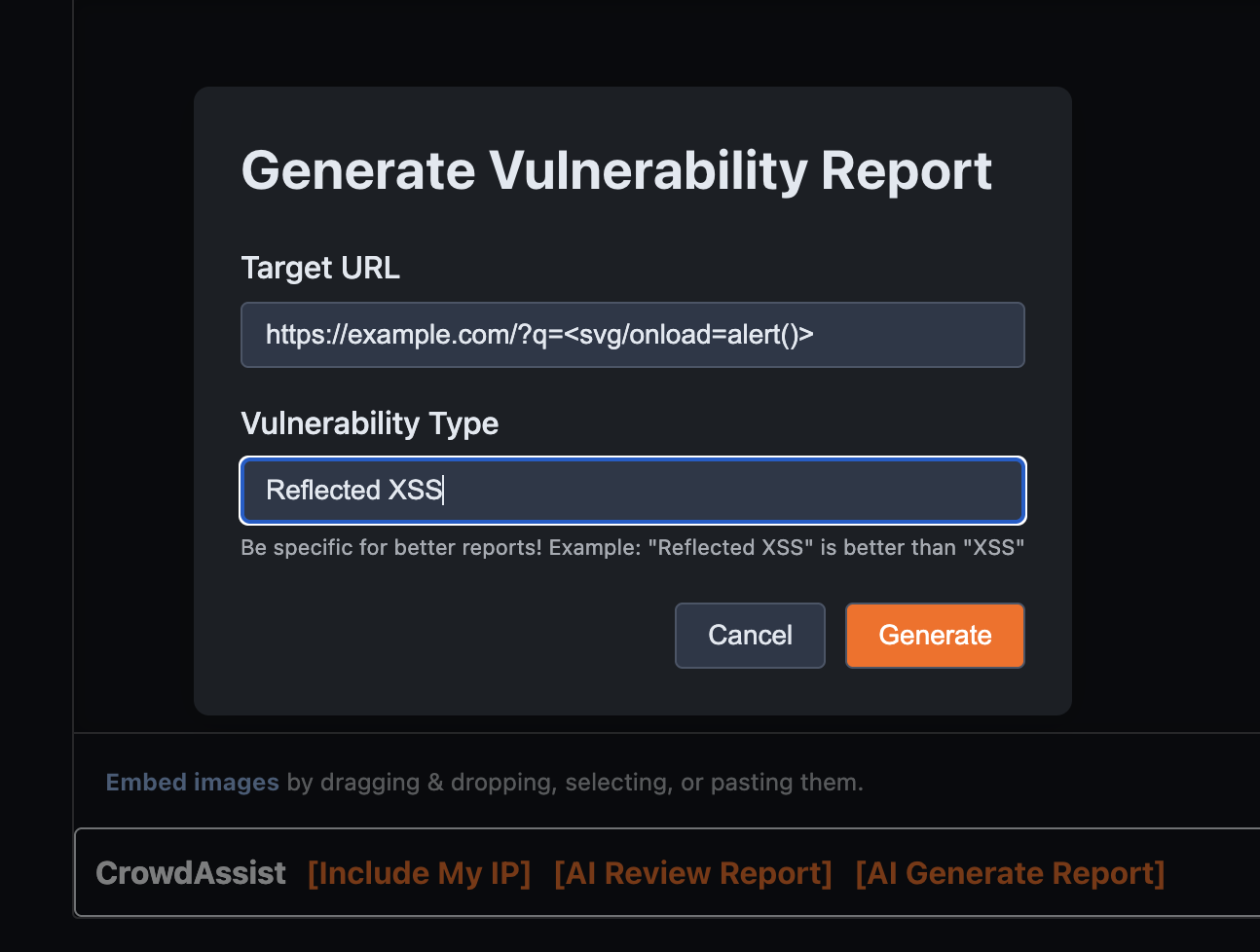
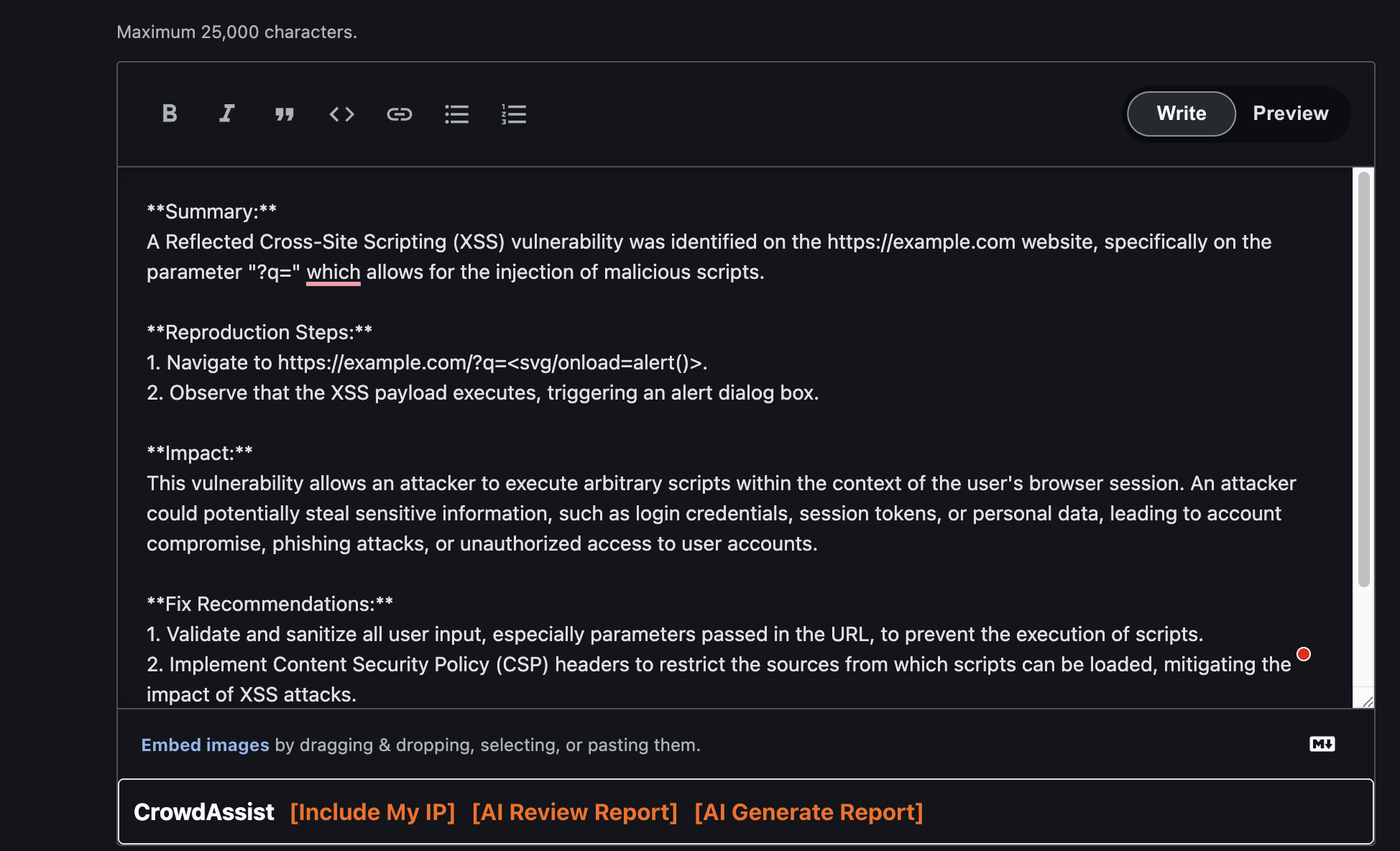
- Auto Create Report (Experimental) ✨ - Drafts a full report from what you have so far. Treat the output as a starting point, not something to submit as-is
Available on Bugcrowd submission pages
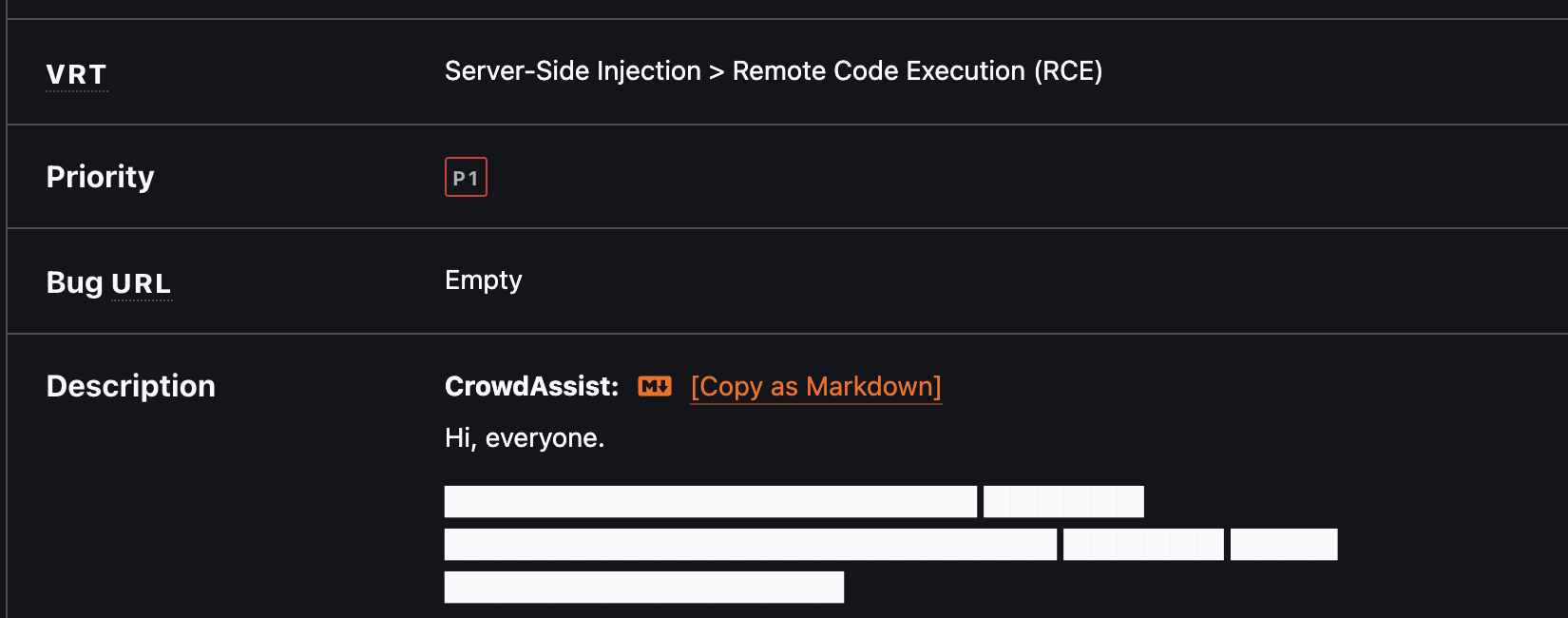
- Copy as Markdown - Export complete submission reports as properly formatted Markdown
- Triage Time Insight - Shows how long triage took, displayed under the Status panel. Measured from submission to the first state change, so it appears on every decided submission (Triaged, Resolved, Unresolved, Not Applicable, Informational…) and stays hidden only while the report is still New
- Hide Bounties - Toggle to hide every reward figure: the bounty sidebar and each card's reward on the submissions list, plus the reward and any reward activity on individual submission pages. Switch it from the on-page button or the synced checkbox in the popup; your choice is remembered across reloads
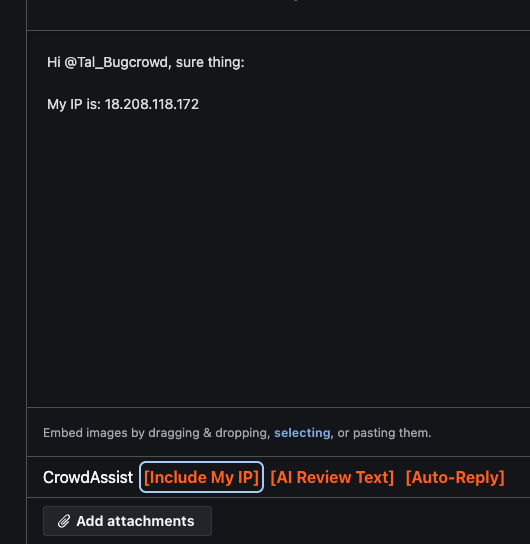
- Smart Commenting - Additions to the comment box:
- Include Your IP - Add your public IP to the report comments
- Fix Formatting - Apply the report formatting Bugcrowd asks for. Currently prefixes every image embed with
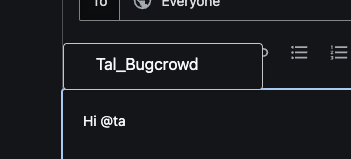
>; skips images already quoted and anything inside a fenced code block, and leaves non-image attachments alone - Username Mentions - Type
@+ name for autocomplete of Program Managers or Platform Team - AI Review Text ✨ - Cleans up grammar and phrasing in a comment without changing what you said
- Auto-Reply ✨ - Drafts a response to the last program team comment. Read it before you send it
Exporting a submission report as Markdown
Review and drafting tools on the report creation page
The comment box additions
See CHANGELOG.md for the full release history.
CrowdAssist uses different manifest versions for Chrome and Firefox due to browser-specific requirements. A helper script is provided to easily switch between them.
- Download this repository as a ZIP file and unzip it, or clone the repository.
- Ensure you're using the Chrome manifest (default):
./switch-manifest.sh chrome
- Open your browser and navigate to
chrome://extensions(or equivalent). - Enable "Developer mode" using the toggle in the top-right corner.
- Click the "Load unpacked" button.
- Select the
extensiondirectory.
- Download this repository as a ZIP file and unzip it, or clone the repository.
- Switch to Firefox manifest:
./switch-manifest.sh firefox
- Open Firefox and navigate to
about:debugging#/runtime/this-firefox. - Click "Load Temporary Add-on".
- Navigate to the
extensiondirectory and selectmanifest.json.
Important: Firefox always reads the file named
manifest.jsonfrom the extension directory. The switch script temporarily replaces it with the Firefox-compatible version.
When testing in both browsers during development:
# Switch to Firefox mode
./switch-manifest.sh firefox

# Switch back to Chrome mode
./switch-manifest.sh chrome
The script automatically backs up and restores the correct manifest for each browser.
The extension is now installed and will be active on Bug Bounty Platform pages (Refresh could be needed).
Technical Note: Chrome requires Manifest V3 with service workers, while Firefox uses the more stable Manifest V2 with background scripts. The JavaScript code is identical - only the manifest differs. See BROWSER_COMPATIBILITY.md for detailed technical information.
Click the CrowdAssist extension icon in your browser toolbar to access settings:
The Auto-Renew Session feature is enabled by default and works automatically in the background:
- Refreshes your Bugcrowd session every hour
- Prevents the 2-hour session timeout
- Can be toggled on/off in the extension popup
Note: This feature works silently in the background. Make sure you're logged into Bugcrowd for it to function properly.
The AI features need an OpenAI API token:
- Get your API token from OpenAI's platform
- Click the CrowdAssist icon in your browser and enter your API token
- Save settings and start using AI features
Note: Your API token is stored locally in your browser and never shared. Basic features like "Copy as Markdown", "Username Mentions", and "Auto-Renew Session" work without an API token.
- bsysop - Creator
- Twitter: @bsysop
This is an open-source project. If you have an idea for a feature or you found a bug, open an issue or send a pull request.
-
Testing in Both Browsers:
- Use
./switch-manifest.sh chromeor./switch-manifest.sh firefoxto switch between browser manifests - Test all features in both browsers before submitting PRs
- Use
-
Building Distribution Packages:
./build.sh
This creates ready-to-distribute ZIP files in the
dist/directory:crowdassist-chrome.zip- For Chrome Web Storecrowdassist-firefox.zip- For Firefox Add-ons (AMO)
-
Code Structure:
- All JavaScript files include browser API polyfills for cross-browser compatibility
- Manifest files are browser-specific but the codebase is shared
- See BROWSER_COMPATIBILITY.md for technical details
- Implement Hackerone support (Under review)
- Implement YesWeHack support (Under review)
- Implement Intigriti support (Under review)
- Copy/Export Program Scope
- etc
CrowdAssist only reads data on Bug Bounty Platform pages, such as usernames for autocomplete and submission content for report export.
Session Management: The Auto-Renew Session feature reads your Bugcrowd session cookies to maintain your login session. These cookies are only used to send refresh requests to Bugcrowd's servers and are never transmitted elsewhere.
API Token: Your OpenAI API token is stored locally in your browser and never shared externally.
The extension does not collect or store your data, and it sends nothing to third parties. The source is all here if you want to check.