A Simple Example explaining how to host pyrogram-made bots in Heroku.
please run kit.py before bot.py
1. Obtain a Bot Token from @botfather in Telegram. 4. Make your own Procfile and requirements.txt as in the Repo above. Hosting pyrogram-bot using heroku-CLI: 1. Firstly, go the directory where your bot files are present. 2. Open a Terminal in that directory and login to your account by using the following code. $ heroku login
3. Then create a new app in heroku by executing the following code. $ heroku create
This will assign a random name with git url for your app. To create an app with custom name, execute the following code.
$ heroku create YourAppName
4. Now, without asking anything, type the following lines of code one by one. $ git init
$ git add .
$ git commit -m "initial commit"
$ heroku git:remote -a YourAppName
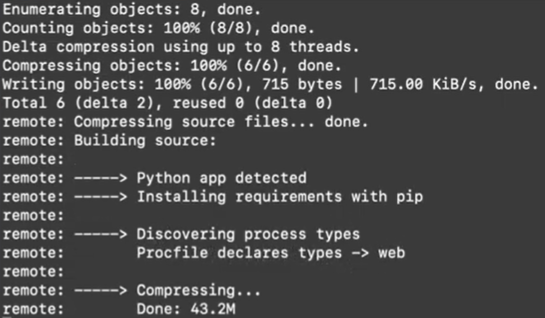
$ git push heroku master
You should then see the following messages:
5. Wohooo! you have deployed your bot to heroku. 6. Now, to start the bot, type the following code. $ heroku ps:scale worker=1
7. Now, you would've noticed that the bot starts to respond to your messages. Please star and fork my repo if you like it..