⚠️ This is an experimental fork of langchain-ai/openwiki.The purpose of this fork is to experiment with adding OKF (Open Knowledge Format) output support to OpenWiki — a code-owned frontmatter convention that makes every generated page machine-verifiable (see the OKF output section).
Just as important as the feature is how it was built: entirely with Spec-Driven Development (SDD) using OpenSpec and Claude Code running in GitHub Actions. Each capability was proposed as a spec, reviewed, then implemented and merged through automated PRs — the
openspec/directory and this repo's PR history show the full trail.Key files this change touched:
File Role in the OKF change src/agent/okf.tsThe heart of the feature — the frontmatter parse/build/stamp helpers, the OKF §9 validator and deterministic repair, root index.md/log.mdgeneration, atomic writes, the pluggable type taxonomy, and the conformance report.src/agent/index.tsWires the OKF pass into the agent run, invoked only when --okfis enabled.src/agent/utils.tsShared directory-walk / metadata-file-skipping traversal reused by the OKF pass. src/agent/types.ts·src/agent/prompt.tsRun-result typing and the Phase 1/2 prompt contract for OKF-aware generation. src/commands.ts·src/env.ts·src/startup.tsCLI plumbing: the --okf/--no-okf/--okf-checkflags and theOPENWIKI_OKFenv resolution.src/constants.tsOKF_VERSION, reserved paths (.okf-state.json,log.md), and the type taxonomy constants.test/okf.test.ts·test/cli-okf-check.test.ts·test/agent-okf-integration.test.tsUnit, CLI, and integration coverage, backed by conformant/non-conformant fixture bundles under src/agent/__fixtures__/okf.openspec/·specs/openwiki-okf-implementation-report.mdThe spec-first trail: each OKF capability as an OpenSpec change (proposal → design → tasks → spec) plus the full implementation report.
OpenWiki is a CLI that writes and maintains agent wikis for codebases or purpose memory. It's built specifically for agents, can ingest local knowledge sources through built-in connectors or git repositories and synthesize them into a local wiki.
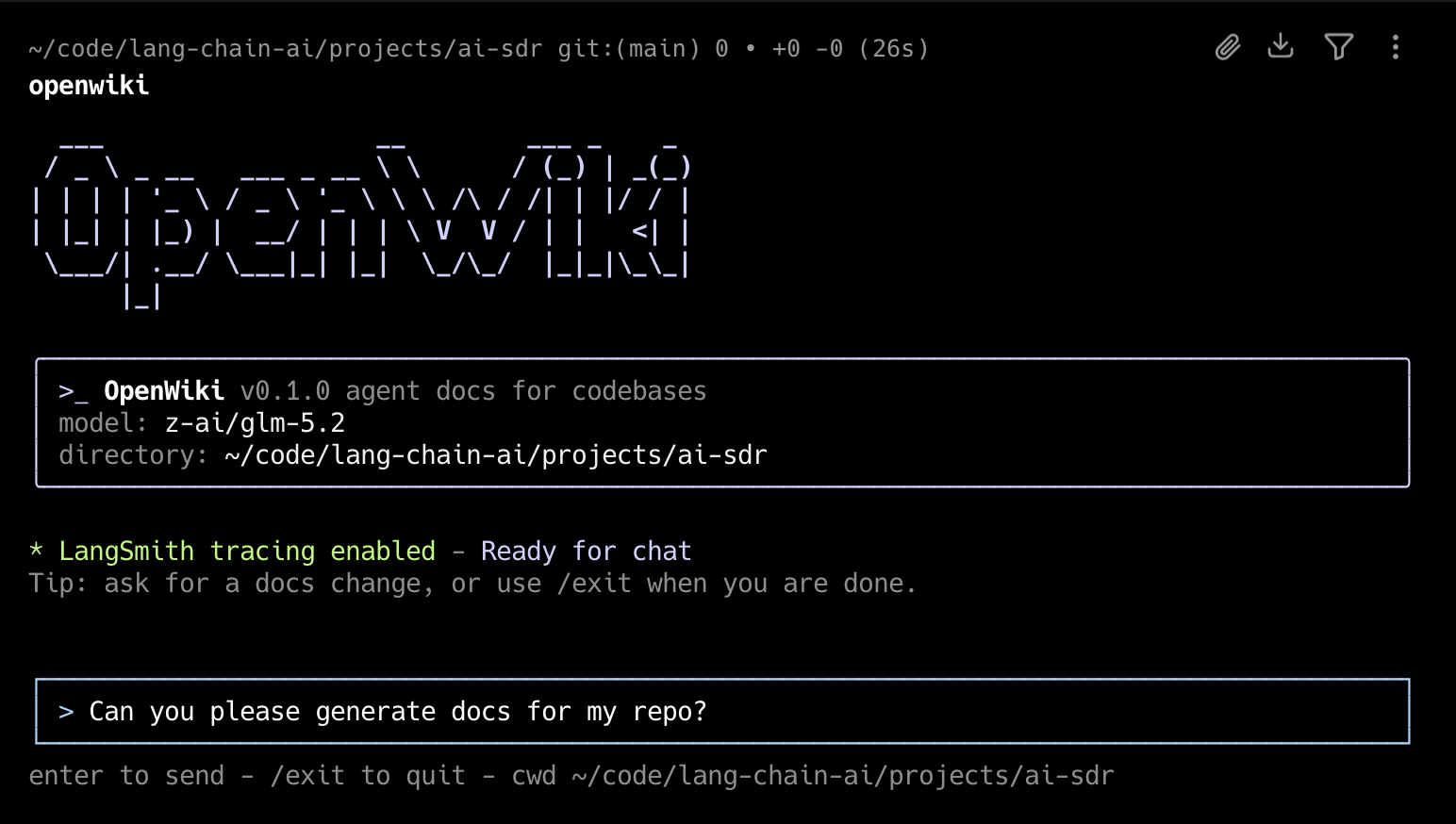
npm install -g openwikiInitialize OpenWiki, configure your model and API key, then generate documentation
# Personal brain mode
openwiki personal --init

# Code brain mode
openwiki code --init
OpenWiki has two modes:
- Personal mode builds a local personal brain wiki in
~/.openwiki/wikifrom configured sources like local repositories, Gmail, Notion, Web Search, Hacker News, and X/Twitter. - Code mode builds repository documentation in
openwiki/for the current codebase.
Choose openwiki personal --init for a local personal brain wiki or
openwiki code --init for repository documentation.
Then to ensure your documentation stays up-to-date, add the CI workflow for your Git provider to automatically open a PR or merge request with documentation updates:
- GitHub Actions: copy openwiki-update.yml into
.github/workflows/openwiki-update.yml. - GitLab CI: copy openwiki-update.gitlab-ci.yml into
.gitlab-ci.ymlor include it from your existing GitLab pipeline.
For repository documentation in GitHub Actions, use
openwiki code --update --print. You do not need to run --init in CI:
--update will create the initial openwiki/ docs if they do not exist yet, as
long as the workflow provides the required provider and model environment
variables.
Start the interactive CLI:
openwikiStart OpenWiki with an initial request:
openwiki "Please generate documentation for this repository"Run a single command and exit:
openwiki -p "Summarize what you can do"Initialize OpenWiki:
openwiki personal --initInitialize repository code documentation:
openwiki code --initUpdate existing documentation:
openwiki --updateUpdate repository code documentation:
openwiki code --updateRun an update that can ingest configured local connectors first:
openwiki --update "Refresh the wiki from configured connectors"Show help:
openwiki --helpIn chat, use /api-key to update the current provider API key and
/langsmith-key to update or clear LangSmith tracing credentials. Both commands
use masked prompts.
Authenticate a connector provider:
openwiki auth slack
openwiki auth gmail
openwiki auth x
openwiki auth notion
Start an ngrok tunnel for Slack OAuth:
openwiki ngrok startThis starts ngrok with a random HTTPS forwarding URL. OpenWiki reads ngrok's
local inspection API, appends /callback, and saves
OPENWIKI_HTTPS_OAUTH_REDIRECT_URI automatically. Register the printed callback
URL in Slack. If you have a fixed ngrok domain, run
openwiki ngrok start https://<your-ngrok-domain>. X/Twitter and Gmail auth
ignore that HTTPS override and keep using the local loopback callback,
http://127.0.0.1:53682/callback.
openwiki creates initial repository documentation in openwiki/ when no wiki exists. Source ingestion runs and scheduled connector updates maintain the local general-purpose wiki in ~/.openwiki/wiki/. By default, the CLI stays open after each run so you can send follow-up messages. Use -p or --print for a one-shot non-interactive run that prints the final assistant output.
Use openwiki personal --init for the local personal brain wiki or openwiki code --init for repository documentation. Bare openwiki --init is no longer supported because init needs an explicit mode. openwiki --update defaults to personal mode unless you pass code, personal, or --mode.
openwiki will automatically append prompting to your AGENTS.md and/or CLAUDE.md files to instruct your coding agent to reference it when searching for context. If the file does not already exist in your repository, OpenWiki will create it for you.
On the first interactive run, OpenWiki will have you configure your inference provider, API key, and LLM. You will also be able to set a LangSmith API key to trace your OpenWiki runs to a LangSmith tracing project named "openwiki" (optional).
These configuration options and secrets will be saved to ~/.openwiki/.env on your local machine.
OpenWiki's first-run onboarding offers connector setup for local Git repositories, Notion, Gmail, X/Twitter, Web Search, and Hacker News. During an ingestion run, deterministic connector tools write raw data and manifests under ~/.openwiki/connectors/<connector>/raw/, then source-specific agent runs synthesize the local wiki under ~/.openwiki/wiki/ from those local files.
You can configure the same connector more than once. For example, add one Web
Search source for AI research and another for NBA news; OpenWiki stores them as
separate source instances such as web-search-1 and web-search-2. Run all
instances with openwiki ingest all, all instances for one connector with
openwiki ingest web-search, or one instance with
openwiki ingest web-search-2.
git-reporeads configured local repository paths and writes compact manifests.xuses the X API directly with OAuth user-context credentials for home timeline, user posts, mentions, bookmarks, and list posts.notiontargets the hosted Notion MCP server, so users should authenticate through Notion OAuth instead of pasting a Notion token into OpenWiki.googleuses the Gmail API directly with OAuth user credentials to fetch recent mail, with room to add Drive, Calendar, and other Google providers later.web-searchuses Tavily through LangChain and requiresTAVILY_API_KEY.hackernewsuses public Hacker News feed and search APIs, with no credentials required.
Connector secrets are referenced by env var name and stored in ~/.openwiki/.env; connector config files should never contain raw secret values.
openwiki auth <provider> runs a local browser OAuth flow, saves returned tokens into ~/.openwiki/.env, creates connector config when possible, and discovers MCP tools for MCP-backed providers. Slack and Gmail require app client credentials to already be set in that file; Notion uses dynamic client registration for hosted MCP; X uses OAuth 2.0 with PKCE. After openwiki auth gmail, the Google connector can ingest Gmail directly with no MCP transport setup.
openwiki auth configure <provider> and openwiki auth tools <provider> are advanced/retry commands for regenerating connector config or inspecting live MCP tools.
First-run onboarding also lets users choose a wiki template, customize its scope,
and save per-source ingestion notes and source schedules in
~/.openwiki/onboarding.json. The global personal wiki instructions are saved
in ~/.openwiki/INSTRUCTIONS.md. On macOS, source schedules are installed as
user LaunchAgents under ~/Library/LaunchAgents/ and write logs under
~/.openwiki/logs/.
See the OpenWiki operations docs for credential storage and provider setup notes.
OpenWiki supports OpenAI (with an API key or a ChatGPT login), OpenRouter, Fireworks, Baseten, an OpenAI-compatible provider, and Anthropic out of the box. The onboarding default is OpenAI with gpt-5.5, and each inference provider also includes pre-defined model options plus support for custom model IDs.
To route the Anthropic provider at an alternative, Anthropic-compatible endpoint
(for example a self-hosted or proxied gateway) instead of the default API, set
ANTHROPIC_BASE_URL alongside ANTHROPIC_API_KEY:
OPENWIKI_PROVIDER=anthropic
ANTHROPIC_API_KEY=your-key
ANTHROPIC_BASE_URL=https://your-gateway.example.com/anthropicThe openai-compatible provider targets any OpenAI-compatible chat-completions
endpoint via a required base URL. This can be used for OpenAI-compatible LLM
endpoints like those exposed by a LiteLLM gateway when it is used as a gateway —
letting you reach whatever upstream providers the gateway fronts through a single
OpenAI-shaped API. Set the model ID to whatever name the gateway exposes:
OPENWIKI_PROVIDER=openai-compatible
OPENAI_COMPATIBLE_API_KEY=your-gateway-key
OPENAI_COMPATIBLE_BASE_URL=https://your-gateway.example.com/v1
OPENWIKI_MODEL_ID=your-gateway-model-nameThe openai-chatgpt provider calls OpenAI's Codex backend using your ChatGPT
subscription instead of a metered API key. Model usage draws on your ChatGPT
Plus/Pro/Team plan's included Codex usage rather than per-token API billing. It
serves the same models as the openai provider (gpt-5.4-mini, gpt-5.5).
Instead of pasting an API key, run the setup wizard and complete a browser login:
OPENWIKI_PROVIDER=openai-chatgpt openwiki code --init
# or
OPENWIKI_PROVIDER=openai-chatgpt openwiki personal --init
The wizard opens https://auth.openai.com in your browser (and also prints the
URL for headless/SSH use, where you can open it on another machine — or paste the
redirect URL back into the terminal to finish without a callback). After you sign
in with your ChatGPT account, OpenWiki captures the OAuth callback, shows the
signed-in email and plan, and then continues to model and LangSmith selection
just like the other providers. It stores the resulting access token, refresh
token, expiry, account id, email, and plan in ~/.openwiki/.env
(OPENAI_CHATGPT_ACCESS_TOKEN, OPENAI_CHATGPT_REFRESH_TOKEN,
OPENAI_CHATGPT_EXPIRES_AT, OPENAI_CHATGPT_ACCOUNT_ID, OPENAI_CHATGPT_EMAIL,
OPENAI_CHATGPT_PLAN). These are managed for you — the access token is refreshed
automatically when it expires, so you normally never edit them by hand. Treat the
refresh token like a password.
Base URLs (and all credentials) can be set in your environment or stored in ~/.openwiki/.env.
OpenWiki uses LangChain's built-in retry handling for transient provider errors.
To override the number of retries after the first provider request, set OPENWIKI_PROVIDER_RETRY_ATTEMPTS:
OPENWIKI_PROVIDER_RETRY_ATTEMPTS=3The value must be a positive integer. If the value is unset, OpenWiki defaults to 3 retries.
If there's an inference provider or model you'd like to see added, please open a PR!
OKF (the Open Knowledge Format) is an optional, code-owned frontmatter convention: when enabled, OpenWiki stamps every page it writes with a type, title, description, and timestamp (preserving any other frontmatter a page already carries), regenerates a root openwiki/index.md, and appends a dated entry to openwiki/log.md. See specs/openwiki-okf-implementation-report.md for the full design.
Enable it with --okf (disable with --no-okf), or set it for every run with the OPENWIKI_OKF environment variable (1/true, case-insensitive). A flag on the command line always wins over the env key, which wins over the default (off):
openwiki --okf --updateOPENWIKI_OKF=1index.md and log.md are reserved: they are fully code-generated and should not be hand-edited. The root index.md declares okf_version: "0.1" in its frontmatter; every other page's type is drawn from a fixed taxonomy keyed off its top-level directory (Repository Overview, Architecture, Workflow, Domain Concept, API Reference, Data Model, Operations, Integration, Testing, Reference — unrecognized directories fall back to Reference and are flagged as a warning, not a failure).
Because the code — not the model — owns the frontmatter block, a bundle produced with --okf is machine-verifiable: run openwiki --okf-check to inspect an existing bundle for conformance without generating or repairing anything. It exits 0 when every page carries valid frontmatter and the reserved files are well-formed, and exits non-zero (printing which files failed and why) otherwise — making it a drop-in gate for a scheduled CI run:
openwiki --okf-check--okf-check is standalone: it runs the conformance check and exits without starting the documentation agent, so any other flags or a message passed alongside it (--init, --update, --modelId, etc.) are ignored.
Contributions are welcome! Please read CONTRIBUTING.md before opening a PR. We intentionally keep PRs tightly scoped to one change each, and PRs that bundle unrelated changes may be closed with a request to split them.