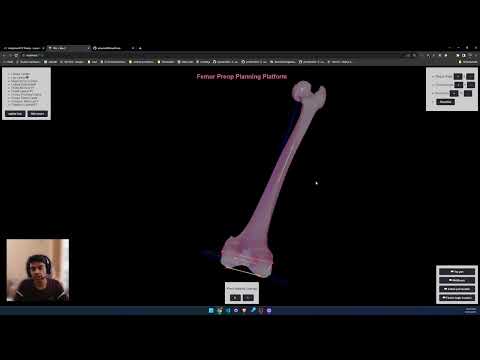
The Knee Propping Application is a web app designed to help users plan knee propping activities. It is built using React Three Fiber.
To get started with the Knee Propping Application, follow these steps:
-
Clone the repository to your local machine using Git:
git clone https://github.com/assudani66/kneePreop.git -
Change to the project directory:
cd kneeProp -
Install project dependencies using Yarn:
yarn install -
Once all dependencies are installed, you can start the development server:
yarn start -
Open your web browser and navigate to
http://localhost:3000to access the Knee Propping Application.
The application's folder structure is organized as follows:
knee-propping-app/
  ├── src/
  │   ├── components/       # React components and 3d components
  │   ├── assets/           # Assets such as images and 3D models
  │   ├── styles/           # CSS styles and styling-related files
  │   ├── utils/            # Utility functions and helper scripts
  │   ├── App.js             # Main application component
  │   └── index.js           # Entry point for the application
  ├── public/                # Public assets and HTML template
  │   └── models/            # 3d Files
  ├── package.json           # Project dependencies and scripts
  ├── README.md              # This README file
  └── ...                    # Other configuration files and folders