
Android APK Malware Analysis Platform
Static + AI-powered dynamic analysis for APK threat detection


ScanAPK is a full-stack mobile application security platform. Upload an APK from your Android device and receive a comprehensive security report covering permissions, suspicious API calls, embedded URLs/IPs, tracker detection, YARA rule matches, native library analysis, call graph analysis, obfuscation heuristics, code similarity matching, and AI-powered threat classification via OpenRouter.
The platform consists of:
- Backend API server — FastAPI-based REST service that accepts APK uploads, runs analysis asynchronously, and stores results in a persistent SQLite database
- Analysis engine — Python package built on androguard, YARA, and custom heuristics for deep static analysis
- AI analyst — Optional OpenRouter integration that uses LLMs to classify threats, identify malware families, and generate human-readable findings
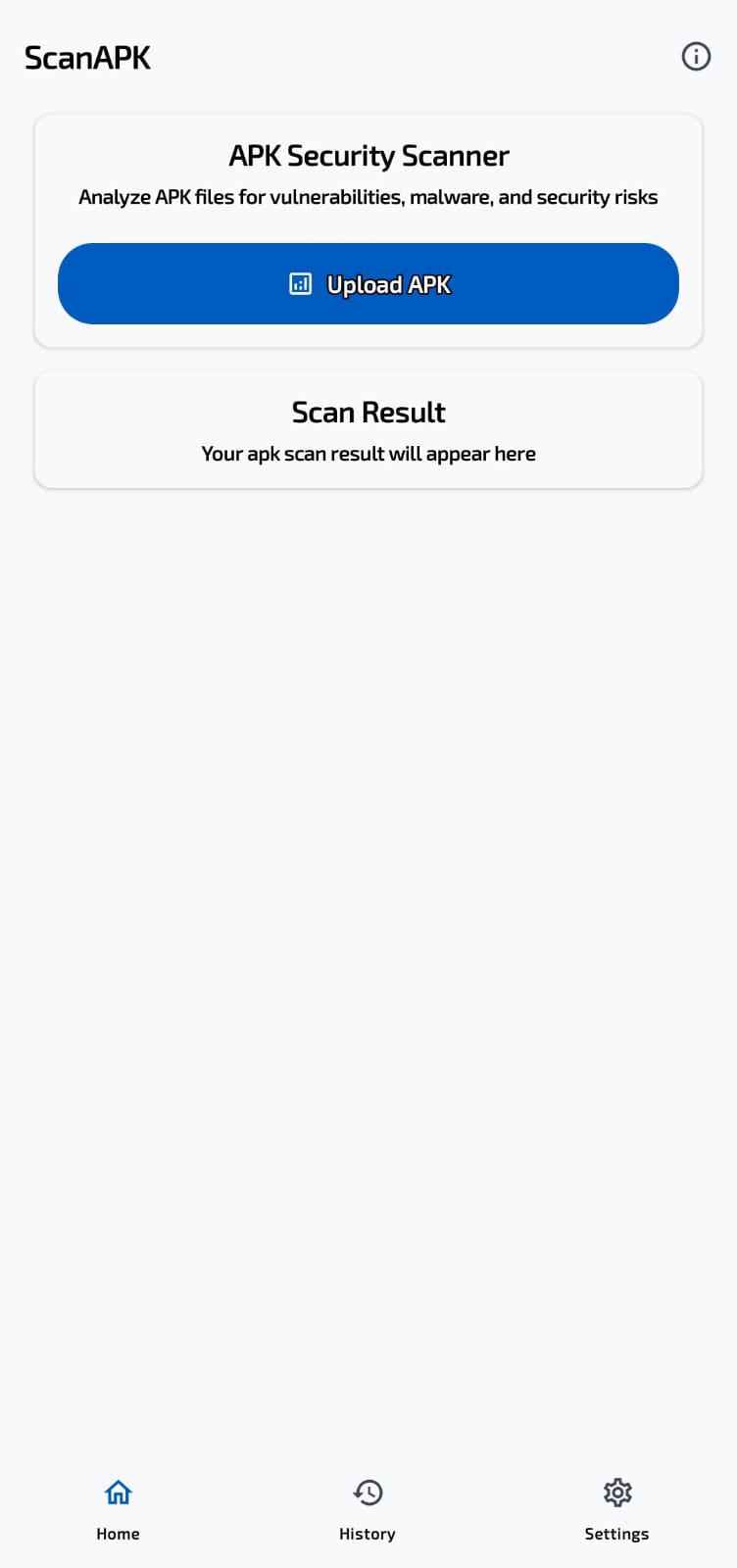
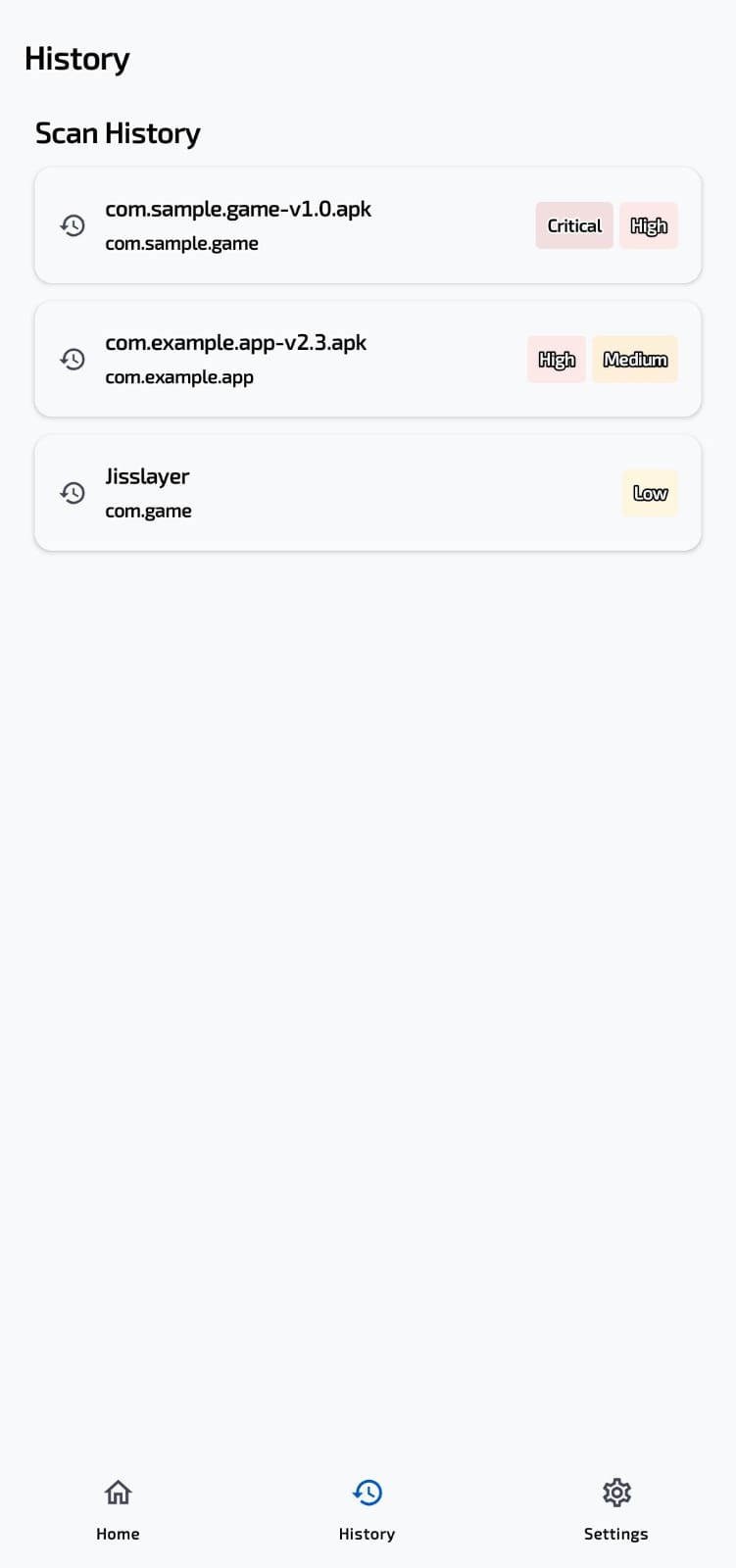
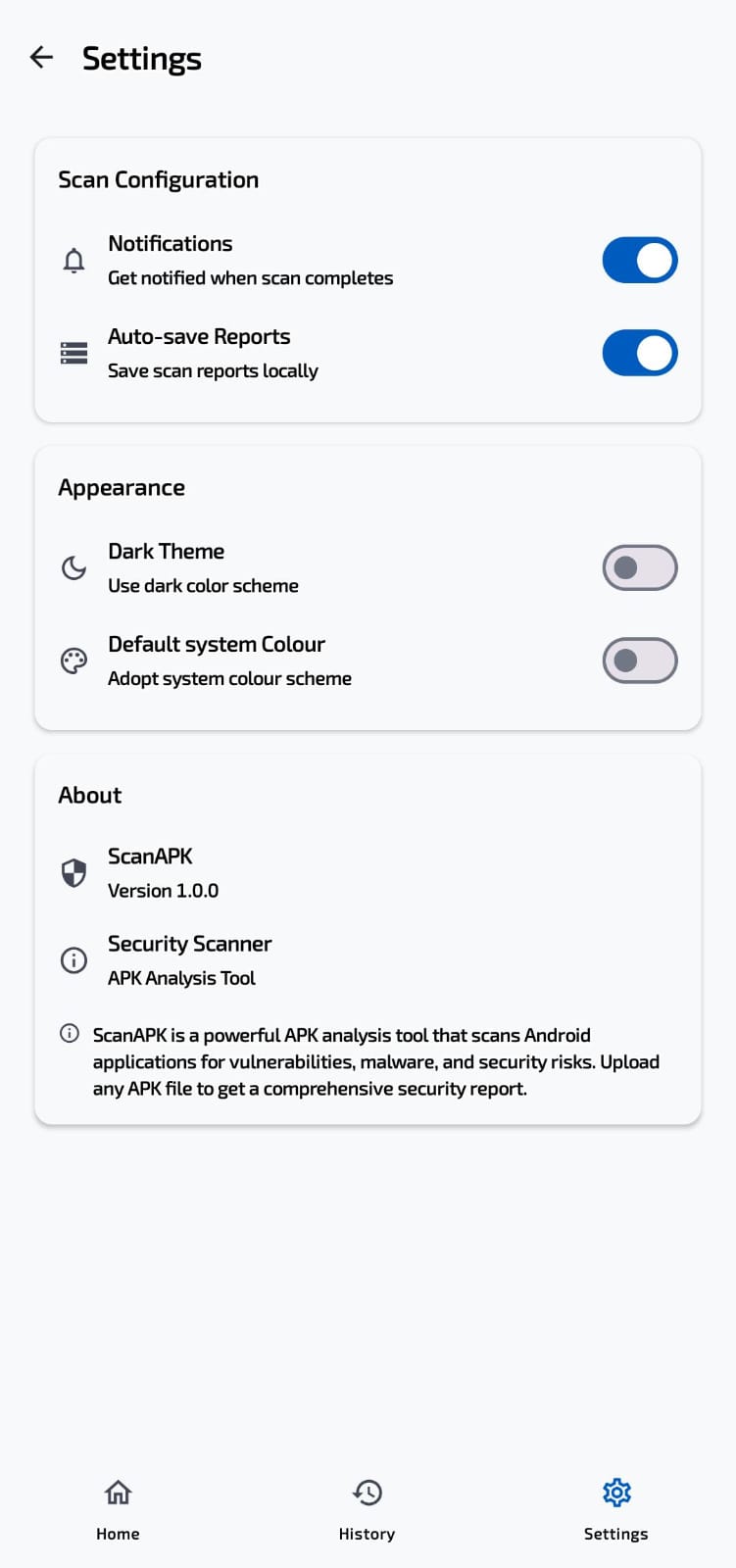
- Android app — Kotlin + Jetpack Compose frontend with dark theme, scan history, and real-time progress tracking
 |
 |
 |
| Module | Description |
|---|---|
| Permission Analysis | Scans for dangerous/abnormal permissions (SMS reading, device admin, accessibility service, etc.) and assigns weighted risk scores |
| DEX Bytecode Scanning | Decompiles DEX/APK to detect suspicious API calls — data theft, SMS interception, crypto misuse, shell execution, network activity |
| YARA Rule Matching | Runs bundled YARA rules against APK artifacts to detect known malware patterns |
| Embedded IOC Extraction | Extracts URLs, IP addresses, and API endpoints embedded in the decompiled code |
| Native Library Analysis | Inspects .so binaries for suspicious symbols, high-entropy sections, and JNI function patterns |
| Call Graph Analysis | Builds a call graph to detect exfiltration chains (sensitive API → network sink) and calculate graph metrics |
| Obfuscation Detection | Heuristics for reflection, dynamic class loading, string encryption, control-flow flattening, and anti-debugging |
| Tracker Detection | Identifies embedded tracking libraries (analytics, ads, profiling, location) with risk categorization |
| Code Similarity | Computes fuzzy hashes (TLSH/ssdeep) and searches against known malware hashes for similarity scoring |
| Signature Verification | Checks APK signing schemes, valid certificate chains, and known signer whitelist |
- OpenRouter integration — Sends analysis evidence to a configurable LLM for intelligent classification
- Chain-of-thought reasoning — Structured 3-phase analysis (catalog → reason → assess)
- Malware family identification — Detects ransomware, banking trojans, spyware, adware, etc.
- IOC enrichment — Extracts threat intelligence indicators from analysis context
- Confidence scoring — Calibrated LOW / MEDIUM / HIGH confidence per finding
- Weighted scoring engine that runs before any AI analysis — ensures results are never purely LLM-dependent
- Scores 0–100 across permission risk, API abuse, embedded IOCs, tracker presence, native analysis findings, obfuscation level, and code similarity matches
- Severity classification: CLEAN / LOW / MEDIUM / HIGH / CRITICAL
- RESTful endpoints —
POST /scan,GET /status/{job_id},GET /report/{job_id},GET /report/{job_id}/summary - Persistent job queue — SQLite-backed job tracking survives server restarts
- API key authentication — Bearer token via
Authorizationheader - Rate limiting — Configurable via
SCANAPK_RATE_LIMITenvironment variable - File validation — Rejects files over 200 MB
- CORS enabled — Ready for cross-origin mobile app requests
- Material 3 / Jetpack Compose — Modern UI with light and dark theme
- APK upload from device — Pick any APK file from storage and upload for analysis
- Real-time progress — Polls job status with live status updates
- Comprehensive report view — Risk score gauge, severity breakdown, verdict, key findings, recommendations
- Detailed evidence — Permission list, suspicious APIs, YARA matches, URL/IP extract, tracker info, native analysis
- Scan history — Persistent local history of all past scans with results cached
- Settings screen — Server URL configuration, history management, app info
scanapk.app/
├── packages/
│   ├── scanapk-backend/       # Core analysis engine (Python package)
│   │   └── scanapk_backend/   #  - core/ (analysis modules)
│   │                          #  - report/ (report generation)
│   │                          #  - data/ (YARA rules, tracker DB)
│   └── api-server/            # FastAPI REST server
│       ├── api_server/        #  - main.py (FastAPI app)
│       └── tests/             #  - API endpoint tests
├── apps/
│   └── android/               # Android frontend (Kotlin + Compose)
│       └── app/src/main/java/com/scanapk/app/
│           ├── model/         # Data models (ScanResult, Severity, etc.)
│           ├── network/       # Retrofit API client
│           ├── ui/            # Compose screens & components
│           └── viewmodel/     # ScanViewModel
├── assets/
│   └── ui/                    # Screenshots for README
├── Makefile                   # Top-level commands
└── run.sh                     # Unified launcher (backend + Android deploy)
- Python 3.12+
- Java 17+ (JDK)
- Android SDK (set
ANDROID_HOMEor uselocal.properties) - ADB (for USB-connected device deployment)
- Android device with USB debugging enabled (or emulator)
# Clone the repository
git clone https://github.com/arif39x/scanapk.app.git
cd scanapk.app

# Install all Python dependencies
make install

# Or manually:
pip install -e packages/scanapk-backend
pip install -r packages/api-server/requirements.txt
pip install -e packages/api-serverCopy the environment template and add your API keys:
cp packages/api-server/.env.example packages/api-server/.envEdit packages/api-server/.env:
# Required for API auth (leave empty to disable)
SCANAPK_API_KEY=your-secret-api-key

# Optional: OpenRouter key for AI-powered analysis
OPENROUTER_API_KEY=sk-or-v1-your-key-here# Run all tests
make test
# Run only core engine tests
make test-core
# Run only API server tests
make test-apimake install
cd packages/api-server
PYTHONPATH=../scanapk-backend uvicorn api_server.main:app --host 0.0.0.0 --port 8000 --reloadConnect your Android device via USB with debugging enabled, then:
./run.shThis script will:
- Set up the Python virtual environment (first run only)
- Start the FastAPI backend server
- Set up
adb reverseport forwarding so the phone can reach the backend - Build the Android app via Gradle
- Install and launch the app on your device
Press Ctrl+C to stop the backend and clean up.
cd apps/android
./gradlew assembleDebug
adb install -r app/build/outputs/apk/debug/app-debug.apk
adb reverse tcp:8000 tcp:8000
adb shell am start -n com.scanapk.app/.MainActivity| Method | Path | Description |
|---|---|---|
POST |
/scan |
Upload APK for analysis (multipart form) |
GET |
/status/{job_id} |
Get scan job status and progress |
GET |
/report/{job_id} |
Get full scan report (JSON) |
GET |
/report/{job_id}/summary |
Get condensed report summary (JSON) |
GET |
/history |
List recent scan jobs |
DELETE |
/jobs/{job_id} |
Delete a scan job and its files |
All endpoints except /scan are read-only and respect rate limits.
Backend
- Python 3.12+, FastAPI, Uvicorn
- androguard (APK parsing + DEX analysis)
- YARA (pattern matching)
- Capstone (native binary disassembly)
- OpenRouter / OpenAI (AI analysis)
- slowapi (rate limiting)
- SQLite (job persistence)
Android
- Kotlin 2.1.0, Jetpack Compose, Material 3
- Retrofit + OkHttp (networking)
- Navigation Compose (screen routing)
- ViewModel + StateFlow (reactive UI)
DevOps
- Make (task runner)
- Ruff (Python linting)
- Pytest (testing)
- GitHub Actions (CI)
MIT