

See exactly where every website sends your data in real time, entirely in your browser.
TraceMapper is a privacy transparency browser extension that gives users a window into activity that was already occurring in their browser. Every website you visit makes dozens of outbound requests to third-party servers such as advertising networks, analytics platforms, social media trackers and fingerprinting services. Until now, this happened invisibly. TraceMapper helps make it visible.
TraceMapper does not intercept, block, or modify any traffic. It simply shows you what your browser is already doing. This tool exists because users have a right to see that activity, and TraceMapper will visualise it for you.
This project is part of a broader portfolio of privacy tools I've built in response to regulatory guidance on privacy by design, data minimisation and end-to-end encryption (E2EE) best practices.
TraceMapper was built with the same privacy principles it is designed to expose in others. Every design decision, from default state to data retention to optional features, was made by asking, "What is the minimum we need to store, and what should the user actively consent to?"
TraceMapper is disabled when first installed. It does not collect, intercept or process anything until the user explicitly turns it on. Most extensions begin running silently the moment they are installed, but TraceMapper requires explicit activation. This is a deliberate implementation of the ICO's data protection by default principle. The most privacy-protective setting is the starting point, and the user opts in rather than out.
This off-by-default design choice distinguishes TraceMapper from the very tools it is designed to scrutinise.
All session data is stored in the extension's memory only. Nothing is sent to any server — not to TraceMapper, not to any analytics service, not to anyone. When you navigate to a new page or close the tab you've activated the extension on, that session's data is cleared entirely. There is no history, no account, no cloud sync.
This is to ensure that TraceMapper does not store anything it sees and exists purely as a visualisation tool that does not harvest any user data. Session data exists in memory only and is cleared automatically on navigation. The only items ever written to storage are your on/off preference and, if you choose to install it, the optional Geo Database. No browsing history, no tracker history, no visited sites - nothing accumulates over time. This is as data-clean as you can get.
Disabling the extnesion also immediately clears all captured session data from memory. Nothing seen during the previous session is retained.
When TraceMapper intercepts an outbound request containing a JSON payload, it reads only the names of the fields (the keys) never the values. That is, it knows a request sent a field called user_id, but not what your user ID is. This distinction is fundamental and non-negotiable in the architecture.
For each outbound request made by a webpage you visit:
- Destination domain
- HTTP method
- Field names in JSON payloads (never values)
- Number of times that destination was called in the session
Nothing else.
- HTTPS payload values — TraceMapper reads field names before encryption, but values are never extracted
- Native mobile app traffic — the extension only sees browser traffic
- Traffic from other browsers
- Requests made by a page's own service worker
The extension's content script runs at document_start — before any page scripts execute — and wraps the browser's native fetch, XMLHttpRequest and WebSocket APIs. Every outbound request passes through these wrappers, which extract the destination hostname and payload field names before passing the request on unchanged. The page never knows TraceMapper is there, and the request is never delayed or modified.
Each destination domain is looked up against a built-in tracker database drawn from publicly available, openly licensed research, primarily DuckDuckGo Tracker Radar, EasyList and EasyPrivacy. This database classifies destinations by category (advertising, analytics, social, CDN, payment, fingerprinting) and risk level (high, medium, low).
All this is public knowledge, compiled by researchers doing exactly what TraceMapper does — observing network traffic across thousands of websites and cataloguing the results — and published openly for anyone to use. TraceMapper makes that research accessible to non-technical users in real time, and this tool similarly exists for academic purposes to visiblise what is typically invisible to the user.
Field names observed in payloads are classified against a field risk database. Fields like hashed_email, fbp and device_id are classified as high risk. Fields like page_url and session_id are medium risk. Operational fields like currency and locale are low risk. Unknown field names are flagged rather than guessed.
A categorised, risk-sorted list of every third-party destination that received data from the current page. Each entry shows the destination domain; category; risk level; call count and (when expanded) the tracker's name, purpose and all field names observed in its payloads.
A visual SVG node diagram showing the current page at the centre with lines radiating to each destination, colour-coded by category and weighted by risk level.
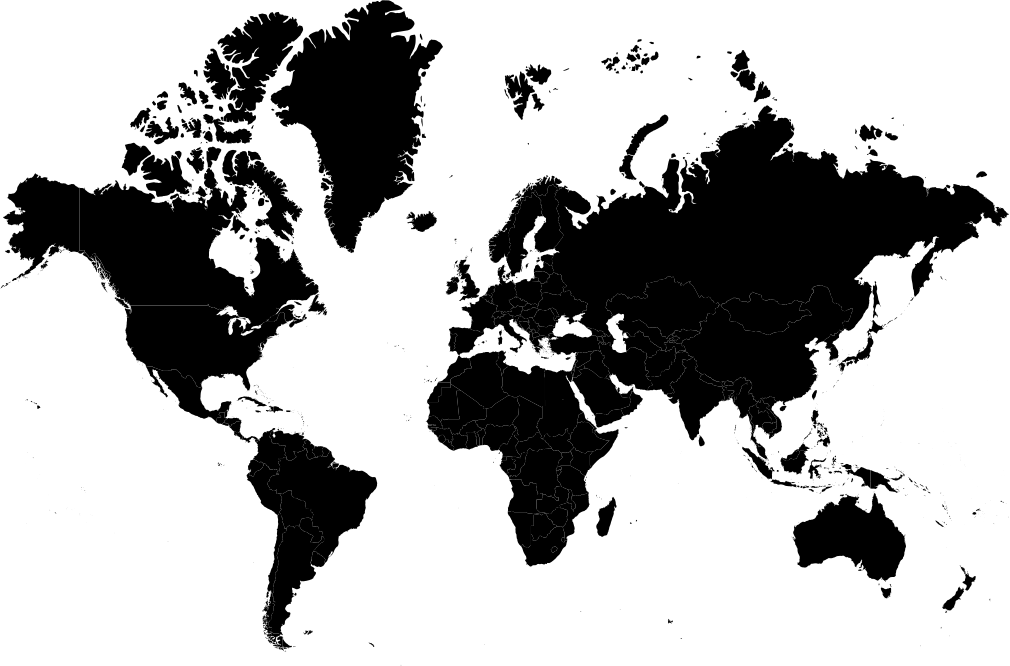
A geographical world map showing which countries tracker servers are located in, with lines drawn from a user-selected origin country to each destination country. The user-selected origin country clears with each session (page refresh or navigation to a new page) to ensure minimum data retention. See below for installation details.
A flat list of every unique field name observed across all destinations in the current session, sorted by risk level, showing how many destinations each field was sent to.
The extension icon updates in real time with a count of third-party destinations detected on the current page, colour-coded red (high risk), amber (medium) or green (low).
The geographical map is an optional feature that is not bundled in the default extension. This is a deliberate choice to ease storage concerns for users who do not want the feature and its associated database stored on their device.
To install it, open the TraceMapper popup and scroll to the Optional Features section. Click Install next to the Geographical Map. The extension will download and store a lightweight country-level IP geolocation database locally on your device.
Storage disclosure: the geo database is approximately 5 MB and is stored in your browser's local extension storage. It can be removed at any time by clicking Remove in the Optional Features section, which deletes it from your device immediately.
Geolocation lookups happen entirely offline. The database is bundled locally and never calls any external service to resolve locations. Many geolocation tools make live API calls (meaning a third party sees every domain being looked up). TraceMapper's approach avoids this entirely, with offline-only architecture that is not a limitation, but a key privacy feature.
When using the world map view, you can select your origin country from a dropdown to draw lines showing where your data travels. This selection is never stored. It resets every time you open the popup.
As explained above, this is a deliberate privacy choice. Your location is personal information. Storing a country preference invisibly — even something that may seem harmless — would be inconsistent with TraceMapper's design principles. After all, this is merely meant to be a visualisation tool. The minor inconvenience of reselecting your country each session is a worthwhile tradeoff, and the UI makes this reasoning explicit rather than treating it as a missing feature.
Most tools would store this preference without a second thought. TraceMapper does not.
| Layer | Technology | Purpose |
|---|---|---|
| Request interception | Native fetch / XHR / WebSocket wrappers | Intercepts outbound requests at document_start before page scripts execute |
| Tracker database | Built-in JS lookup table | Classifies destinations against 100+ known tracker domains |
| Field risk database | Built-in JS lookup table | Classifies payload field names by privacy risk level |
| Geo database (optional) | DB-IP Lite country-level binary | Offline IP-to-country resolution, installed on demand |
| Map visualisation | SVG (native, no library) | Node diagram and world map drawn without external dependencies |
| Extension architecture | Chrome Manifest V3 | Service worker background, content script, popup |
| Storage | chrome.storage.local (minimal) | Toggle state and optional geo database only — no session data persisted |
- Clone or download this repository
- Open Chrome and navigate to
chrome://extensions - Enable Developer mode (toggle in the top right)
- Click Load unpacked and select the
TraceMapper-extensionfolder - The TraceMapper icon appears in your toolbar
- Click the icon and use the toggle to enable the extension
- Navigate to any webpage to begin capturing data
The geographical map requires a world.svg file that is not included in this repository due to file size. To enable it:
- Download the file from https://cdn.jsdelivr.net/npm/@svg-maps/world/world.svg.
- Place it in the
TraceMapper-extension/folder - Reload the extension at
chrome://extensions - Open TraceMapper and install the Geographical map from Optional Features
The built-in tracker database is drawn from DuckDuckGo Tracker Radar, EasyList and EasyPrivacy — all publicly available and openly licensed. The current version covers 400+ domains across 8 categories. Updates are applied when new versions of the extension are released.
The geographical map feature uses the DB-IP Lite country-level geolocation database. The version bundled in this repository was last updated April 2026. For the most current version, download the latest CSV from db-ip.com/db/lite.php and run the included pre-processing script to regenerate the binary. Updates are recommended when releasing new versions of the extension.
Note IP address allocations change slowly. A database that is a few months old remains highly accurate for the major tracker destinations this tool is designed to surface.
TraceMapper was designed with reference to:
- ICO guidance on Privacy in the Product Design Lifecycle (2023): Privacy considered from the earliest design stage, with data minimisation applied at every layer.
- UK GDPR Article 25: Data protection by design and by default, implemented as a literal off-by-default activation model.
- ICO guidance on data minimisation: The extension stores only what is strictly necessary - toggle state and, if the user explicitly installs it, the optional geo database. No session data is ever retained.
- ICO and CMA joint guidance on dark patterns (2023): The extension UI contains no manipulative design. The toggle is prominent and unambiguous. Optional features are clearly labelled with storage disclosures before installation.
The architecture embodies a principle that runs throughout this portfolio: privacy should be the default, not the exception, and every storage decision should require a positive justification rather than a reason to opt out.
- Real-time request interception and tracker classification
- Flows, Map (node view), Fields and About tabs
- Off-by-default activation with explicit user consent
- Optional geographical map add-on with offline geo database
- No persistent session data
- Export: JSON export of session data and a formatted HTML report suitable for printing to PDF
- Alerts: Browser notifications when fingerprinting or session-recording trackers are detected (FullStory, Hotjar, FingerprintJS and equivalents)
Framing these as a second milestone rather than shipping everything at once reflects my deliberate development philosophy that a lean, well-understood v1 is more valuable than a bloated v1 that does too much.
This is a portfolio and educational project. TraceMapper has not undergone a formal security audit. The extension has been built with care and the privacy principles are genuine, but it should be reviewed before use in a high-security or enterprise context.
Field name inference is heuristic. For unknown field names, TraceMapper applies pattern matching to infer risk level. This is an approximation; some high-risk fields with unusual names may be classified as lower risk than they are.
Tracker database coverage is not exhaustive. Destinations not in the database are flagged as unknown rather than assumed safe.
MIT — see LICENSE for details.
Angelina Hue · April 2026
Part of an open portfolio of privacy-forward tools. Feedback and contributions welcome.