Intelli Mouse
Introduction
With the development of technologies in the areas of augmented reality and devices that we use in our daily life, these devices are becoming compact in the form of Bluetooth or wireless technologies. Our project proposes an AI virtual mouse system that makes use of the hand gestures and hand tip detection for performing mouse functions in the computer using computer vision.
Objective :
The main objective of the proposed AI virtual mouse system is to develop an alternative to the regular and traditional mouse system to perform and control the mouse functions, and this can be achieved with the help of a web camera that captures the hand gestures and hand tip and then processes these frames to perform the mouse functions
Proposed Plan:
Planning to build an AI virtual mouse system, using Computer Vision, which would use hand gestures to perform mouse operations. In the proposed system, the web camera captures and then processes the frames that have been captured and then recognizes the various hand gestures and hand tip gestures and then performs the particular mouse function. Python programming language will be used for developing this system, and OpenCV, which is the library for computer vision, will also be used. The model will also make use of the MediaPipe library for the tracking of the hands and for tracking of the tip of the hands, and also, Pynput, Autopy, and PyAutoGUI packages will be used for moving around the window screen of the computer for performing functions such as left click, right click, and scrolling functions.
Features : * Displays Frame rate * Removes drawbacks of having a physical mouse
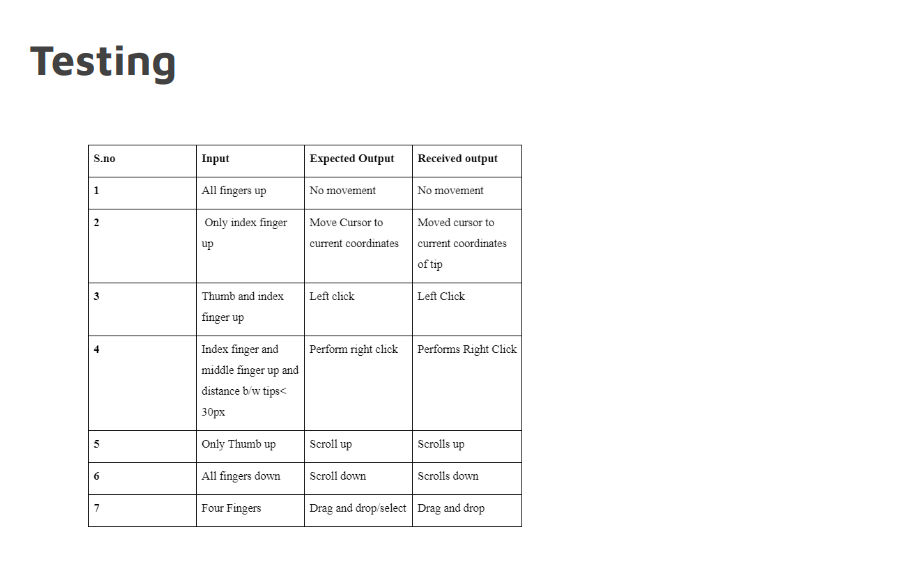
Mouse control : * Left Click * Right Click * Double click * Scroll up/Down * Drag/Select * Move cursor
packages used in main program
- cv2
- media pipe
- numpy
- autopy
- pyautogui
packages used to build interface
- tkinter
Implementation and Working
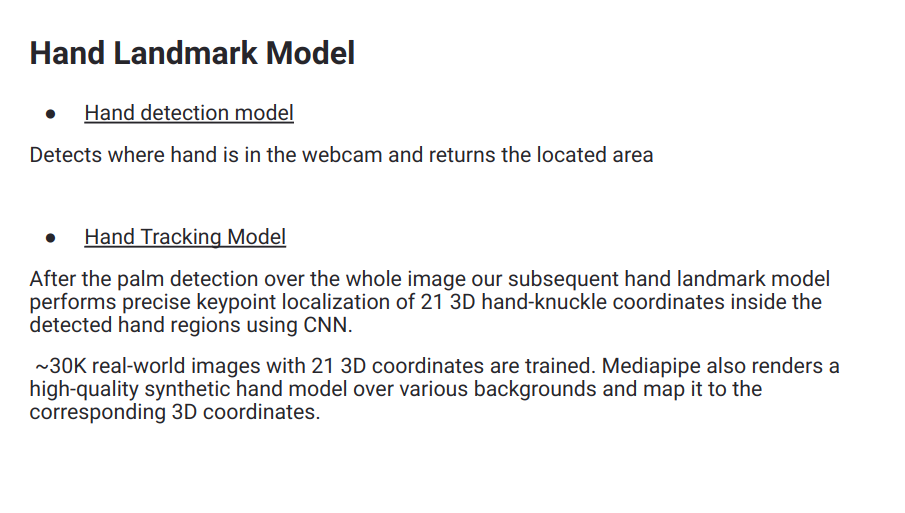
MediaPipe Hands utilizes an ML pipeline consisting of multiple models working together:
-
A palm detector model that operates on the full image and returns an oriented hand bounding box.
-
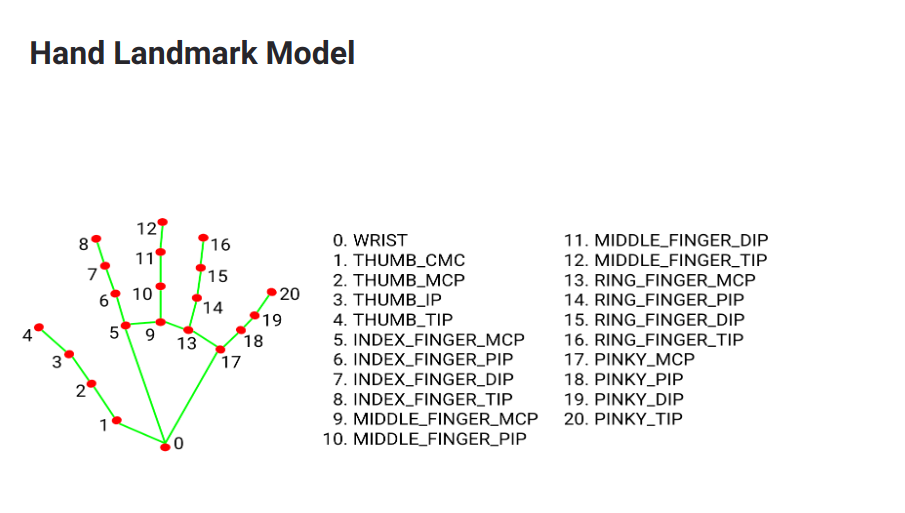
A hand landmark model that operates on the cropped image region defined by the palm detector and returns high fidelity 3D hand keypoints.
 There are mainly 3 functions - handLandmarks(), fingers() and findDistance() :
 -
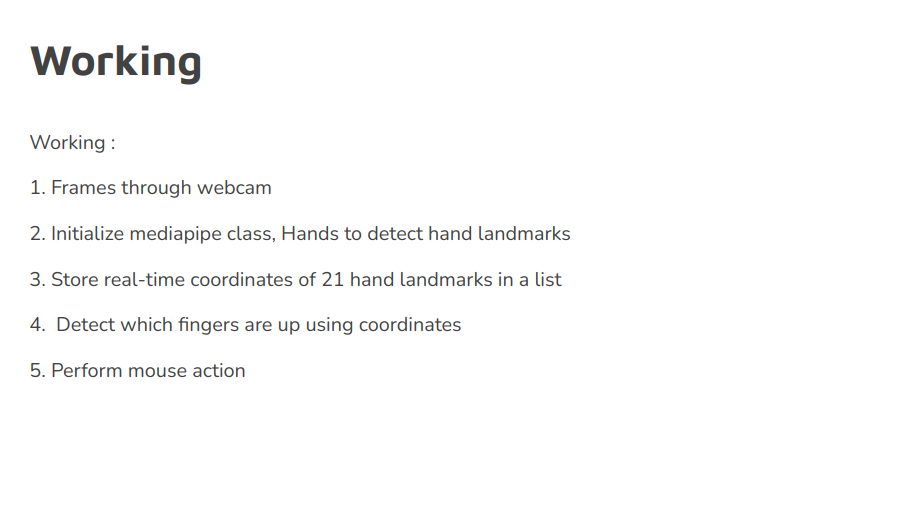
First, we initialize class of hands by mediapipe.solutions.hands. Next step is to call hands function which will hold the Hand Landmark points. Then we draw the Hand Landmarks and connections of hand.
-
handLandmarks() - This function takes frames from the webcam and gives the co-ordinates of all 21 landmark points of the hands and returns the list.
-
fingers() function takes the landmarks list as input checks which fingers are up by checking the y-coordinates of the tip of a finger and the base of that finger. The fingers that are up are stored in a list and that list is returned.
-
findDistnace() takes 2 points as parameters and calculates the euclidean distance between those 2 points, in this case, the tip of 2 fingers.
Here starts the main function. We then take the list of fingers (or more specifically tips of the fingers) and depending on which fingers are up( 0 - thumb, 1 - index finger, 2 - middle finger, 3 - ring finger, 4 - little finger), we call autopy and pyautogui functions to perform the respective mouse cursor operations. Conclusion
There are some of the limitations of the proposed AI virtual mouse system like small errors , and these limitations will be overcome in our future work.Furthermore, the proposed method can be developed to handle more functionalities like keyboard functionalities along with the mouse functionalities virtually which is another future scope of Human-Computer Interaction (HCI). Through this project, we learned a lot about hand gesture detection with CNN (mediapipe) and Machine Learning. This gave us a knowledgeable insight to the world of Artificial Intelligence and Computer Vision.
How to run
run the interface.py
python interface.py to use the interface
- click the start button to start the intelli mouse
- click the stop button to stop using intelli mouse