This software aims to provide an easy-to-compile C++ implementation of a 3D eye-tracking method.
Our software is designed for a wearable eye-tracking scnenario where a user wears a headset with an eye camera(s) that is equipped with infrared (IR) illuminations. The camera can capture close-up shots of the user's eyes.
If you need a near-eye IR camera, instructions for building your for under $100 can be found here: https://www.youtube.com/watch?v=8lZqCMRMtC8
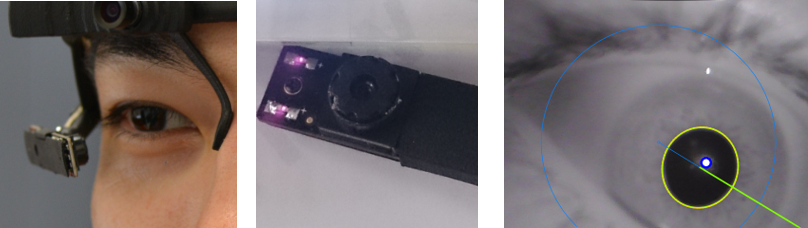
With this software, you can obtain the following information:
- 3D information:
- Gaze (normal) vector
- Eyeball center w.r.t the camera
- Pupil diameter [m]
- 2D information:
- Pupil ellipse size [pixel] and angle [deg.]
- (Glint position(s) [pixel], to be merged soon...)
Sample video on youtube (this was taken from a preliminary version and will be updated with a newer version soon).
Currently, the software is compatible with Visual Studio 2015. The test was done on a 64bit Windows 10 machine only.
Most of external libraries (for vc14, x64) are bundled in ./external, yet you still need to
install the following two libraries:
- OpenCV 3.1
- We recommend to use a windows installer (vc14, x64)
- Boost C++ Libraries ver. >1.62
- We recommend to use a windows installer (boost_1_62_0-msvc-14.0-64.exe)
To setup your own Visual Studio project, you need to use CMake. You can find a windows installer here.
- Clone the repository
git@github.com:YutaItoh/3D-Eye-Tracker.gitto your local folder (e.g.,/your-local-path/3D-Eye-Tracker) - Open
./CMakeLists.txtand edit the OpenCV path and the Boost path depending on your environment. For example, the default values are as follows:set(BOOST_ROOT "C:/SDK/boost_1_62_0")set(OpenCV_DIR "C:/SDK/opencv-3.1.0/build")
- Start CMake GUI and set a source code path (e.g.,
/your-local-path/3D-Eye-Tracker) and a project build path (e.g.,/your-local-path/3D-Eye-Tracker/build_vc14_x64)
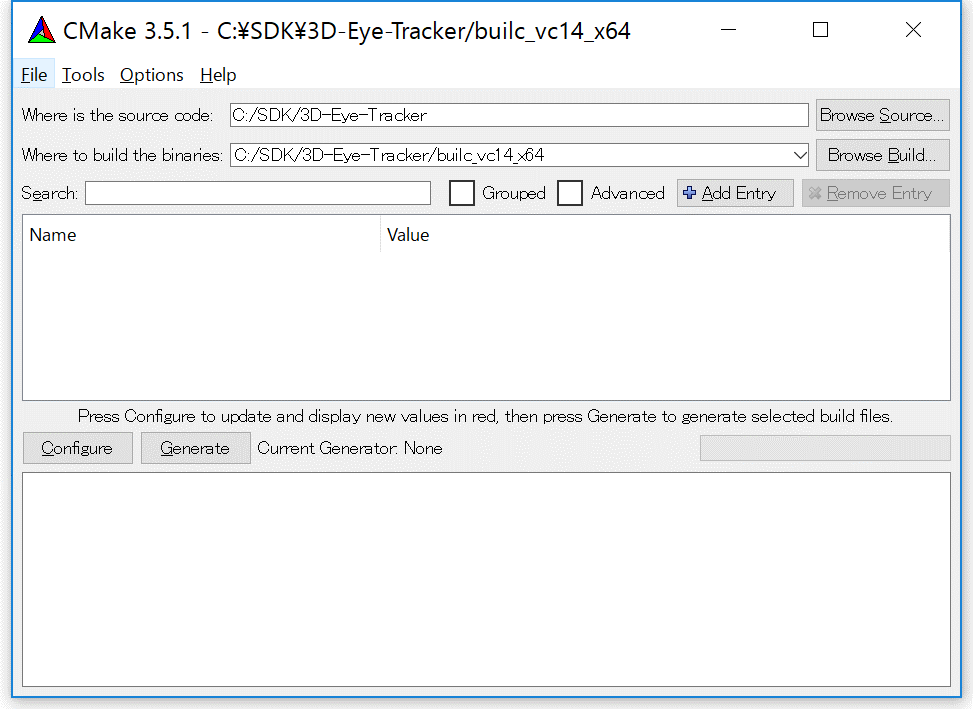
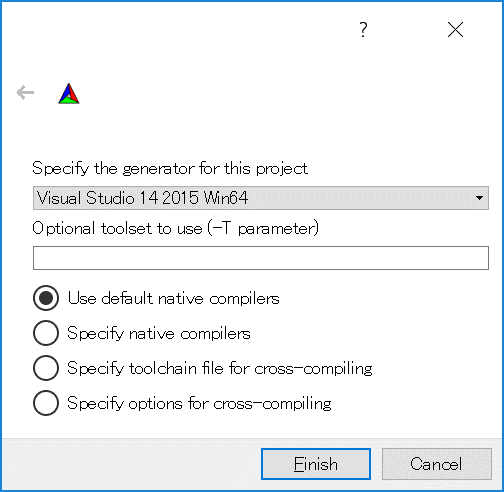
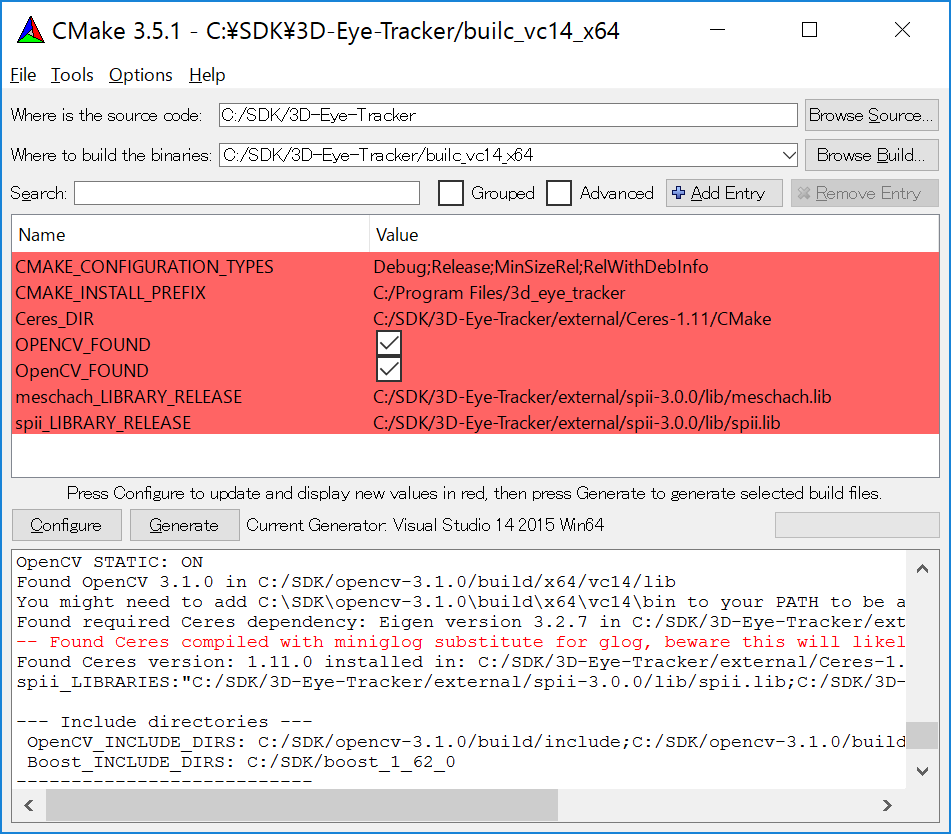
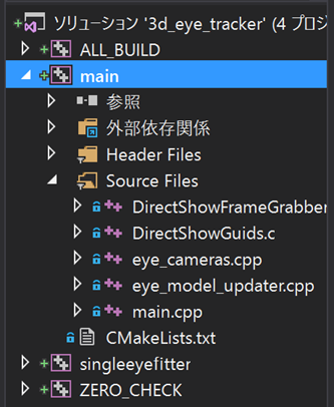
The default setting uses a sinlge camera via the DirectShow filter. Check your camera name on a video capture program (e.g., Skype) and set the name in main.cpp:
		case InputMode::CAMERA_MONO:
			eyecams[0]=std::make_unique<eyecamera::EyeCameraDS>("Pupil Cam1 ID0");
In this case, the program tries to find a camera named "Pupil Cam1 ID0".
Once the program started, it initializes a 3D eye model from 2D pupil observatios:
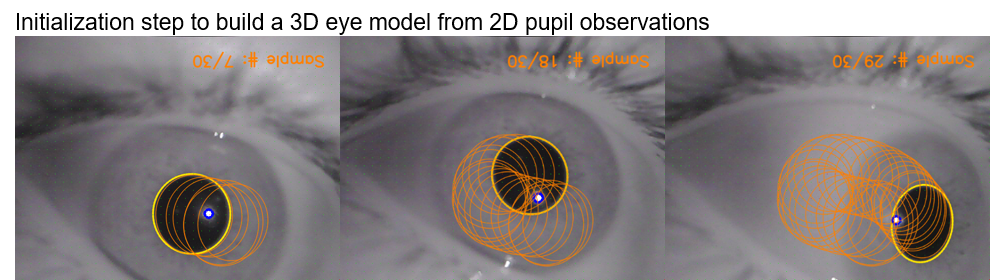
In this initialization step, a user needs to smoothly rotate his/her eye to capture various 2D shapes of the eye.
After the step, we get 3D eye tracking:
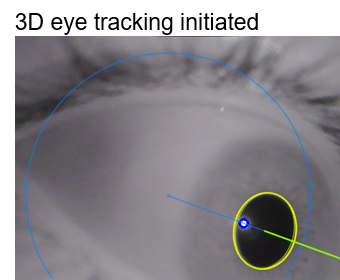
Some debug keys are pre-assigned for a better control of the software:
p: Takes some more 2D pupil observations. Useful when estimated 3D eye model is incorrect due to not-well-distributed 2D observationsr: Resets the 3D eye model and 2D observations and restarts the initialization stepESC: Exit the program
This program integrated/modified several existing codes. Especially,
- 2D pupil detection code by Jason Orlosky
- 3D eye model optimization code (./singleeyefitter) by Leszek Swirski