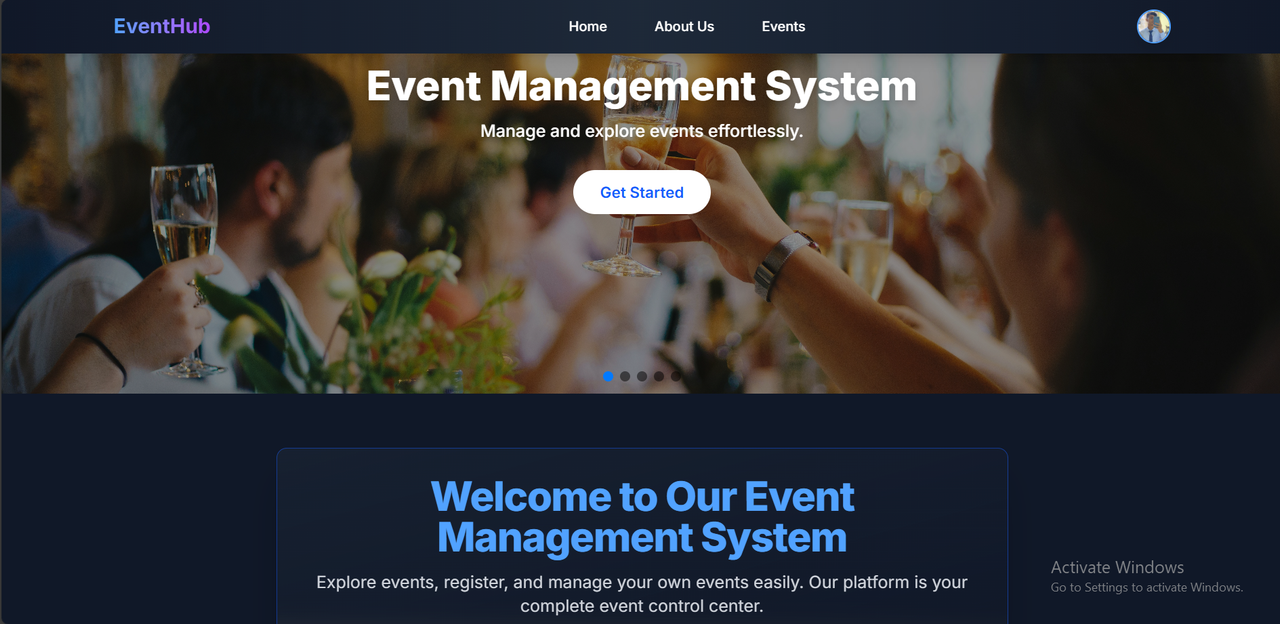
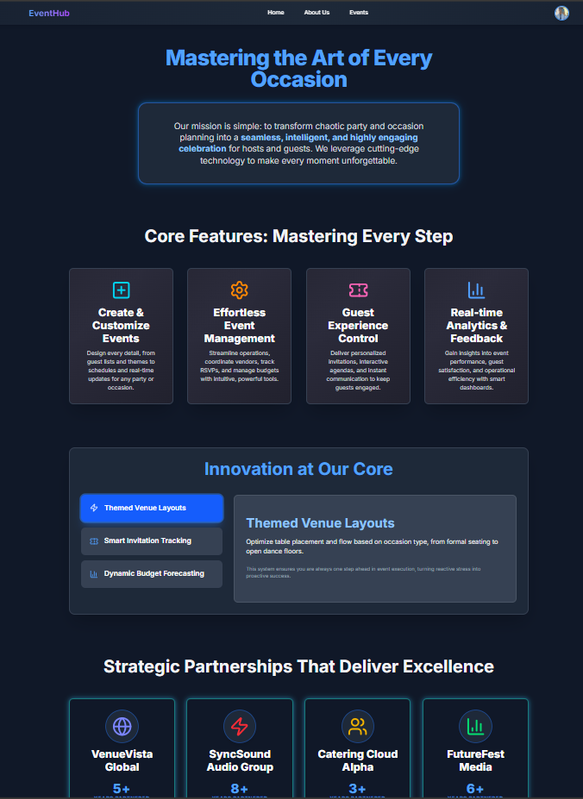
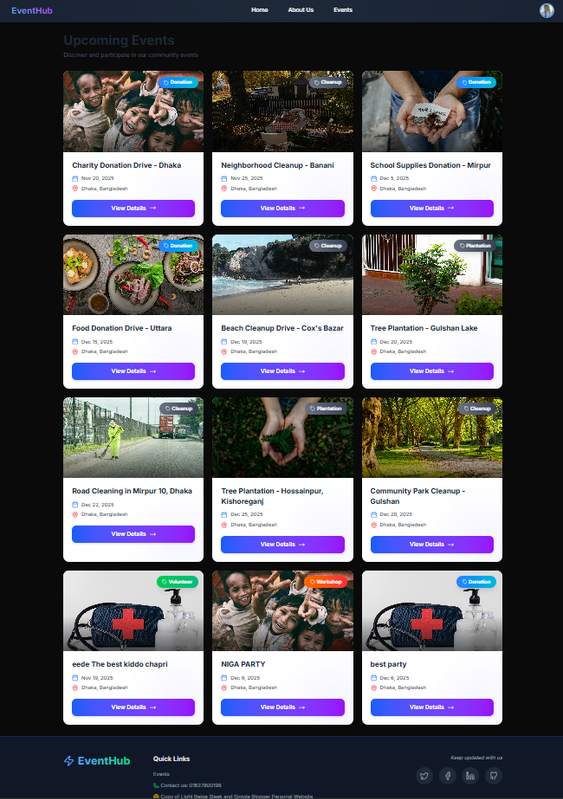
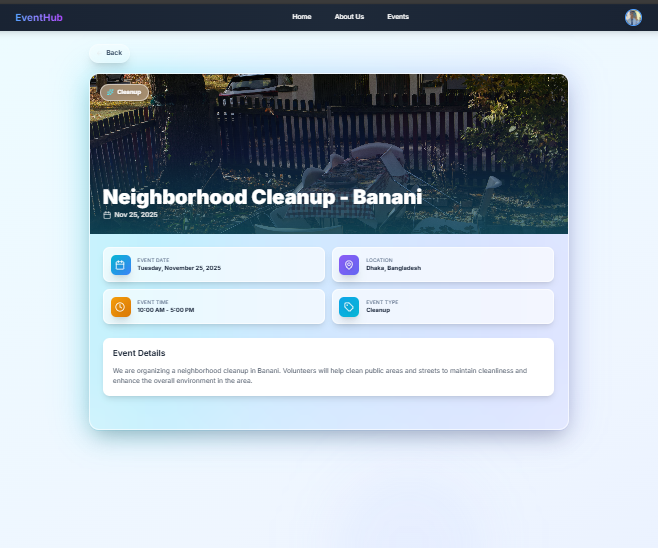
EventHub is a full-stack event management and discovery platform designed for a modern, high-performance user experience. The application is built using Next.js with the App Router for the client, and a dedicated Express.js server for the RESTful API backend.
This platform allows users to effortlessly browse upcoming events, apply sorting and searching filters, and view detailed information. Authenticated users gain full control to create, manage, update, and delete their own events.
Modern Architecture: Decoupled Frontend (Next.js) and Backend (Express.js).
Authentication: Secure user login and registration (via Firebase or custom token-based auth).
Event CRUD: Complete functionality for creating, reading, updating, and deleting events.
Responsive UI: Fully responsive design using Tailwind CSS and DaisyUI.
Interactivity: Enhanced user experience with Swiper.js for carousels and AOS for scroll animations.
Iconography: High-quality icons provided by React Icons and Lucide React.
https://github.com/Yeasinoncode98/event-management-server.git
=> Your project uses a modern Full-Stack JavaScript architecture, leveraging the strengths of both React's ecosystem and the Node.js backend.
| Layer | Technology | Role & Integration |
|---|---|---|
| Frontend Framework | Next.js | Provides the core application structure, routing, rendering capabilities (SSR/SSG), and API integration, specifically utilizing the App Router for layout and component structure. |
| Styling & UI | Tailwind CSS | Utility-first CSS framework for fast, custom, and responsive styling. |
| Component Library | DaisyUI (NPM) | A popular plugin for Tailwind CSS that adds pre-designed components, speeding up UI development and ensuring consistency. |
| Icons | React Icons & Lucide React | Libraries providing a wide variety of scalable vector graphics (SVG) icons for enhanced user experience and visual clarity. |
| Interactivity | Swiper.js | Used for creating modern, touch-friendly, and responsive carousel/slider components (e.g., for featured events or user reviews). |
| Animations | AOS (Animate On Scroll) | Provides scroll-triggered animations to enhance the visual appeal and engagement of the user interface. |
| Backend API | Express.js | Minimalist Node.js framework dedicated to handling the RESTful API endpoints, security, and database communication. |
| Authentication | Firebase (or similar) | Used client-side for managing user authentication (registration, login, session management). |
This project requires setting up two separate environments: the Frontend (Next.js) and the Backend (Express.js).
Prerequisites 1.Node.js (v18.x or later recommended)
2.npm or yarn
3.Access to a database (e.g., MongoDB, PostgreSQL, or Firebase Project).
Navigate to the backend directory (e.g., server):
git clone [YOUR_REPO_URL] cd eventhub-project/server
3. Configure Environment Variables: Create a file named .env in the backend root and configure your database and security settings.
PORT=5000
MONGO_URI=mongodb+srv://<user>:<password>@<cluster-name>/?retryWrites=true&w=majority JWT_SECRET=your_super_secret_key_for_tokens`
npm run dev
The Express API runs at http://localhost:5000`
cd ../client
npm install
or yarn install
3. Configure Environment Variables: Create a file named .env.local in the frontend root to point to your API and configure client-side services.
`# Example .env.local file for Next.js Frontend NEXT_PUBLIC_API_URL=http://localhost:5000/api
NEXT_PUBLIC_FIREBASE_API_KEY=AIzaSy...`
npm run dev
The Next.js application runs at http://localhost:3000`
These are the main user-facing pages:
| Route | Description | Requires Auth |
|---|---|---|
/ |
Home Page: Landing page with featured events and Swiper carousels. | No |
/events |
Events List: Browse all events, featuring sort/search functionality. | No |
/events/[id] |
Event Detail: Detailed view of a specific event. | No |
/login |
User login page. | No |
/register |
User registration page. | No |
/add-event |
Form to create a new event. | Yes (User) |
/manage-events |
Dashboard to view, edit, or delete the user's created events. | Yes (User) |
These are the RESTful endpoints for data management:
| Method | Endpoint | Description | Requires Token |
|---|---|---|---|
| POST | /api/auth/register | Register a new user. | No |
| POST | /api/auth/login | Authenticate and log in a user (returns JWT/token). | No |
| GET | /api/events | Retrieve all events (supports query filtering/sorting). | No |
| POST | /api/events | Create a new event. | Yes |
| GET | /api/events/:id | Retrieve details for a single event. | No |
| PUT | /api/events/:id | Update an existing event (must be the event creator). | Yes |
| DELETE | /api/events/:id | Delete an event (must be the event creator). | Yes |
| GET | /api/user/my-events | Get events created only by the authenticated user. | Yes |