
EspressiScale is a minimalist and affordable espresso scale designed to provide accurate measurements along with a built-in timer – perfect for both home and small coffee shop use.
- Accurate Weighing: Provides precise measurements for your espresso brewing.
- Built-in Timer: Monitors brewing time to ensure optimal extraction.
- Minimalist Design: A simple and modern solution focusing on essential features.
- BLE: It now supports both Gaggimate and Clevercoffee (Beanconqueror support coming oct).
- Calibration: Now built in.
This was also published on makerworld for easy 3D printing.
| Quantity | Component | Details/Notes |
|---|---|---|
| 1 | Lilygo T-Touch bar | |
| 1 | Battery | Any 3.7v rechargeable lithium battery (<10x34x48) |
| 1 | 500g Load Cell | |
| 1 | HX711 | High precision (available on AliExpress) |
| 1 | USB type C port | Not yet implimented |
| 4 | M3x3.0 Threaded Inserts | (I used CNCkitchen) |
| 2 | M3x10 Screws | M3x6 for V2 |
| 2 | M3x12 Screws | M3x8 for V2 |
| 2 | M3x12 Countersunk Screws | |
| - | Heat Shrink |
| Quantity | Component | Details/Notes |
|---|---|---|
| 2 | Extra Heated Inserts | |
| 2 | M3x6 Screws | M3x4 for V2 |
- Open this website in chrome
- Connect your scale and hold down boot while pressing res once, then releasing boot
- Press Install button, selecting your scale (jtag), hit "install EspressiScale"
- Once done, look for wifi AP "EspressiScale" and connect to it (Password: Espressi)
- Put in the credentials for your home wifi.
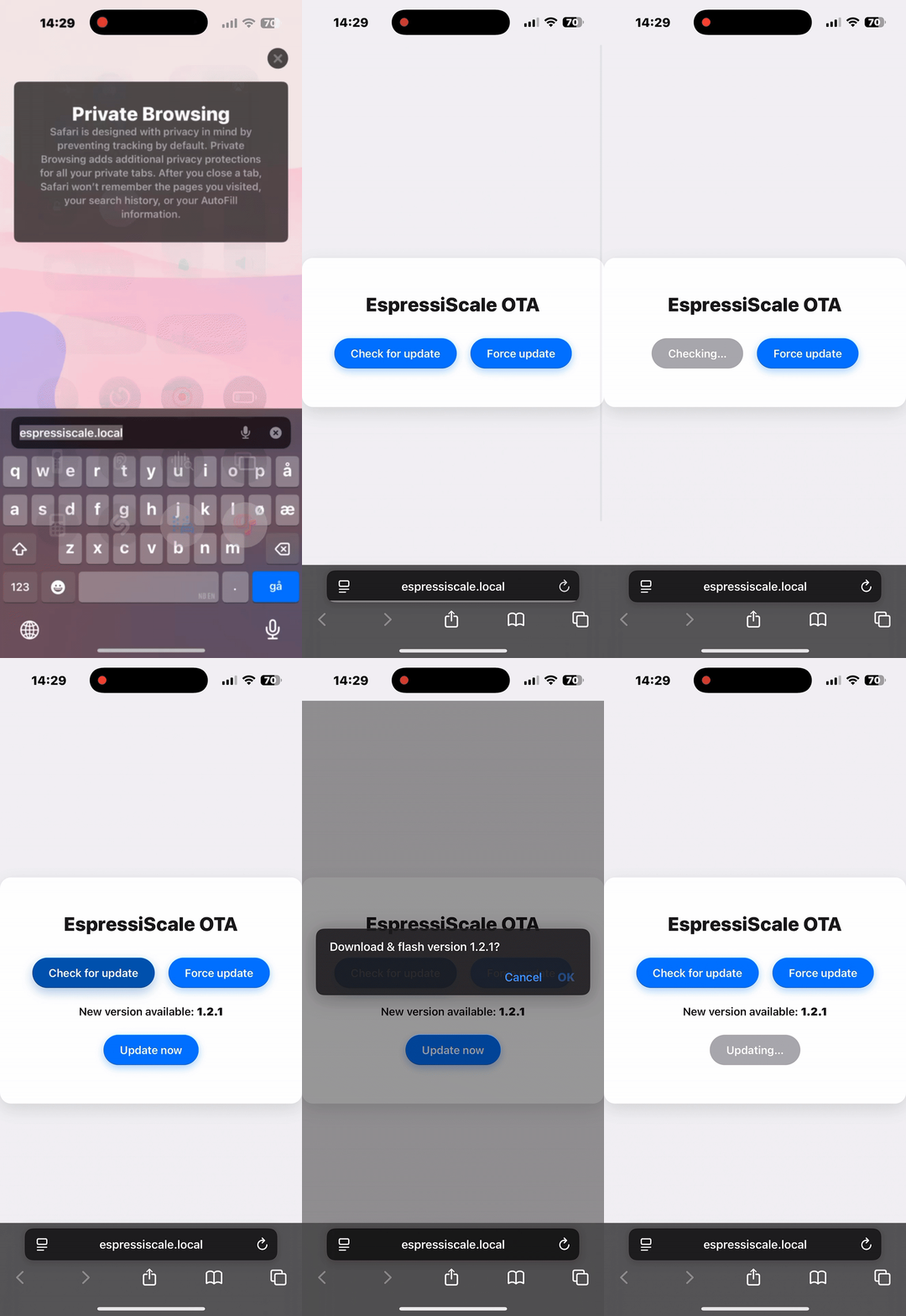
- Connect to the same wifi with any device and go to espressiscale.local
- Press calibration and follow the on screen steps.
- You're done! (If you see nan, please calibrate and restart the scale)
Touch controls:
- Left Display: Starts and stops timer
- Right Display: Tares weight and resets timer
- Hold Any Side: Goes to sleep
Power:
- Touch the display anywhere to wake it up
- The scale will automatically enter deep sleep after 5min with no use
- Go to espressiscale.local, press calibration and follow the steps
This project is licensed under my own license
If you have any questions or suggestions, you can:
- Open an issue in the GitHub repository
- Contact me directly at [hasse@espressiscale.com]