



Testudo is a native Android habit-tracking application designed with a minimalist approach and 100% offline functionality. It was developed as part of the "Mobile Application Development" course at the Department of Digital Systems, University of Thessaly.
The main goal of Testudo is to help users build a better daily routine based on the psychology of "Streaks". The application fully protects user privacy, as it does not require an internet connection and stores all data locally on the device.
- Minimal Material UX: Clean, distraction-free design for maximum user focus.
- Offline-First: Local data storage using SQLite (no cloud synchronization or ads).
- Streak Management: Visual motivation by calculating and displaying current habit streaks.
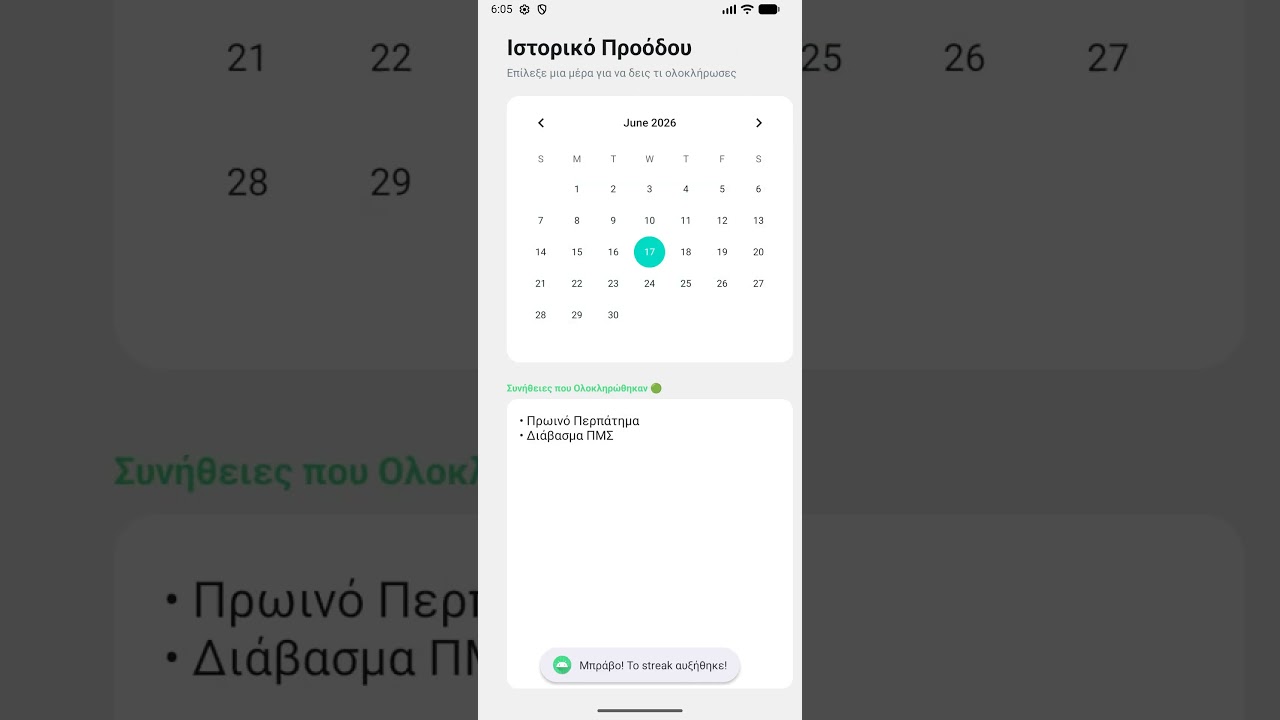
- Calendar & History: Integrated
CalendarViewwith dynamic database filtering (SQL Joins) to view progress on any specific day. - Real-time Progress Bar: A dynamic progress bar that syncs instantly with every daily check/uncheck.
- Dark/Night Mode: Full support for a dark theme with automatic preference saving via
SharedPreferencesand "Anti-Camouflage" logic for optimal contrast. - Cascade Delete & Total Reset: Smart data deletion that ensures database integrity by preventing orphan records.
- Programming Language: Java
- Android SDK: API Level 24+ (Android 7.0 Nougat)
- User Interface (UI): XML Layouts, Material Design Components, RecyclerView, Floating Action Button
- Data Storage: SQLite (DatabaseHelper), SharedPreferences
- Testing: JUnit (Automated Unit Tests)
- IDE: Android Studio
The application follows a Layered Architecture (3-Tier), ensuring a clean, scalable, and maintainable codebase:
- Presentation Layer (UI): Consists of the XML layouts and Activities (e.g.,
MainActivity,HistoryActivity). - Logic Layer: Includes the Data Models (
Habit.java) and Adapters (HabitAdapter.javautilizing the ViewHolder Pattern). Strict encapsulation principles are applied here. - Data Layer: Manages interactions with local data (CRUD operations) via SQLite and SharedPreferences. The database schema consists of 2 relational tables (
habitsandhabit_history) linked with a 1:N relationship.
To run the project locally on your machine, follow these steps:
- Clone the repository:
Open your terminal or command prompt and run the following command:
git clone https://github.com/VasilisKilindris/HabitTracker.git
- Open the project in Android Studio:
- Launch Android Studio.
- Go to File > Open... (or select "Open" from the welcome screen).
- Navigate to the directory where you cloned the repository and select the
HabitTrackerfolder.
- Sync Gradle:
- Wait a few moments for Android Studio to download the required dependencies and sync the project.
- Ensure the build finishes successfully (look for the "BUILD SUCCESSFUL" message in the bottom Build tool window).
- Run the application:
- Connect a physical Android device via USB (with USB Debugging enabled) or start an Android Emulator (API Level 24 or higher).
- Click the green Run button (▶) in the top toolbar or press
Shift + F10.