This page contains collection of extensions made for Adobe Illustrator and Photoshop. Extensions are made using Javascript and Adobe's Extendscript-API.
Disclaimer! All these scripts were made for my personal use and are here for presentation purposes. They are not actively developed and not made for public use. With that said they are free to use, but at your own risk.
While some of the scripts are self contained, there are some that are dependent on each other, so it is recommended that you download all of them if you wish to use them yourself.
The extensions found are are the following:
Allows you to change the color of any type of layer, with a single command. Supports raster layer and vector layers. Changing a Layer Style is still under development if you want to change color of style use Color Changer extension.
Smart fill also supports multi selection, so you can modify multiple layers at one.
Bind RunSmartFill.jsx to a hotkey to easy use.
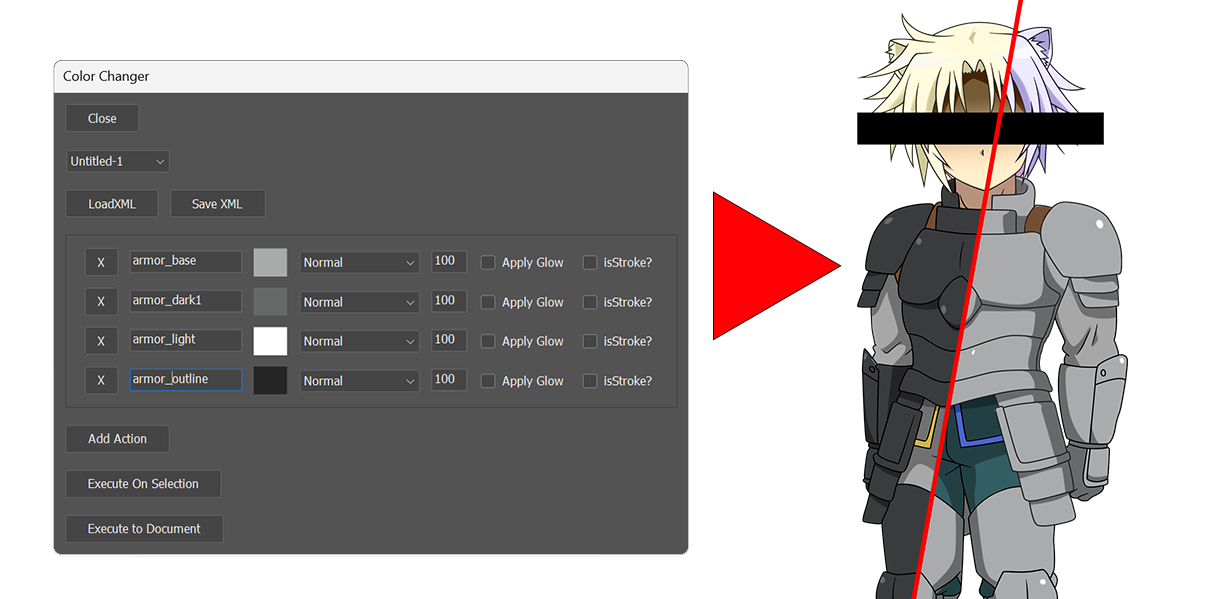 A companion tool to Smart fill. Allows changing of color, opacity and blending-mode of layers based on their name. Changes can be applied to the whole document or just selected layers.
If you wish to make changes to vector/shape layers stroke, use IsStroke-option, if you wish to apply color to outer glow style use isGlow-option.
Each Color Action is run for every layer that has at least partially matching name. Styles can be easily saved and loaded with XML files. Because of limitations of Extendscript, this process may take a while.
Converts every Layer-Comp inside a Smart object to individual Smart Object layers
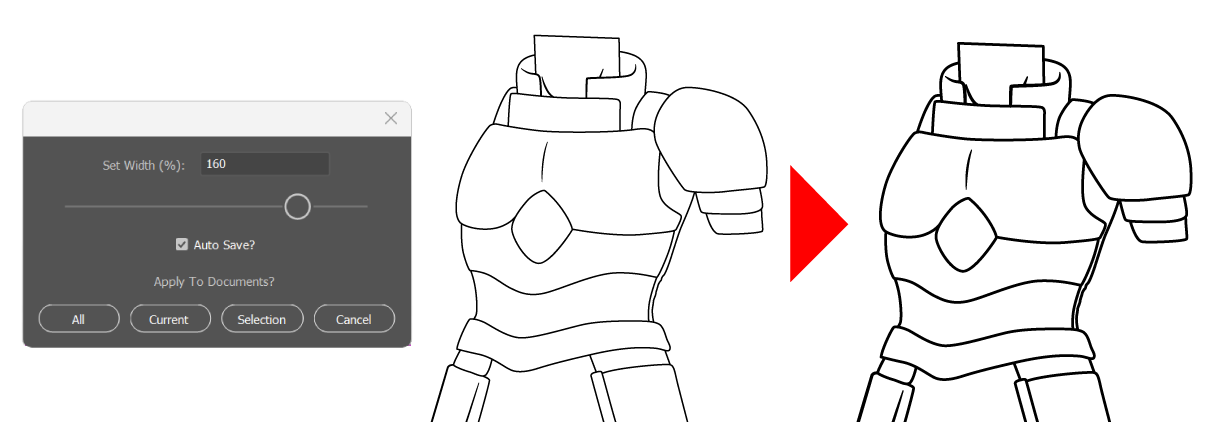
Allows you to change width of strokes by percentage. Work either document or selection wide. Useful when you have lot of strokes with different weight and want to thin them down in unified manner.
Similar to PS Color Changer. Allows you to change the color of fills and strokes based on name.