
Hello Devs, this repository aims to help other Devs who want to speed up their Project Development! Can only be used in Unity 3D.
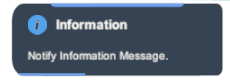
TCW Notify is a notification with 4 types (Information, Success, Warning and Error). You can use this notification to let the client side know that you don't have X enough coins, bought item X, which is coming out the limits of the map or even errors that may occur!
Tutorial | Configuration in Unity 3D
After importing the repository, you can explore the Demo (Scene).
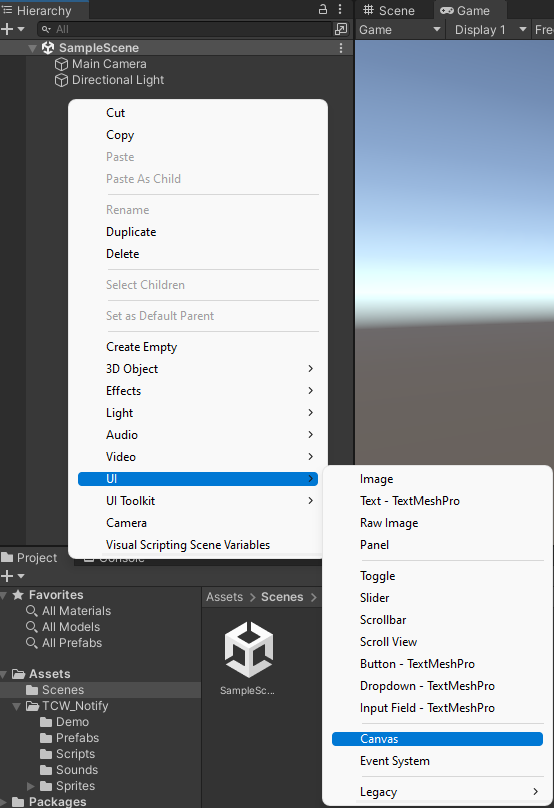
1st Step | With Unity open, in the Hierarchy create a Canvas.
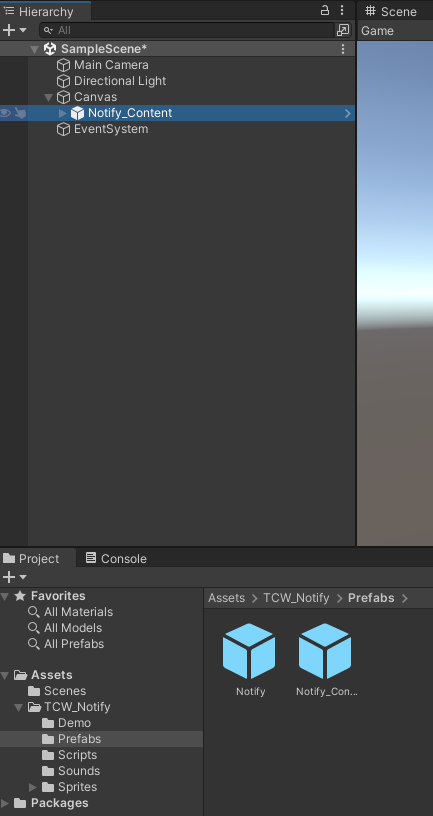
2nd Stage | After creating the Canvas, go to TCW_Notify\Prefabs and drag the Prefab Notify_Content into Canvas.
Position it to your liking!
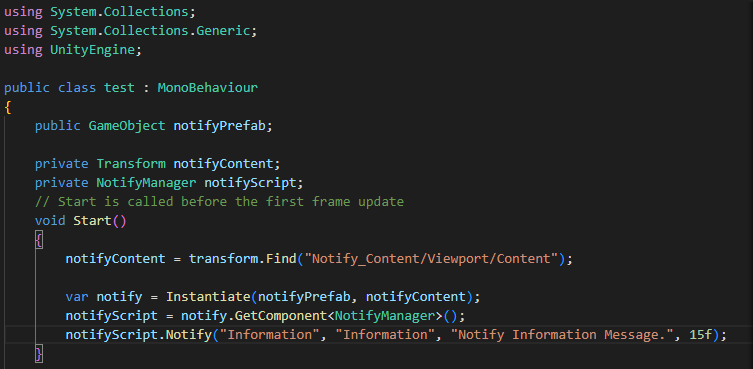
3rd Step | Is ready! Now you can create a script and call the Notify() Function.
The function has 4 parameters.

The example can be followed if the script where the function is called is attached to the Canvas. You can call the function like the code example below:
You can edit the source code (NotifyManager.cs)