Classto is a Python library for building lightweight, browser-based tools to manually classify images into custom categories - ideal for preparing datasets or sorting visual content.
With just a few lines of Python, Classto spins up a local web interface built on Flask and styled with Tailwind CSS to let you quickly review, label, and organize images - right from your browser.
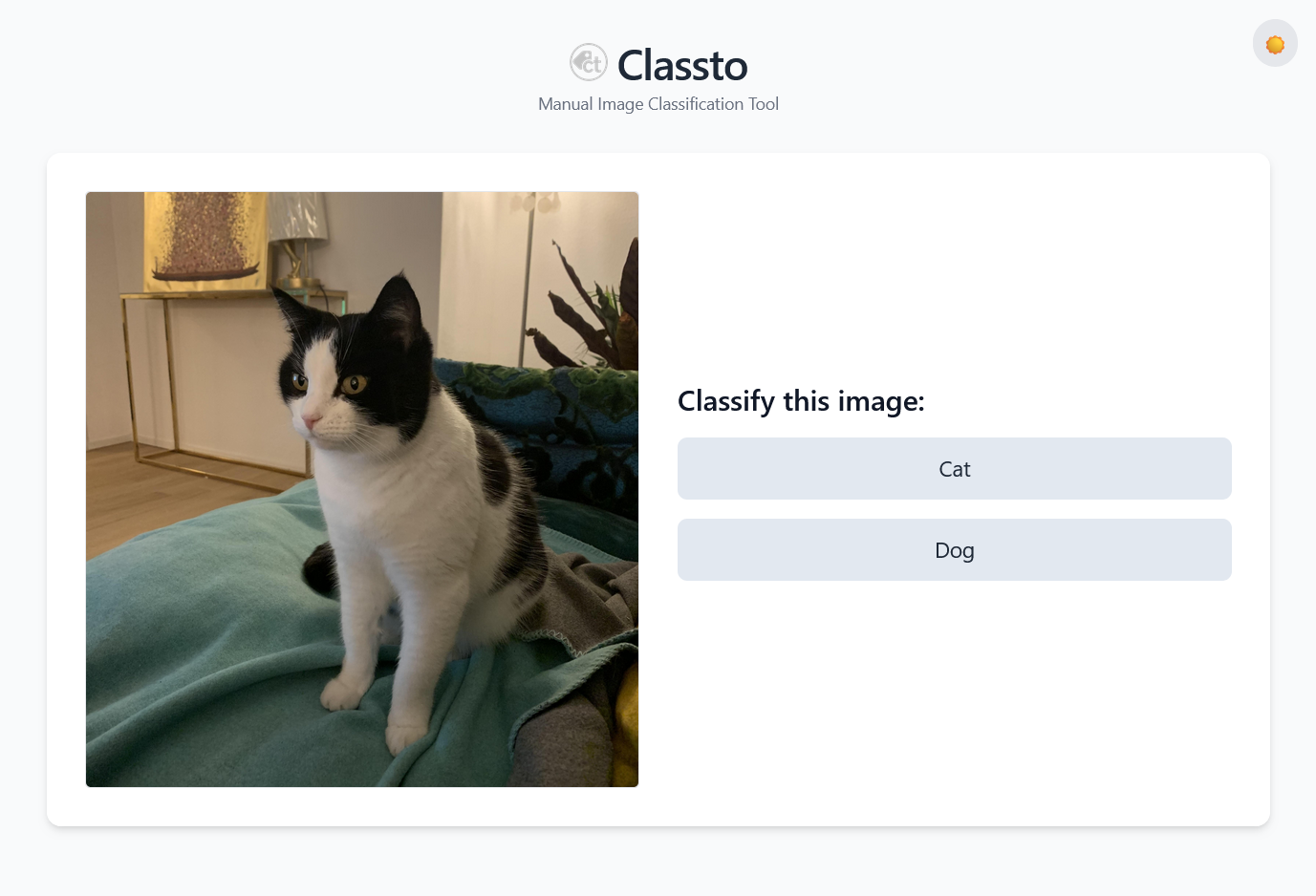
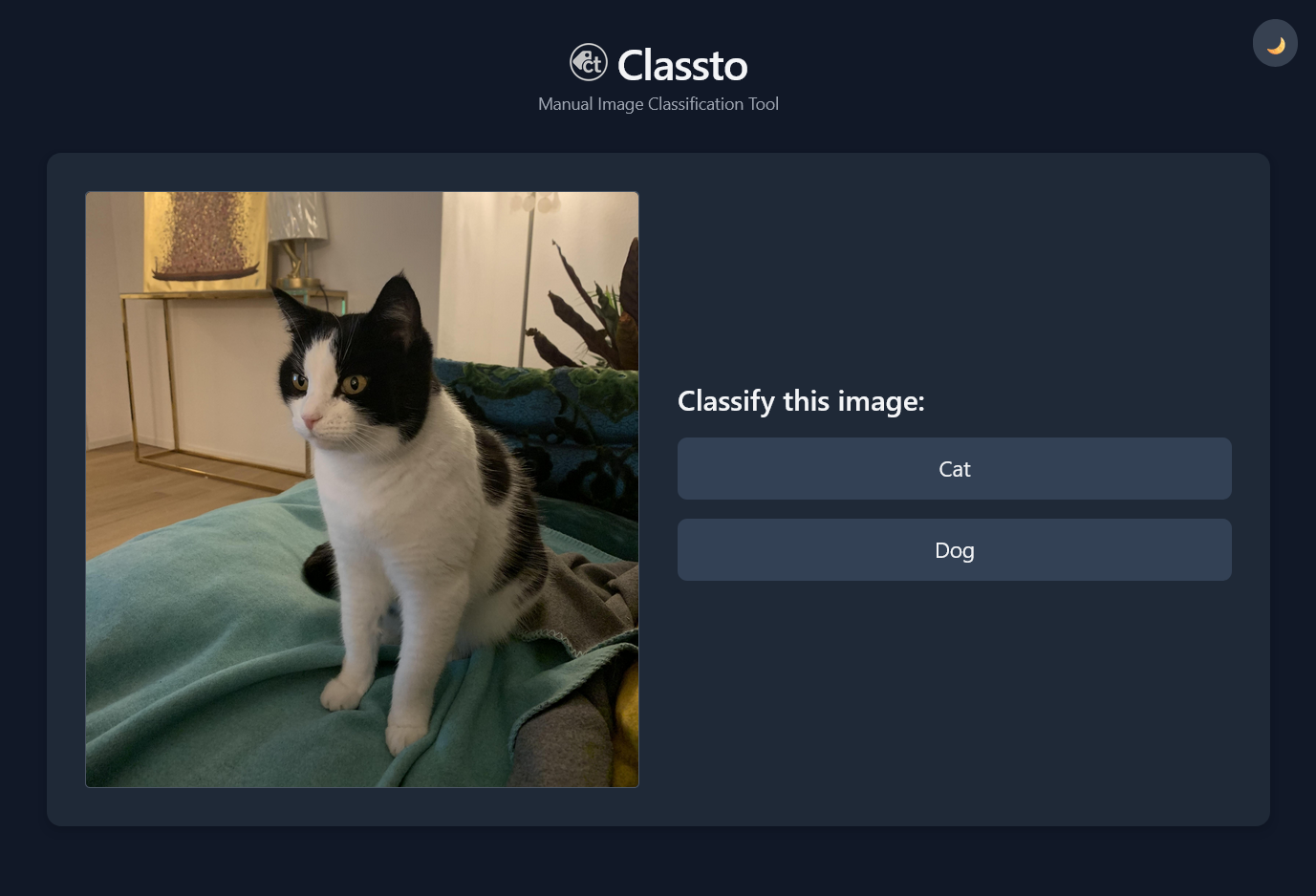
Classto in Light and Dark Mode
- Three Operational Modes: Local Folder, Static URL, or Dynamic Database Hooks.
- One-Click Classification: Fast, keyboard-friendly browser UI.
- Flexible Data Management: Moves local files, logs to CSV, or streams directly from cloud/DB pipelines.
- Smart Suffixing: Optionally add unique filename suffixes to avoid naming conflicts.
- Dark Mode Toggle: Easy on the eyes during long labeling sessions.
You can install Classto via pip:
pip install classtoClassto adapts to your workflow. You can use it in exactly one of the following three modes at a time:
Reads images from a local directory, moves them into per-label subfolders, and optionally creates a CSV log.
import classto as ct

labeler = ct.ImageLabeler(
    classes=["Cat", "Dog"],
    image_folder="images",     # Mandatory path to your images
    delete_button=True,        # Shows a button to delete/skip images
    suffix=True,               # Add unique suffix to avoid conflicts
    log_to_csv=True            # Saves results to a local CSV file
)

labeler.launch()
Then open your browser at http://127.0.0.1:5000.
Place your images in a folder (e.g. images/) relative to your script:
project/
├── images/
│   ├── cat1.jpg
│   ├── cat2.jpg
│   ├── dog1.jpg
│   └── dog2.jpg
├── app.py
After classification, images are moved to:
project/
├── classified/
│   ├── Cat/
│   │   ├── cat1__K8dLs.jpg
│   │   └── cat2__a7JkL.jpg
│   ├── Dog/
│   │   ├── dog1__Xy4Tz.jpg
│   │   └── dog2__Zx9Pm.jpg
│   └── labels-20260522-163400Z.csv
Streams images directly from a list of web URLs. Classifications are tracked via a local CSV file.
import classto as ct

urls = [
    "https://example.com/image1.jpg",
    "https://example.com/image2.png"
]

labeler = ct.ImageLabeler(
    classes=["Product", "Background Only"],
    urls=urls,                     # Mandatory for URL Mode
    log_to_csv=True,               # Keeps track of URLs in a CSV file
    shuffle=True
)

labeler.launch()Integrate seamlessly with databases (e.g., MongoDB, Cosmos DB) or cloud storages. Images are streamed on-demand via custom callback hooks without loading datasets into memory or enforcing local file moves.
import classto as ct

# Define your custom database connection logic
def my_next_hook():
    # Fetch next document from DB. Must return {"id": str, "url": str} or None
    doc = db.images.find_one({"labeled": False})
    return {"id": str(doc["_id"]), "url": doc["image_url"]} if doc else None

def my_label_hook(image_id, label):
    # Save the label back to your database
    db.images.update_one({"_id": ObjectId(image_id)}, {"$set": {"label": label, "labeled": True}})

def my_stats_hook():
    # Update live session progress badges in the UI
    return {
        "total_remaining": db.images.count_documents({"labeled": False}),
        "total_labeled": db.images.count_documents({"labeled": True})
    }

def my_delete_hook(image_id):
    # Optional: Action when the delete/skip button is pressed
    db.images.update_one({"_id": ObjectId(image_id)}, {"$set": {"is_deleted": True, "labeled": True}})

labeler = ct.ImageLabeler(
    classes=["Valid", "Corrupted"],
    delete_button=True,
    on_next=my_next_hook,           # Mandatory for Hook Mode
    on_label=my_label_hook,         # Mandatory for Hook Mode
    on_get_stats=my_stats_hook,     # Optional: Renders live stats UI badges
    on_delete=my_delete_hook,       # Mandatory if delete_button=True in Hook Mode
    log_to_csv=False                # Optional: Set to True for a parallel local CSV backup
)

labeler.launch()classes(List[str]): A list of categories for classification (e.g.["Dog", "Cat"]).image_folder(Optional[str]): Path to the folder containing local images. Required for Folder Mode. Defaults to None.urls(Optional[List[str]]): A list of image URLs to stream. Required for URL Mode. Defaults to None.delete_button(bool): IfTrue, shows a delete button to remove or skip images. Defaults toFalse.shuffle(bool): IfTrue, images are presented in a random order (applies to Folder and URL mode only). Defaults toFalse.suffix(bool): IfTrue, appends a random 5-character suffix to local filenames to prevent overwriting. Defaults toFalse.log_to_csv(bool): IfTrue, logs classifications into a local CSV file. Works as a primary tracker for URL mode or as a secondary backup across all modes. Defaults toFalse.log_path(Optional[str]): Custom directory path where the CSV log file should be written.log_file_name(Optional[str]): Custom file name for the CSV log. If omitted, a UTC-timestamped name is automatically generated.on_next(Optional[Callable]): Hook returning{"id": str, "url": str}orNone. Required for Hook Mode.on_label(Optional[Callable]): Hook accepting(image_id: str, label: str). Required for Hook Mode.on_get_stats(Optional[Callable]): Hook returning{"total_remaining": int, "total_labeled": int}to power the UI counter.on_delete(Optional[Callable]): Hook accepting(image_id: str). Required ifdelete_button=Truein Hook Mode.
If log_to_csv=True is enabled, data is written into a CSV file containing the following structure:
| original_filename | new_filename | label | timestamp |
|---|---|---|---|
| img01.jpg | img01__4Fg7T.jpg | Cat | 2026-05-22T16:34:00+00:00 |
| img02.jpg | img02__8Hv2f.jpg | Dog | 2026-05-22T16:34:32+00:00 |
original_filename: The local filename (Folder Mode) or the custom database image_id (Hook Mode).new_filename: The new name after suffixing (Folder Mode) or the streamed image_url (Hook Mode/URL Mode).label: The category selected during classification (orDELETED).timestamp: Execution time in ISO 8601 format (UTC).