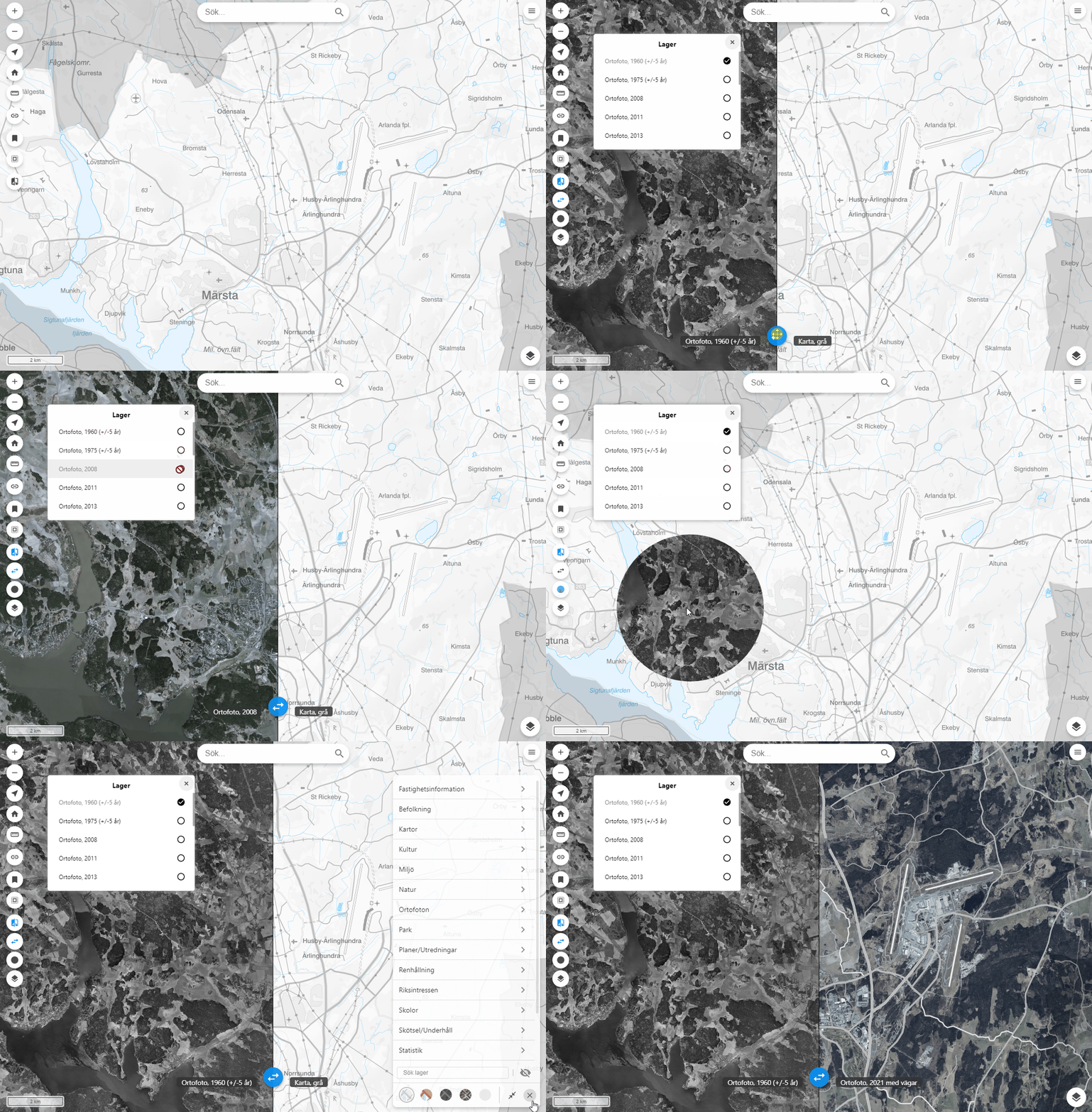
Swiper plugin can be used to compare two different views in Origo.
- Download the code.
- Unpack it to your local folder.
- Open in your code editor or command prompt and run "npm install" and then "npm run build".
- Copy the build folder and paste it in a plugins folder in your Origo project.
Be sure to edit your folders and filenames for your project.
In the Origo project index.html import swiper component
<!--Add in header-->
<link href="plugins/swiper.css" rel="stylesheet" />

<!--Add in body-->
<script src="plugins/swiper.js"></script>
<script type="text/javascript">
  const origo = Origo('index.json');
  origo.on('load', function (viewer) {
    var swiper = Swiper({
      origoConfig: 'index.json',
	circleRadius: 150,
	alwaysOnTop: false,
	initialLayer: "ortofoto_2021",
	initialControl: 'swipe',
	showLayerListOnStart: true,
	tooltips: {
		swiper: 'Jämför kartvyer',
		swipeBetweenLayers: 'Jämför sida-sida',
           	circleSwipe: 'Jämför med kikhål',
           	layerList: 'Välj lager från lista'
		}
	});
    viewer.addComponent(swiper);
  });
</script>
In the Origo project index.json set "isSwiperLayer": true to any layer you wish the swiper plugin have access to show in the second view.
{
"attribution": "© Lantmäteriet geodatasamverkan",
"format": "image/png",
"group": "background",
"name": "ortofoto_2021",
"source": "basemap",
"title": "Ortofoto 2021",
"type": "WMTS",
"style": "orto",
"visible": true,
"isSwiperLayer": true
},For layers that isn't a swiper layer but should be under any swiper layer, if using alwaysOnTop: false, set "isUnderSwiper": true in the Origo project index.json. Layers with this setting will have labels.
{
"attribution": "© Lantmäteriet geodatasamverkan",
"format": "image/png",
"group": "any_group",
"name": "terrangkarta",
"source": "local",
"title": "Terrängkarta",
"type": "WMTS",
"style": "terrangkarta",
"visible": true,
"isUnderSwiper": true
},| Option | Type | Description |
|---|---|---|
OrigoConfig |
string | Used to duplicate layers to the plugin. - Required |
circleRadius |
number | Radius in meters for the circle - Default is 50 |
alwaysOnTop |
boolean | Whether or not the swiper layers should be on top of all layers from Origo. If false then only Origo layers with "isUnderSwiper": true will be under the swiper layers. - Default is false |
initialLayer |
string | The name of the layer which should be picked when first enabling the tool. - Default is null and will pick the first swiper layer |
initialControl |
array | [null/swipe/clip] Tool to be enable when the swiper is enabled - Default is null |
showLayerListOnStart |
boolean | If the layer list should be open when starting the swiper. - Default is false |
tooltips |
object | Contains the tooltip text for the existing buttons |
swiper |
string | The main button to show the overlay options |
swipeBetweenLayers |
string | Enables the split screen |
circleSwipe |
string | Enables the circle overlay option, toggles between the two effects |
layerList |
string | Shows the list of swiper enabled layers |
- ol-ext/interaction/Clip. This is to show a circle and a different map layer in it.
- ol-ext/contol/Swipe. This is to split the map view in two. Boths sides will show different layers.