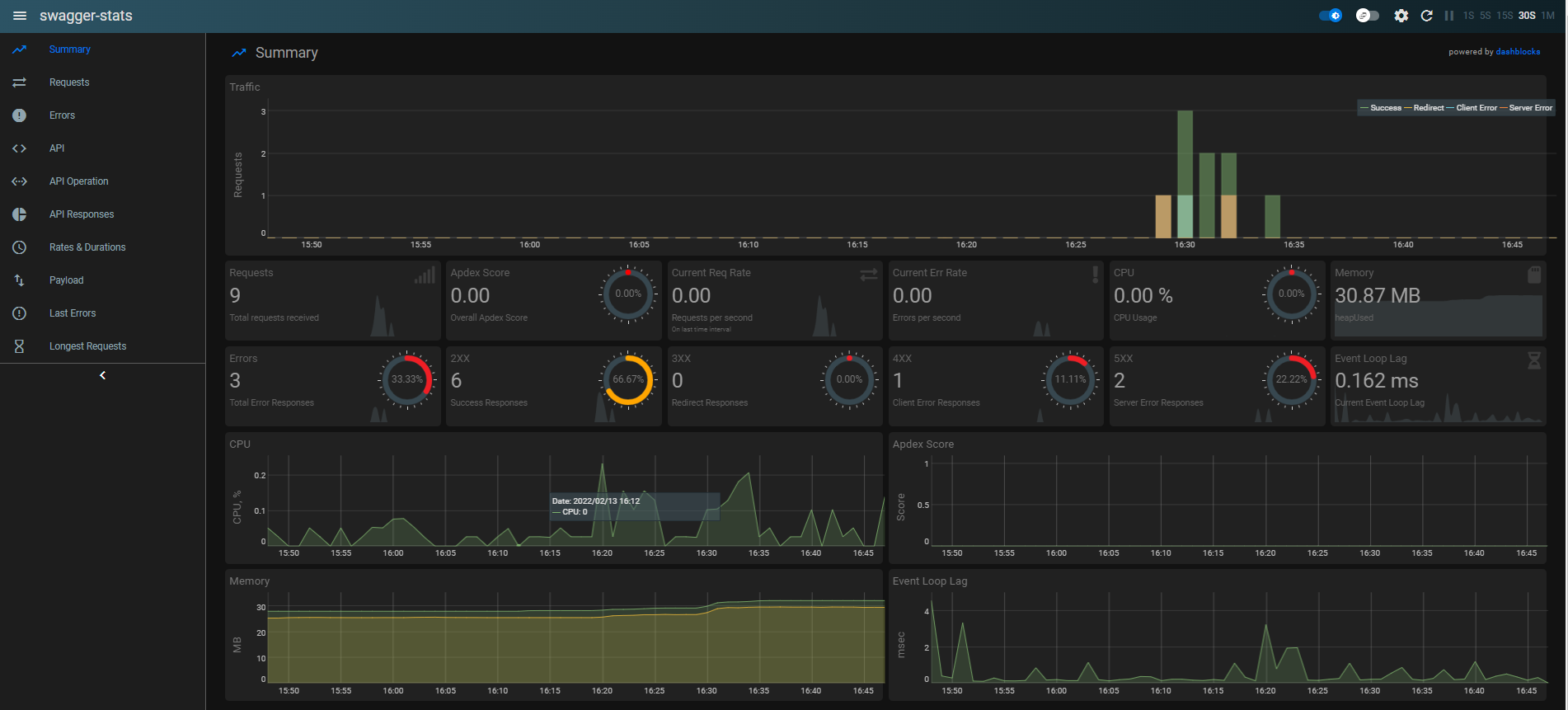
This is an demo application in which we connect NodeJS with IBM i using itoolkit package and create APIs aswell we can call RPG and CL program. Also, I created one API by which i call work active Job.
I added KeyCloak as OAuth server for tokenized API.
Also, I integrate Sawgger Stats and Swagger UI for better understanding,
- NodeJS
- IBM i
- Itoolkit
- Express
- KeyCloak
- Swagger Stats
- Swagger UI
-
Get All - http://localhost:3000/users
-
Get by Id - http://localhost:3000/users/10012
-
Insert(Post) Data - http://localhost:3000/users/10012
-
Delete Data - http://localhost:3000/users/10012
-
Update(Put) Data - http://localhost:3000/users/10012
-
Get Work Active Job - http://localhost:3000/wrkactjob
-
KeyCloak(Authorization) Token - http://localhost:8080/auth/realms/IBMi-Demo/protocol/openid-connect/token
Explore the API Document for better overview.
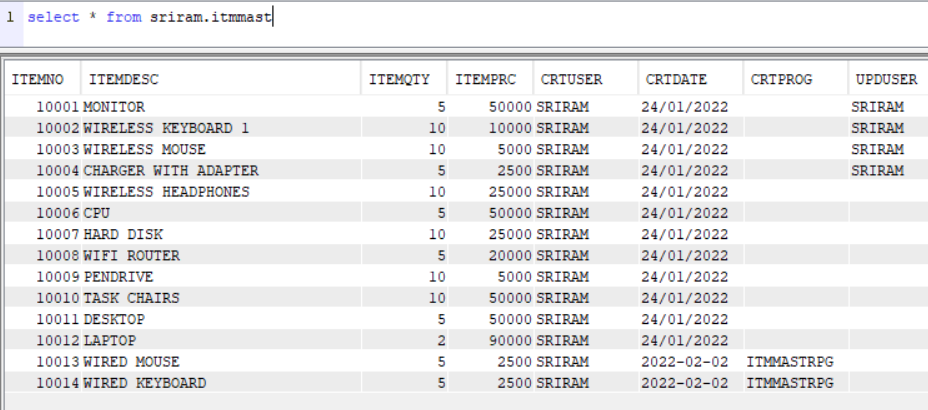
Table Data -
For development, you will need Node.js, IBM i Server and KeyCloak Server
-
Just go on official Node.js website and download the installer. Also, be sure to have
gitavailable in your PATH,npmmight need it (You can find git here). -
You can install nodejs and npm easily with apt install, just run the following commands.
$ sudo apt install nodejs $ sudo apt install npm -
You can find more information about the installation on the official Node.js website and the official NPM website.
If the installation was successful, you should be able to run the following command.
$ node --version
v16.13.1

$ npm --version
8.1.2
If you need to update npm, you can make it using npm! Cool right? After running the following command, just open again the command line and be happy.
$ npm install npm -g
-
- PUB400 provide free IBM i server profile.
- Create your own profile follow the steps in the link - https://www.geek4tutorial.com/2020/02/how-to-get-free-as400-profile-and.html
For this demo, I used my test server.
You can update your credentials into the
connection.jsfile.
-
Keycloak is an open source Identity and Access Management solution targeted towards modern applications and services. Keycloak offers features such as Single-Sign-On (SSO), Identity Brokering and Social Login, User Federation, Client Adapters, an Admin Console, and an Account Management Console.
-
We used KeyCloak for this demo to create tokenized API.
-
Download KeyCloak
-
Follow the below links to setup KeyCloak in your system: -
-
To start backend:
$ node index.js -
Start the KeyCloak Server by running Standalone.sh for Windows(C:\path\keycloak-16.1.1\bin)
- You can check API statics using Swagger Stats