Optris-maintained fork. The original LoadingIndicators.Avalonia has been unmaintained for over two years, and an open community PR for newer Avalonia versions has been sitting unreviewed for months. Optris GmbH has adopted this project to keep it alive for the Avalonia community, starting with an Avalonia 12 port. Published to NuGet as
Optris.LoadingIndicators.Avaloniato avoid colliding with the original package ID. Namespaces are unchanged, so consumer code only needs to swap the package reference.Repository: https://github.com/Optris/Optris.LoadingIndicators.Avalonia

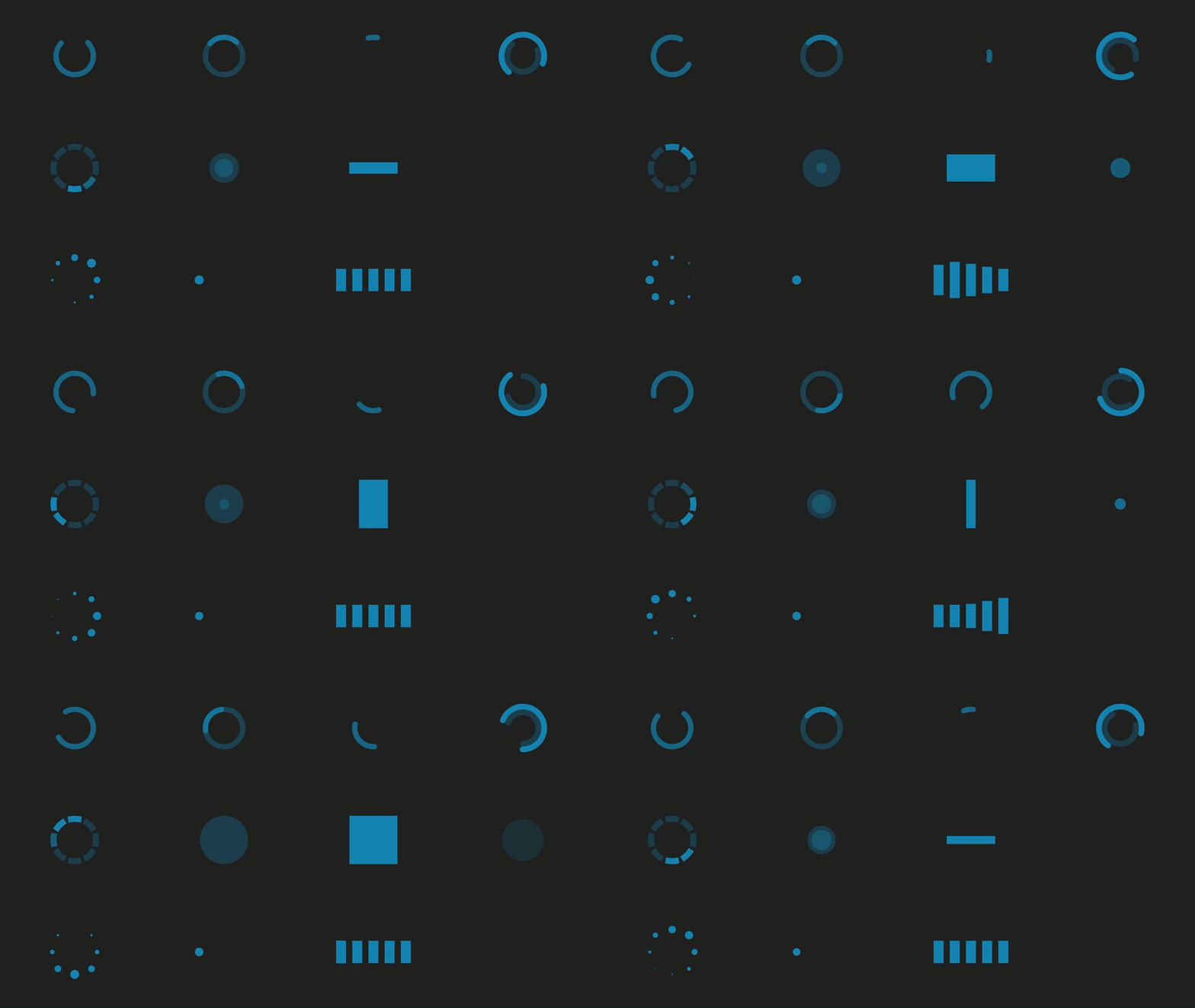
LoadingIndicators.Avalonia is an adaptation for Avalonia of the LoadingIndicators.WPF collection of 9 animated loading indicators.
- Arc
- Arcs
- Arcs Ring
- Double Bounce
- FlipPlane
- Pulse
- Ring
- Three Dots
- Wave
- Easy activation/deactivation
- Easy theme change
- Adjustable animation speed
- Add resources in App.axaml
<Application.Resources>
    <ResourceDictionary>
        <ResourceDictionary.MergedDictionaries>
            <ResourceInclude Source="avares://LoadingIndicators.Avalonia/LoadingIndicators.axaml" />
        </ResourceDictionary.MergedDictionaries>
    </ResourceDictionary>
</Application.Resources>- Include namespace
<Window ...
xmlns:li="using:LoadingIndicators.Avalonia">- Add indicator and select mode
<li:LoadingIndicator IsActive="{Binding IsBusy}" Mode="Arcs" SpeedRatio="1.2" />The package is trim- and Native-AOT-compatible. The assembly is marked IsTrimmable, all
bindings in the control themes are compiled (no reflection bindings), and the control uses no
runtime reflection — so it adds no trim/AOT warnings to a consuming app. This is enforced in CI by
publishing the demo with PublishAot=true and failing on any IL2xxx/IL3xxx warning.
Nothing extra is required to consume it from an AOT app — just keep Avalonia's default compiled
bindings (<AvaloniaUseCompiledBindingsByDefault>true</AvaloniaUseCompiledBindingsByDefault>) in
your own project, as the Avalonia templates already do.
The major & minor version track Avalonia (e.g. 12.0.y for Avalonia 12). Patch versions are for library changes.
- Tag the release:
git tag -a v12.0.1 -m "v12.0.1" - Push the tag:
git push origin v12.0.1
The release workflow extracts the version from the tag, packs the package with it, and publishes to nuget.org. No need to edit version numbers in source files.