We are currently (June 2026) in a repo transition phase 👷♂️
- all software related things are moved to OpenMixerControl
- this repository will remain all OS and hardware specific code

This repository contains software to load and start the Linux-Kernel on the Behringer X32 or Midas M32 and some userland tools. The main logic of our custom firmware lives in its own repository at OpenMixerControl.
You can easily try it out on your own mixer: Steps to run OpenX32

This audio-mixing-console uses a Freescale/NXP i.MX253 Microcontroller with an ARM926EJ-S core that supports booting Linux.
Currently the Linux Kernel is running in Version 6.18 (LTS) with busybox:

OpenMixerControl is the GUI and program that controls the individual boards and devices:

Since the beginning in May 2025 the UI has improved a bit and some of the original X32-functions are already implemented in OpenX32:

You can find more information in the three related Youtube-Videos:
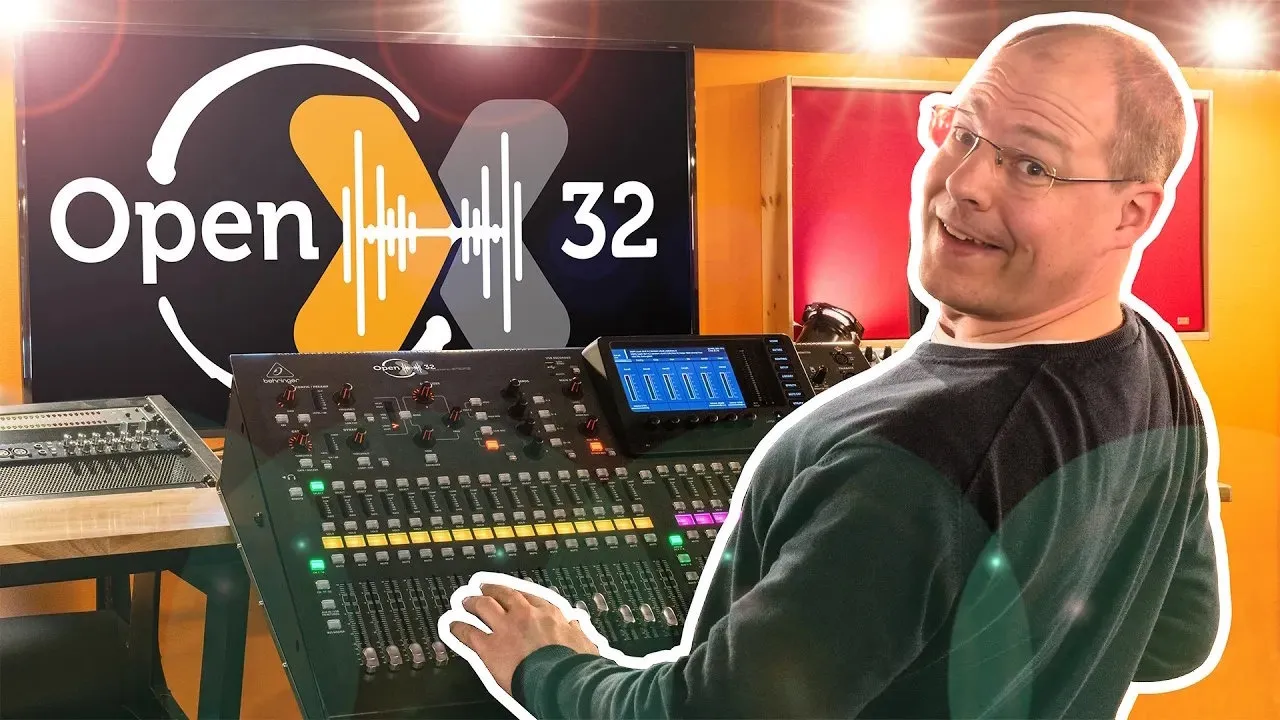

A Youtube Short of the complete OpenX32 Alpha running on a X32 Rack:

And there is even a playlist:
Next to the underlaying Linux we are working on the audio-processing as well.
The Linux has control over most parts of the i.M253 main-controller:
- Linux-Kernel in Version 6.18 (LTS) starts to shell using 800x480 display framebuffer
- init-script for setting up the operating system
- MIDI-Input and -output is used as an additional serial-port-terminal (see pinout down below)
- Support of 100MBit ethernet network-support with DHCP
- Support of internal Realtime-Clock
- Support of USB-Host interface (HID-Keyboard, HID-Mouse, Mass-Storage-Devices, Joystick, Soundcard, etc.)
- Support of internal SD-Card to read MAC-Address and the general configuration
Most audio-functions are already supported:
- Configuration of FPGA (Xilinx Spartan 3A or Lattice ECP5) via internal SPI-interface
- Support of both AnalogDevices DSPs (ADSP-21371 SHARC DSPs) via internal SPI-interface
- Support of 1:1-routing for the available 112 inputs (32x XLR, 8x AUX, 32x Card, 40x DSP) to 112 outputs (16x XLR, 16x UltraNet, 8x AUX, 32x Card, 40x DSP)
- Support of UltraNet-Output
- Support of internal 8-channel analog input- and output-cards including headamp- and phantom-power-control
- Support of internal 8-channel AUX-AD/DA-Converter (CS42438 on older revisions, M8000 on newer revisions)
- Noisegate, 4-band EQ and compressor per channel is already working within the main-DSP
- Some more advanced audio-algorithms are already implemented in DSP2
- AES50 is working on Lattice-FPGA-versions. Receiving and sending audio and using the AUX-channel for headamp-control is working.
The hardware-surface is working, too:
- Support of booting from SD-Card and via USB using the original DCP-Bootloader
- Control of X32 surface (faders, buttons, LEDs, encoders) through omc-software
So the most important things (audio in/out, control-surface, display) are working already and more things are on the ToDo-list:
- In-Progress: Boot from barebox as a successor of U-Boot (U-Boot has ended the support of i.MX25 since a couple of years; barebox already boots OpenX32 from development sd-cards)
- Planned: ALSA Soundcard with I2S to main-FPGA (DeviceTree option "simple-audio-card" via SSI1 and AUDMUX is not initializing)
- Planned: GPIO support via libgpiod (at the moment libgpiod is not working and has no control over /dev/gpiochipX)
LVGL v9.5.0 is running on the X32 with a good performance (30 fps). So this will be a basis for this open-source Operating System:


I want to learn things about embedded systems and how they work. The X32 is a very powerful playground with lots of different controllers, nice faders and displays. So that's the only reason why I'm doing this :-)
Yes, here: https://discourse.openmixerproject.de
Checkout the most recent release from https://github.com/OpenMixerProject/OpenX32/releases and follow the instructions there. You only have to copy one file onto an USB-thumbdrive and boot into OpenX32 :)
Here a quick video of the boot process
You can login via SSH using the password "openx32" and the following command:
ssh root@IPADDRESS

root@192.168.0.153's password: openx32
  ____                  __   ______ ____
 / __ \                 \ \ / /___ \__  \
| |  | |_ __   ___ _ __  \ V /  __) | ) |
| |  | | '_ \ / _ \ '_ \  > <  |__ < / /
| |__| | |_) |  __/ | | |/ . \ ___) / /_
 \____/| .__/ \___|_| |_/_/ \_\____/____|
       | |    https://www.openx32.com
       |_|
---------------------------------------------------
OpenX32 alpha5-29-g4cb74fa-dirty 18.04.2026
---------------------------------------------------
~ #
This system uses the most recent versions of the tools I could find: the bootloader u-Boot is used in Version 2020.10 as this is the last U-Boot supporting the i.MX25. Up to now Linux has still support for the i.MX25 and I selected v6.18, the most recent LTS-kernel.
So the repository uses other GitHub-repositories as submodules (u-Boot, Linux and pyATK). Please use the following command to checkout the main-repo together with submodules. To minimze the download-size and -time, we will clone the submodules separately:
git clone --depth 1 https://github.com/xn--nding-jua/OpenX32.git
cd openx32
./gitinitsubmodules.sh
Next to the sourcecode, your system needs to be setup correctly to compile the whole system: setup your debian-based system by calling:
./setup.sh
This script will install several dependencies to compile u-boot and the linux-kernel. After installing the packets, it will patch pyATK to run with recent versions of Python 3.11 and newer. It will also configure pyATK in a virtual python-environment.
Compile u-boot, Linux, busybox and the other tools simply by calling the script ./compile.sh:
./compile.sh
- compile.sh will copy some patched files into the submodules
- then it compiles the U-Boot-bootloader, the Linux kernel and other user-programs
- at the end all binaries are merged into a single binary file
- this binary file is finally compiled into a file that is compatible with the original bootloader of the X32 so that you can run the firmware from a USB-Thumbdrive directly
If you want to make this firmware permanent, rename the file from dcpxxx.run into dcpxxx.update and the firmware will be written on the internal SD-Card. The boot will be much faster compared to the USB-boot.
Within the software-folder several user-applications are placed:
- omc: this is the main-program responsible for the UI and the communication with hardware components
- x32sdconfig: this small software reads the original SD-card on boot and put general information about the board to the folder /etc/
There are some test- and debug-softwares in the "test"-folder:
- fpgaconfig: program to configure the Xilinx Spartan 3A FPGA using spidev2.0
- dspconfig: program to configure the two AnalogDevices 21371 SHARC DSP using spidev0.0 and spidev0.1
- spiread: program to test the communication to the DSPs
- uarttest: program to test communication with FPGA
The X32 devices before 2020 are using a Xilinx Spartan-3A X3CS1400 FPGA to route the audio between the individual ADCs, DACs, expansion card and digital connectors like AES50 and UltraNet. For the Spartan-3A we can use the free version of Xilinx ISE 14.7 as the most recent toolchain to synthesize logic for this FPGA:
Download ISE 14.7 from the Xilinx (AMD) website: https://www.xilinx.com/support/download/index.html/content/xilinx/en/downloadNav/vivado-design-tools/archive-ise.html. There are two options: a preinstalled linux virtual machine or the direct version. The virtual machine is working fine. If you want to use the direct version under Windows, here is a short manual as this needs some adjustments:
- Download the DVD image: https://www.xilinx.com/member/forms/download/xef.html?filename=Xilinx_ISE_DS_14.7_1015_1.tar
- Start the setup and install the software (the setup will take a loooong time). Between 93% and 95% the installation will hang: go into the taskmanager and kill the software "Webtalk32.exe" and "xwebtalk.exe" several times until the setup finishes (successfully!)
- Set the Windows-Environmental-Variable "XILINX_VC_CHECK_NOOP" to "1". Otherwise the software will complain about a non-installed VisualStudio Runtime 2008 even if it is installed correctly
- On modern Windows 10/11 ISE 14.7 will not start beyond the Splash-Screen due to the use of "SmartHeap" within the file "libPortability.dll". Download a hotfix from https://github.com/xn--nding-jua/OpenX32/raw/refs/heads/main/files/xilinx_ise_hotfix.zip, extract to C:\Xilinx\ and run the batch-file. The script will replace the 32-bit/64-bit versions of libPortability.dll.
- Start ISE 14.7, open the OpenX32 project and compile the logic of the main-schematic.
- On the left side of ISE 14.7 create a configuration file (bitstream)
- Copy main.bit to an USB-thumbdrive and load it either with "./fpgaconfig fpga.bit" or with the main-control-software "./omc --X fpga.bit" (Xillinx)
An overview of the current FPGA-project can be found in the PDF-file of the top-schematic here: View Schematic as PDF.
The X32 uses two AnalogDevices 21371 SHARC DSPs for mixing. These devices are supported by the CrossCore EmbeddedStudio v2.12:
- Download CrossCore EmbeddedStudio v2.12.x: https://www.analog.com/en/resources/evaluation-hardware-and-software/software/adswt-cces.html#software-overview
- Request 90-day Trial-Software from Analog Devices
- Open the DSP-project in the folder "dsp"
- Use "Project -> Compile all..." to compile current project and "dsp1.ldr" will be generated
- copy "dsp1.ldr" to the USB-thumbdrive and load it either with "./dspconfig dsp1.ldr" or with the main-control-software "./omc --D1 dsp1.ldr"
DSP1 is the main-DSP receiving and sending all 40 audio-channels from and to the FPGA that is routing the audio to and from the individual sources. Within this first DSP the 32 + x main-channels are processed (noise-gate, multi-band-EQs, compressor, general mixing).
DSP2 is used for the more advanced audio-effects in the original system. This DSP is not used at the moment.
The MIDI-Ports are connected to the UART5 of the i.MX25. With a simple resistor and a RS232/USB-converter the MIDI-ports can be used for a serial-terminal with 115200 baud:
MIDI Out+ o---->---|       MIDI GND o------|          +5V o----->----o MIDI In+
  Pin 4          -----       Pin 2         o                           Pin 4
                 |   |                Pin 5 (GND)
                 |4k7|
  Pin 5          |___|                                                 Pin 5
MIDI OUT- o----<---|----->----o Pin 2 (RxD)   Pin 3 (TxD) o-----<----o MIDI In-
see also: Article in our Discourse
- U-Boot in Version 2020.10 (https://github.com/u-boot/u-boot/tree/v2020.10)
- Linux in Version 6.18 (https://github.com/torvalds/linux/tree/v6.18)
- Busybox (https://git.busybox.net/busybox)
- LVGL in Version 9.5.0 (https://github.com/lvgl/lv_port_linux)
- Dropbear (https://github.com/mkj/dropbear)
- Framebuffer-VNC (https://github.com/ponty/framebuffer-vncserver)
- LibVNC (https://github.com/LibVNC/libvncserver)
- pyATK in Version 0.1.0 (https://github.com/hbock/pyatk)
- Glaze library from commit 0c2893a (https://github.com/stephenberry/glaze)
