hasan72341/nyora is a one-command, self-hosted Docker deployment of
Nyora: the web reader UI and the parser helper (the
Kotatsu engine) bundled in a single container,
so every source is parsed on your own machine. No cloud, no account, no tracking — a
self-hosted, ad-free Tachiyomi / Mihon / Kotatsu alternative you own end to end.



In one line:
docker run -d -p 8080:8080 -v nyora-data:/data hasan72341/nyora→ openhttp://localhost:8080and you're reading, with every source parsed locally.
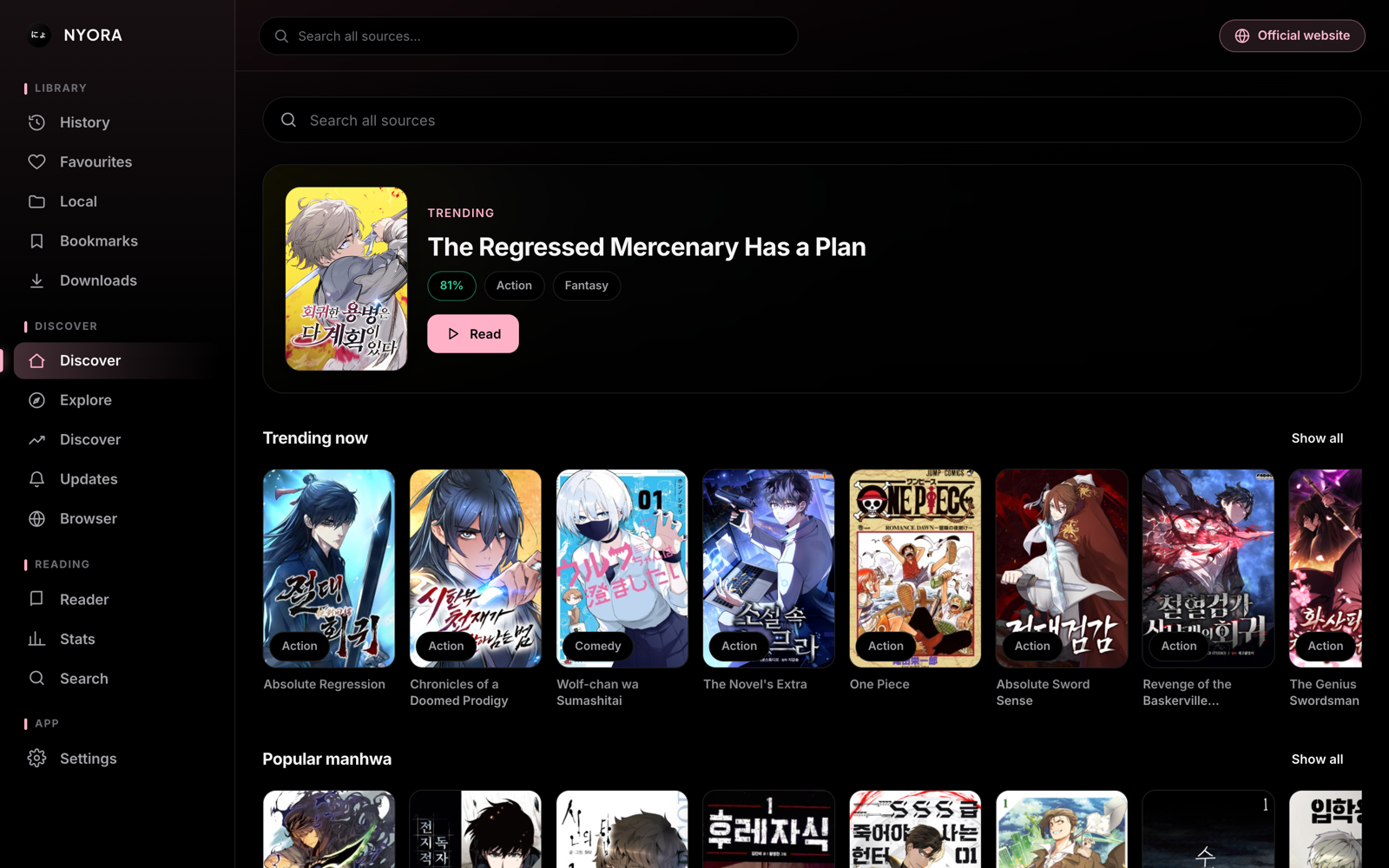
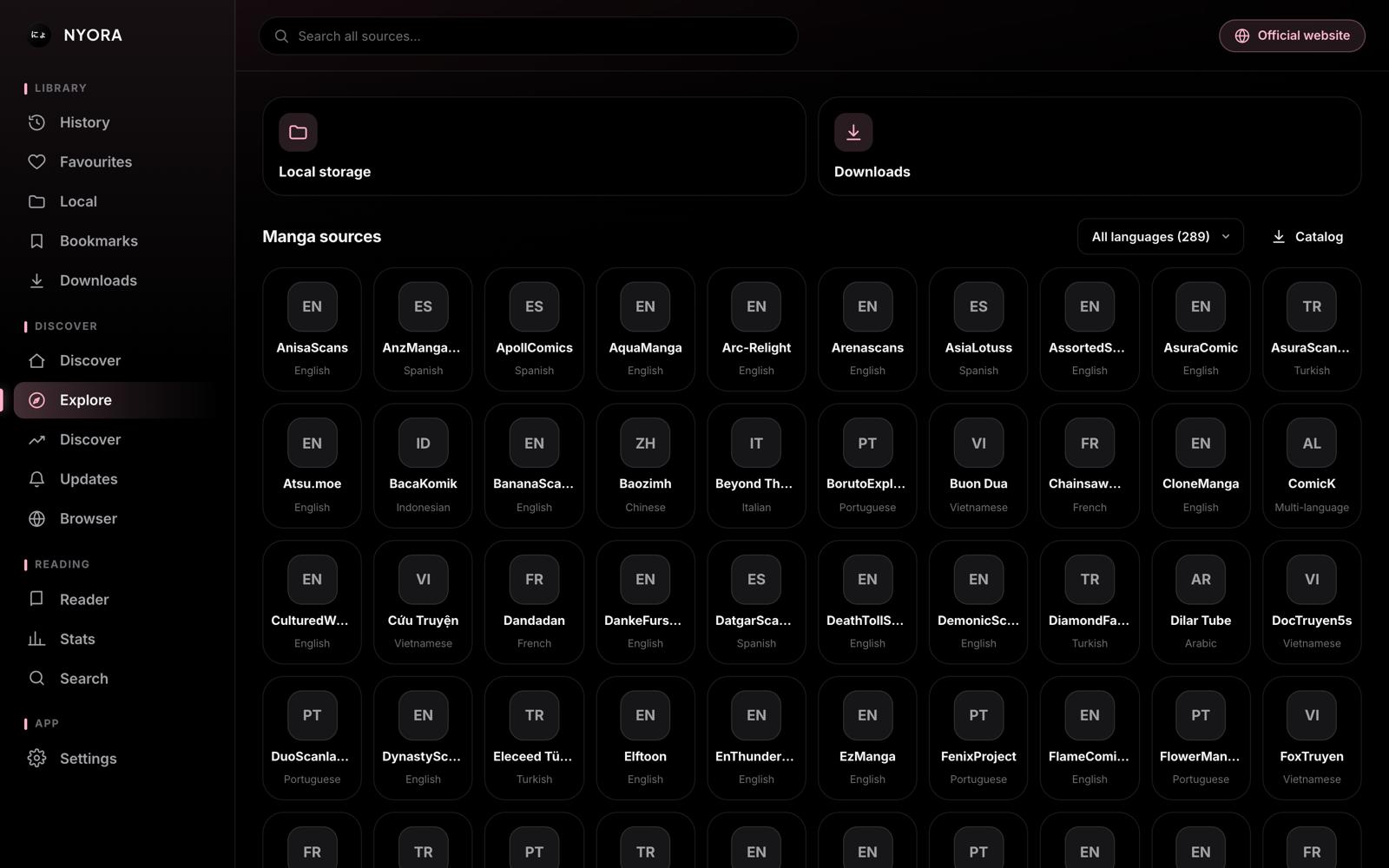
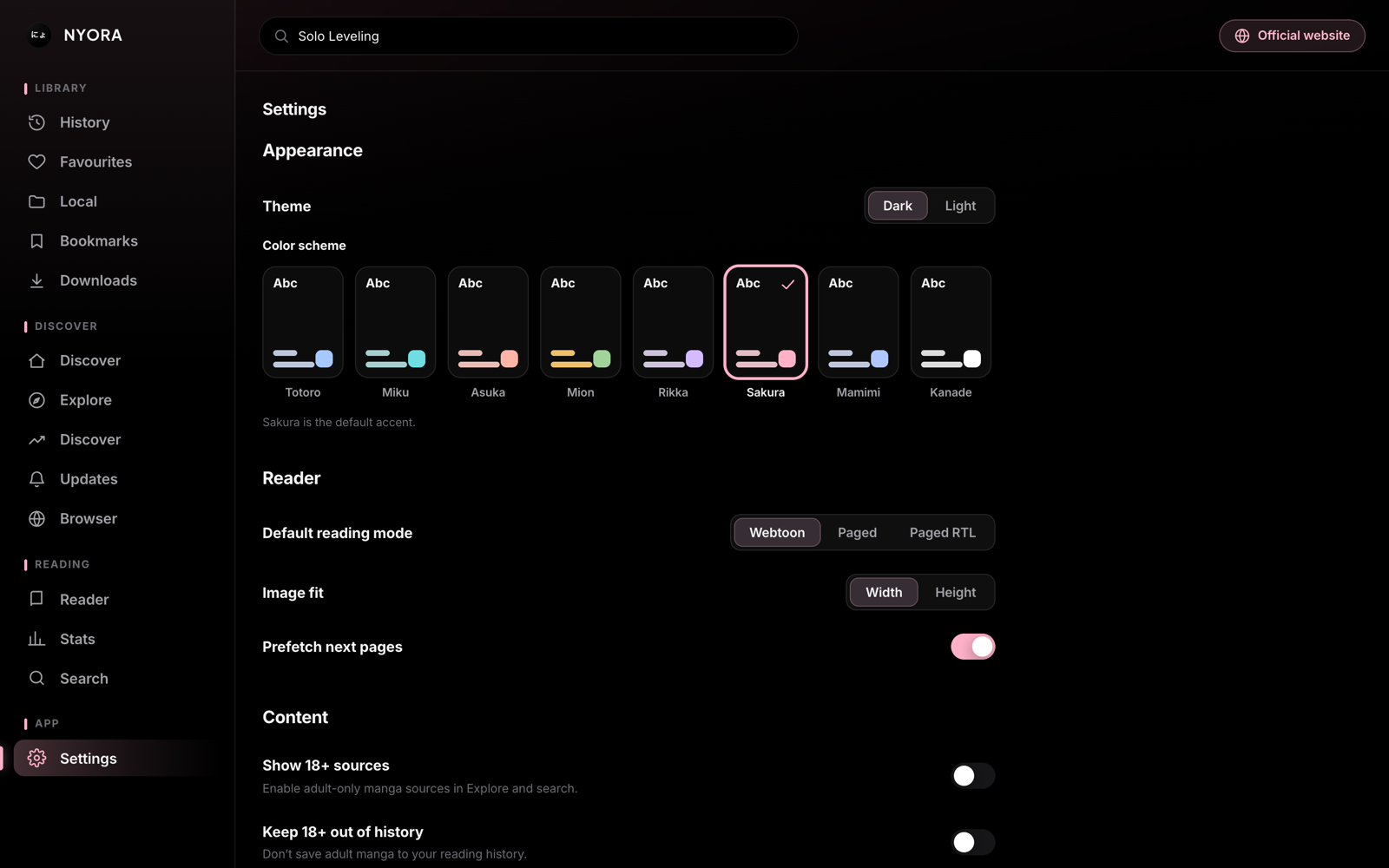
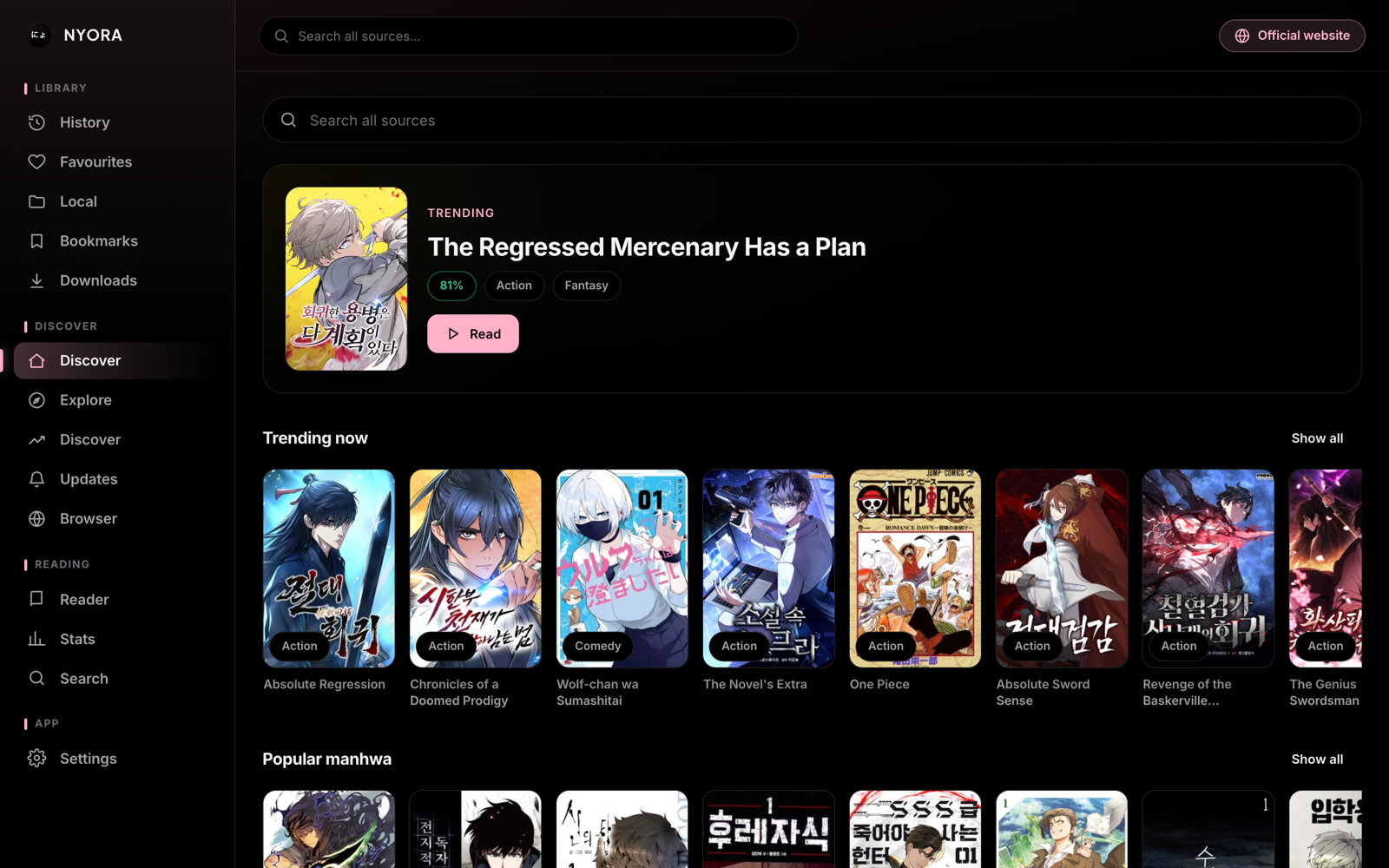
The Nyora web reader — running entirely from your own Docker container.
- Why self-host Nyora
- Quick start
- How it works (architecture)
- Is it really fully local?
- Configuration
- Behind a reverse proxy / HTTPS
- Updating
- Build from source
- Troubleshooting
- FAQ
- Requirements & notes
- Related
| 🐳 One command | docker run … or docker compose up — the web UI and the parser engine come up together, no wiring. |
| 🔒 Fully local | Every source is fetched and parsed by the in-container helper — nothing routes through Nyora's servers to read. |
| 📚 Hundreds of sources | The Kotatsu parser engine — manga, manhwa & manhua — with covers/pages proxied so images just load. |
| 🚫 No ads, no tracking, no account | Open-source (Apache-2.0). Reading needs no sign-in; optional library sync is the only remote piece, and you can self-host or skip it. |
| 🧩 The whole reader, on your box | A polished PWA reader (standard + webtoon, LTR/RTL/vertical), library, categories, history — served from your own host. |
| 🌐 Reach it anywhere | localhost, a LAN IP, or behind your own HTTPS reverse proxy — the app auto-detects its origin, so there's nothing to reconfigure. |
docker run -d --name nyora -p 8080:8080 -v nyora-data:/data hasan72341/nyora:latestOpen http://localhost:8080. That's it.
Some sources sit behind a browser challenge; the FlareSolverr sidecar handles those. Grab the compose file and pull the image:
git clone https://github.com/Nyora-Manga/nyora-docker.git
cd nyora-docker
docker compose pull && docker compose up -dgit clone https://github.com/Nyora-Manga/nyora-docker.git
cd nyora-docker
docker compose up --build # compiles the helper + web bundle from sourceThen open http://localhost:8080 in any browser.
Everything is same-origin inside one container — no CORS, no cloud, nothing to configure.
  ┌──────────────────────── nyora container (:8080) ────────────────────────┐
  │                                                                          │
  │   Caddy :8080                                                            │
  │     ├─ /*      → the web reader SPA (static files)                       │
  │     └─ /api/*  → 127.0.0.1:8788   (prefix stripped)                      │
  │                       │                                                  │
  │                 Java parser helper  (Kotatsu engine + NyoraRestServer)   │
  │                 — parses every source locally, proxies covers/pages,     │
  │                 handles hotlink referers                                 │
  │                       │                                                  │
  └───────────────────────┼──────────────────────────────────────────────── ┘
                          │ (only for sources behind a Cloudflare challenge)
                   flaresolverr  (headless-browser solver, LAN-internal)
The browser calls location.origin + '/api'; Caddy forwards it to the local helper. The
helper (the JVM Kotatsu engine) fetches and parses the manga site server-side and returns clean
JSON + image URLs. The web UI never scrapes anything itself.
Reading is 100% local. The SPA talks only to the in-container helper, which parses each site itself — nothing about what you read leaves your machine.
The one optional remote piece is library sync (NYORA_SYNC_URL):
| Choice | How | Local? |
|---|---|---|
| Don't sign in | Use it as a guest — everything stays on your device | ✅ 100% local |
| Self-host sync | Run your own nyora-sync-server and set NYORA_SYNC_URL |
✅ 100% local |
| Use Nyora Cloud | Leave the default to sync with the other Nyora apps | ☁️ sync only |
Copy .env.example → .env (Compose) or pass -e flags (docker run):
| Variable / setting | Default | Purpose |
|---|---|---|
| host port | 8080 |
-p <host>:8080 or WEB_PORT with Compose |
/data volume |
— | persists your library, history, settings + SQLite DB |
NYORA_SYNC_URL |
https://sync.nyora.xyz |
optional sync backend (self-host / omit) |
FLARESOLVERR_URL |
http://flaresolverr:8191/v1 |
CF-challenge solver (Compose sets this) |
NYORA_HELPER_PORT |
8788 |
loopback port the helper binds (behind /api) |
JAVA_OPTS |
-Xmx320m … |
JVM tuning for the helper |
NYORA_WEB_REF |
main |
(build only) git ref of nyora-web |
NYORA_SHARED_REF |
main |
(build only) git ref of nyora-shared |
The container serves plain HTTP on :8080 and computes its API base from the request origin,
so it works behind any TLS-terminating proxy with no extra config. Example (Caddy):
manga.example.com {
    reverse_proxy localhost:8080
}
Traefik/nginx are equivalent — just proxy your hostname to the container's :8080.
docker compose pull && docker compose up -d      # from Docker Hub
# or, from source:
docker compose build --no-cache && docker compose up -d
Your /data (library, history, settings) survives updates. To pin exact versions when building:
NYORA_WEB_REF=web-v2.0.0 NYORA_SHARED_REF=main docker compose build.
Three stages, all from source (no prebuilt binaries): (1) helper — clones
nyora-shared and builds the Kotatsu-engine fat jar
with a small vendored Gradle project in helper/; (2) web — clones
nyora-web and runs npm run build; (3) runtime —
a lean eclipse-temurin:17-jre + Caddy, running non-root, healthchecked.
docker pullfails on an amd64 machine — the publishedlatestis currently linux/arm64. A multi-arch (amd64 + arm64) image is planned; until then, build from source on amd64 (docker compose up --build).- A source shows no results / images — it may need the Cloudflare solver: run with Compose (Option B) so FlareSolverr is available. The helper degrades gracefully without it.
- A CSS/console error after an update — the web app is a PWA; hard-reload (Ctrl/Cmd + Shift + R) once to flush the service-worker cache.
- Port already in use — change the host port:
-p 9000:8080orWEB_PORT=9000 docker compose up -d. - Health —
curl http://localhost:8080/api/healthshould return{"status":"ok"}. - Logs —
docker logs -f nyora(ordocker compose logs -f nyora).
How do I self-host a manga reader with Docker?
docker run -d -p 8080:8080 -v nyora-data:/data hasan72341/nyora → open http://localhost:8080.
It bundles the reader UI and the parser engine, so there's nothing else to set up.
Is this a self-hosted Tachiyomi / Mihon / Kotatsu alternative? Yes — a fully-local, ad-free reader you run yourself. It's built on the open-source Kotatsu parser engine and adds a browser UI, so you read hundreds of sources from your own server.
Does it phone home / need an account? No. Reading is entirely local (the in-container helper parses everything). No account is needed; optional cross-device sync is the only remote piece, and you can self-host or skip it.
Where is my library stored? In the /data Docker volume — library, history, settings and the
SQLite DB. Back it up by copying that volume.
Which architectures are supported? The latest image is linux/arm64 today; build from source
for amd64, or watch for the multi-arch build.
Can I put it behind HTTPS / a domain? Yes — proxy your hostname to the container's :8080
with Caddy/Traefik/nginx. The app adapts to whatever origin it's served from.
Manga, manhwa or manhua? All three — the Kotatsu engine covers Japanese, Korean and Chinese comics across many languages.
- Docker + the Compose plugin. ~1.5 GB RAM for the full stack (
nyora768 MB,flaresolverr700 MB). - On Apple Silicon / ARM, the FlareSolverr image is amd64 and runs under emulation (slower to warm).
- Parser engine: the open-source Kotatsu engine.
Web UI:
nyora-web.
- Docker Hub image:
hasan72341/nyora - Nyora project index (every repo): https://github.com/Nyora-Manga/Nyora
- Apps for Android / iOS / macOS / Windows / Linux + the hosted web app: https://nyora.xyz
- Developer SDKs:
nyora(Python) ·nyora-sdk(JS/TS)
Apache-2.0. Built on the open-source Kotatsu parser engine; not affiliated with Tachiyomi, Mihon or Kotatsu.