

The most powerful Quick Look implementation for Windows



 The Problem |
 Superpowers |
 Get Started |
 Extend |
 Community |
|
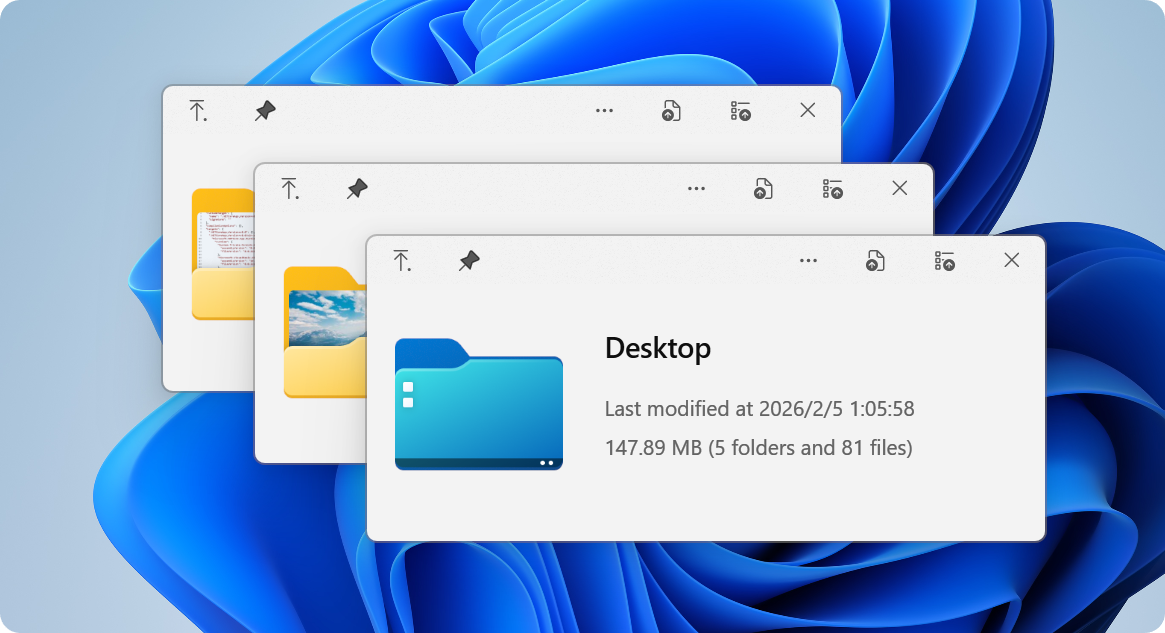
You know the drill: you want to peek at a file, so you double-click, wait for an app to launch, view the file, close the app... exhausting, right? macOS users? They just press Space. Instant preview. Any file. Now Windows has it too. 🎉 QuickLook brings that buttery-smooth, instant-preview experience to Windows. No more waiting. No more opening heavy applications just to peek at a document. |
|

Instant previews with zero lag Native performance that feels like magic Hardware-accelerated rendering |

Fluent Design System integration Beautiful on 4K displays Touch-optimized interface |

Images, videos, documents, code 3D models, archives, fonts Extensible with plugins |
|
|
|
File Explorer 
Native integration |
Open/Save Dialogs 
System-wide support |
3rd Party Managers 
Total Commander, xplorer² |
Cloud Storage 
OneDrive, Dropbox ready |

Recommended for most users ✅ Automatic updates ✅ Sandboxed security ✅ One-click install 
|
Full-featured experience ✅ Complete functionality ✅ Open/Save dialog support ✅ Portable option available 
💎 Get the full power |

For command-line lovers ✅ Easy updates ✅ Reproducible installs ✅ Version management scoop bucket add extras
scoop install quicklook🤓 Power user choice |

Live on the edge ✅ Latest features
✅ Bug fixes first

🌙 Experimental builds |
🤔 Not sure which version to choose?
| Feature | Store | Installer | Scoop | Nightly |
|---|---|---|---|---|
| Auto-updates | ✅ | ✅ | ||
| Open/Save dialogs | ❌ | ✅ | ✅ | ✅ |
| Portable mode | ❌ | ✅ | ❌ | ✅ |
| Stability | ✅✅✅ | ✅✅✅ | ✅✅✅ | ✅✅ |
|
💡 Pro Tips:
|
|
|
|
💡 Pro Tip: You can navigate files using arrow keys even when the preview window isn't focused!
Transform QuickLook into a universal file viewer

Preview Word, Excel & PowerPoint files No Microsoft Office required! 
|
Enhanced PDF viewing with WebView2 Modern, fast, feature-rich 
|
Preview Perfect for designers 
|

View CAD files natively

|
|
1️⃣ Download Get the |
2️⃣ Install Ensure QuickLook is currently running, select the file and press |
3️⃣ Restart Click on the |
|
1️⃣ Quit Quit QuickLook. |
2️⃣ Navigate Navigate to the Data location. |
3️⃣ Remove You should find several folders. Remove the one you do not want to use. |



Join our Chinese community 371388501 
|

Help QuickLook speak your language Make it accessible 
|

Show your support It means a lot! 
|
Interested in contributing? Check out our development resources:




Design Team Fluent UI & Icons |

Contributors Code, translations & ideas |

Open Source Standing on giants |

You! Every User Matters Thank you for using QuickLook |

QuickLook is free and open source under GPL-3.0
Free software, free forever. No ads, no tracking, no premium tiers.
Need commercial licensing? Contact us for sublicensing options.